1. Important Safety Instructions
Please read these instructions carefully before installing and operating your microwave oven. Keep this manual for future reference.
- Do not attempt to operate this oven with the door open as this can result in harmful exposure to microwave energy.
- Do not place any object between the oven front face and the door or allow soil or cleaner residue to accumulate on sealing surfaces.
- Do not operate the oven if it is damaged. It is particularly important that the oven door closes properly and that there is no damage to the: (1) door (bent), (2) hinges and latches (broken or loosened), (3) door seals and sealing surfaces.
- The oven should not be adjusted or repaired by anyone except properly qualified service personnel.
- Ensure the appliance is properly grounded.
- Do not operate the microwave empty.
- Do not heat liquids or other foods in sealed containers as they are liable to explode.
- Always supervise children when the microwave is in use.
2. Product Features
The Cecotec GrandHeat 2300 Flatbed Touch Microwave Oven is designed for efficient and convenient cooking and heating. Its innovative flatbed design offers enhanced usability and easier maintenance.
- Capacity: 23 Liters, providing ample space for various dishes.
- Power: 800 Watts with 5 adjustable power levels for precise cooking control.
- Flatbed Design: Eliminates the need for a turntable, maximizing interior space and allowing for larger, rectangular dishes. This also simplifies cleaning.
- Touch Control Panel: Intuitive and easy-to-use digital interface for seamless operation.
- Preset Functions: 8 pre-configured programs for common food types including pizza, meat, vegetables, pasta, potatoes, fish, drinks, and popcorn.
- Timer: Adjustable timer up to 95 minutes.
- Safety Lock: Child safety lock feature to prevent accidental operation.
- Interior: Ceramic-coated interior for enhanced durability and easy cleaning.
- Combination Cooking: Ability to combine two functions consecutively, such as defrosting followed by heating.
3. Installation and Setup
3.1 Unpacking
Carefully remove the microwave oven from its packaging. Inspect the appliance for any signs of damage. Retain the packaging materials for future transport or if the appliance needs to be returned.
3.2 Placement
Place the microwave oven on a flat, stable, and heat-resistant surface. Ensure there is adequate ventilation space around the unit (at least 10 cm at the back, 20 cm at the top, and 5 cm on the sides). Do not block any ventilation openings. Keep the appliance away from heat sources, strong magnetic fields, and areas with high humidity.

Figure 3.1: Front view of the Cecotec GrandHeat 2300 Flatbed Touch Microwave Oven.

Figure 3.2: Diagram showing the dimensions of the microwave oven (57.5 cm L x 45 cm W x 37.5 cm H).
3.3 Power Connection
Before plugging in the appliance, ensure that the voltage indicated on the rating label matches your local power supply. Connect the microwave oven to a properly grounded electrical outlet. Do not use extension cords or adapters that are not rated for the appliance's power requirements.
4. Operating Your Microwave Oven
4.1 Control Panel Overview
The microwave features an intuitive touch control panel for easy operation.

Figure 4.1: Detailed view of the touch control panel, showing the digital display and various function buttons.
- Power Button (⏻): To turn the microwave on/off or to select power levels.
- Time/Clock Button (⏱): To set cooking time or the current time.
- Defrost Button (❄️): To activate the defrost function.
- Preset Functions Button (△): To cycle through the 8 preset cooking programs.
- Start/Pause Button (▶): To start or pause cooking.
- Stop/Cancel Button (■): To stop cooking or clear settings.
- +/- Buttons: To adjust time, weight, or power levels.
4.2 Basic Operation
- Place food in a microwave-safe container inside the oven.
- Close the door securely.
- Press the Power button to select the desired power level (e.g., P100 for 100% power).
- Use the +/- buttons to set the cooking time.
- Press the Start button to begin cooking.
4.3 Using Preset Functions
The microwave offers 8 convenient preset functions:
- Press the Preset Functions button (△) repeatedly to cycle through the available programs (e.g., Pizza, Meat, Vegetables, Pasta, Potatoes, Fish, Drinks, Popcorn).
- Once the desired program is displayed, press the Start button. The microwave will automatically set the appropriate cooking time and power level.
4.4 Defrost Function
The defrost function allows you to thaw food by weight or time.
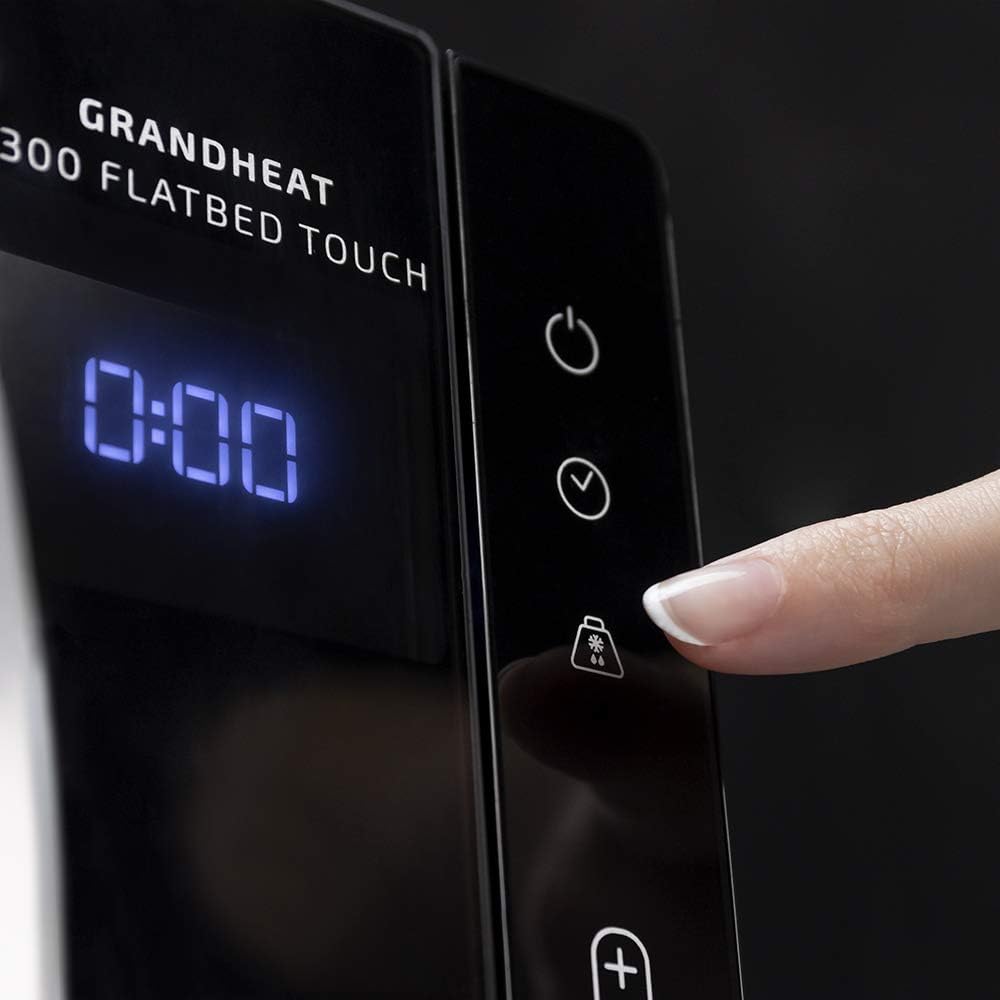
Figure 4.2: A finger interacting with the defrost button on the touch control panel.
- Press the Defrost button (❄️).
- Use the +/- buttons to select the defrost time or weight, depending on the mode.
- Press the Start button to begin defrosting.
4.5 Child Safety Lock
To activate the child safety lock, press and hold the Stop/Cancel button (■) for approximately 3 seconds until a lock indicator appears on the display. To deactivate, repeat the process.
5. Care and Cleaning
Regular cleaning and maintenance will ensure the longevity and optimal performance of your microwave oven.
5.1 Interior Cleaning
The ceramic-coated interior and flatbed design make cleaning exceptionally easy. After each use, wipe the interior with a damp cloth and mild detergent. For stubborn food spills, place a bowl of water with lemon slices inside and heat for a few minutes to loosen residue, then wipe clean. Since there is no turntable, there are fewer parts to clean.

Figure 5.1: The flatbed interior of the microwave oven, highlighting the absence of a turntable for easier cleaning.
5.2 Exterior Cleaning
Wipe the exterior surfaces with a soft, damp cloth. Do not use abrasive cleaners or harsh chemicals that could damage the finish.
5.3 Odor Removal
To remove odors from the oven, combine a cup of water with a few tablespoons of lemon juice or vinegar in a microwave-safe bowl. Heat on high for 5-7 minutes. Allow to cool slightly, then wipe the interior with a clean cloth.
6. Troubleshooting Guide
If you encounter any issues with your microwave oven, please refer to the following common problems and solutions before contacting customer support.
| Problem | Possible Cause | Solution |
|---|---|---|
| Microwave does not start. | Door not closed properly; Power cord unplugged; Circuit breaker tripped; Child lock activated. | Ensure door is fully closed; Check power connection; Reset circuit breaker; Deactivate child lock. |
| Food not heating properly. | Incorrect power level or cooking time; Food quantity too large; Improper dishware. | Adjust power level and time; Reduce food quantity or cook in batches; Use microwave-safe dishes. |
| Unusual noise during operation. | Food container touching interior walls; Debris inside the oven. | Ensure container is not touching walls; Clean interior thoroughly. |
| Display shows an error code. | Internal malfunction. | Unplug the microwave for 1 minute, then plug it back in. If the error persists, contact customer support. |
7. Technical Specifications
Detailed specifications for the Cecotec GrandHeat 2300 Flatbed Touch Microwave Oven.
| Feature | Specification |
|---|---|
| Brand | Cecotec |
| Model | GrandHeat 2300 Flatbed Touch |
| Capacity | 23 Liters |
| Power Output | 800 Watts |
| Voltage | 230V AC |
| Frequency | 50 Hz |
| Dimensions (L x W x H) | 57.5 x 45 x 37.5 cm |
| Weight | 13.3 Kilograms |
| Material | Painted Metal or Stainless Steel |
| Noise Level | 10 dB |
| Special Features | Automatic Cooking, Defrost, Timer, Programmable, Flatbed (no turntable) |
8. Warranty and Customer Support
Cecotec is committed to providing high-quality products and excellent customer service. This product is designed for durability and performance.
Spare Parts Availability: Spare parts for this model are available for up to 10 years from the date of purchase.
For any questions, technical assistance, or warranty claims, please contact Cecotec customer support through their official website or the contact information provided with your purchase. Please have your product model and serial number ready when contacting support.


