
Introduction
This manual provides comprehensive instructions for the Smartby Universal Remote Control, Model SMTB-Viz-RM. This remote is designed to be a direct replacement for various Vizio Smart TV remotes, offering immediate functionality without the need for complex programming or pairing. It is compatible with a wide range of Vizio brand televisions manufactured after 2012.
Setup
The Smartby Universal Remote Control is designed for ease of use. No programming or pairing is required for operation with compatible Vizio Smart TVs.
- Install Batteries: Open the battery compartment cover on the back of the remote control. Insert two (2) 1.5V AAA alkaline batteries, ensuring correct polarity (+/-). Close the battery compartment cover securely.
- Ready for Use: Once batteries are installed, the remote control is ready to operate your Vizio Smart TV.

Image 1: Front view of the Smartby Universal Remote Control, showing all buttons and layout.
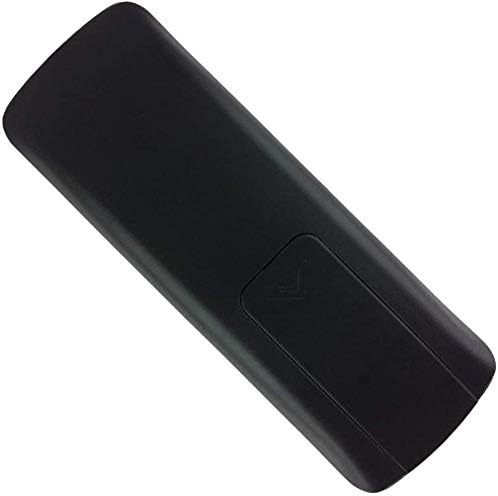
Image 2: Back view of the Smartby Universal Remote Control, highlighting the battery compartment cover.
Operating Instructions
The remote control features standard buttons for navigating your Vizio Smart TV. Point the remote directly at your TV's infrared receiver for optimal performance.
- Power Button: Turns the TV on or off.
- Input Button: Cycles through available input sources (HDMI, AV, etc.).
- Volume Up/Down: Adjusts the TV's volume level.
- Channel Up/Down: Changes TV channels.
- Navigation Pad (Up, Down, Left, Right, OK): Used to navigate menus and select options.
- Back/Exit: Returns to the previous menu or exits the current menu.
- Menu/Guide: Accesses the TV's main menu or program guide.
- Smart App Buttons (e.g., Amazon, Netflix, iHeartRadio): Provides direct access to popular streaming applications.
Compatibility: This remote is compatible with various Vizio Smart TV series, including V Series, M Series, D Series, P Series, PX Series, E Series, and OLED Series LED/LCD/HD/4K/HDR/UHD Smart TVs. It replaces many original Vizio remote models such as XRT112, XRT122, XRT302, XRT135, XRT510, XRT500, XRT100, XRT140, XRT260, VR1, VR2, VR10, VR15, and others.
Maintenance
- Battery Replacement: Replace batteries when the remote's performance degrades or stops functioning. Always use new 1.5V AAA alkaline batteries. Do not mix old and new batteries, or different types of batteries.
- Cleaning: Wipe the remote control with a soft, dry cloth. Avoid using liquid cleaners or abrasive materials, as these can damage the remote's surface or internal components.
- Storage: Store the remote in a cool, dry place away from direct sunlight and extreme temperatures. If the remote will not be used for an extended period, remove the batteries to prevent leakage.
Troubleshooting
| Problem | Possible Cause | Solution |
|---|---|---|
| Remote not responding | Dead or incorrectly installed batteries. Obstruction between remote and TV. Remote out of range. | Replace batteries with new ones, ensuring correct polarity. Remove any objects blocking the line of sight to the TV's IR sensor. Ensure you are within a reasonable operating distance from the TV. |
| Some buttons do not work | TV model incompatibility for specific advanced functions. | While this remote is broadly compatible, some very specific functions might not be supported on all Vizio models. Verify your TV model's original remote features. |
| Remote works intermittently | Low battery power. Interference. | Replace batteries. Ensure no strong light sources (like direct sunlight) are interfering with the TV's IR sensor. |
Specifications
- Model: SMTB-Viz-RM
- Brand: Smartby
- Power Supply: 2 x 1.5V AAA Alkaline Batteries (not included)
- Product Dimensions: 6 x 1.6 x 0.7 inches
- Item Weight: 2.11 ounces
- Color: Black
- Compatible Devices: Vizio Smart Televisions (manufactured after 2012)
- Special Feature: No Programming Required, Universal Compatibility
Warranty and Support
For information regarding warranty coverage or technical support, please refer to the seller's policies or contact the manufacturer directly. Specific warranty details are typically provided at the point of purchase or on the manufacturer's official website.
You can visit the Smartby Store for additional product information.