
1. Introduction
This manual provides instructions for the proper installation, use, and maintenance of your Spigen Tough Armor case, designed specifically for the Samsung Galaxy S21 (2021) smartphone. This case offers advanced protection through its dual-layer design and integrated technologies.
2. Product Compatibility
The Spigen Tough Armor case (Model: ACS02425) is engineered exclusively for the Samsung Galaxy S21 (6.2-inch display). It is not compatible with other models, including the Samsung Galaxy S21+ (6.7-inch) or the Samsung Galaxy S21 FE (6.4-inch).

Image 2.1: Compatibility chart for Spigen Tough Armor case with Samsung Galaxy S21 models.
3. Key Features
- Dual-Layer Protection: Combines a flexible Thermoplastic Polyurethane (TPU) inner layer with a rigid Polycarbonate (PC) outer shell for comprehensive defense against drops and scratches.
- Extreme Protection Tech: Utilizes all-new foam technology to absorb and dissipate shock within the case, providing enhanced internal protection.
- Air Cushion Technology: Integrated into all four corners of the case to absorb and mitigate impacts effectively.
- Reinforced Kickstand: A built-in kickstand allows for hands-free viewing in landscape orientation.
- Raised Bezels: Elevated edges around the screen and camera provide additional protection against direct surface contact.

Image 3.1: Overview of the Spigen Tough Armor case.

Image 3.2: Extreme Protection Tech foam for shock dissipation.
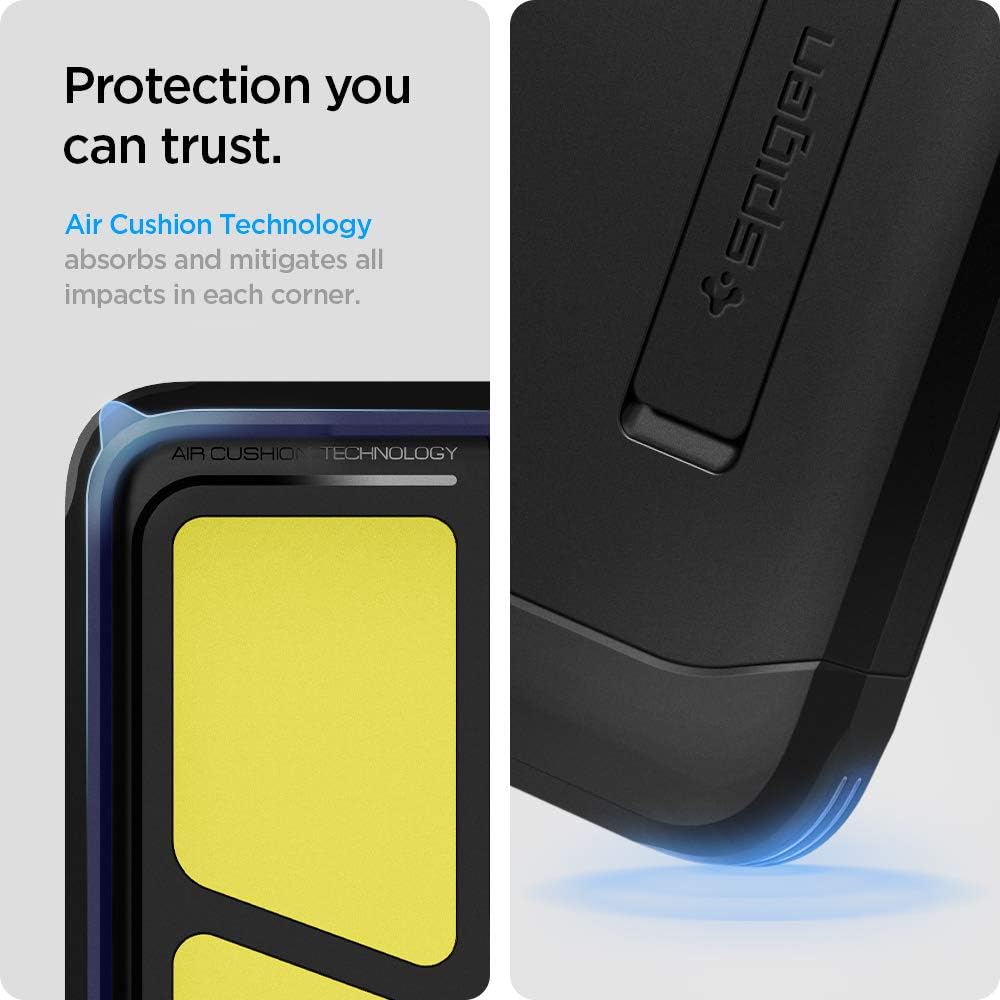
Image 3.3: Air Cushion Technology in case corners.
4. Setup: Installation Guide
Follow these steps to properly install your Spigen Tough Armor case onto your Samsung Galaxy S21:
- Prepare Your Device: Ensure your Samsung Galaxy S21 is clean and free of dust or debris.
- Separate Case Components: Gently separate the flexible inner TPU layer from the rigid outer Polycarbonate shell. The outer shell may require a slight flex to detach.
- Install Inner Layer: First, place your Samsung Galaxy S21 into the flexible TPU inner layer, ensuring all edges and corners are securely seated.
- Install Outer Shell: Align the outer Polycarbonate shell with the TPU-covered phone. Snap the outer shell into place, starting from one side and working your way around, ensuring all clips engage properly.
- Verify Installation: Check that the case is fully seated around your phone, with no gaps or loose areas. Ensure all buttons are responsive and ports are accessible.

Image 4.1: Exploded view of case components for installation.
5. Operating Instructions
5.1 Using the Kickstand
The integrated kickstand allows for convenient hands-free viewing. To use:
- Locate the kickstand on the back of the case.
- Gently pull the kickstand outwards until it clicks into its open position.
- Place your phone horizontally on a flat surface to enjoy media viewing.
- To close, push the kickstand back into its recess until it lies flush with the case.
5.2 Wireless Charging and PowerShare
The Spigen Tough Armor case is designed to be compatible with wireless charging and Samsung's PowerShare feature. You can charge your device wirelessly or use PowerShare without removing the case.

Image 5.1: Kickstand in use and wireless charging compatibility.
6. Maintenance
6.1 Cleaning Instructions
To maintain the appearance and functionality of your case:
- Remove the case from your phone before cleaning.
- Wipe the case with a soft, damp cloth. For stubborn dirt, a mild soap solution can be used.
- Avoid using harsh chemicals, abrasive cleaners, or solvents, as these can damage the case material.
- Ensure the case is completely dry before re-installing it on your phone.
7. Troubleshooting
7.1 Case Fit Issues
- Case feels too tight or loose: Double-check that you have the correct model (Samsung Galaxy S21, 6.2-inch). Refer to Section 2.
- Gaps between case and phone: Ensure both the inner TPU layer and outer PC shell are correctly aligned and fully snapped into place. Remove and re-install the case if necessary.
7.2 Button Responsiveness
- Buttons are stiff or unresponsive: Verify the case is properly aligned with your phone's buttons. A slight misalignment can affect button press.
- Ensure no debris: Check for any small particles or debris lodged between the phone's buttons and the case's button covers.
8. Specifications
| Feature | Detail |
|---|---|
| Product Dimensions | 3 x 0.4 x 6 inches |
| Item Weight | 2.4 ounces |
| Item Model Number | ACS02425 |
| Compatible Phone Models | Samsung Galaxy S21 |
| Color | Black |
| Material | Polycarbonate, Thermoplastic Polyurethane |
| Manufacturer | Spigen |
9. Warranty and Support
Spigen products are designed for quality and durability. For information regarding product warranty, returns, or technical support, please refer to the official Spigen website or contact their customer service directly. Keep your purchase receipt as proof of purchase.
For further assistance, visit: www.spigen.com
