Introduction
Thank you for choosing the Anker PowerCore Slim 10K PD Portable Charger. This manual provides essential information for the safe and efficient operation of your device. Please read it thoroughly before use and retain it for future reference.
Product Overview
Key Features
- 10,000mAh Capacity: Provides multiple charges for smartphones and tablets.
- 20W USB-C Power Delivery: Enables rapid charging for compatible devices, reaching 50% charge in approximately 30 minutes for an iPhone 12.
- Additional 12W USB-A Port: Allows for charging a second device simultaneously.
- Slim and Portable Design: At only 0.6 inches thick, it is designed for easy portability in bags or pockets.
- MultiProtect Safety System: Incorporates fire-resistant casing, temperature control, overcharge protection, and short-circuit protection for safe operation.
Components
The Anker PowerCore Slim 10K PD includes:
- Anker 523 Power Bank (PowerCore 10K)
- USB-A to USB-C cable
- USB-C to USB-C cable
- Welcome guide
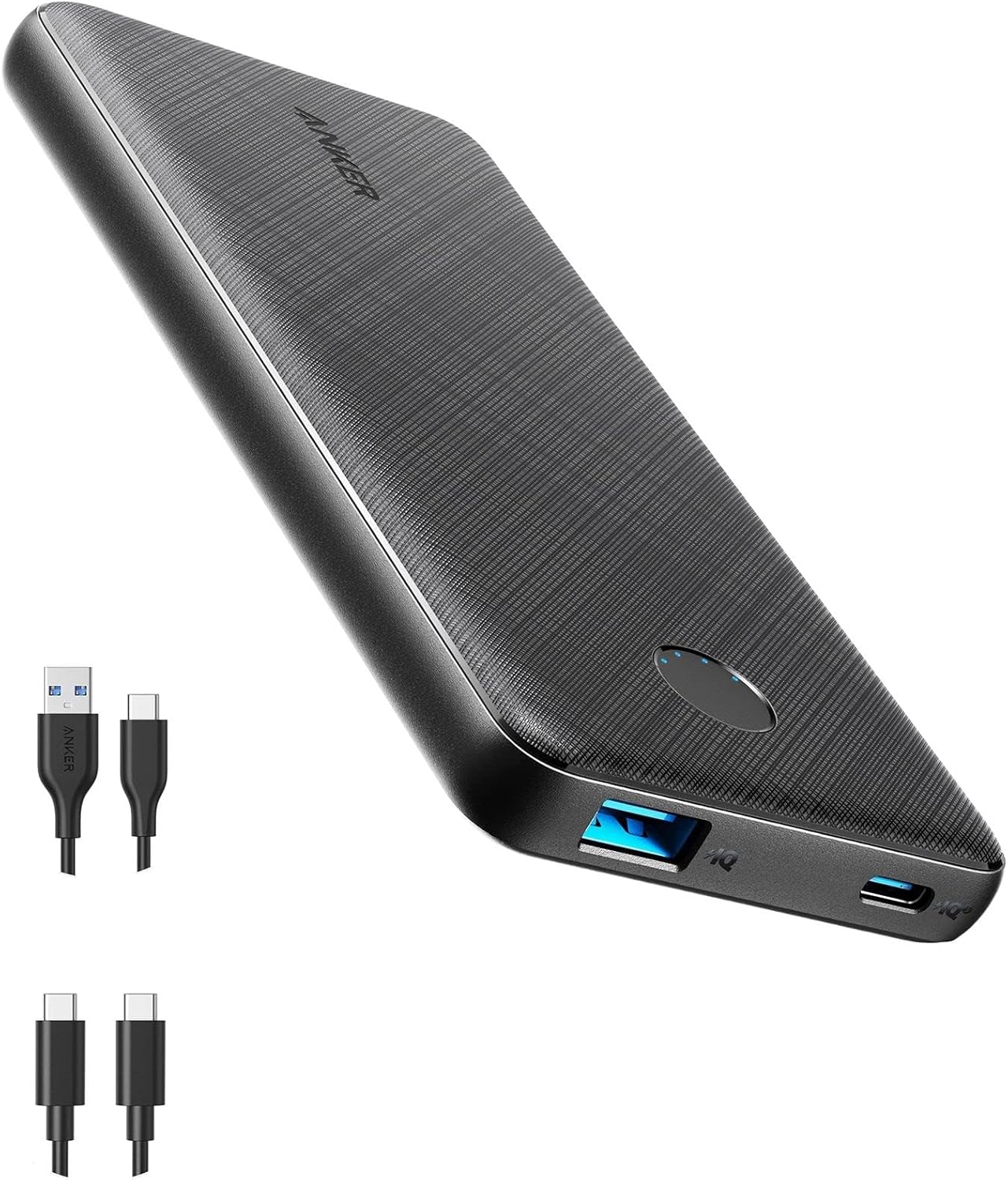
Figure 1: Front view of the Anker PowerCore Slim 10K PD Portable Charger.
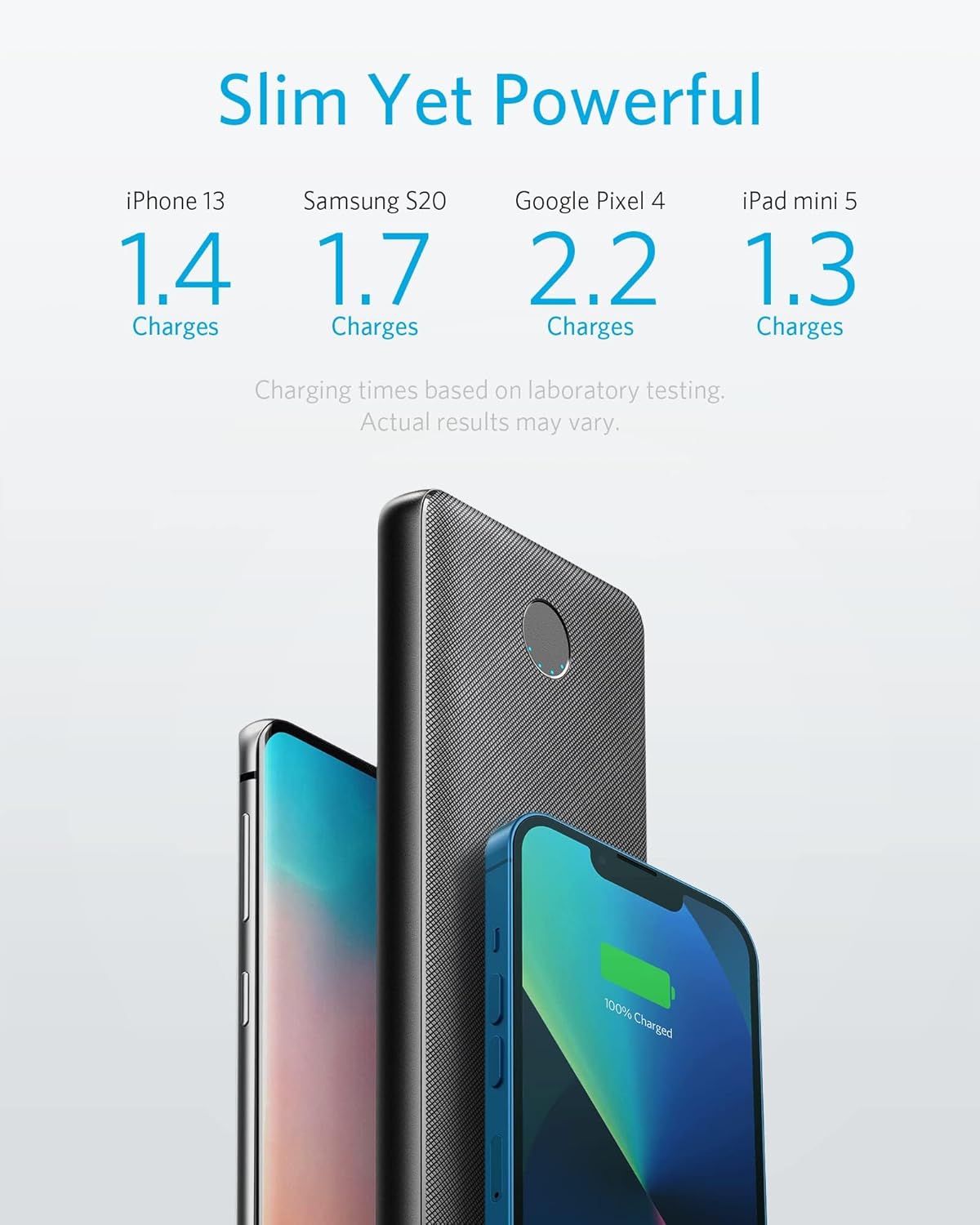
Figure 2: The Anker PowerCore Slim 10K PD displaying its USB-A and USB-C ports, along with the power button and LED indicators.
Setup
Initial Charging of the Power Bank
Before first use, fully charge your PowerCore Slim 10K PD. Use a USB-C Power Delivery charger (not included) for the fastest recharge. A 18W Power Delivery charger can fully recharge the power bank in approximately 5 hours. A standard 10W charger will take approximately 10.2 hours.
- Connect the provided USB-C to USB-C cable to the USB-C port on the power bank.
- Connect the other end of the cable to a compatible USB-C wall charger.
- The LED indicators will illuminate to show the charging progress. All four LEDs will be solid when fully charged.

Figure 3: Illustration of the power bank being recharged, highlighting the different charging times with 18W PD and 10W chargers.
Operating Instructions
Charging Your Devices
The PowerCore Slim 10K PD can charge a wide range of devices, including iPhones, Android phones, and other USB-powered gadgets.
- Using the USB-C Port (20W Power Delivery): Connect your device to the USB-C port using a compatible USB-C to USB-C or USB-C to Lightning cable. This port offers fast charging for devices that support Power Delivery.
- Using the USB-A Port (12W): Connect your device to the USB-A port using a compatible USB-A cable. This port is suitable for charging a second device simultaneously or for devices that do not support USB-C PD.
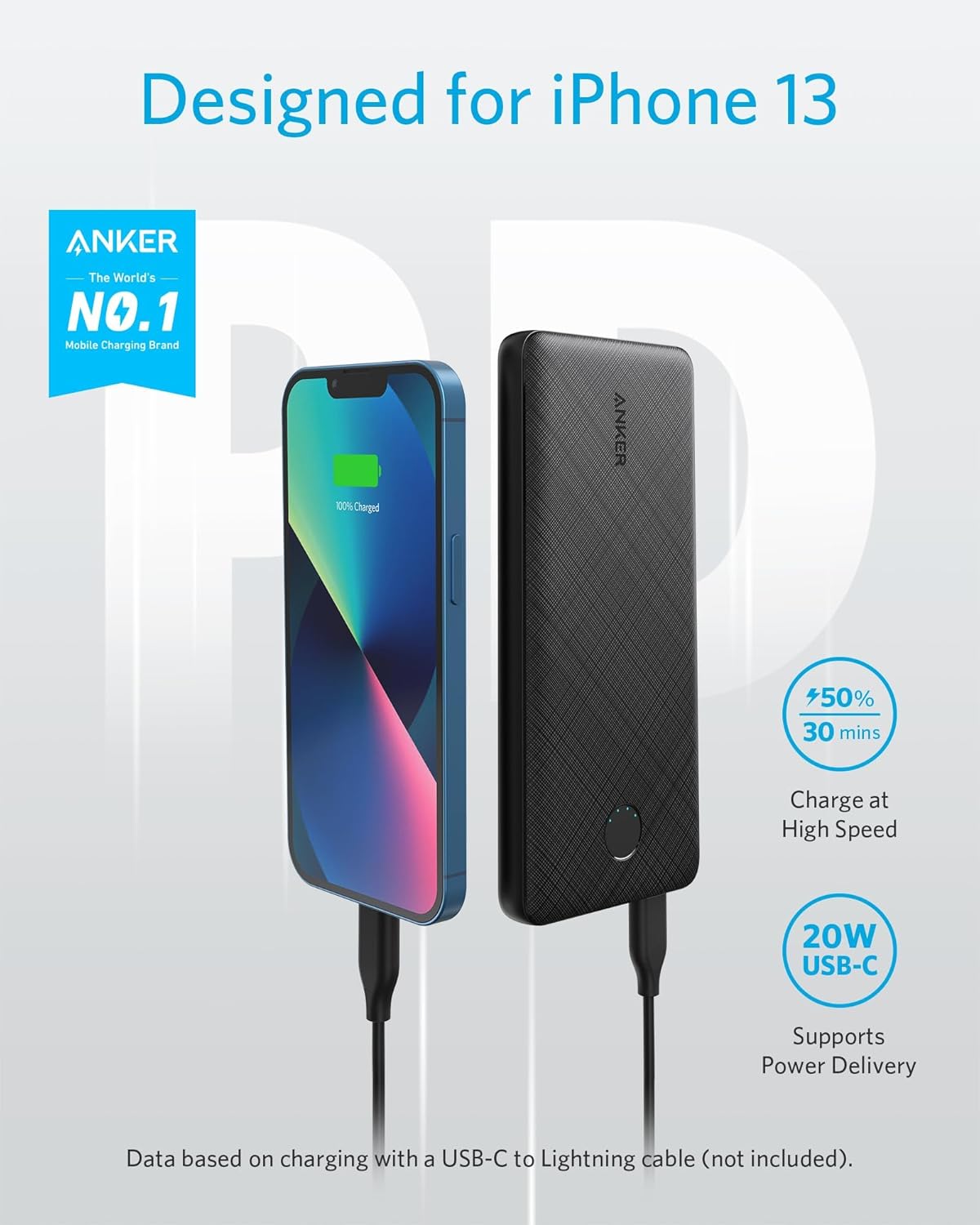
Figure 4: The power bank connected to an iPhone 13, demonstrating its fast charging capability.

Figure 5: A visual representation of the power bank's universal compatibility with different smartphones and small devices.
Checking Battery Level
Press the power button on the side of the power bank to check the remaining battery level. The four blue LED indicators will light up to show the charge status:
- 4 LEDs: 75% - 100%
- 3 LEDs: 50% - 75%
- 2 LEDs: 25% - 50%
- 1 LED: 0% - 25%

Figure 6: Close-up of the helpful LED indicators on the power bank, showing battery status.
Trickle Charging Mode
For low-power devices like Bluetooth earbuds or smartwatches, activate trickle charging mode to ensure a safe and optimized charge.
- Press and hold the power button for 2 seconds until the first LED indicator turns green.
- Connect your low-power device to either the USB-A or USB-C port.
- To exit trickle charging mode, press the power button once.

Figure 7: The power bank in trickle charging mode, suitable for charging small accessories like earbuds.
Maintenance
To ensure the longevity and optimal performance of your Anker PowerCore Slim 10K PD:
- Store the power bank in a cool, dry place away from direct sunlight and extreme temperatures.
- Avoid dropping or subjecting the device to strong impacts.
- Clean the exterior with a soft, dry cloth. Do not use harsh chemicals or abrasive materials.
- Recharge the power bank at least once every 3 months to prevent battery degradation if not used regularly.
Troubleshooting
Power Bank Not Charging
- Ensure the charging cable is securely connected to both the power bank and the wall charger.
- Verify that the wall charger is functioning correctly and is connected to a live power outlet.
- Try using a different charging cable or wall charger to rule out cable/charger issues.
Device Not Charging from Power Bank
- Confirm the power bank has sufficient charge (check LED indicators).
- Ensure the charging cable is securely connected to both the power bank and your device.
- Try using a different charging cable.
- If charging a low-power device, ensure trickle charging mode is activated.
- Some devices may require a specific cable or charging protocol.
Slow Charging
- Ensure you are using a Power Delivery compatible cable and wall charger for optimal charging speeds to the power bank.
- For charging your devices, ensure your device and cable support the 20W Power Delivery output from the USB-C port.
- Charging multiple devices simultaneously may reduce individual charging speeds.
Specifications
| Attribute | Value |
|---|---|
| Product Dimensions | 5.89 x 2.7 x 0.57 inches |
| Item Weight | 7.5 ounces |
| Model Number | A1244011 |
| Battery Type | Lithium Polymer |
| Battery Capacity | 10000 Milliamp Hours |
| Connector Type | USB-A*1 + USB-C*1 |
| Color | Black |
| Special Feature | Slim Design |
Warranty and Support
Anker provides an 18-month worry-free warranty for this product. For technical support, warranty claims, or general inquiries, please contact Anker customer service through their official website or the contact information provided in your product's welcome guide.
You can visit the official Anker support page for FAQs and further assistance: www.anker.com/support