
1. Introduction
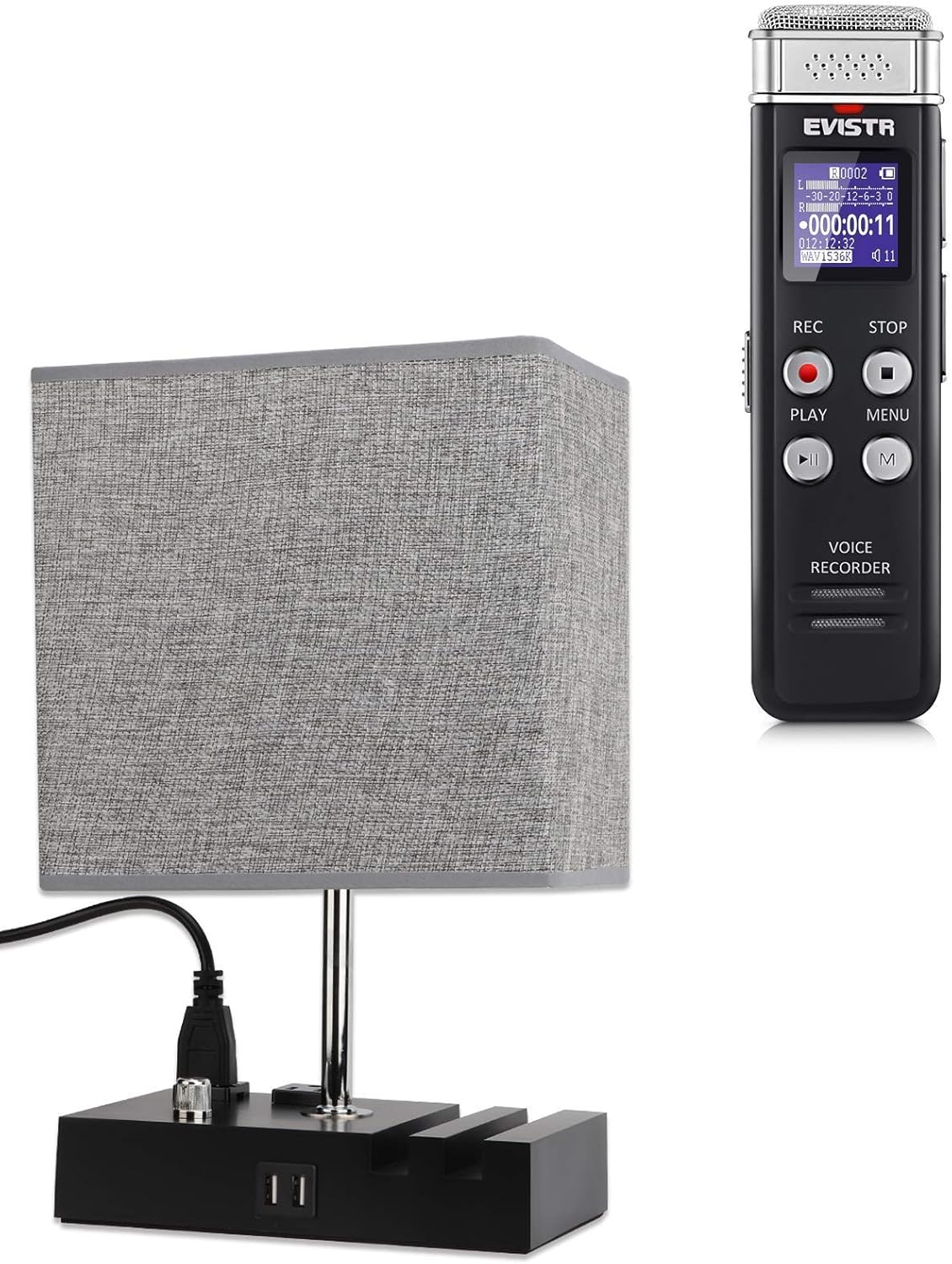
Welcome to your EVISTR bundle, featuring the versatile 16GB Digital Voice Recorder L157 and the functional Table Lamp LT8286. This manual provides comprehensive instructions for setting up, operating, and maintaining both devices to ensure optimal performance and longevity. Please read this manual carefully before use.
2. Product Overview
2.1 EVISTR Digital Voice Recorder L157
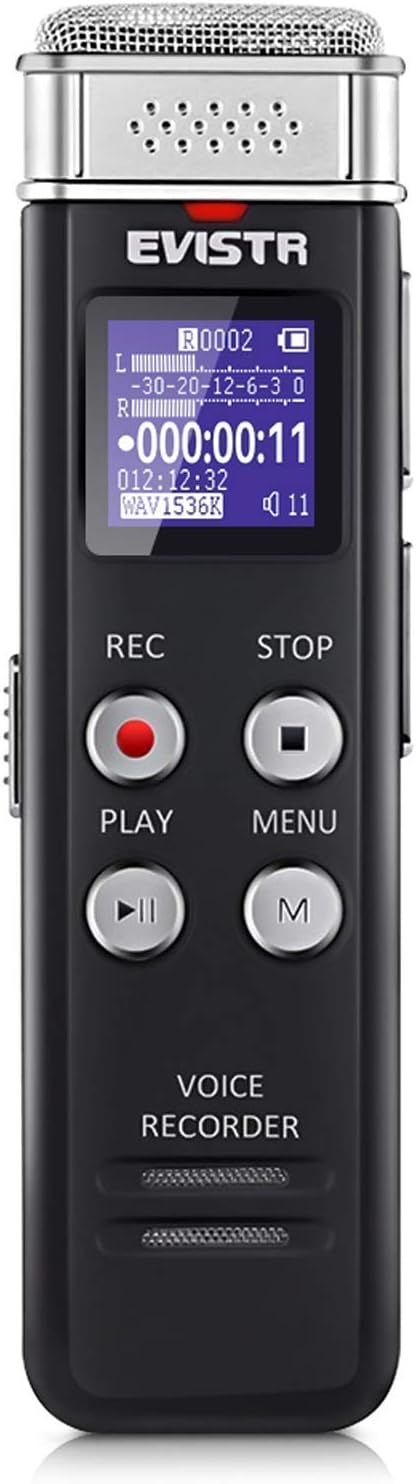
The EVISTR L157 is a compact and powerful digital voice recorder designed for clear audio capture in various settings. Its features include:
- 1536kbps HD Recording Quality: Ensures high-fidelity audio capture.
- Voice Activated Recording (VOR): Automatically starts recording when sound is detected and pauses when silent.
- Cross-platform Compatibility: Records in MP3/WAV formats, allowing easy playback on computers, mobile phones, and MP3 players.
- Intuitive Menu Navigation: Optimized menu for user-friendly operation.
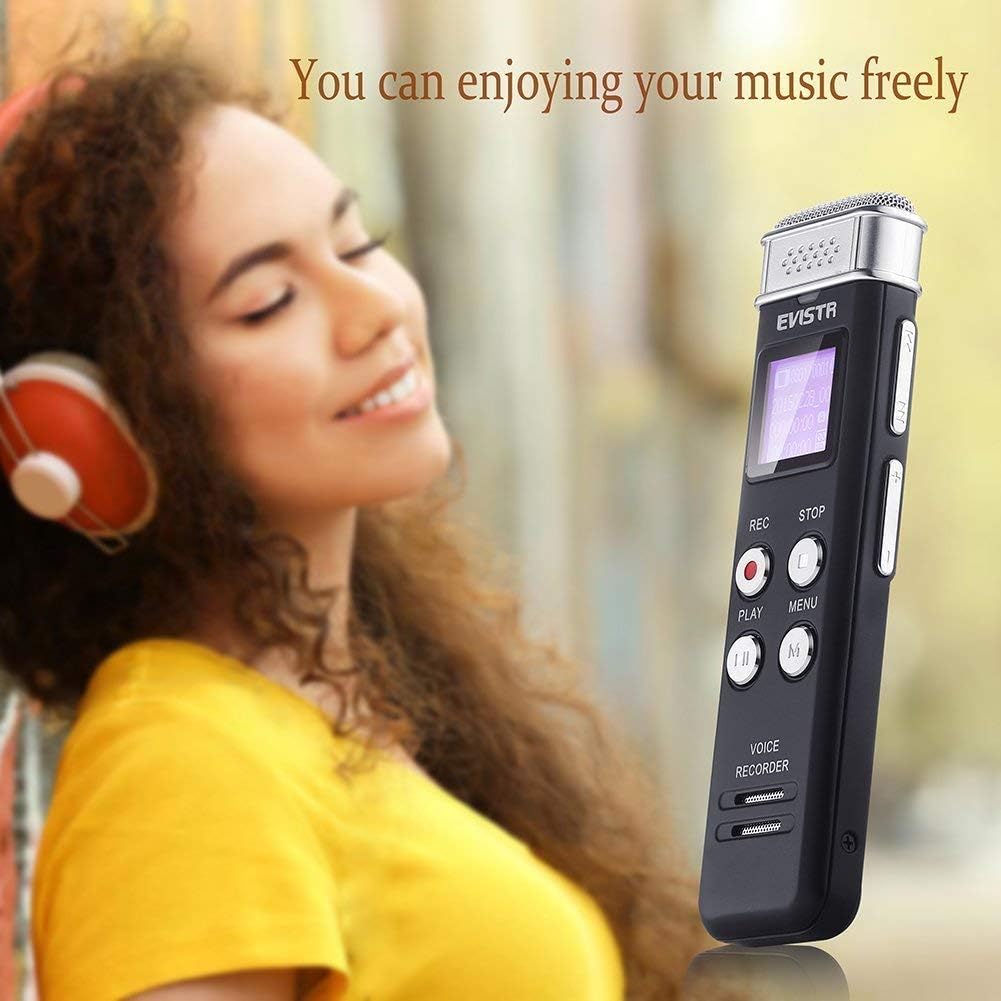
- Built-in Speaker & Headphone Jack: For convenient playback directly from the device.
2.2 EVISTR Table Lamp LT8286
The EVISTR LT8286 is a versatile table lamp that combines illumination with convenient charging capabilities. Key features include:
- Dimmable Lighting: Provides adjustable brightness for various needs.
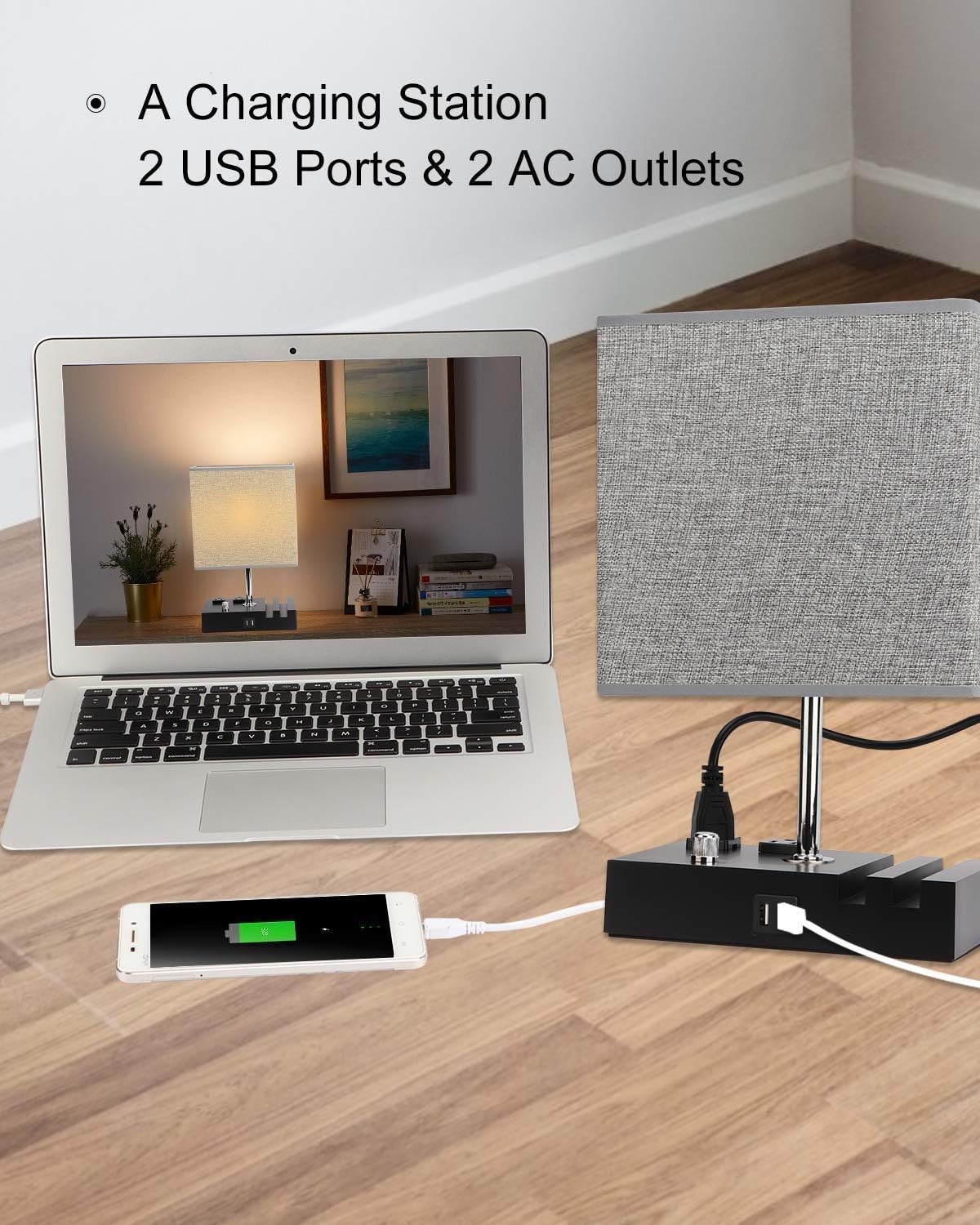
- Integrated Charging Station: Equipped with 2 USB ports and 2 AC outlets.
- Phone Slots: Convenient slots for holding mobile devices while charging.
- Modern Design: Ideal for bedside tables, desks, living rooms, and dorms.

3. Setup Guide
3.1 Voice Recorder L157 Initial Setup
- Charging: Connect the recorder to a USB power source (computer or wall adapter) using the provided USB cable. The battery indicator on the screen will show charging status.
- Power On/Off: Slide the power switch to the 'ON' position to turn on the device. To turn off, slide it to 'OFF'.
- Date and Time Setting: Upon first use or after a full discharge, you may need to set the date and time via the device's menu for accurate timestamping of recordings.
3.2 Table Lamp LT8286 Assembly
Follow these steps to assemble your EVISTR Table Lamp LT8286:

- Unpack Components: Carefully remove all parts from the packaging: lamp base with charging station, lamp shade, and light bulb.
- Attach Lamp Shade Frame: If the shade is separate, attach its frame to the lamp's central rod.
- Secure Lamp Shade: Place the lamp shade onto the frame and secure it with the provided ring or fastener.
- Install Light Bulb: Screw the included LED bulb into the lamp socket until it is firmly seated.
- Connect to Power: Plug the lamp's power cord into a standard AC wall outlet.
4. Operating Instructions
4.1 Using the Voice Recorder L157
The L157 recorder is designed for straightforward operation:
- Recording: Press the REC button to start recording. The recording indicator will light up.
- Saving: Press the STOP button to end and save the current recording.
- Playback: In stop mode, select a file using the navigation buttons and press the PLAY button to listen.
- Voice Activated Recording (VOR): Enable VOR through the menu settings. The recorder will automatically start recording when sound is detected and pause during silence, conserving memory.
- Connecting to Computer: Connect the recorder to your computer via USB. It will appear as a removable disk, allowing you to transfer, delete, or manage recorded files.

4.2 Using the Table Lamp LT8286
The LT8286 lamp offers both illumination and charging convenience:
- Power Control: Use the rotary switch on the lamp base to turn the light on/off and adjust brightness.
- USB Charging Ports: Plug your USB charging cables into the two USB ports on the lamp base to charge smartphones, tablets, and other USB-powered devices.
- AC Outlets: Utilize the two standard AC outlets on the lamp base to power or charge larger electronics.

5. Maintenance
Proper maintenance ensures the longevity and performance of your EVISTR products:
- Cleaning: Use a soft, dry cloth to clean the surfaces of both the voice recorder and the lamp. Avoid abrasive cleaners or solvents.
- Storage: Store both devices in a cool, dry place away from direct sunlight and extreme temperatures.
- Battery Care (Recorder): For optimal battery life, avoid fully discharging the recorder frequently. Charge it regularly, even if not in constant use.
- Bulb Replacement (Lamp): Ensure the lamp is unplugged before replacing the light bulb. Use an LED bulb of appropriate wattage and base type (E26/E27 standard base).
6. Troubleshooting
If you encounter issues with your EVISTR products, refer to the table below for common problems and solutions:
| Problem | Possible Cause | Solution |
|---|---|---|
| Voice Recorder: Device won't turn on. | Low battery; Power switch off. | Charge the device; Ensure power switch is in 'ON' position. |
| Voice Recorder: Poor recording quality. | Microphone obstructed; Too far from sound source; Low battery. | Ensure microphone is clear; Move closer to sound source; Charge battery. |
| Voice Recorder: Cannot transfer files to computer. | Faulty USB cable; Incorrect connection. | Try a different USB cable; Ensure recorder is properly connected and recognized as a removable disk. |
| Table Lamp: Light not turning on. | Lamp unplugged; Bulb loose or faulty; Switch off. | Check power connection; Tighten or replace bulb; Turn rotary switch to 'ON'. |
| Table Lamp: USB ports or AC outlets not working. | Lamp not plugged in; Overload. | Ensure lamp is plugged into a live outlet; Reduce number of connected devices to avoid overload. |
7. Specifications
7.1 EVISTR Digital Voice Recorder L157 Specifications
- Memory Storage Capacity: 16 GB
- Recording Format: MP3 Audio, WAV
- Microphone Form Factor: Built-In
- Headphones Jack: 3.5 millimeters
7.2 EVISTR Table Lamp LT8286 Specifications
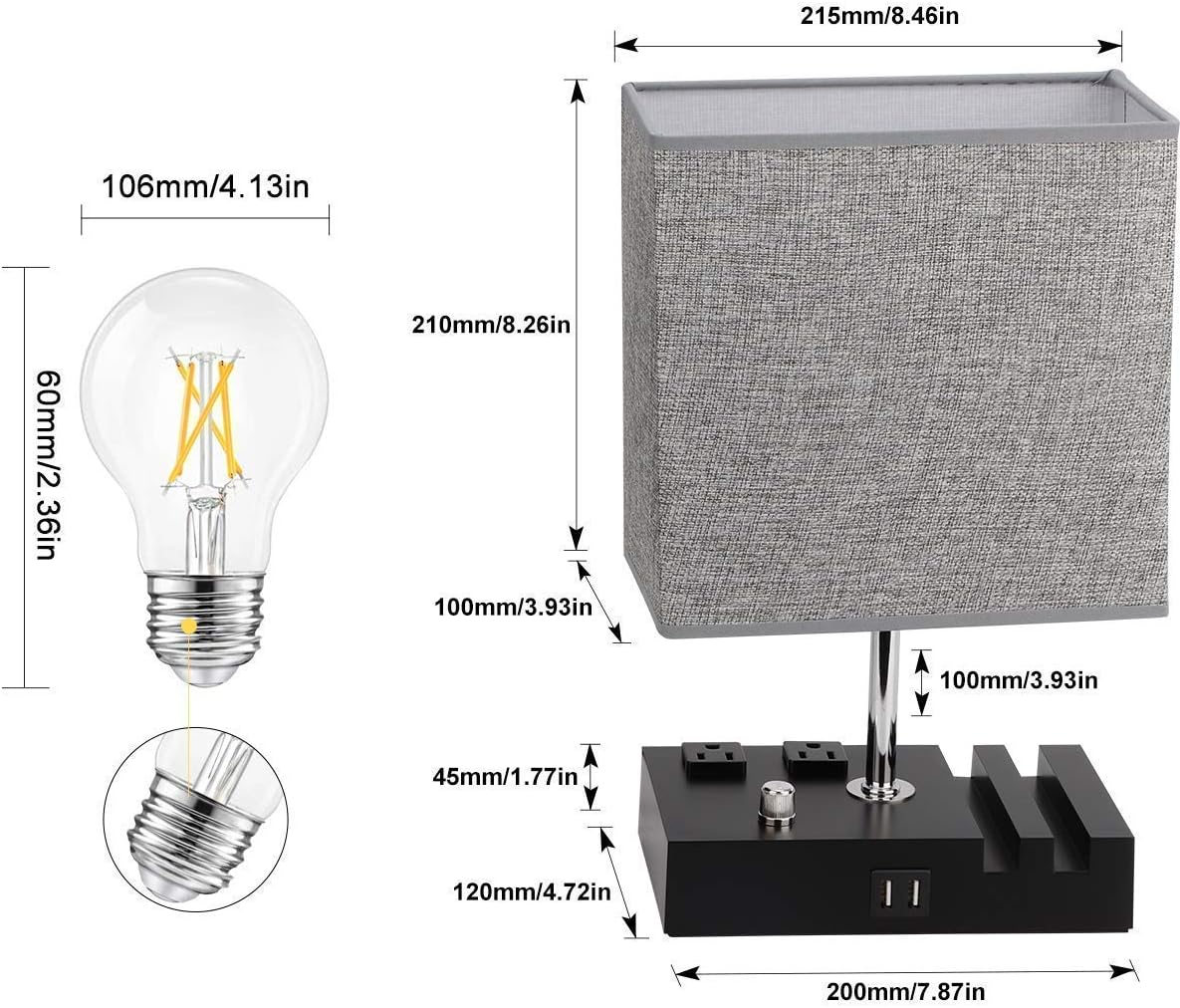
- Dimensions (Lamp Shade): 215mm (8.46in) x 210mm (8.26in)
- Dimensions (Base): 200mm (7.87in) x 120mm (4.72in) x 45mm (1.77in)
- USB Ports: 2 (for charging devices)
- AC Outlets: 2 (for powering devices)
- Bulb Type: E26/E27 Standard Base (LED bulb included)
8. Warranty and Support
EVISTR products are designed for reliability and performance. This bundle is covered by an 18-month warranty from the date of purchase, covering manufacturing defects and workmanship.
For technical support, troubleshooting assistance, or warranty claims, please visit the official EVISTR website or contact their customer service through the contact information provided with your purchase. Please have your product model numbers (L157, LT8286) and purchase details ready when contacting support.