
iClever GK08
iClever GK08 Wireless Keyboard and Mouse Combo User Manual
Model: GK08
Introduction
Thank you for choosing the iClever GK08 Wireless Keyboard and Mouse Combo. This ultra-slim, full-size keyboard and mouse set offers a stable 2.4G wireless connection, a comfortable typing experience, and broad compatibility with Windows and Mac OS computers. This manual provides detailed instructions to help you set up, operate, maintain, and troubleshoot your new device.

Image: The iClever GK08 Wireless Keyboard and Mouse Combo, featuring the full-size black keyboard, a matching black mouse, and the compact USB nano receiver.
What's in the Box
- iClever GK08 Wireless Keyboard
- iClever Wireless Mouse
- USB-A Nano Receiver (stored under the mouse)
- USB-C Charging Cable
- Washable Dust Cover
- User Manual (this document)

Image: A flat lay showing the iClever GK08 keyboard, mouse, USB-C cable, USB receiver, and user manual, along with the included dust cover.
Setup
1. Connecting the Receiver
- Locate the USB-A nano receiver. It is conveniently stored in a compartment under the mouse.
- Plug the nano receiver into an available USB-A port on your computer.
- Turn on the keyboard and mouse using their respective power switches. The devices are plug-and-play and should connect automatically within seconds.
Note: A USB-C to USB-A adapter (not included) is required for newer Mac models or other devices with only USB-C ports.
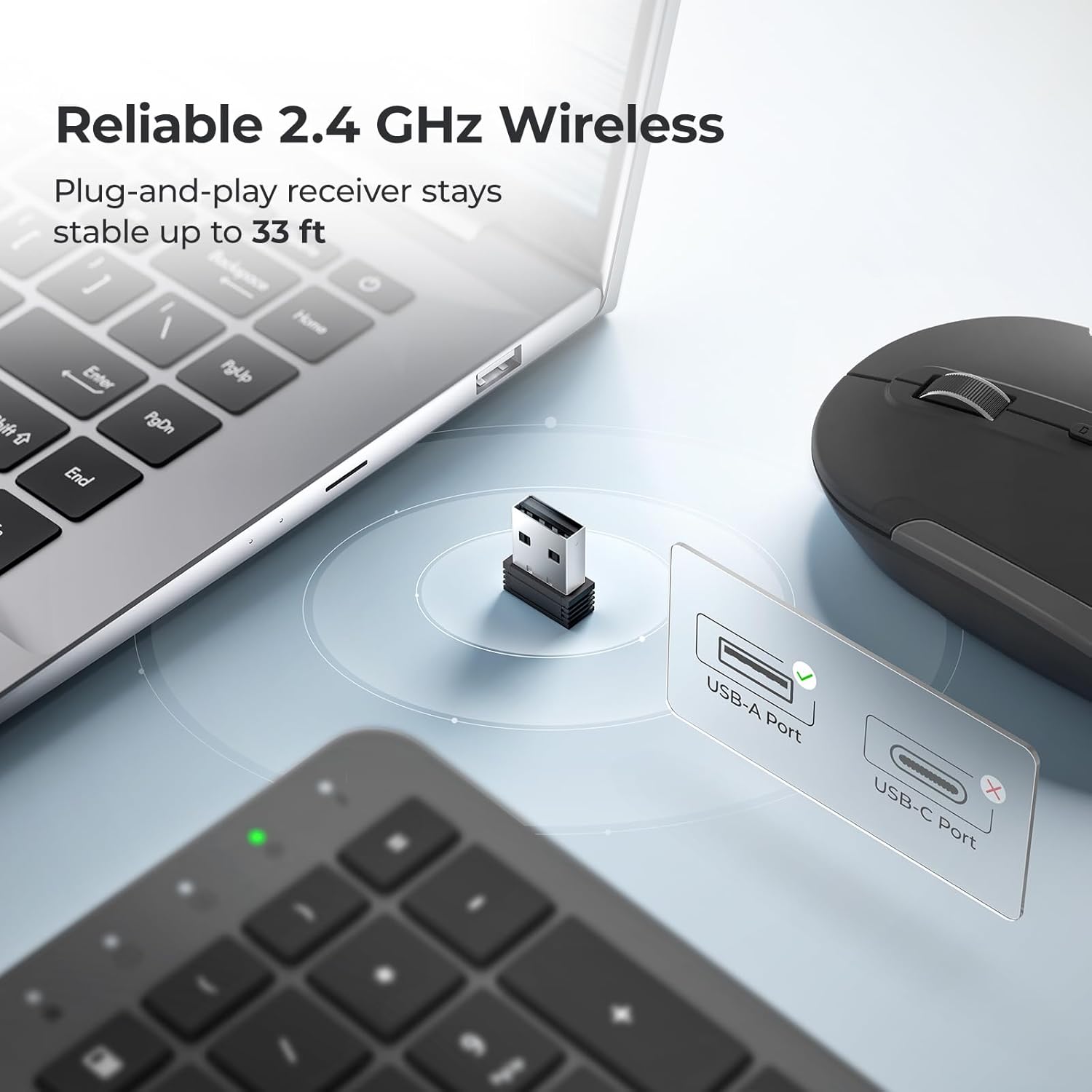
Image: A close-up view showing the USB-A nano receiver being inserted into a laptop's USB-A port, with the keyboard and mouse in the foreground.
2. Initial Charging
The keyboard and mouse are USB-C rechargeable. For optimal performance, it is recommended to fully charge both devices before first use.
- Connect the included USB-C cable to the charging port on the keyboard and mouse, and then to a USB power source (e.g., computer USB port, USB wall adapter).
- A full charge takes approximately 2 hours and provides up to 45 days of use for both devices.

Image: The iClever keyboard and mouse connected via USB-C cables to a power adapter, illustrating the fast recharge capability.
3. Compatibility
The iClever GK08 combo is designed for dual-layout compatibility, supporting both Mac and Windows operating systems. The keyboard features clearly printed legends for both Mac and PC functions, and automatically recognizes the OS to adapt.

Image: A diagram illustrating compatibility with Windows PCs and USB-A Mac models, including specific iMac and MacBook Air/Pro versions.
Operating Instructions
Keyboard Features
- Full-Size 110-Key Layout: Includes a dedicated numeric keypad and media shortcuts for enhanced productivity, especially for spreadsheets and coding.
- Quiet Scissor-Switch Typing: Low-profile keys produce less than 50 dB of sound, ensuring a quiet working environment.
- Dual-OS Layout: Easily switch between Mac and Windows layouts without relearning shortcuts.
- Automatic Sleep Mode: The keyboard enters a 10-minute auto-sleep mode to conserve battery life when not in use.
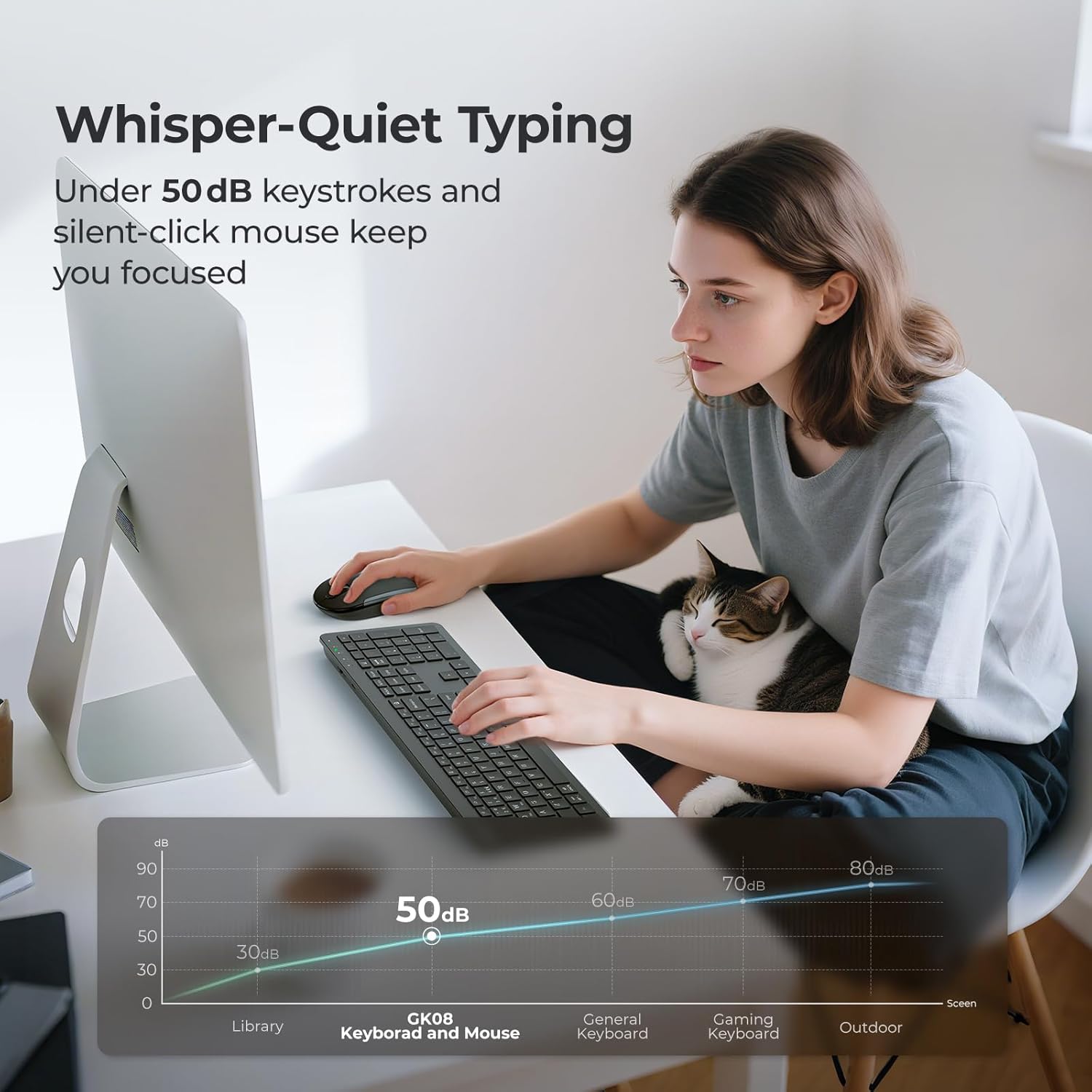
Image: A user typing on the iClever GK08 keyboard, with a graph illustrating the low noise level (under 50dB) compared to other keyboards.
Mouse Features
- Silent-Click Design: The mouse features silent clicks to complement the quiet keyboard, minimizing distractions.
- Adjustable DPI: Optimize precision for various tasks with 800, 1200, and 1600 DPI modes. The DPI button is located on the top of the mouse for easy switching.

Image: The iClever mouse with illustrations demonstrating its 800, 1200, and 1600 DPI modes for different applications like Photoshop, Excel, and multi-screen work.
Maintenance
Charging
To ensure continuous operation, regularly charge your keyboard and mouse. The devices are designed for long battery life, but charging every few weeks, depending on usage, is recommended.
- Use the provided USB-C cable for charging.
- The keyboard and mouse can be used while charging.
Cleaning
The keyboard comes with a washable dust cover to protect it from spills and dust.
- To clean the keyboard, gently wipe it with a soft, damp cloth.
- The silicone dust cover can be removed and washed with mild soap and water. Ensure it is completely dry before placing it back on the keyboard.

Image: The iClever keyboard with its transparent dustproof silicone cover, highlighting its protection against spills and dust.
Storing the Receiver
When not in use or for travel, the USB-A nano receiver can be securely stored in a dedicated slot under the mouse to prevent loss.
Troubleshooting
If you encounter any issues with your iClever GK08 Wireless Keyboard and Mouse Combo, please refer to the following common solutions:
- No Connection/Lag:
- Ensure the nano receiver is securely plugged into a working USB-A port.
- Verify that both the keyboard and mouse are turned on.
- Move the devices closer to the receiver to rule out range issues (max 33 ft / 10 m).
- Try plugging the receiver into a different USB-A port on your computer.
- Recharge the keyboard and mouse to ensure sufficient battery power.
- Keys Not Responding/Typing Errors:
- Check for any debris under the keys.
- Ensure the dust cover is properly seated or remove it temporarily to test.
- Restart your computer.
- Mouse Not Responding/Jumpy Cursor:
- Ensure the mouse is on a clean, non-reflective surface.
- Try adjusting the DPI setting using the DPI button on the mouse.
- Recharge the mouse.
For more detailed troubleshooting steps and solutions, please refer to the official Troubleshooting Guide (PDF) available online.
Specifications

Image: A detailed diagram showing the dimensions of the iClever GK08 keyboard and mouse, along with a table of key features and descriptions.
| Feature | Description |
|---|---|
| Model Number | GK08 |
| Brand | iClever |
| Connectivity Technology | 2.4 GHz Wireless via USB-A Nano Receiver |
| Wireless Range | Up to 33 ft / 10 m |
| Power Source | Built-in Lithium Battery (USB-C Rechargeable) |
| Keyboard Layout | Full-size 110-key with Numpad and Media Shortcuts |
| Typing Noise Level | Below 50 dB (Scissor-Switch) |
| Mouse DPI Modes | 800 / 1200 / 1600 DPI |
| Compatibility | Windows 10/11 PC & laptop; macOS desktops / notebooks with USB-A port (e.g., iMac Retina 4K/5K, MacBook Air/Pro ≤ 2017) |
| Product Dimensions (Keyboard) | 17.24 x 5.08 x 0.79 inches |
| Item Weight | 1.5 pounds |
| Color | Black |
Warranty and Support
iClever products are designed for reliability and performance. For any product-related inquiries, technical assistance, or warranty claims, please contact iClever customer support through their official website or the contact information provided with your product packaging.
Additional protection plans may be available for purchase through your retailer to extend coverage beyond the standard warranty period.
Related documentsGK08


Ask a question about this manual
Ask about setup, troubleshooting, compatibility, parts, safety, or missing instructions. Manuals+ will review the question and use this page’s manual context to help answer it.