
Introduction
This manual provides comprehensive instructions for the assembly, operation, and maintenance of your BEWISHOME 2-Tier Industrial Mobile Printer Stand, Model BDZ01Z. This versatile stand is designed to offer a stable and mobile platform for your printer and office supplies, suitable for various home and office environments. Please read these instructions carefully before assembly and use to ensure proper function and longevity of your product.
Assembly Instructions
Before you begin assembly, ensure all parts are present and undamaged. It is recommended to assemble the stand on a soft, clean surface to prevent scratches. All necessary tools are included in the package.
Package Contents
- Top Shelf (1)
- Bottom Shelf (1)
- Support Legs (4)
- Lockable Swivel Wheels (4)
- Assembly Screws (various sizes)
- Allen Wrench (1)
Step-by-Step Assembly
- Attach Wheels to Bottom Shelf: Carefully screw the four lockable swivel wheels into the designated holes on the underside of the bottom shelf. Ensure they are securely fastened.
- Attach Support Legs to Bottom Shelf: Using the provided screws and Allen wrench, attach the four support legs to the corners of the bottom shelf. Do not fully tighten screws yet.
- Attach Top Shelf to Support Legs: Place the top shelf onto the upper ends of the support legs. Align the holes and secure with the remaining screws.
- Tighten All Screws: Once all parts are aligned and loosely assembled, systematically tighten all screws to ensure the stand is stable and secure.

Assembly Video Guide
Video 1: Official BEWISHOME Printer Stand assembly and feature overview. This video demonstrates the assembly process and highlights key functionalities of the stand.
Operation
The BEWISHOME printer stand is designed for ease of use and versatility.
Placing Your Printer and Supplies
Place your printer securely on the top shelf. The lower shelf provides convenient storage for items such as printer paper, ink cartridges, folders, or other office supplies, helping to keep your workspace organized.
Using the Lockable Wheels
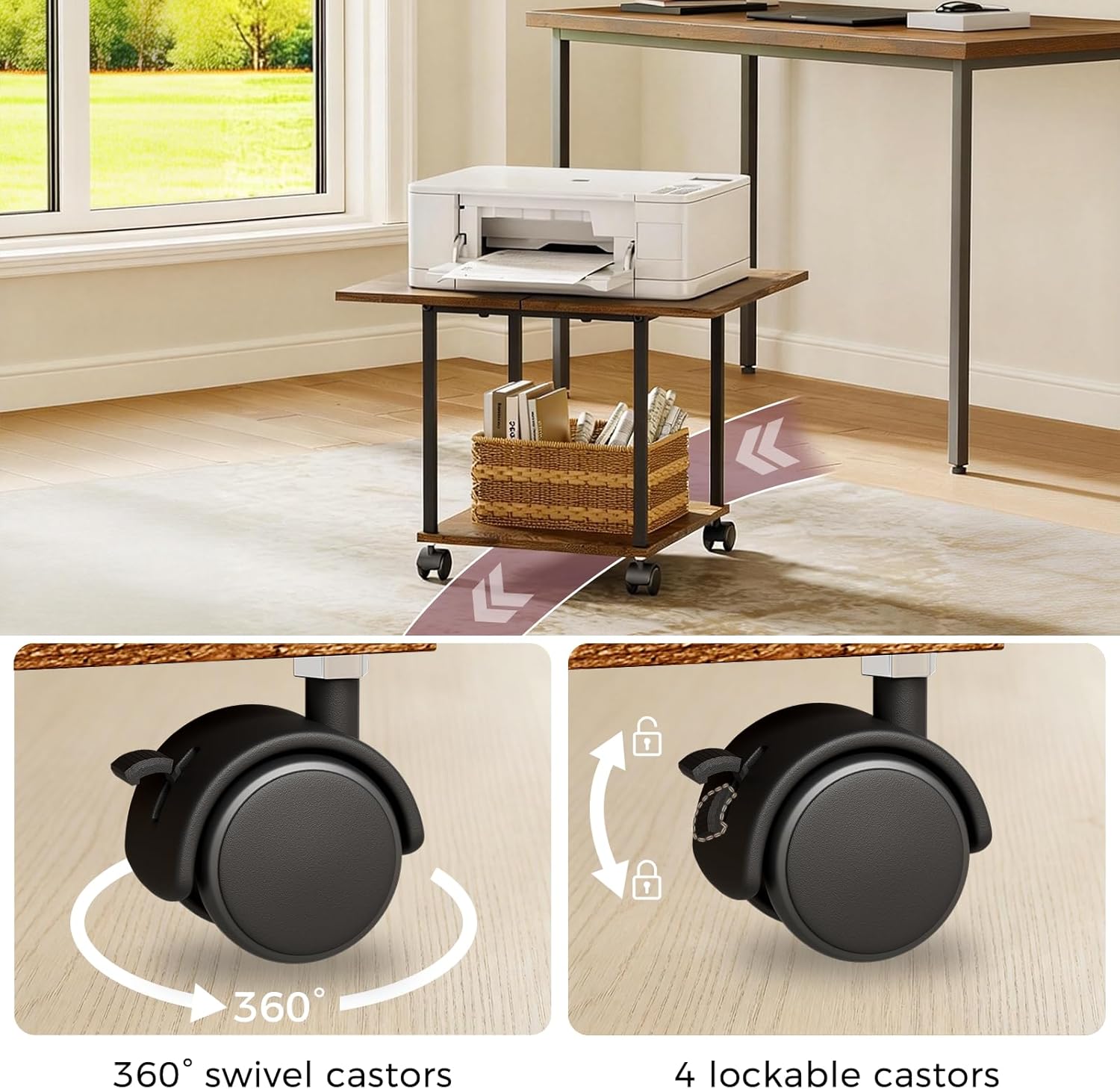
The stand is equipped with four 360° swivel wheels, allowing for easy movement and repositioning. To move the stand, ensure all wheel locks are disengaged. To secure the stand in a stationary position, press down on the locking mechanism located on each wheel until it clicks into place. This will prevent unintended movement.
Maintenance and Care
Proper maintenance ensures the longevity and appearance of your printer stand.
Cleaning
To clean the surfaces of the stand, use a soft, damp cloth. Avoid using abrasive cleaners, harsh chemicals, or solvents, as these can damage the finish. Wipe spills immediately.
Structural Integrity
Periodically inspect all screws and fasteners to ensure they remain tight. Loose connections can affect the stand's stability. Tighten any loose hardware with the provided Allen wrench.
Troubleshooting
If you encounter any issues with your printer stand, refer to the following common problems and solutions.
Stand is Wobbly
- Ensure all assembly screws are fully tightened.
- Verify that the stand is placed on a flat, even surface. Uneven flooring can cause instability.
Wheels Not Rolling Smoothly
- Check for any obstructions (e.g., debris, hair) around the wheel casters.
- Ensure all wheel locks are fully disengaged.
Wheels Not Locking
- Confirm that the locking mechanism on each wheel is fully engaged by pressing down firmly until it clicks.
- Clear any debris that might be preventing the lock from functioning correctly.
Product Specifications
| Feature | Detail |
|---|---|
| Brand | BEWISHOME |
| Model | BDZ01Z |
| Dimensions (L x W x H) | 20 x 15.75 x 14.8 inches (50 x 40 x 37.5 cm) |
| Weight Capacity | 100 lbs (45 kg) |
| Material | MDF and Metal Frame |
| Color | Brown |
| Wheels | 4 Lockable 360° Swivel Casters |
| Tiers | 2 |

Warranty Information
This BEWISHOME product is covered by a One-Year Warranty from the date of purchase. The warranty covers manufacturing defects and material flaws under normal use. It does not cover damage resulting from misuse, accidents, unauthorized modifications, or improper assembly. Please retain your proof of purchase for any warranty claims.
Customer Support
For assistance with assembly, replacement parts, or any other inquiries regarding your BEWISHOME 2-Tier Industrial Mobile Printer Stand, please contact BEWISHOME customer support.
You can find more information and contact details by visiting the official BEWISHOME store: