
Introduction
This manual provides instructions for the CHOUBENBEN replacement remote control, designed for various Mitsubishi M285 series air conditioners. Compatible models include RNK502A010B, RNK502A010C, RNK502A010D, RNK502A010F, RNK502A010G, RNK502A010H, RNK502A010L, SRK325HENF, SRK258HENF, and SRK285CENF. Please read this manual thoroughly before use to ensure proper operation and to maximize the lifespan of your remote control.
Safety Information
- Do not mix old and new batteries.
- Do not mix alkaline, standard (carbon-zinc), or rechargeable (nickel-cadmium) batteries.
- Remove batteries if the remote control will not be used for an extended period.
- Keep the remote control away from direct sunlight, high temperatures, and moisture.
- Do not drop or subject the remote control to strong impacts.
Product Overview
The CHOUBENBEN replacement remote control features an ergonomic design for comfortable handling and intuitive button layout for easy operation of your Mitsubishi air conditioner.

Figure 1: Front view of the remote control with main display and buttons.
Setup
Battery Installation
The remote control requires two AAA 1.5V batteries (not included). Follow these steps to install them:
- Locate the battery compartment cover on the back of the remote control.
- Slide the cover downwards to open the compartment.
- Insert two AAA batteries, ensuring the positive (+) and negative (-) terminals match the diagrams inside the compartment.
- Slide the battery compartment cover back into place until it clicks securely.
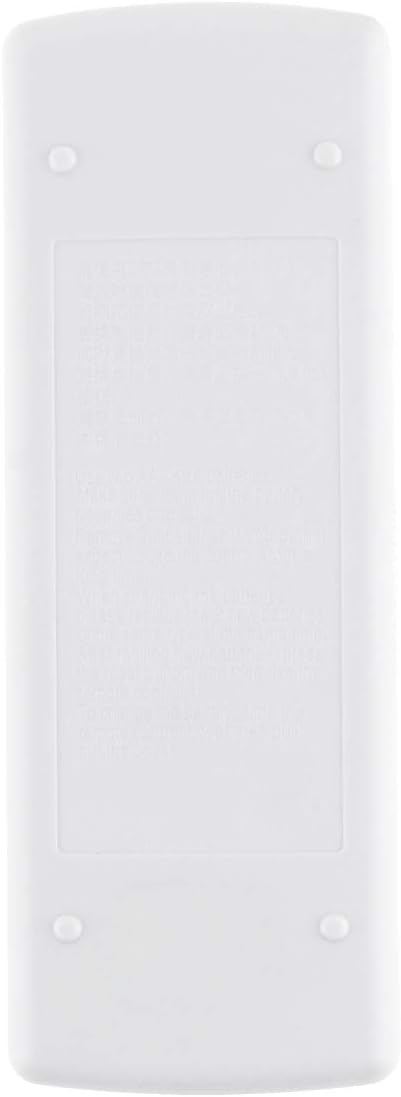
Figure 2: Back view of the remote control, indicating the battery compartment.
After battery installation, the remote control is ready for use. No programming is typically required for this replacement unit.
Operating Instructions
This remote control provides full functionality for your Mitsubishi M285 series air conditioner. The main buttons are located on the front, with additional functions accessible by sliding down the front panel.

Figure 3: Remote control with slide-down panel open, showing advanced function buttons.
Basic Functions
- ON/OFF Button: Press the orange ON/OFF button to power the air conditioner on or off.
- Temperature Adjustment: Use the TOO WARM (down arrow) and TOO COOL (up arrow) buttons to adjust the desired temperature.
Advanced Functions (Under Slide Panel)
- MODE Button: Press to cycle through operating modes such as Cool, Heat, Dry, Fan, and Auto.
- FAN Button: Adjusts the fan speed (e.g., Low, Medium, High, Auto).
- VANE Button: Controls the direction of the air flow (swing function).
- TIMER Functions (STOP / START): Set specific times for the air conditioner to turn on or off. Refer to your air conditioner's main manual for detailed timer programming.
Temperature Display (Fahrenheit/Celsius)
This remote control is designed to display temperature in both Fahrenheit (°F) and Celsius (°C), catering specifically to the USA and Canada markets. The default display is Fahrenheit.

Figure 4: Example of Fahrenheit and Celsius temperature display.
To switch between Fahrenheit and Celsius, consult your air conditioner's original manual or try pressing and holding the TOO WARM (down arrow) and TOO COOL (up arrow) buttons simultaneously for a few seconds while the remote is on.
Maintenance
Cleaning the Remote Control
Wipe the remote control with a soft, dry cloth. Do not use liquid cleaners, abrasive cleaners, or chemical sprays, as these can damage the surface or internal components.
Battery Replacement
Replace batteries when the remote control's display becomes dim or its range decreases. Follow the battery installation steps outlined in the "Setup" section. Always replace both batteries at the same time with new AAA 1.5V batteries.
Troubleshooting
- Remote not responding:
- Check if the batteries are inserted correctly with the correct polarity.
- Replace old batteries with new AAA 1.5V batteries.
- Ensure there are no obstructions between the remote control and the air conditioner's receiver.
- Make sure you are within the effective range of the air conditioner's receiver.
- Display is dim or blank:
- Replace the batteries.
- Air conditioner not responding to specific functions:
- Ensure the remote control is pointed directly at the air conditioner.
- Some advanced functions might require specific settings on the air conditioner unit itself. Refer to your air conditioner's original manual.
Specifications
| Brand | CHOUBENBEN |
| Model Number | AA320201017-507 |
| Compatible Models | Mitsubishi M285 series, RNK502A010B/C/D/F/G/H/L, SRK325HENF, SRK258HENF, SRK285CENF |
| Battery Type | 2 x AAA 1.5V (not included) |
| Controller Type | Button Control |
| Special Feature | Ergonomic design, Fahrenheit/Celsius display |
| Manufacturer | KITCHENWARE STORE |
Warranty and Support
For warranty information or technical support regarding your CHOUBENBEN replacement remote control, please refer to the seller's policy on the purchase platform or contact the manufacturer directly. Keep your purchase receipt as proof of purchase.