
1. Overview
The EASYGUARD EC002PP is a semi plug-and-play remote starter and passive keyless entry (PKE) system designed to upgrade your vehicle with modern convenience and security features. This system allows for push-button engine start/stop, remote engine start, and automatic locking/unlocking based on proximity to the vehicle.
2. Compatibility
This EC002PP-FO2-A1282 system is specifically designed for key start gas engine Ford vehicles only. It is not compatible with diesel versions or vehicles not listed below. Please verify your vehicle's make, model, and year before installation.

This image highlights the specific Ford models and years compatible with the EC002PP system, emphasizing that it is for key start gas engines only.
- Ford F150: 2015-2020
- Ford Mondeo: 2013-2017
- Ford Everest: 2013-2017
- Ford Edge: 2011-2016
The kit includes a bypass module, eliminating the need for an additional one.
3. Key Features
- Push Button Start/Stop: Convert your traditional key start to a convenient push-button ignition.
- Passive Keyless Entry (PKE): Automatically locks/unlocks doors as you approach or walk away from the vehicle with the key fob.
- Remote Engine Start/Stop: Start or stop your engine remotely to pre-cool or pre-warm your vehicle.
- Manual Arm/Lock & Disarm/Unlock: Control door locks using the remote key fob.
- Remote Trunk Release: Open your vehicle's trunk remotely.
- Panic Mode: Activate the alarm for emergency situations.
- Valet Mode: Temporarily disable certain system functions for valet parking or service.
- Central Door Locking Automation: Doors automatically lock when driving and unlock when the engine is turned off.
- Optional Security Keypad: Allows unlocking/locking the vehicle without the remote control by entering a password on the windshield.

A dual view of the remote key fob, showing both its front with control buttons and its plain rear side.

This image shows the remote key fob with labels pointing to the 'Disarm', 'Arm/Panic Mode', and 'Start Button/Trunk Release' functions.
4. Installation and Setup
The EC002PP system is designed for semi plug-and-play installation with an OBD2 connector and T-harness, making it CAN BUS compatible. However, connecting a few wires is still required. Due to the complexity, professional installation by a trained alarm installer is highly recommended, especially if you lack experience with car trim/dashboard panel removal or wiring harnesses.
Important Installation Notes:
- You must unlock/remove the steering wheel lock during installation.
- The bypass module is included in the kit; no additional bypass is needed.
- Ensure no damage to the original car circuit during installation.
PKE Antenna Placement:
Proper placement of the PKE antennas is crucial for the passive keyless entry function. Refer to the video below for guidance on antenna installation.
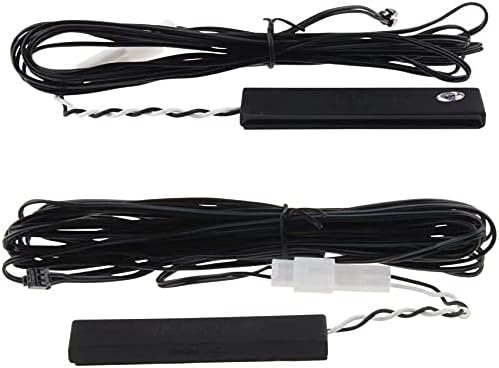
Two black PKE antennas, which are components of the passive keyless entry system, shown with their wiring.
This video provides a visual guide on how to correctly install the PKE antennas within the vehicle for optimal passive keyless entry performance.
5. Operation
Push Button Start/Stop:
To start the engine, press the brake pedal and then press the engine start/stop button. To turn off the engine, press the engine start/stop button again.
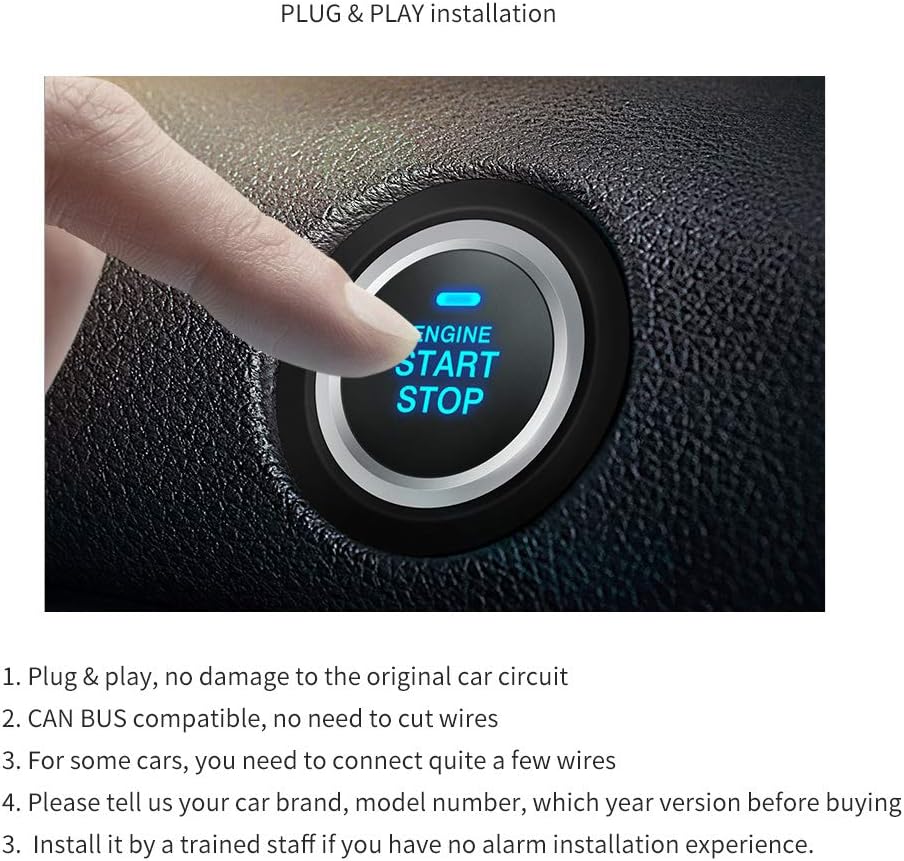
A close-up view of the illuminated engine start/stop button, indicating its function in the vehicle's dashboard.
Remote Engine Start:
To remotely start the engine, press and hold the start button on your key fob for approximately 3 seconds. The vehicle will start, allowing you to pre-condition the cabin temperature. To remotely stop the engine, press and hold the start button again for 3 seconds.

An illustration of a car's interior with arrows indicating airflow from the vents, demonstrating the pre-cooling or pre-warming function activated by remote engine start.
Passive Keyless Entry (PKE):
With the key fob in your possession, the vehicle will automatically unlock its doors when you approach within 1-3 meters. When you walk away from the vehicle, the doors will automatically lock when the key fob is 2-3 meters away.

This diagram explains the Passive Keyless Entry (PKE) feature, showing how the car automatically unlocks when the key fob is within 3-6 feet and locks when it moves 6-9 feet away.
Demonstration Video:
This video demonstrates the practical use of the passive keyless entry (PKE) system and the remote engine start feature, including locking, unlocking, and starting the vehicle.
6. Maintenance
To ensure optimal performance and longevity of your EASYGUARD EC002PP system, consider the following maintenance tips:
- Key Fob Battery Replacement: The key fobs require 2 CR2 batteries (included). Replace them when the range or responsiveness decreases.
- System Checks: Periodically test all functions (remote start, PKE, push button) to ensure they are working correctly.
- Professional Inspection: If you experience any persistent issues, consult with a professional automotive electronics technician.
7. Troubleshooting
If you encounter issues with your EASYGUARD EC002PP system, review the following common troubleshooting steps:
- System Not Responding: Check the key fob battery. Ensure you are within the effective range for remote functions.
- PKE Not Working: Verify that the PKE antennas are correctly installed and not obstructed. Ensure the key fob battery is not low.
- Engine Not Starting: Confirm the vehicle is in Park/Neutral. Ensure the brake pedal is pressed when using the push-button start. Check for any dashboard warning lights.
- Alarm Issues: If the alarm triggers unexpectedly, ensure all doors, hood, and trunk are securely closed.
For complex issues, it is recommended to contact a professional installer or EASYGUARD customer support.
8. Specifications
| Specification | Value |
|---|---|
| Item Weight | 2.52 pounds |
| Package Dimensions | 10.08 x 7.36 x 4.09 inches |
| Item Model Number | EC002PP-FO2-A1282 |
| Batteries | 2 CR2 batteries required (included) |
| Wireless Remote | Yes |
| Compatible Devices | Ford F150 15-20, Mondeo 13-17, Everest 13-17, Edge 11-16 |
| Remote Control Included? | Yes |
| Manufacturer | ieasyguard.com |
9. Warranty and Support
For warranty information, technical support, or further assistance, please refer to the documentation provided with your product packaging or visit the official EASYGUARD website. Keep your purchase receipt for warranty claims.
Note: This product does not include taxes by default. You may be responsible for taxes or VAT upon the product's arrival in your customs jurisdiction.
The system can be upgraded with smartphone app control and 4G LTE GPS tracking by purchasing an additional GPS002-AA 4G LTE module (ASIN: B0D95Y1XN3).
