1. Product Overview
The Purline WS015 is a versatile weather station designed to provide detailed and current information regarding indoor and outdoor environmental conditions. This device monitors temperature, humidity, and offers a weather forecast. It also includes a digital clock with an alarm function and a calendar display.
Equipped for both indoor and outdoor use, the WS015 features a clear digital LCD display with animated symbols for weather forecasting. It stores maximum and minimum readings and tracks temperature trends over the past 12 hours. The main unit can also function as a USB charging hub for other devices.
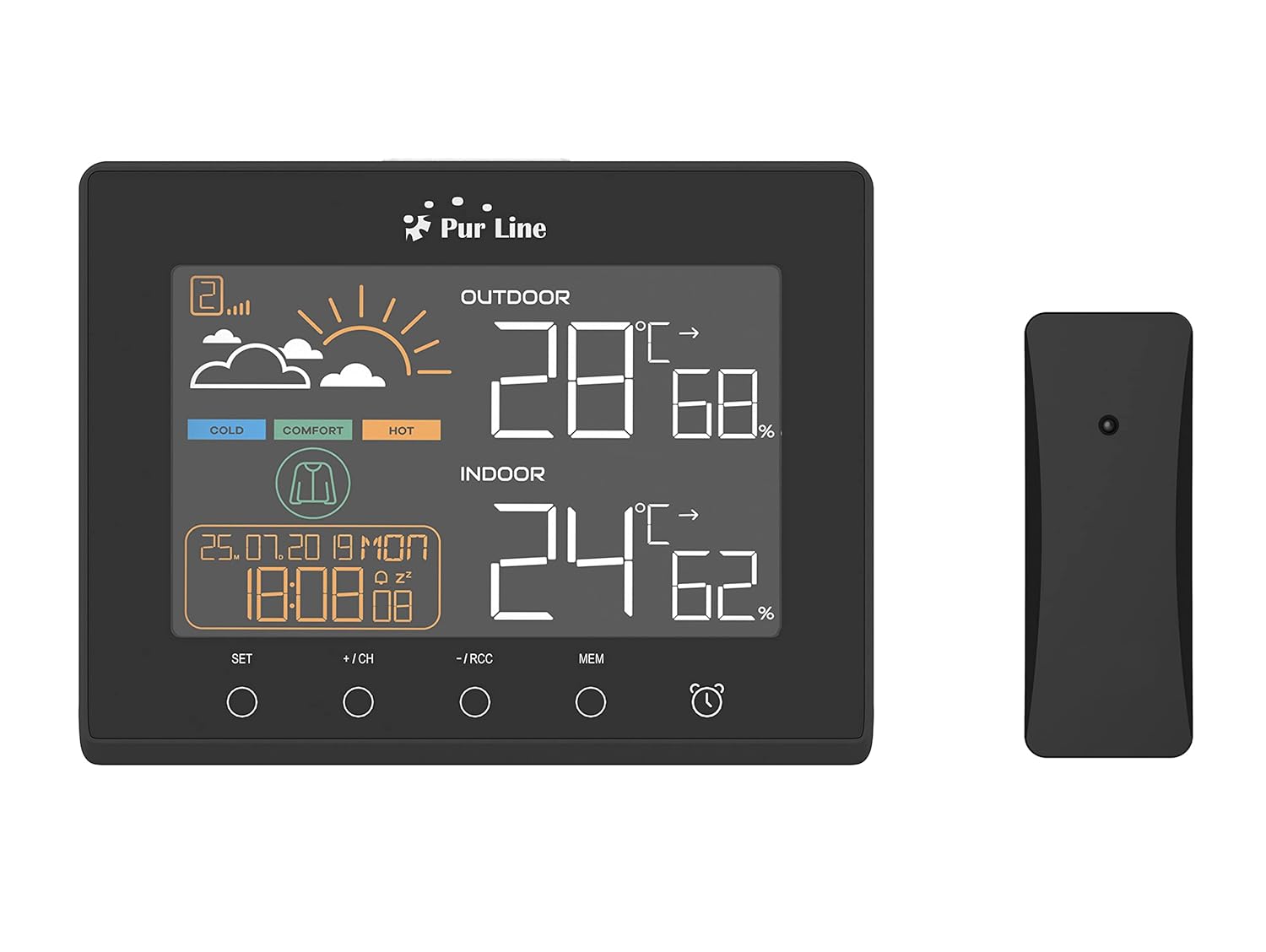
Front view of the PUR LINE WS015 Weather Station display unit and its wireless outdoor sensor.
2. Setup Instructions
2.1. Unpacking and Components
Carefully remove all components from the packaging. Ensure you have the main display unit and the wireless outdoor sensor.
2.2. Powering the Main Unit
The main unit requires 3 AAA batteries (not included) or can be powered via a USB connection. To install batteries:
- Open the battery compartment cover on the back of the main unit.
- Insert 3 AAA batteries, observing the correct polarity (+/-).
- Close the battery compartment cover.
Alternatively, connect the main unit to a USB power source using a compatible USB cable (not included).
2.3. Outdoor Sensor Placement
The outdoor sensor is splash-proof (IP rated) but should be placed in a sheltered location to protect it from direct rain and prolonged sunlight, which can affect temperature readings. Ensure the sensor is within effective transmission range of the main unit (typically up to 30 meters in open air).
2.4. Initial Synchronization
Once both the main unit and the outdoor sensor are powered, they should automatically synchronize. If synchronization does not occur, press the 'CH' button on the main unit to initiate a search for the sensor. Ensure the sensor is close to the main unit during initial setup.

Rear view of the PUR LINE WS015 Weather Station, showing the battery compartment and stand.
3. Operating Instructions
3.1. Display Overview
The LCD display shows the following information:
- Outdoor Temperature and Humidity: Readings from the wireless sensor.
- Indoor Temperature and Humidity: Readings from the main unit's internal sensors.
- Weather Forecast: Animated symbols indicating predicted weather conditions.
- Time and Date: Current time, day, and date.
- Comfort Level Indicator: Based on indoor temperature and humidity.
- Temperature Trend: Arrows indicating rising, falling, or stable temperature over the last 12 hours.

Close-up view of the PUR LINE WS015 Weather Station display, showing outdoor and indoor temperature, humidity, time, date, and weather forecast symbols.
3.2. Button Functions
The main unit features several control buttons:
- SET: Enters setting mode for time, date, and alarm. Confirms settings.
- +/CH: Increases values during setting. In normal mode, cycles through outdoor sensor channels or initiates sensor search.
- -/RCC: Decreases values during setting. In normal mode, manually initiates RCC (Radio Controlled Clock) signal reception.
- MEM: Displays maximum and minimum temperature/humidity records. Press again to clear records.
- Alarm Icon: Activates or deactivates the alarm function.
3.3. Setting Time and Date
- Press and hold the SET button until the time display flashes.
- Use the + or - buttons to adjust the hour, then press SET to confirm and move to minutes.
- Repeat for minutes, year, month, and day.
- Press SET to exit setting mode.
3.4. Setting the Alarm
- Press the Alarm Icon button once to display the alarm time.
- Press and hold the Alarm Icon button until the alarm time flashes.
- Use the + or - buttons to adjust the alarm hour, then press the Alarm Icon button to confirm and move to minutes.
- Repeat for minutes.
- Press the Alarm Icon button to exit setting mode. Press it again in normal mode to toggle the alarm on/off.
3.5. USB Charging Outputs
The main unit is equipped with USB outputs that allow you to charge compatible electronic devices. Simply connect your device's USB charging cable to the USB port on the side of the weather station.
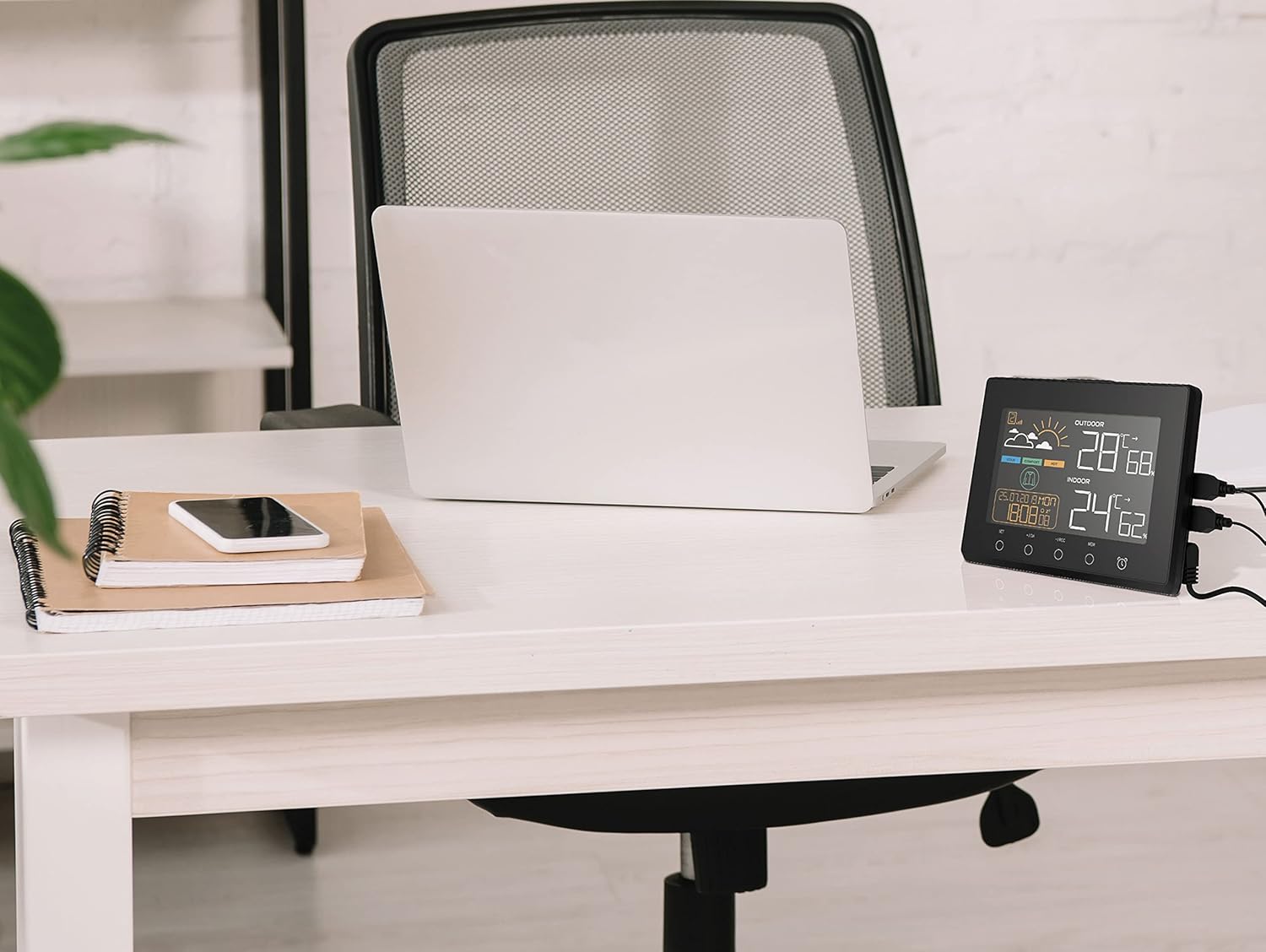
The PUR LINE WS015 Weather Station with two smartphones connected to its USB charging outputs.
4. Maintenance
4.1. Cleaning
To clean the weather station and sensor, use a soft, damp cloth. Do not use abrasive cleaners or solvents, as these can damage the display or casing. Ensure no liquid enters the device openings.
4.2. Battery Replacement
When the display becomes dim or readings are inconsistent, it may be time to replace the batteries in the main unit and/or the outdoor sensor. Follow the battery installation steps outlined in Section 2.2 for the main unit. For the outdoor sensor, open its battery compartment, replace the old batteries with new ones of the correct type, and close the compartment securely.
5. Troubleshooting
Common Issues and Solutions
- No Display on Main Unit:
- Check if batteries are inserted correctly and are not depleted.
- Ensure the USB power cable (if used) is securely connected.
- Outdoor Readings Not Displaying or Incorrect:
- Check the batteries in the outdoor sensor.
- Ensure the outdoor sensor is within range of the main unit and free from major obstructions.
- Press the +/CH button on the main unit to re-initiate sensor search.
- Relocate the outdoor sensor to a more suitable position, away from direct sunlight or heat sources.
- Time Not Synchronizing (RCC):
- Ensure the unit is placed away from electronic interference.
- Manually initiate RCC signal reception by pressing the -/RCC button.
- Alarm Not Sounding:
- Verify that the alarm function is activated (alarm icon visible on display).
- Check that the alarm time is set correctly.
6. Technical Specifications
- Model: WS015
- Manufacturer: Purline
- Dimensions (L x D x H): 17 x 3 x 13 cm (approximate)
- Power Source (Main Unit): 3 x AAA batteries (not included) or USB
- Power Source (Outdoor Sensor): Batteries (type not specified, typically AAA or AA)
- Material: Plastic
- Connectivity: Wireless (sensor), USB (charging outputs)
- Special Features: Programmable alarm, Max/Min memory, Temperature trend, Weather forecast, USB charging outputs
- Display Type: Digital LCD
7. Warranty and Support
Information regarding product warranty and specific support contacts is not available in this document. For warranty claims or technical assistance, please refer to the documentation provided at the time of purchase or contact your retailer or the manufacturer directly.


