
1. Introduction
Thank you for choosing the Fotopro TL-601 Extendable Mini Camera Tripod. This versatile and compact accessory is designed to enhance your photography and videography experience, offering stable support for various devices. It functions as a mini tripod, a selfie stick, and a stand for webcams or fill-in lights. Please read this manual carefully to ensure proper setup, operation, and maintenance of your device.
2. Product Features and Components
The Fotopro TL-601 is engineered for portability and functionality. Key features include:
- Multi-functional Design: Can be used as a mini tripod, selfie stick, or stand for various devices like cameras, smartphones, webcams, and fill-in lights.
- Three-stage Extension: The retractable design allows adjustment from a folded length of 14.6 cm (5.74 inches) to an extended height of 26.6 cm (10.47 inches).
- Anti-slip Grip: The handle features a comfortable leather-grain rubber surface for a secure, non-slip hold. The legs are equipped with snap fasteners for easy and secure closing.
- 360° Rotatable Ball Head: An aluminum anodized ball head provides smooth 360-degree rotation and angle adjustment, ideal for precise positioning.
- Compact and Lightweight: Weighing only 91g and folding to 14.6 cm, it is highly portable and easy to carry.
- Durable Construction: Made from a combination of plastic and aluminum alloy for reliability.
2.1 Product Overview
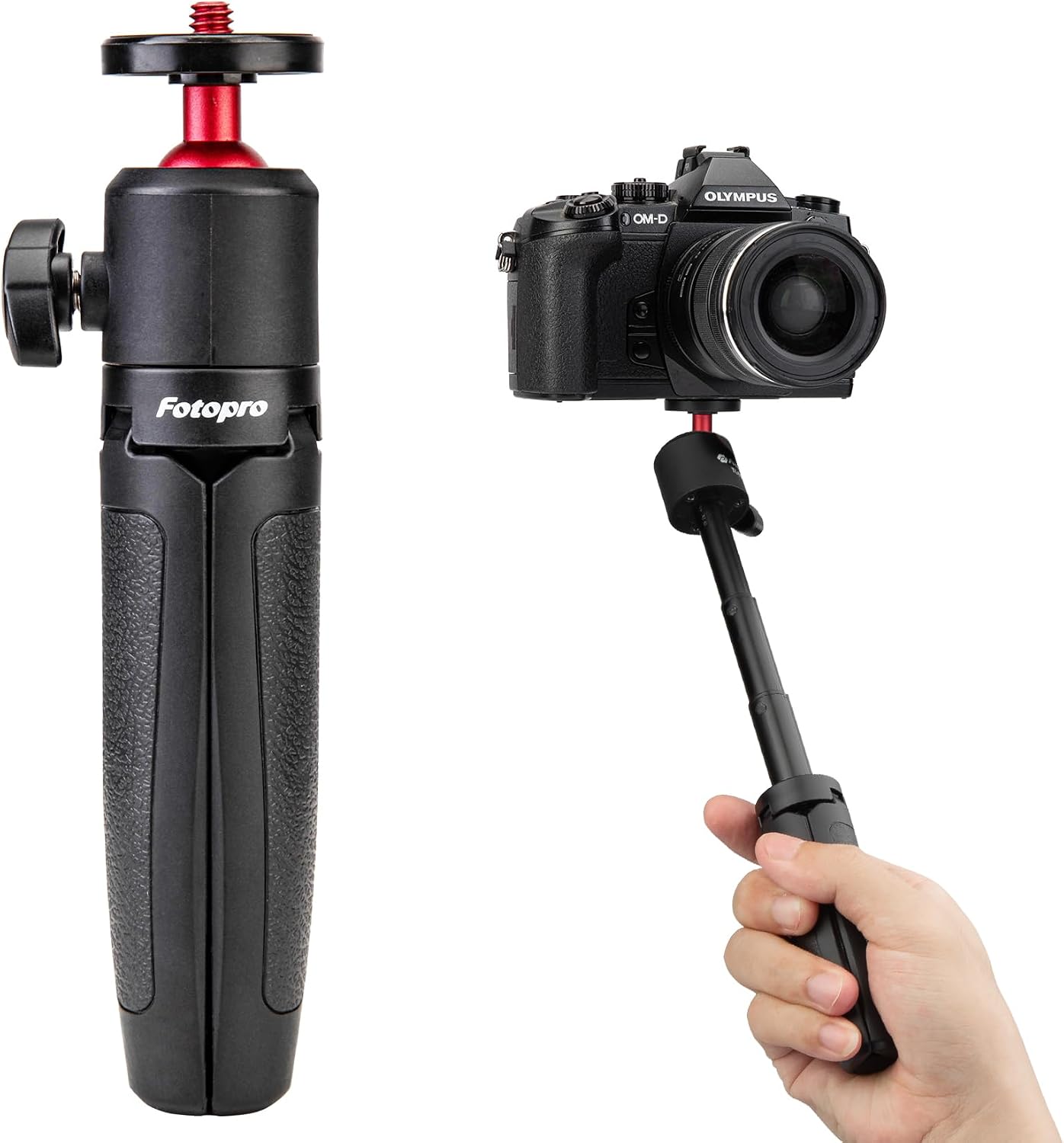
Figure 1: Fotopro TL-601 Mini Tripod, showcasing its compact folded state and various extended heights.
2.2 Extendable Lengths

Figure 2: The tripod demonstrating its three adjustable height levels: 14.6 cm (5.8 in), 18.6 cm (7.3 in), 22.6 cm (8.9 in), and 26.6 cm (10.5 in).
2.3 Detailed Components

Figure 3: Detailed view of the tripod's key components, including the durable aluminum alloy ball head, the secure snap-in fold storage mechanism, and the comfortable silicone handle.
2.4 360° Rotating Ball Head

Figure 4: A smartphone attached to the tripod, illustrating the 360-degree rotation capability of the ball head for flexible shooting angles. Note: Phone clip is sold separately.
2.5 Wide Compatibility
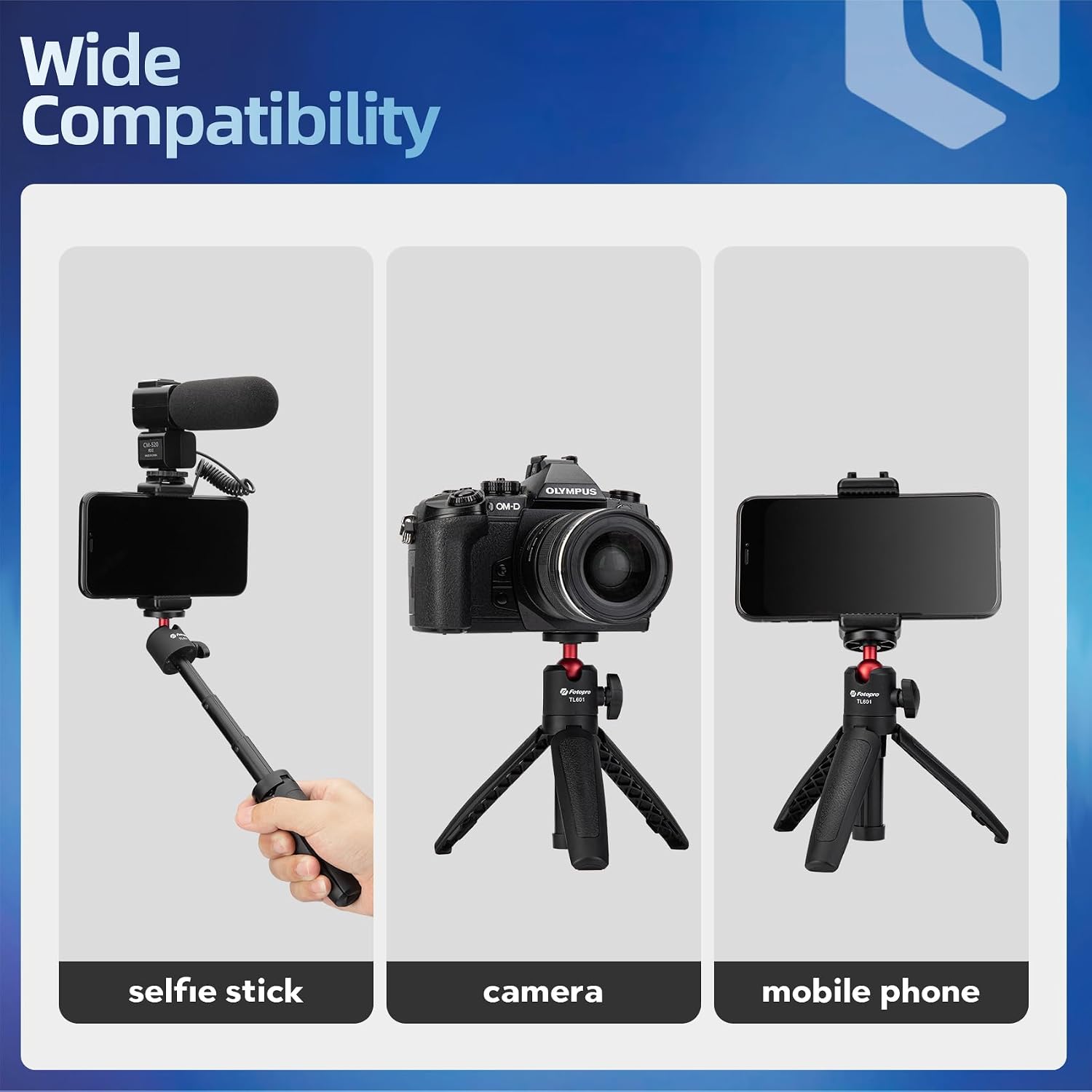
Figure 5: Examples of the tripod's wide compatibility, showing its use as a selfie stick with a smartphone, a stand for a camera, and a tabletop mount for a mobile phone.
3. Setup Instructions
- Unfold the Legs: Gently pull the three legs outwards from the handle until they snap into place, forming a stable base.
- Extend the Tripod (Optional): To increase height, pull the central shaft upwards. The shaft has three stages; extend to your desired height. Ensure it clicks securely into place at each stage.
- Attach Your Device:
- For cameras: Screw your camera onto the 1/4-inch universal screw thread on the ball head. Tighten securely.
- For smartphones: Attach a compatible smartphone holder (sold separately) to the 1/4-inch screw thread, then secure your smartphone into the holder.
- Adjust the Ball Head: Loosen the locking knob on the side of the ball head to adjust the angle of your device. Once the desired angle is achieved, tighten the knob firmly to secure the position.
4. Operating Instructions
4.1 Using as a Tabletop Tripod
- Place the tripod on a flat, stable surface.
- Adjust the height and angle of your device using the extendable shaft and the rotatable ball head.
- Ensure all adjustments are locked before use to prevent accidental movement.
4.2 Using as a Selfie Stick
- Fold the tripod legs together to form a handle. The snap fasteners will help keep them closed.
- Extend the central shaft to your desired length.
- Hold the handle firmly and position your device for selfies or vlogging.
4.3 Adjusting Device Angle
- Loosen the ball head locking knob.
- Carefully tilt or rotate your device to the desired angle.
- Tighten the locking knob securely to prevent your device from shifting.
5. Maintenance
- Cleaning: Wipe the tripod with a soft, dry cloth. For stubborn dirt, a slightly damp cloth can be used, followed by immediate drying. Avoid harsh chemicals or abrasive cleaners.
- Storage: Store the tripod in a cool, dry place away from direct sunlight and extreme temperatures. Ensure it is fully collapsed and the legs are secured before storage.
- Inspection: Periodically check all screws and moving parts for tightness and smooth operation. Do not force any components if they feel stiff.
6. Troubleshooting
- Problem: Tripod feels unstable or tips over.
- Solution:
- Ensure the legs are fully extended and locked into position on a flat, stable surface.
- Verify that the weight of your device (camera/smartphone) does not exceed the maximum load capacity of 1.5 kg.
- For heavier devices, ensure the device is centered over the tripod's base.
- Problem: Ball head does not hold position or slips.
- Solution:
- Ensure the ball head locking knob is tightened firmly after adjusting the angle.
- Check if the device attached is within the weight limit. Excessive weight can cause slippage.
- Problem: Difficulty extending or collapsing the tripod shaft.
- Solution:
- Ensure no dirt or debris is obstructing the telescopic sections. Clean if necessary.
- Apply gentle, even pressure. Do not force the mechanism.
7. Specifications
| Model | TL-601 |
| Brand | Fotopro |
| Material | Plastic, Aluminum Alloy |
| Item Weight | 0.09 kg (91g) |
| Weight Limit | 1.5 kg |
| Maximum Height | 26.6 cm (10.47 inches) |
| Minimum Height | 14.6 cm (5.74 inches) |
| Folded Size | 14.6 cm (5.74 inches) |
| Tripod Head Type | Ball Head (360° Rotation) |
| Compatible Devices | Cameras, Smartphones (with adapter) |
8. Warranty and Support
Fotopro products are manufactured to high-quality standards. For warranty information, technical support, or any inquiries regarding your Fotopro TL-601 tripod, please refer to the official Fotopro website or contact their customer service directly. Keep your purchase receipt as proof of purchase for any warranty claims.
For further assistance, visit the Fotopro Store on Amazon.

