
Introduction
This manual provides detailed instructions for setting up, operating, and maintaining your AIKELA Smart Watch ID205U. This device is designed to monitor various health metrics and track fitness activities, compatible with Android OS 4.4 / iOS 8.0 or above and Bluetooth 4.2 or above smartphones. It is not intended for use with PCs, iPads, or tablets.

Image: The AIKELA Smart Watch ID205U, featuring a black square display and a black silicone strap.
Setup Guide
Package Contents
- AIKELA Smart Watch (Model ID205U) x 1
- Magnetic Charging Cable x 1
- User Manual x 1
Charging the Device
Before initial use, fully charge your smartwatch. Connect the magnetic charging cable to the charging contacts on the back of the watch and plug the USB end into a power adapter (not included) or a computer's USB port. A full charge typically takes approximately 2.5 hours.
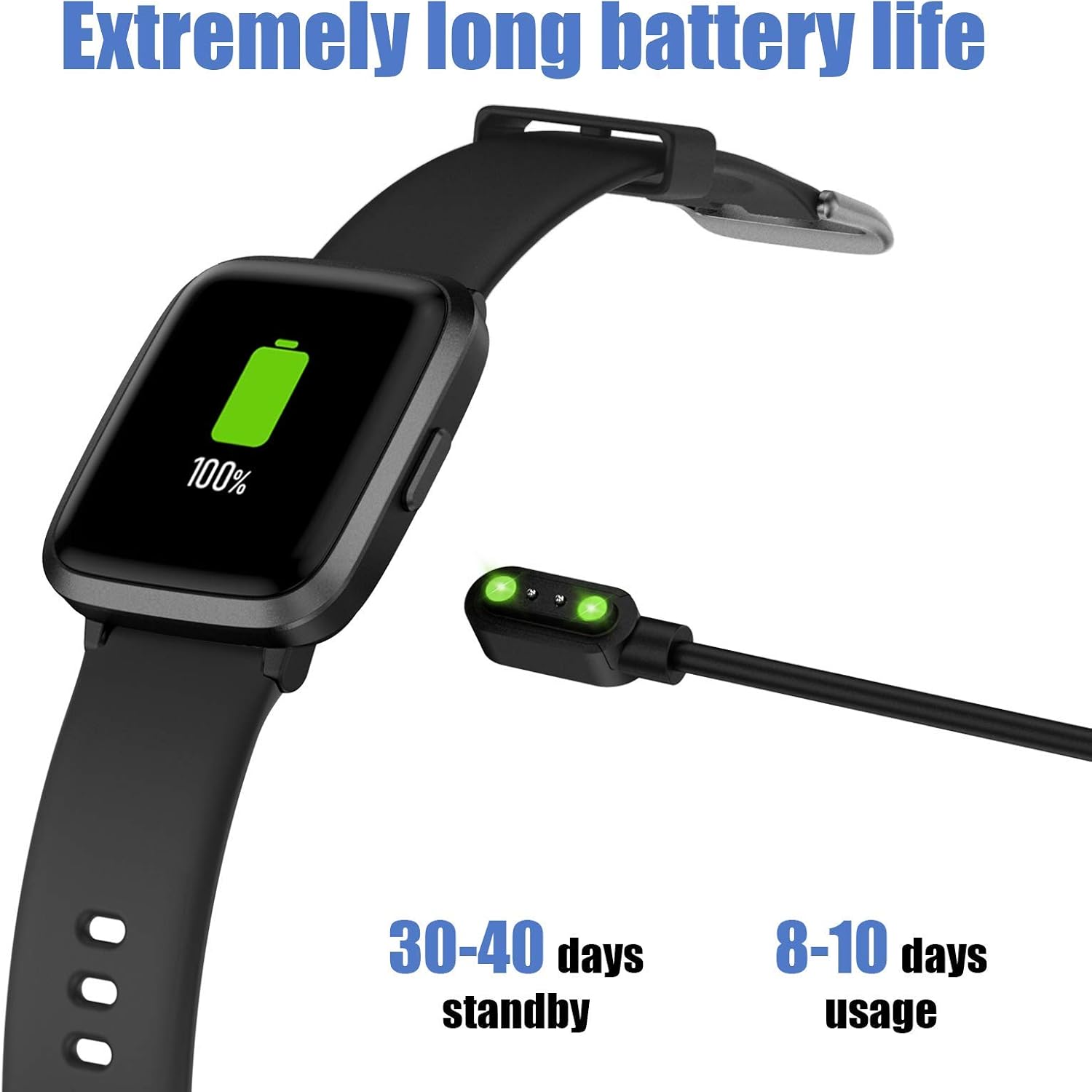
Image: The AIKELA Smart Watch connected to its magnetic charging cable, displaying a full battery icon.
Connecting to Your Smartphone (VeryFitPro App)
To utilize all features of your AIKELA Smart Watch, you must connect it to your smartphone using the "VeryFitPro" application. Ensure your smartphone meets the following requirements:
- Android OS 4.4 or above
- iOS 8.0 or above
- Bluetooth 4.2 or above
- Download the App: Scan the QR code provided in the physical user manual or search for "VeryFitPro" in the Google Play Store (for Android) or Apple App Store (for iOS).
- Enable Bluetooth and GPS: On your mobile phone, activate both Bluetooth and GPS services.
- Open VeryFitPro App: Launch the "VeryFitPro" application on your smartphone.
- Initiate Binding: On the home page of the app, look for a binding request or navigate to the "Device" section to add a new device.
- Select Device Model: Choose "ID205U" from the list of available devices.
- Confirm Binding: Follow the on-screen prompts and click "OK" to complete the binding process.
Once successfully paired, the watch will synchronize data with the app.
Operating Instructions
Basic Navigation
- Touch Screen: The 1.3-inch TFT-LCD full touch screen allows for intuitive navigation. Swipe left/right, up/down, and tap to select options.
- Watch Faces: Choose from 4 stylish clock faces directly on the watch or through the VeryFitPro app.
Health Monitoring Features
The AIKELA Smart Watch ID205U provides monitoring for several key health indicators. Note: The data collected by this device is for reference only and cannot be used for medical diagnosis or treatment.
- Heart Rate Monitor: Continuously tracks your heart rate throughout the day. View real-time data on the watch or detailed trends in the app.
- Blood Pressure Monitor: Measures your blood pressure. Ensure the watch is worn correctly for accurate readings.
- Blood Oxygen (SpO2) Monitor: Monitors your blood oxygen saturation levels.

Image: A man running, wearing the AIKELA Smart Watch which displays a blood oxygen level of 100% SpO2.

Image: Top shows a man checking his heart rate on the AIKELA Smart Watch. Bottom shows women doing push-ups, with the watch displaying a blood pressure measurement.
Fitness Tracking
The watch records your daily activities and supports multiple sports modes.
- All-Day Activity Tracking: Records steps taken, distance covered, calories burned, and active time.
- 9 Sports Modes: Select a mode before starting your workout for more accurate tracking. Available modes include:
- Walking
- Running
- Bike
- Spinning
- Treadmill
- Hike
- Yoga
- Climbing
- Fitness
- Sleep Monitor: Automatically tracks your sleep patterns, including total sleep, deep sleep, and awake time. View detailed analysis in the VeryFitPro app.

Image: The AIKELA Smart Watch interface showing icons for 9 different sports modes, alongside images of individuals engaged in running, hiking, and yoga.

Image: A woman sleeping, with the AIKELA Smart Watch on her wrist displaying the time. A smartphone next to her shows the VeryFitPro app interface with detailed sleep tracking data.
Notifications and Reminders
Once connected to your smartphone, the watch can receive various notifications.
- Call Notifications: Receive incoming call alerts directly on your watch. You can choose to decline calls from the watch.
- Message Notifications: Read SMS messages and notifications from social media apps (e.g., Facebook, Instagram, Twitter, WhatsApp) on your watch screen.
- Other Reminders: Set alarms, sedentary reminders, and other alerts through the VeryFitPro app.

Image: A woman holding a smartphone, with the AIKELA Smart Watch on her wrist displaying an incoming call notification. Icons for various social media and communication apps are shown in the background.
Maintenance
Water Resistance
The AIKELA Smart Watch ID205U has a 5ATM waterproof rating, meaning it can withstand pressures equivalent to a depth of 50 meters. This makes it suitable for activities like washing hands, showering, and swimming. However, it is not suitable for diving, hot water activities, or saunas, as steam and high temperatures can damage the device.
Cleaning and Care
- Regularly clean the watch and strap with a soft, damp cloth.
- Avoid using harsh chemicals or abrasive materials.
- Ensure the charging contacts are clean and dry before charging to prevent corrosion.
- If the watch gets wet, dry it thoroughly before charging or prolonged use.
Battery Life and Charging
The device features a 210mAh Lithium Polymer battery. A full charge provides approximately 7-9 days of working time, with a standby time of 30-40 days. Actual battery life may vary based on usage patterns and settings.
Troubleshooting
Common Issues and Solutions
- Watch not pairing with phone:
- Ensure Bluetooth and GPS are enabled on your phone.
- Verify the "VeryFitPro" app is installed and running.
- Check if the watch battery is sufficiently charged.
- Restart both your phone and the watch.
- Try unpairing and re-pairing the device through the app.
- Inaccurate health data:
- Ensure the watch is worn snugly but comfortably on your wrist, about one finger's width above the wrist bone.
- Avoid excessive movement during measurements.
- Clean the sensor on the back of the watch.
- Notifications not appearing:
- Confirm the watch is connected to the app via Bluetooth.
- Check notification settings within the "VeryFitPro" app to ensure desired app notifications are enabled.
- Verify your phone's system notification settings allow the "VeryFitPro" app to display notifications.
- Short battery life:
- Frequent use of health monitoring features (e.g., continuous heart rate) or bright screen settings can reduce battery life.
- Reduce screen brightness or turn off unnecessary features.
- Ensure the watch is fully charged each time.
For further assistance, refer to the "Help" section within the VeryFitPro app or contact customer support.
Specifications
| Feature | Detail |
|---|---|
| Model | ID205U |
| Sync Method | Bluetooth 4.2 |
| Screen | 1.3" TFT LCD, Full Touch |
| Resolution | 240 x 240 |
| Weight | 39g (1.37oz) |
| Battery Type | Lithium Polymer |
| Battery Capacity | 210mAh |
| Working Voltage | 3.8V |
| Waterproof Rating | 5ATM |
| Working Time | 7-9 days |
| Charging Time | ≤ 2.5 hours |
| Operating System Compatibility | Android OS 4.4 / iOS 8.0 or above |
| Special Features | Heart Rate Monitor, Blood Pressure Monitor, Blood Oxygen Monitor, Sleep Monitor, 9 Sports Modes, Call & Message Notifications, Alarm Clock |
Warranty and Support
Warranty Information
Specific warranty details are typically provided with your purchase documentation or on the product packaging. Please retain your proof of purchase for warranty claims.
Customer Support
For technical support, troubleshooting assistance, or any questions regarding your AIKELA Smart Watch ID205U, please refer to the "Help" section within the VeryFitPro application. You may also contact the retailer or manufacturer's customer service channels for further assistance.