
Coast XP11R
COAST XP11R Rechargeable Dual Power LED Flashlight User Manual
Model: XP11R
1. Introduction
The COAST XP11R Rechargeable Dual Power LED Flashlight is engineered to cut through deep darkness, offering exceptional power and performance. This professional series flashlight delivers ultra-bright light and versatile multi-beam capabilities, reaching up to 3000 lumens in Turbo Mode. Designed for durability and convenience, it is IP54 dust-resistant and storm-proof, making it suitable for various demanding environments. Its innovative Rechargeable Dual Power technology ensures reliable illumination whenever you need it.
2. Product Overview
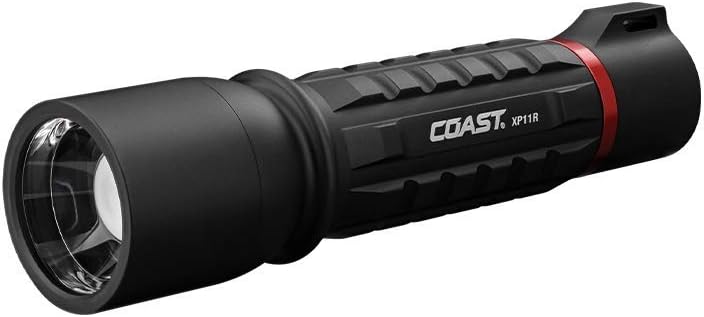
The COAST XP11R is a robust and feature-rich flashlight designed for optimal illumination and user flexibility. Key features include:
- SLIDE FOCUS Optical Technology: Seamlessly transition between Ultra View Flood Beam for wide area illumination and BULLS-EYE Spot Beam for focused long-distance light, reaching up to 280 meters.
- TURBO MODE: Access an impressive 3000 lumens for critical situations, providing maximum brightness.
- Rechargeable Dual Power: Powered by a COAST ZITHION-X rechargeable battery (charging cable included), with the flexibility to also operate on standard alkaline AAA batteries (purchased separately).
- Real-Time Power Indicator: A built-in indicator keeps you informed about the battery status, ensuring you know when to recharge.
- Durable and Reliable: Constructed with an aluminum body, it is IP54 rated for dust and storm resistance and offers 1-meter drop protection. Backed by the COAST lifetime warranty.
3. Setup
3.1 Battery Installation and Charging
The XP11R flashlight utilizes COAST Rechargeable Dual Power technology, allowing operation with either the included ZITHION-X rechargeable battery or standard AAA alkaline batteries.
- To install/replace batteries: Unscrew the tail cap of the flashlight. Insert the COAST ZITHION-X rechargeable battery with the positive (+) end facing towards the head of the flashlight. Alternatively, if using AAA alkaline batteries, insert them into the provided alkaline battery cartridge, ensuring correct polarity, then insert the cartridge into the flashlight. Securely screw the tail cap back on.
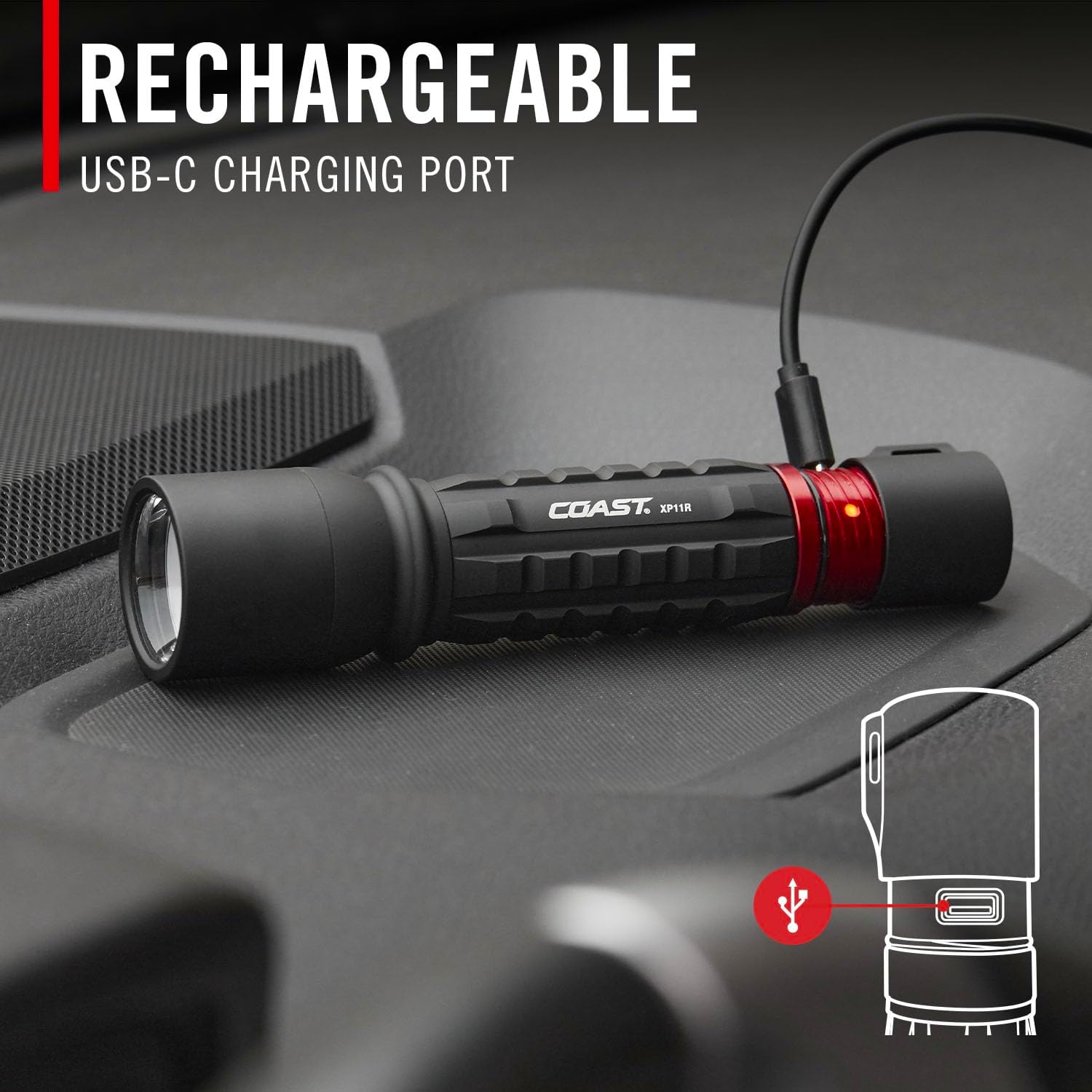
- To charge the ZITHION-X battery: The flashlight features a built-in USB-C charging port. Locate the charging port by twisting the red ring near the tail cap to reveal it. Connect the included USB-C charging cable to the port and plug the other end into a compatible USB power source (e.g., wall adapter, power bank, computer USB port). The power indicator will show charging status.


Video 3.1: Official COAST XP11R LED Flashlight Rechargeable Feature Video, demonstrating the charging process.
4. Operating Instructions
4.1 Power On/Off and Mode Selection
The XP11R features a single button for power control and mode cycling.
- Power On/Off: Press the power button located on the tail cap to turn the flashlight on or off.
- Cycle Modes: With the flashlight on, quickly press the power button to cycle through the standard light modes: Low, Medium, High.
- Turbo Mode: To activate Turbo Mode (3000 lumens), press and hold the power button. The flashlight will deliver maximum output for critical situations. Release the button to return to the previous mode.

4.2 SLIDE FOCUS Operation
COAST-patented SLIDE FOCUS optical technology allows for quick and easy beam adjustment.
- Adjusting the Beam: Simply slide the head of the flashlight forward or backward to transition between the Ultra View Flood Beam (wide, even light) and the BULLS-EYE Spot Beam (focused, long-distance light).
- Beam Lock: The Beam Lock feature allows you to secure the focus position. Twist the head of the flashlight to lock it into your desired flood or spot setting, preventing accidental changes.


4.3 Power Indicator
The XP11R features a real-time power indicator to keep you informed about your battery level.
- Green Light: Battery is charged.
- Red Light: Battery is low and needs charging.
- Blinking Red Light: Battery is critically low or depleted and requires immediate charging.
5. Maintenance
To ensure the longevity and optimal performance of your COAST XP11R flashlight, follow these maintenance guidelines:
- Cleaning: Wipe the flashlight body with a soft, damp cloth. Do not use abrasive cleaners or solvents. Keep the lens clean for optimal light output.
- Battery Care:
- Always use the recommended COAST ZITHION-X rechargeable battery or high-quality alkaline AAA batteries.
- If storing the flashlight for an extended period, remove the batteries to prevent leakage and damage.
- Ensure the charging port is free from dust and debris before charging.
- Water and Dust Resistance: While the flashlight is IP54 rated for dust and storm resistance, it is not designed for submersion. Avoid prolonged exposure to heavy rain or dusty environments. Ensure the USB-C port cover is properly sealed when not charging.
6. Troubleshooting
If you encounter issues with your XP11R flashlight, try the following solutions:
| Problem | Possible Cause | Solution |
|---|---|---|
| Flashlight does not turn on. | Depleted battery; incorrect battery installation; loose tail cap. | Charge the battery or replace alkaline batteries. Ensure batteries are inserted with correct polarity. Tighten the tail cap securely. |
| Light is dim or flickers. | Low battery; dirty battery contacts; loose components. | Recharge or replace batteries. Clean battery contacts with a clean eraser or cotton swab. Ensure all parts are securely tightened. |
| Beam focus is not smooth. | Debris in the slide mechanism. | Gently clean the area around the sliding head. Avoid forcing the mechanism. |
7. Specifications
| Feature | Detail |
|---|---|
| Brand | Coast |
| Model | XP11R (Item model number: 30326) |
| Brightness (White) | Up to 3000 Lumens (Turbo Mode) |
| Light Source Type | LED |
| Beam Distance | Up to 280 meters |
| Power Source | Battery Powered (COAST ZITHION-X rechargeable or 3x AAA alkaline) |
| Battery Cell Composition | Lithium Ion (for ZITHION-X) |
| Voltage | 3.7 Volts |
| Material | Aluminum |
| Water Resistance Level | IP54 (Weatherproof, Dust-resistant, Storm-proof) |
| Drop Protection | 1-meter |
| Product Dimensions | 1.48"D x 1.48"W x 5.98"H |
| Item Weight | 6.08 ounces |
| Included Components | Battery, Charging Cable |
8. Warranty and Support
COAST provides a lifetime warranty against defects in materials and workmanship for its knives, tools, and LED flashlights/headlamps to the original purchaser. This warranty does not cover normal wear and tear, nor damage resulting from misuse or neglect. Please note that batteries and charging accessories, or damage caused by them (e.g., leakage), are not included in this guarantee.
For warranty claims or technical support, please refer to the official Coast website or contact their customer service directly.
Related documentsXP11R


Ask a question about this manual
Ask about setup, troubleshooting, compatibility, parts, safety, or missing instructions. Manuals+ will review the question and use this page’s manual context to help answer it.