
Zizo BOLT-IPH1267-BKBK
Zizo Bolt Series User Manual
Model: BOLT-IPH1267-BKBK
Brand: Zizo
Introduction
Thank you for choosing the Zizo Bolt Series case for your iPhone 12 Pro Max. This comprehensive protection system is engineered to safeguard your device against drops, impacts, and daily wear, while enhancing its functionality with integrated features. This manual provides detailed instructions for setup, operation, maintenance, and troubleshooting to ensure optimal use of your Zizo Bolt Series case.
Product Overview
The Zizo Bolt Series case offers robust protection and versatile features for your iPhone 12 Pro Max. It includes a multi-layer case, a tempered glass screen protector, a holster belt clip, and a lanyard.
Key Features:
- Military Grade Drop Protection: Certified 810.1-G 12 feet Military Grade Drop Tested with Dual Layer Impact Dispersion Technology.
- Holster Belt Clip: Features a 360-degree rotating clip, hidden card slot, and built-in kickstand.
- Tempered Glass Screen Protector: 0.33mm thick with 100% clarity and 9H hardness for superior screen defense.
- Built-in Kickstand: Integrated for hands-free viewing in landscape orientation.
- Magnetic Mount Support: Designed to be compatible with magnetic car mounts (mount sold separately).
- Raised TPU Lip: Provides additional protection for the camera lens.

Image: The Zizo Bolt Series case, including the main protective case, the tempered glass screen protector, and the detachable holster with belt clip.

Image: Illustration of the case's military-grade drop protection, highlighting its ability to withstand impacts from up to 12 feet.

Image: A detailed view of the tempered glass screen protector, emphasizing its 0.33mm thickness and 9H hardness for scratch resistance.

Image: A close-up demonstrating the raised TPU lip around the camera area, designed to protect the lenses from direct contact with surfaces.
Setup
1. Installing the Case:
- Ensure your iPhone 12 Pro Max is clean and free of dust or debris.
- Separate the two parts of the Zizo Bolt Series case if they are assembled.
- Carefully place your iPhone into the inner hard shell, ensuring all edges align.
- Snap the outer soft TPU layer around the hard shell, making sure all buttons and ports are accessible and aligned.
2. Applying the Tempered Glass Screen Protector:
- Clean your phone screen thoroughly with the provided alcohol wipe and microfiber cloth. Remove any dust particles with the dust-absorber sticker.
- Peel off the protective film from the adhesive side of the tempered glass.
- Carefully align the screen protector with your phone's screen, starting from one edge and slowly lowering it.
- Gently press the center of the screen protector; it will adhere to the screen automatically. Smooth out any bubbles towards the edges.
3. Attaching the Holster Belt Clip:
- Slide the cased iPhone into the holster until it clicks securely into place.
- The holster clip can rotate 360 degrees for vertical or horizontal carrying.
4. Attaching the Lanyard:
- Thread the lanyard loop through the designated attachment point on the case or holster.
- Secure the lanyard by passing the larger end through the loop and pulling tight.
Operating Instructions
Using the Built-in Kickstand:
- Locate the kickstand on the back of the case.
- Gently pull the kickstand outwards until it locks into an open position.
- Place your phone horizontally on a flat surface to enjoy hands-free viewing.
- To close, push the kickstand back into its recess until it lies flush with the case.

Image: The Zizo Bolt Series case with its built-in kickstand extended, allowing the phone to stand independently for hands-free use.
Using the Holster Belt Clip:
- Attach the holster to your belt or waistband.
- Insert your cased iPhone into the holster.
- Rotate the clip to adjust the phone's orientation (vertical or horizontal) for comfort and accessibility.
- To remove the phone, press the release tab on the holster and slide the phone out.
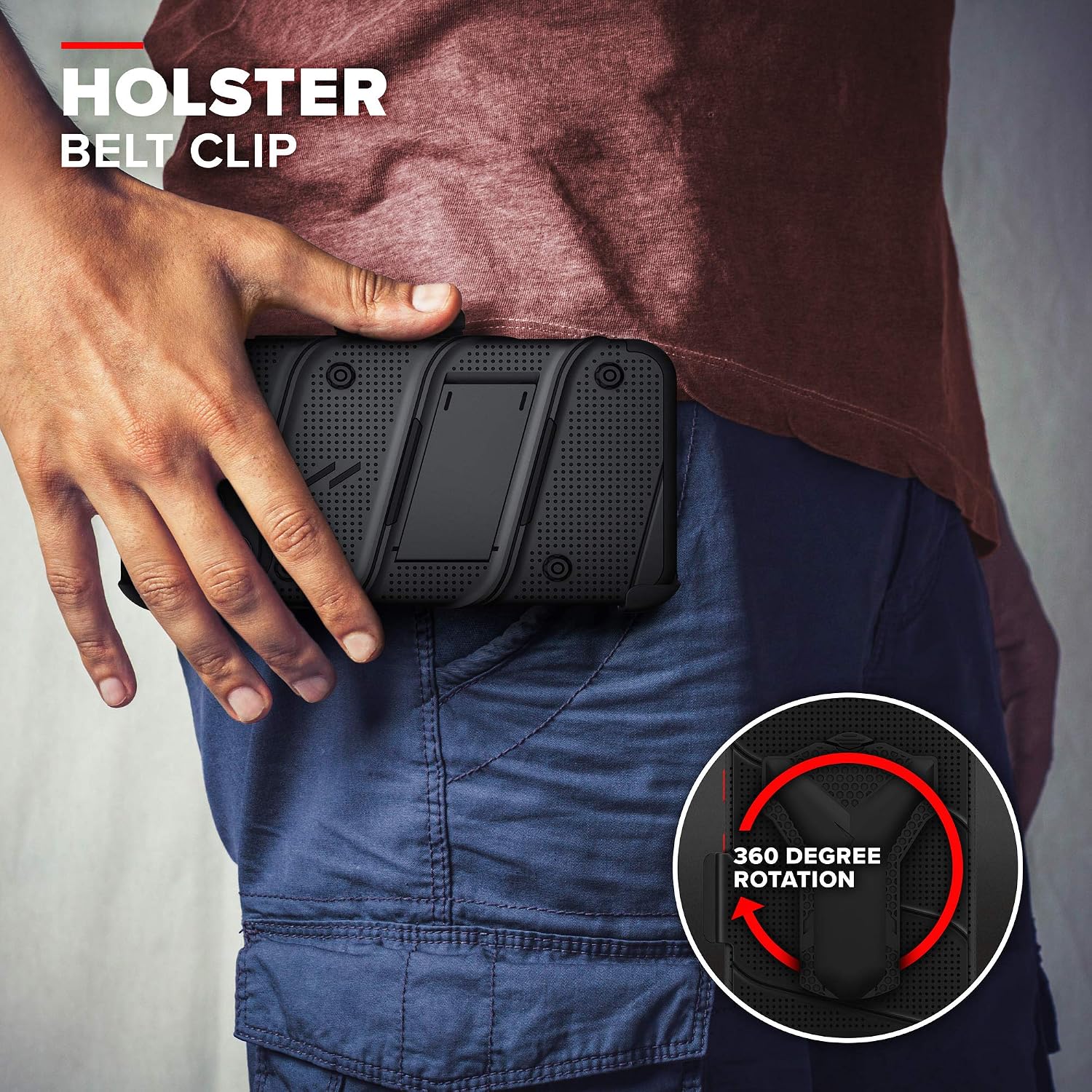
Image: A user demonstrating the holster belt clip, showing how the phone can be securely carried on the hip and rotated 360 degrees.
Using with Magnetic Mounts:
- The Zizo Bolt Series case has built-in support for magnetic mounts.
- Simply align the back of your cased iPhone with a compatible magnetic mount (sold separately).
- The case will securely attach to the mount, providing a stable platform for navigation or hands-free use in vehicles.
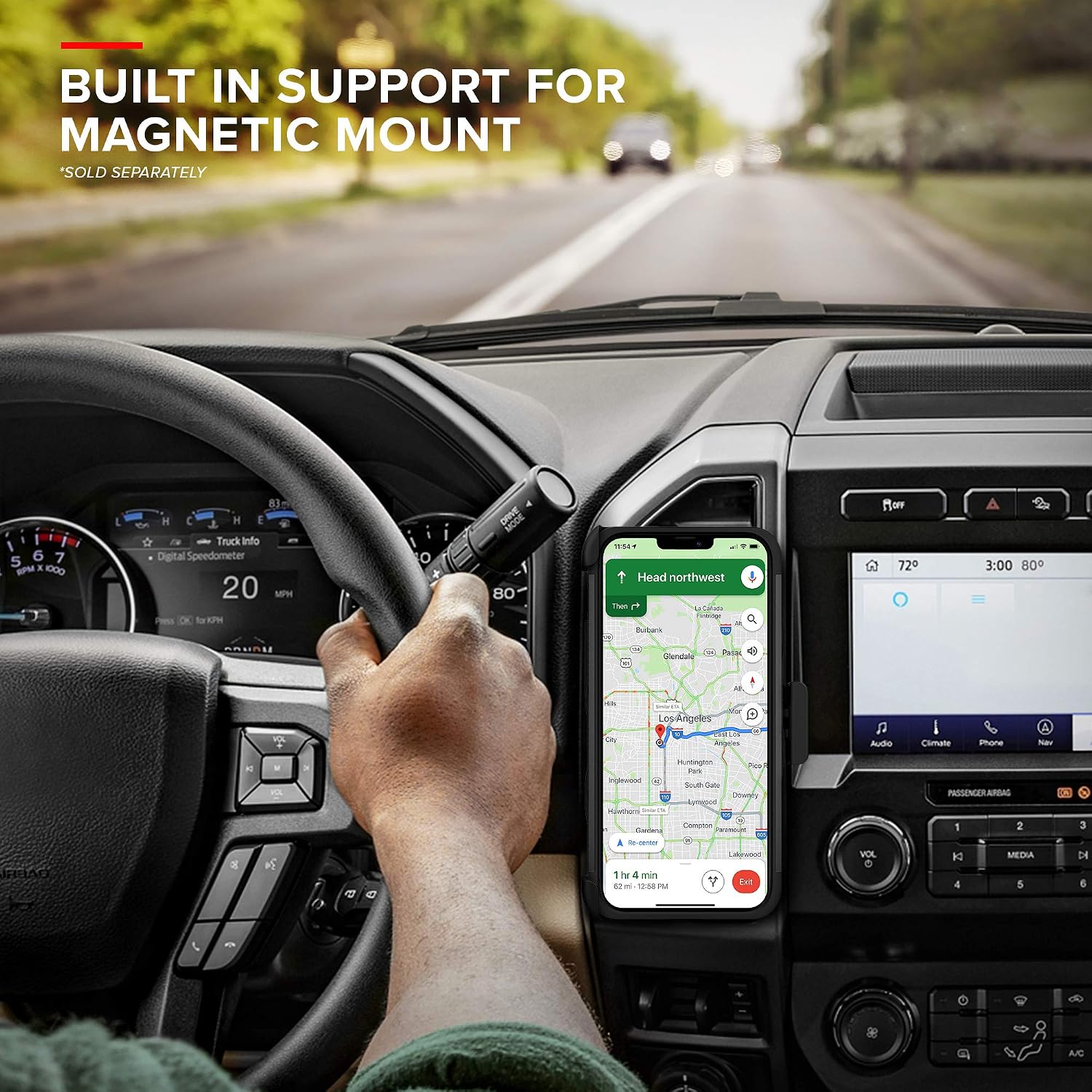
Image: The Zizo Bolt Series case attached to a magnetic car mount, illustrating its compatibility for in-vehicle use.
Maintenance
Cleaning the Case:
- Remove your iPhone from the case.
- Wipe the case with a soft, damp cloth. For stubborn dirt, a mild soap solution can be used.
- Avoid using harsh chemicals or abrasive cleaners, as these can damage the case material.
- Ensure the case is completely dry before reinserting your phone.
Cleaning the Screen Protector:
- Use a microfiber cloth to gently wipe the screen protector.
- For smudges or fingerprints, a screen cleaner spray designed for electronics can be applied to the cloth (not directly to the screen).
Troubleshooting
Case Fit Issues:
- Problem: Case does not fit snugly or buttons are misaligned.
- Solution: Ensure you have the correct Zizo Bolt Series case model for your iPhone 12 Pro Max. Remove the phone and re-install the case, making sure both layers are properly snapped together and aligned with the phone's contours.
Screen Protector Bubbles:
- Problem: Air bubbles appear under the screen protector after installation.
- Solution: Small bubbles often disappear within 24-48 hours. For larger bubbles, gently lift the nearest edge of the screen protector and re-apply, pushing the bubble towards the edge with a microfiber cloth or a credit card wrapped in cloth. Ensure the screen is dust-free before re-application.
Holster Clip Malfunction:
- Problem: Holster clip does not rotate smoothly or feels loose.
- Solution: Check for any debris or obstruction in the rotating mechanism. Ensure the phone is fully seated in the holster. If the issue persists, inspect for physical damage.
Specifications
| Feature | Detail |
|---|---|
| Model Name | Zizo Bolt Series iPhone 12 Pro Max Case |
| Part Number | BOLT-IPH1267-BKBK |
| Compatible Phone Models | iPhone 12 Pro Max |
| Material | Plastic |
| Color | Black/Black |
| Item Dimensions (LxWxH) | 6.33 x 3.07 x 0.29 inches |
| Package Weight | 0.17 Kilograms |
| Style | Stand Case |
| Included Components | Case, Screen Protector, Kickstand, Holster, Lanyard |
Warranty and Support
Warranty Information:
Zizo cases are backed by a Zizo Lifetime Warranty. This warranty covers manufacturing defects and ensures the product meets its quality standards. For specific details regarding coverage and claims, please refer to the official Zizo website or contact Zizo customer service.
Customer Support:
For further assistance, technical support, or warranty claims, please visit the official Zizo website or contact their customer service department. Contact information can typically be found on the product packaging or the Zizo website.
Website: www.zizowireless.com
Ask a question about this manual
Ask about setup, troubleshooting, compatibility, parts, safety, or missing instructions. Manuals+ will review the question and use this page’s manual context to help answer it.