
Retevis A9207AX4-C9034AX4-C9021AX4
Retevis RT86 Professional Two-Way Radio User Manual
Model: A9207AX4-C9034AX4-C9021AX4
1. Introduction
This manual provides comprehensive instructions for the safe and effective operation, maintenance, and troubleshooting of your Retevis RT86 Professional Two-Way Radio. Please read this manual thoroughly before using the device to ensure optimal performance and longevity.
The Retevis RT86 is a high-power, long-range walkie-talkie designed for professional use in various environments such as warehouses, construction sites, factories, and property management. It features a durable design, a hidden screen, and a long-lasting battery.
2. Safety Information
Always observe the following safety precautions to reduce the risk of fire, electric shock, injury, or damage to the radio.
- Do not operate the radio in explosive atmospheres (e.g., flammable gases, dust particles, metallic powders).
- Do not modify or disassemble the radio. Repairs should only be performed by qualified technicians.
- Use only Retevis-approved batteries and chargers.
- Do not expose the radio to direct sunlight for extended periods or to extreme temperatures.
- Keep the radio away from medical devices to avoid interference.
- Ensure the antenna is properly attached before transmitting.
3. Package Contents
Verify that all items are present in your package:
- RT86 Long Range Walkie Talkies (4 units)
- Shoulder Mic (4 units)
- USB Charger and Adapter (4 units)
- Back Clip (4 units)
- Battery (4 units)
- User Manual (1 unit)

Figure 3.1: Contents of the Retevis RT86 package, including four radios, shoulder mics, chargers, and user manual.

Figure 3.2: The Retevis RT86 radio featuring its hidden screen, which displays channel and power information.
4. Product Overview
4.1 Key Features
- Long Range Communication: Covers up to 700,000 square feet and 50 floors.
- High Power Output: Ensures strong signal penetration.
- Durable Construction: Made of ABS material, resistant to impact and friction. Features a built-in hidden screen for enhanced durability.
- Extended Battery Life: 2600mAh battery provides up to 130 hours standby and over 16 hours continuous use.
- Shoulder Microphone: Includes a 360° rotating clip for convenient hands-free operation.
- Emergency Features: Equipped with a large-diameter flashlight and an emergency alarm function (requires CHIRP setting activation).
- FCC ID: 2ASNSRT86.
4.2 Components and Controls
Familiarize yourself with the main components of the RT86 radio:
- Antenna: For transmitting and receiving signals.
- Power/Volume Knob: Turns the radio on/off and adjusts volume.
- Channel Selector Knob: Selects the desired communication channel.
- PTT (Push-to-Talk) Button: Press and hold to transmit, release to receive.
- Speaker/Microphone: For audio output and input.
- Accessory Jack: For connecting external audio accessories like the shoulder mic or headphones.
- Battery Pack: Rechargeable Lithium-Ion battery.
- Hidden Screen: Displays channel, power, and transmitting status.
- PF2 Key: Programmable function key, default for flashlight activation.

Figure 4.1: Illustration of the RT86's long-range communication capability, covering large areas and multiple floors.
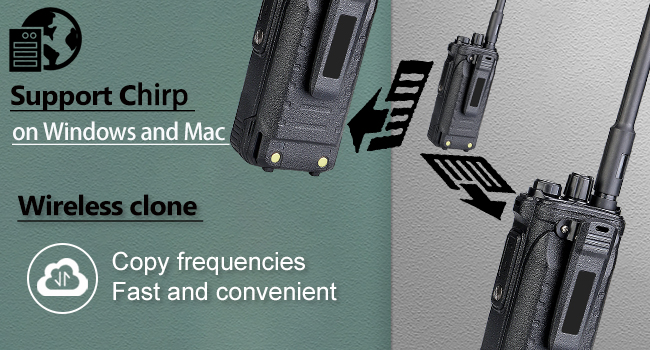
Figure 4.2: The RT86's high power and long detachable antenna contribute to strong signal penetration, ideal for construction environments.
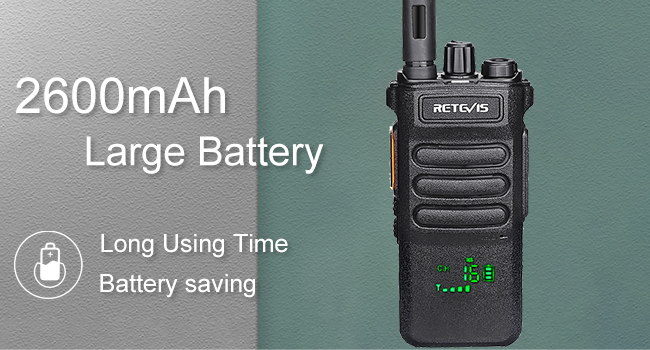
Figure 4.3: The hidden screen design of the RT86 offers superior durability compared to standard LCD screens, while still providing clear display of information.
5. Setup and Charging
5.1 Attaching the Battery
- Align the battery pack with the grooves on the back of the radio.
- Slide the battery upwards until it clicks into place.
- To remove, press the battery release latch and slide the battery downwards.
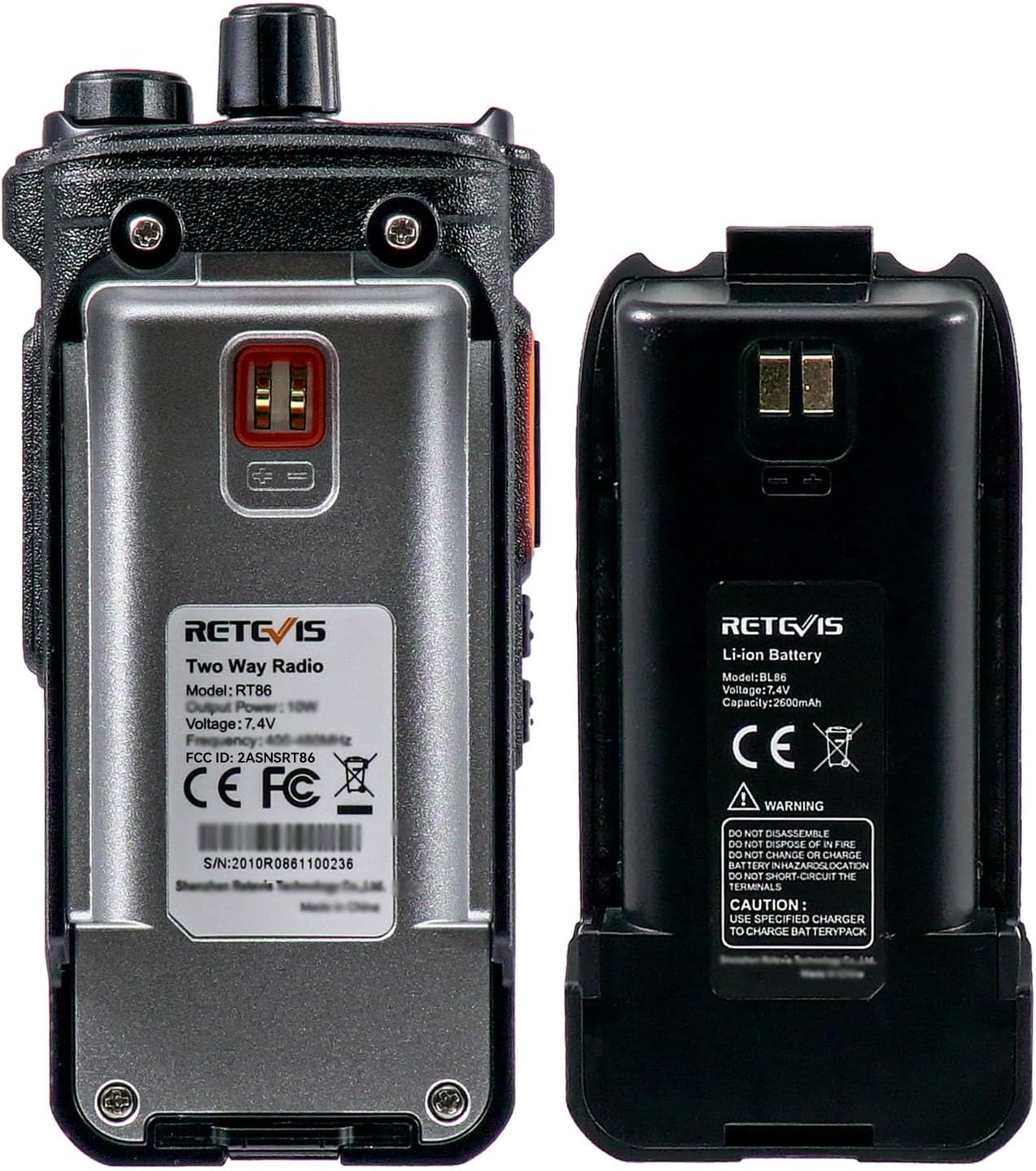
Figure 5.1: The back of the RT86 radio and its removable 2600mAh Li-ion battery.
5.2 Charging the Battery
Before initial use, fully charge the battery. The RT86 uses a 2600mAh Lithium-Ion battery.
- Connect the USB charger and adapter to a power source.
- Place the radio (with battery attached) into the charging base.
- The charging indicator light will show the charging status (e.g., red for charging, green for fully charged).

Figure 5.2: The RT86's 2600mAh battery provides extended operating and standby times, with power saving and low power alert features.
5.3 Attaching the Antenna and Shoulder Mic
- Screw the antenna clockwise into the connector on top of the radio until secure.
- Insert the K-type 2-pin plug of the shoulder microphone into the accessory jack on the side of the radio.
- Secure the shoulder mic's 360° rotating clip to your clothing for convenient access.

Figure 5.3: The included shoulder microphone with a 360° rotating clip allows for flexible and convenient communication.
6. Operating Instructions
6.1 Power On/Off and Volume Adjustment
- To power on, rotate the Power/Volume knob clockwise until you hear a click.
- To power off, rotate the Power/Volume knob counter-clockwise until you hear a click.
- Adjust the volume by rotating the Power/Volume knob.
6.2 Selecting a Channel
- Rotate the Channel Selector knob to choose one of the 16 available channels.
- Ensure all radios in your group are set to the same channel for communication.
6.3 Transmitting and Receiving
- To transmit, press and hold the PTT (Push-to-Talk) button. Speak clearly into the microphone.
- Release the PTT button to receive.
- The hidden screen will indicate transmitting status.
6.4 Flashlight Function
- To activate the flashlight, long press the PF2 key for three seconds.
- Repeat the long press to turn off the flashlight.
6.5 Emergency Alarm
- The emergency alarm function can be activated through CHIRP software settings. Refer to the CHIRP programming guide for details.
6.6 Programming with CHIRP
The RT86 supports programming via CHIRP software on Windows and Mac. This allows for setting frequencies, CTCSS/DCS tones, and other advanced features, including compatibility with other radio models like RT21, RT22, or RT29.

Figure 6.1: The RT86 supports wireless cloning for quick frequency copying between radios, and can be programmed via CHIRP software.
7. Maintenance and Care
- Clean the radio surface with a soft, damp cloth. Do not use harsh chemicals or abrasive cleaners.
- Ensure the accessory jack cover is properly sealed when not in use to maintain water resistance.
- Store the radio in a cool, dry place when not in use for extended periods.
- Regularly inspect the antenna and battery contacts for any signs of damage or corrosion.
8. Troubleshooting
| Problem | Possible Cause | Solution |
|---|---|---|
| No power | Battery depleted or not properly installed. | Charge the battery. Ensure battery is securely attached. |
| Cannot transmit or receive | Incorrect channel selected; out of range; antenna loose. | Verify channel matches other radios. Move closer to other radios. Check antenna connection. |
| Poor audio quality | Volume too low; interference; microphone obstruction. | Adjust volume. Move away from sources of interference. Ensure microphone is clear. |
| Battery life is short | Battery not fully charged; old battery. | Ensure full charge cycle. Consider replacing battery if it's old. |
9. Specifications
| Feature | Detail |
|---|---|
| Model Number | A9207AX4-C9034AX4-C9021AX4 |
| Item Weight | 5.61 pounds (total for 4 pack) |
| Product Dimensions | 1.39 x 2.17 x 5.51 inches (per radio) |
| Battery Type | Lithium Ion (2600mAh) |
| Number of Channels | 16 |
| Display Type | Hidden Dot Matrix LCD |
| Water Resistance Level | Water Resistant |
| FCC ID | 2ASNSRT86 |
10. Warranty and Support
Retevis provides a 3-year warranty for the radio body and a 1-year warranty for accessories. A 30-day no-reason return policy is also offered.
For support beyond the warranty period, maintenance services are available, with buyers responsible for associated costs. For any inquiries or support, please contact Retevis customer service through Amazon. Responses are typically provided within 12 hours.
For more information, visit the official Retevis store: Retevis Store on Amazon
Related documentsA9207AX4-C9034AX4-C9021AX4


Ask a question about this manual
Ask about setup, troubleshooting, compatibility, parts, safety, or missing instructions. Manuals+ will review the question and use this page’s manual context to help answer it.