
1. Introduction
Thank you for choosing the Spigen Liquid Crystal Case for your Samsung Galaxy A72 5G/LTE. This transparent back cover is designed to provide essential protection while maintaining the original aesthetic of your device. This manual will guide you through the proper use and care of your new case.
2. Product Overview
The Spigen Liquid Crystal case is engineered with high-quality materials and precise design to offer reliable protection and a comfortable user experience.
Key Features:
- Material: Constructed from flexible Thermoplastic Polyurethane (TPU) for durability and shock absorption.
- Protection: Offers defense against dirt, scratches, dust, and minor impacts.
- Clarity: Features a crystal-clear finish to showcase your phone's design.
- Micro-Dot Pattern: An internal micro-dot pattern is integrated to prevent watermarks and maintain transparency.
- Precise Fit: Designed for easy access to all ports, buttons, and features of the Samsung Galaxy A72 5G/LTE.
- Raised Bezels: Slightly raised edges around the screen and camera provide additional protection against surface scratches.
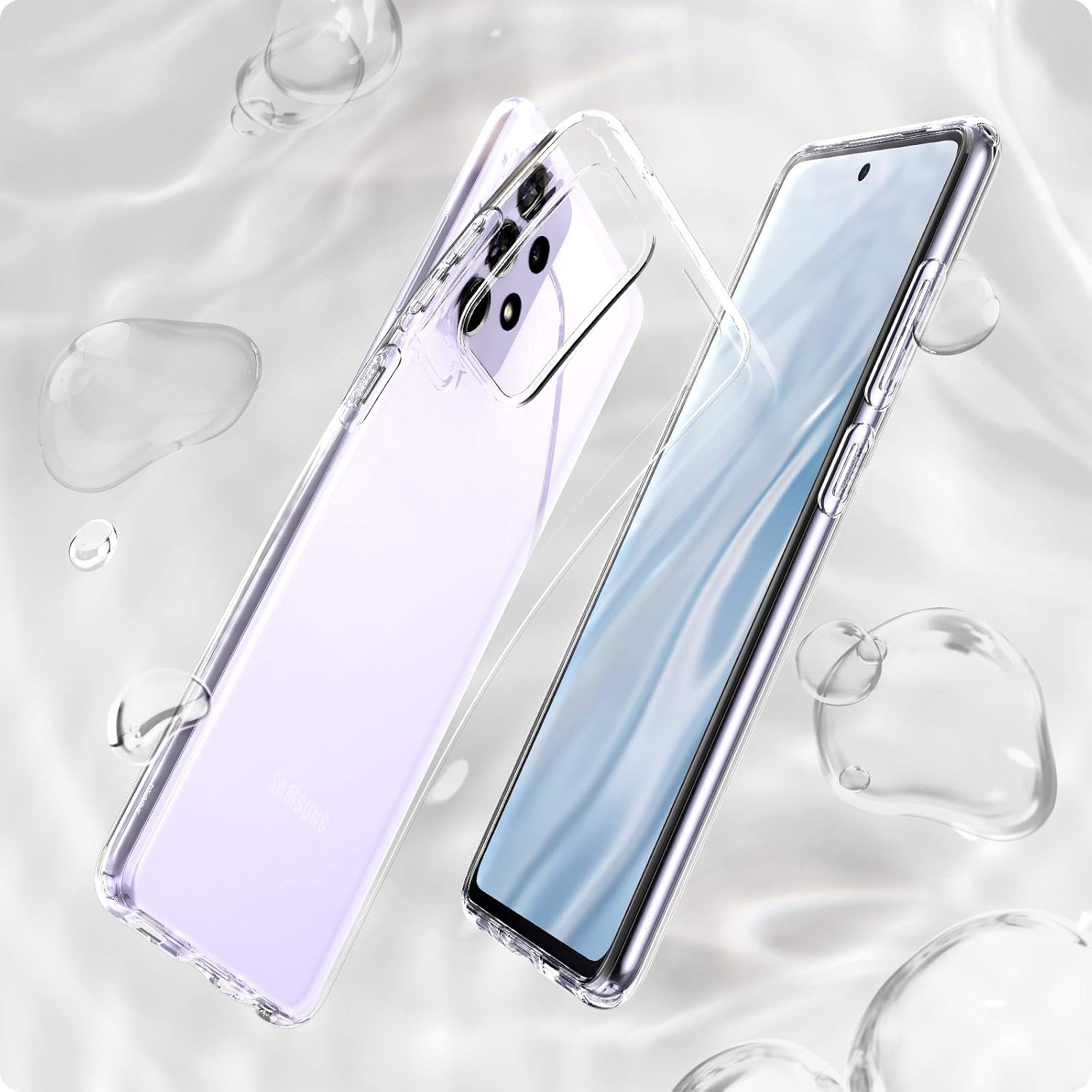
Figure 2.1: Spigen Liquid Crystal Case installed on a Samsung Galaxy A72, showcasing its clear design and precise fit.

Figure 2.2: Close-up view illustrating the sleek design and raised bezels that protect the screen and camera from surface contact.

Figure 2.3: Image demonstrating the smudge-free transparency and the subtle micro-dot pattern designed to prevent watermarks.
3. Setup: Case Installation
Installing your Spigen Liquid Crystal case is a simple process. Ensure your device is clean and free of dust before installation.
- Clean Your Device: Before installing the case, gently wipe your Samsung Galaxy A72 with a soft, lint-free cloth to remove any dust or fingerprints.
- Align the Case: Hold your phone and align the top edge of the case with the top of your phone.
- Insert the Phone: Gently push your phone into the case, starting from the top. Ensure all corners snap securely into place.
- Check Fit: Verify that all edges of the case are flush with your phone and that all cutouts for ports, speakers, and buttons are correctly aligned.

Figure 3.1: Exploded view of the case and phone, illustrating the components and how they fit together for installation.
4. Operating Your Device with the Case
The Spigen Liquid Crystal case is designed to be fully compatible with your Samsung Galaxy A72's functionality.
- Button Access: The case features tactile buttons that cover your phone's power and volume buttons, ensuring responsive feedback and protection.
- Port Access: Precision cutouts provide unobstructed access to the charging port, headphone jack (if applicable), and speakers.
- Wireless Charging: The slim design of the case allows for compatibility with most wireless charging pads without needing to remove the case.
5. Maintenance and Care
Proper care will help maintain the clarity and protective qualities of your Spigen Liquid Crystal case.
- Cleaning: To clean the case, remove it from your phone. Use a soft cloth dampened with mild soap and water. Avoid harsh chemicals or abrasive cleaners, as these can damage the material or cause discoloration.
- Drying: Allow the case to air dry completely before re-installing it on your phone.
- Preventing Discoloration: While made from high-quality TPU, clear cases can naturally show signs of yellowing over extended periods due to UV exposure and environmental factors. To minimize this, avoid prolonged exposure to direct sunlight and extreme temperatures. Regular cleaning can also help.
- Storage: When not in use, store the case in a cool, dry place away from direct sunlight.
6. Troubleshooting
Common Issues and Solutions:
- Case does not fit properly: Ensure you have the correct model case for your Samsung Galaxy A72 5G/LTE (Model: ACS02325). Remove and re-install the case, ensuring all corners are properly seated.
- Bubbles or 'wet' look under the case: This is often due to trapped air or moisture. The micro-dot pattern is designed to minimize this. If it persists, remove the case, clean both the phone and the inside of the case thoroughly, and re-install.
- Case turning yellow: As mentioned in maintenance, clear TPU cases can yellow over time. This is a natural material characteristic and not a defect. Following the cleaning and storage guidelines can help slow this process.
- Buttons are stiff: New cases may have slightly stiffer buttons. They typically soften with regular use. Ensure the case is correctly aligned with your phone's buttons.
7. Specifications
| Feature | Detail |
|---|---|
| Brand | Spigen |
| Model Name | Liquid Crystal |
| Model Number | ACS02325 |
| Compatible Phone Models | Samsung Galaxy A72 5G, Samsung Galaxy A72 LTE |
| Material | Thermoplastic Polyurethane (TPU) |
| Color | Crystal Clear |
| Form Factor | Back Cover |
| Product Finish Type | Glossy |
| Item Dimensions | 16.9 x 8.1 x 1.1 Centimeters |
| Item Weight | Approximately 2 Ounces |
8. Warranty and Support
Spigen products are designed for quality and durability. For specific warranty information, please refer to the official Spigen website or contact Spigen customer support directly.
Customer Support:
If you encounter any issues or have questions regarding your Spigen Liquid Crystal case, please visit the official Spigen website for support resources, FAQs, and contact information.
- Official Website: www.spigen.com
- Contact Information: Refer to the 'Contact Us' section on the official website for email or phone support.
