
TRUE METRIX R5H01-123LB
Contents
TRUE METRIX Control Solution Bundle User Manual
Model: R5H01-123LB
Introduction
This manual provides instructions for the TRUE METRIX Control Solution Bundle, which includes Level 1, 2, and 3 solutions, along with a TRUEplus Log Book. These control solutions are designed for use with TRUE METRIX meters and blood glucose test strips to confirm that your system is working properly and that your testing technique is correct.
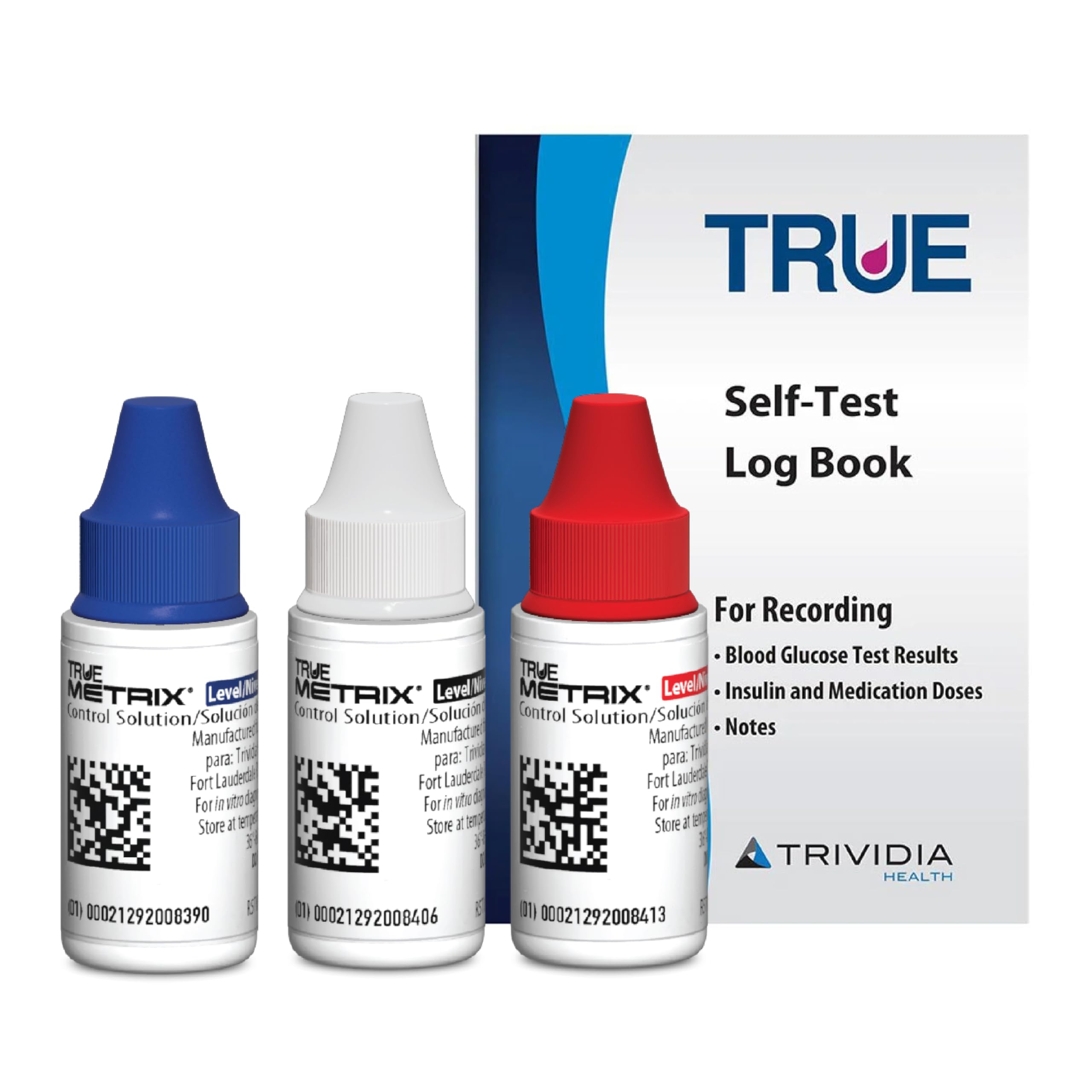
Image: The TRUE METRIX Control Solution Bundle, featuring three vials of control solution (Level 1, 2, and 3) and a TRUEplus Log Book.
The TRUEplus Log Book allows for convenient recording of daily blood glucose results, insulin and medication doses, and personal notes.

Image: A visual representation of the TRUE METRIX Control Solution and Log Book, highlighting its FSA/HSA eligibility.
Please note that product packaging may vary from the images shown.

Image: Various TRUE METRIX Control Solution vials, illustrating that product packaging designs may differ.
Setup and When to Use
Control solutions are essential for verifying the accuracy and proper function of your blood glucose monitoring system. Use a control solution in the following situations:
- Before the first test with a new meter.
- When opening a new vial of test strips.
- If results seem unusually high or low.
- After test strip exposure to extreme conditions (e.g., heat, cold, humidity).
- During performance checks of the system.
- If meter damage is suspected (e.g., dropped, crushed, wet).
- For practice to ensure your testing technique is good.
- Occasionally, as you use a vial of test strips.
Refer to your blood glucose monitoring system owner's booklet, test strip instructions for use, and control solution instructions for use for complete and detailed instructions.

Image: A visual guide outlining various scenarios when the control solution should be used to verify system accuracy.
Operating the Control Solution Test
The TRUE METRIX Control Solutions come in three levels: Level 1 (Low), Level 2 (Mid), and Level 3 (High). These different levels allow for comprehensive testing across the blood glucose range.

Image: Display of the three distinct levels of TRUE METRIX Control Solution: Level 1 (Low), Level 2 (Mid), and Level 3 (High).
To perform a control solution test:
- Ensure your TRUE METRIX meter is clean and functioning correctly.
- Insert a new TRUE METRIX Blood Glucose Test Strip into the meter.
- Shake the control solution vial gently before use.
- Apply a drop of the control solution to the test strip as instructed in your meter's manual. Do not apply directly from the bottle.
- The meter will display a result. Compare this result to the range printed on your test strip vial or in the control solution instructions.
- If the result falls within the specified range, your system is working correctly. If it falls outside the range, refer to the troubleshooting section.
This control solution is exclusively for use with TRUE METRIX Blood Glucose Test strips.

Image: A hand demonstrating the use of a TRUE METRIX meter with a test strip, emphasizing compatibility with TRUE METRIX test strips.
Video: This video demonstrates the features and proper handling of TRUE METRIX Test Strips, which are used in conjunction with the control solutions to ensure accurate blood glucose monitoring.
Maintenance
Proper storage and handling of your control solutions are crucial for maintaining their effectiveness:
- Store control solutions at room temperature, away from direct sunlight and extreme temperatures. Do not freeze.
- Keep the vial tightly capped when not in use to prevent contamination and evaporation.
- Check the expiration date printed on the vial. Do not use expired control solution.
- Discard control solution vials after the recommended period once opened, typically 90 days, or as specified in the product insert.
Troubleshooting
If your control solution test result falls outside the expected range, consider the following steps:
- Repeat the Test: Ensure you followed all steps correctly, including shaking the vial and applying the solution properly.
- Check Expiration Dates: Verify that both the control solution and the test strips are not expired.
- Inspect Test Strips: Ensure the test strips have not been exposed to extreme conditions or damaged.
- Review Storage: Confirm that the control solution and test strips have been stored correctly within their recommended temperature and humidity ranges.
- Check Meter Condition: If you suspect meter damage, contact customer support.
- New Vial: If issues persist, try using a new vial of test strips or a new bottle of control solution.
If you continue to get out-of-range results after troubleshooting, do not use your system for blood glucose testing. Contact TRUE METRIX Customer Support for assistance.
Specifications
| Feature | Detail |
|---|---|
| Brand | TRUE METRIX |
| Model Number | R5H01-123LB |
| Included Components | Control Solutions (Level 1, 2, 3), TRUEplus Log Book |
| Number of Items | 3 (Control Solutions) |
| UPC | 810057410277 |
| Manufacturer | Trividia Health |
Warranty and Support
The TRUE METRIX Control Solution Bundle is manufactured by Trividia Health, a company with 40 years of experience in medical devices for diabetes management.
For specific warranty information, please refer to the documentation included with your TRUE METRIX meter or contact Trividia Health directly. Control solutions typically do not carry a separate warranty but are expected to perform as specified until their expiration date when stored and used correctly.
For customer support, technical assistance, or to report any issues, please contact Trividia Health:
- Manufacturer: Trividia Health
- Website: www.truemetrix.com (Please check the official website for the most current contact information.)
Ask a question about this manual
Ask about setup, troubleshooting, compatibility, parts, safety, or missing instructions. Manuals+ will review the question and use this page’s manual context to help answer it.