
1. Product Overview
The Calypso K5801/1 is a versatile digital quartz watch designed for daily use and sports activities. It features a durable plastic strap, a robust polycarbonate case, and is water-resistant up to 100 meters. Key functions include a stopwatch, timer, alarm, and backlight for visibility in low light conditions.
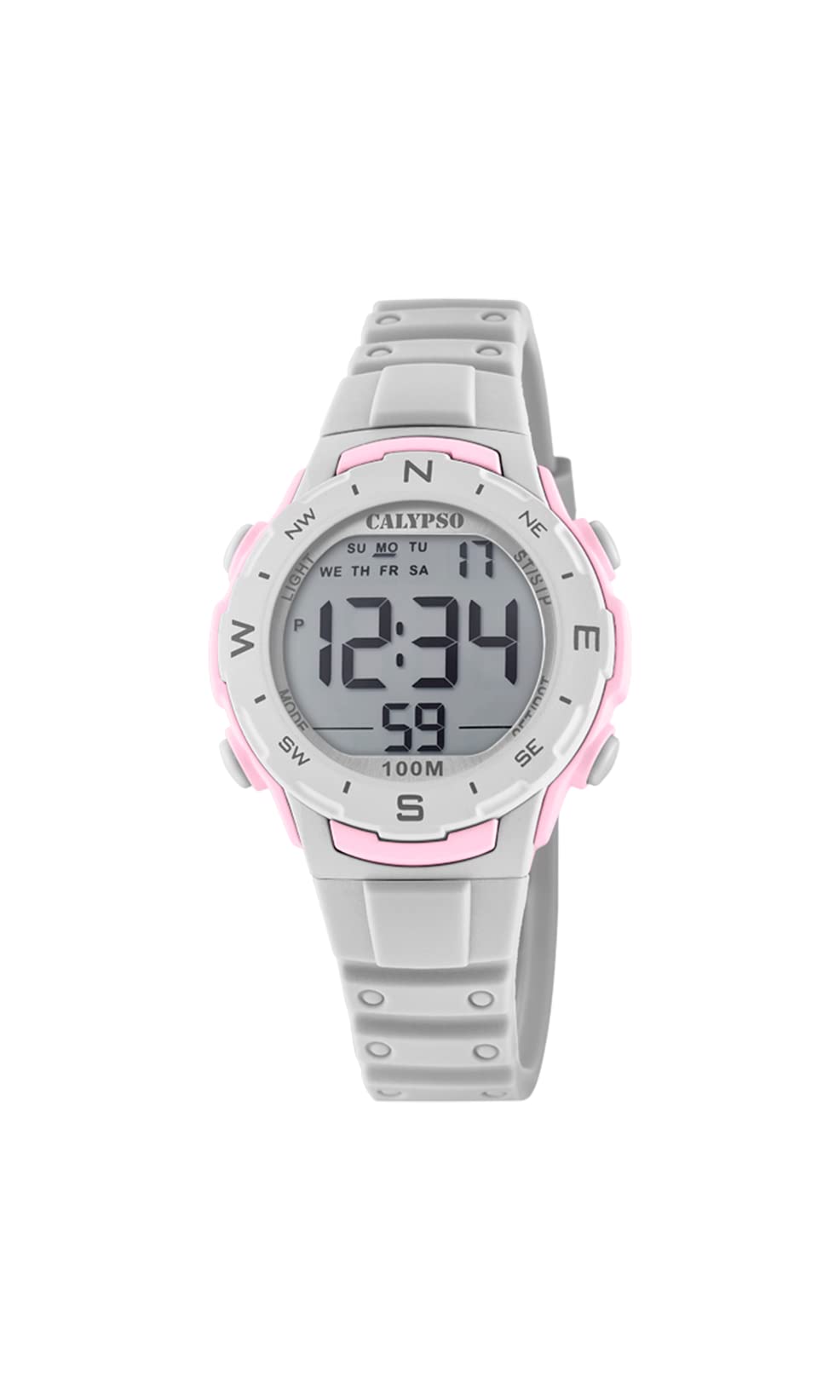
Image 1.1: Front view of the Calypso K5801/1 Digital Quartz Watch, displaying the digital screen and control buttons.
2. Safety Information
- Avoid exposing the watch to extreme temperatures (hot or cold) for prolonged periods.
- Do not expose the watch to strong magnetic fields, as this may affect its accuracy.
- Keep the watch away from strong chemicals, solvents, and detergents, which can damage the case and strap.
- While water-resistant, avoid pressing buttons underwater to prevent water ingress.
- Do not attempt to open the watch case or replace the battery yourself, as this may void the warranty and compromise water resistance.
3. Initial Setup
3.1 Button Functions
Familiarize yourself with the watch buttons:
- MODE: Cycles through different modes (Time, Alarm, Stopwatch, Timer).
- SET/ADJ: Used to enter and confirm settings.
- ST/LAP/RFL: Starts/stops stopwatch, records lap times, or resets values.
- LIGHT: Activates the backlight.
3.2 Setting Time and Date
- In Timekeeping Mode, press and hold the SET/ADJ button until the seconds begin to flash. This indicates setting mode.
- Press the MODE button to cycle through the settings: seconds → hour → minute → year → month → day.
- Use the ST/LAP/RFL button to adjust the flashing value (increase or decrease).
- Once all settings are correct, press the SET/ADJ button to exit setting mode.

Image 3.1: Side view of the watch, highlighting the position of the control buttons for setting and mode selection.
4. Operating Instructions
4.1 Timekeeping Mode
This is the default mode, displaying the current time (hours, minutes, seconds), day of the week, and date.
4.2 Alarm Mode
- From Timekeeping Mode, press MODE once to enter Alarm Mode.
- Press and hold SET/ADJ until the alarm hour flashes.
- Use ST/LAP/RFL to adjust the hour. Press MODE to move to minutes.
- Use ST/LAP/RFL to adjust the minutes.
- Press SET/ADJ to confirm and exit.
- To turn the alarm ON/OFF, press ST/LAP/RFL while in Alarm Mode (not setting mode). An alarm icon will appear/disappear.
4.3 Stopwatch Mode
- From Timekeeping Mode, press MODE twice to enter Stopwatch Mode.
- Press ST/LAP/RFL to start the stopwatch.
- Press ST/LAP/RFL again to stop it.
- To reset the stopwatch, press SET/ADJ while the stopwatch is stopped.
- To record lap times, press SET/ADJ while the stopwatch is running. The lap time will display briefly, and the stopwatch continues running in the background. Press ST/LAP/RFL to stop, then SET/ADJ to reset.
4.4 Timer Mode
- From Timekeeping Mode, press MODE three times to enter Timer Mode.
- Press and hold SET/ADJ until the timer hour flashes.
- Use ST/LAP/RFL to adjust the hour. Press MODE to move to minutes, then seconds.
- Use ST/LAP/RFL to adjust the minutes and seconds.
- Press SET/ADJ to confirm the timer setting.
- Press ST/LAP/RFL to start the countdown.
- Press ST/LAP/RFL again to pause/resume the countdown.
- When paused, press SET/ADJ to reset the timer to its initial set value.
- An alarm will sound when the timer reaches zero.
4.5 Backlight Function
Press the LIGHT button to illuminate the display for a few seconds, improving visibility in dark environments.
5. Maintenance
5.1 Cleaning
Wipe the watch case and strap regularly with a soft, damp cloth. For stubborn dirt, a mild soap solution can be used, followed by rinsing with clean water and drying thoroughly. Avoid using harsh chemicals or abrasive materials.
5.2 Water Resistance (100 Meters / 10 ATM)
The Calypso K5801/1 watch is water-resistant up to 100 meters (10 ATM). This means it is suitable for swimming, showering, and snorkeling. However, it is not suitable for high-impact water sports, diving, or hot water activities like saunas or hot tubs, as steam and rapid temperature changes can compromise the seals. Always ensure the crown (if present, though digital watches typically don't have one in the traditional sense) and buttons are not operated while the watch is wet or submerged.
5.3 Battery Replacement
When the display becomes dim or functions become erratic, the battery may need replacement. It is recommended to have the battery replaced by a qualified watch technician to ensure proper sealing and maintain water resistance.
6. Troubleshooting
| Problem | Possible Cause | Solution |
|---|---|---|
| Display is blank or dim. | Low battery. | Replace the battery (recommended by a professional). |
| Time is incorrect. | Time not set correctly or accidental adjustment. | Refer to Section 3.2 "Setting Time and Date" to reset. |
| Buttons are unresponsive. | Watch may be in a locked mode (unlikely for this model) or internal malfunction. | Try a soft reset by removing and reinserting the battery (professional service recommended). If issue persists, contact support. |
| Water inside the watch. | Seals compromised due to impact, age, or button operation underwater. | Immediately take the watch to a professional for inspection and repair to prevent further damage. |
7. Specifications
- Model Number: K5801/1
- Brand: Calypso
- Display Type: Digital
- Movement Type: Quartz
- Case Material: Polycarbonate / Plastic
- Band Material: Plastic
- Dial Window Material: Plastic
- Case Diameter: 36 Millimeters
- Case Thickness: 16 Millimeters
- Band Width: 14 Millimeters
- Clasp Type: Pin Buckle
- Water Resistance Depth: 100 Meters (10 ATM)
- Special Features: Alarm, Chronograph (Stopwatch), Light Function, Timer
- Power Source: Battery Powered
- Item Weight: 65 Grams
- Product Dimensions: 20 x 20 x 20 cm (approximate packaging dimensions)
8. Warranty and Support
Specific warranty details for the Calypso K5801/1 watch are not provided in the product information. Please refer to the warranty card included with your purchase or contact your retailer for warranty terms and conditions. For technical support or service inquiries, please contact Calypso customer service or an authorized service center.


