
LENCENT BT23
LENCENT FM Transmitter in-Car Adapter User Manual
Model: BT23 | Brand: LENCENT
1. Introduction
The LENCENT FM Transmitter in-Car Adapter is a versatile device designed to enhance your in-car audio experience. It allows you to stream music wirelessly via Bluetooth 5.3, make hands-free calls, and fast charge multiple devices simultaneously with its PD 20W and QC3.0 ports. Enjoy lossless Hi-Fi sound with deep bass and convenient voice navigation. This adapter ensures a stable connection and clear audio for an improved driving experience.
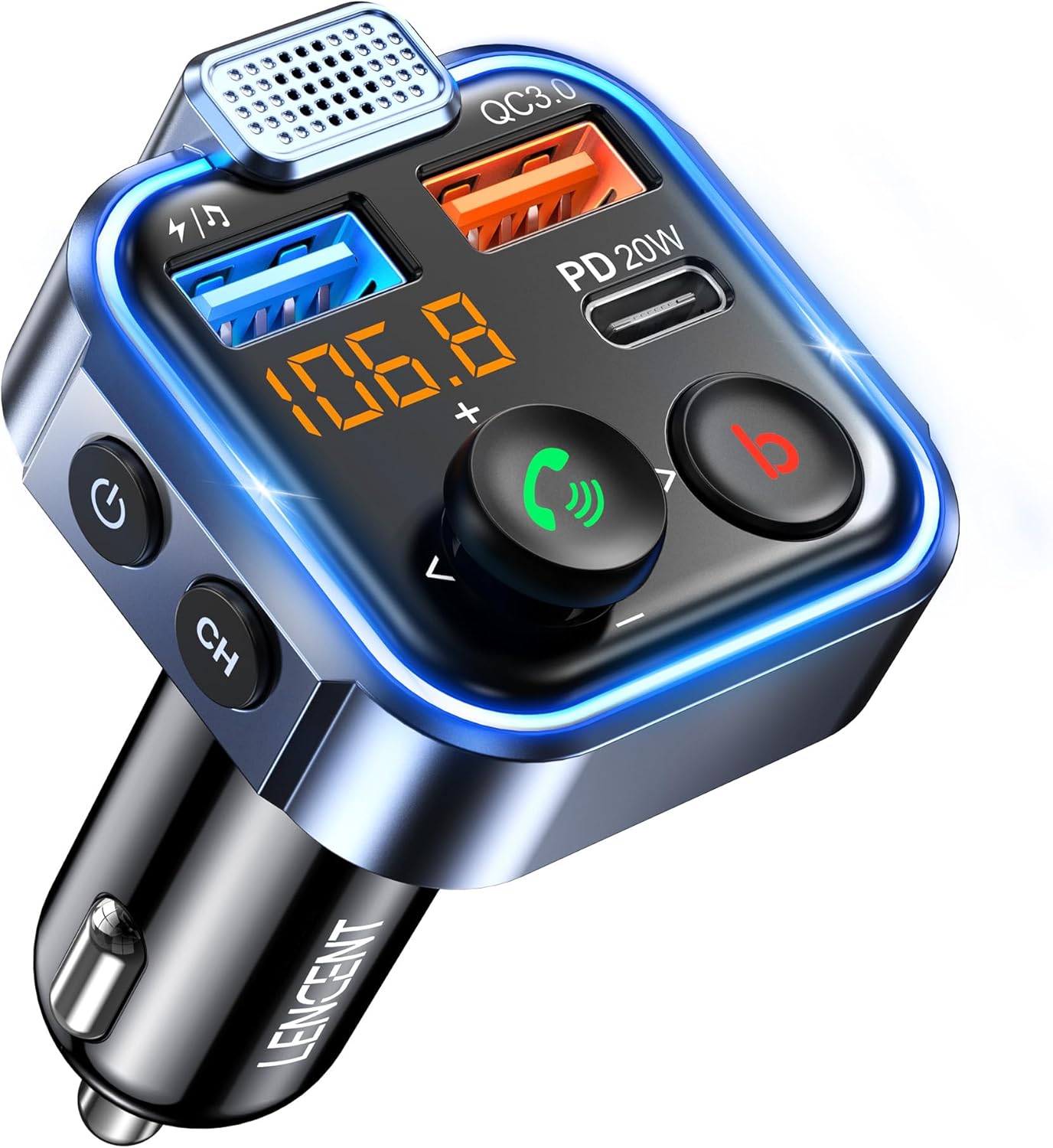
Figure 1: LENCENT FM Transmitter in-Car Adapter
2. Safety Information
General Safety Warning: Always follow the manufacturer's instructions for proper usage, handling, and disposal of this wireless audio adapter and its components. Be aware of potential interference with other wireless devices. Handle batteries with care and follow proper disposal guidelines. Keep the device away from extreme temperatures and humidity.
3. What's in the Box?
- 1x LENCENT Bluetooth FM Transmitter
- 1x Product Instruction Manual
- 1x Product Box

Figure 2: Package Contents
4. Product Overview
The LENCENT FM Transmitter features a compact design with multiple functionalities:
- PD 20W Type-C Port: For fast charging compatible devices.
- QC3.0 USB-A Port: For quick charging compatible devices.
- USB-A Port (Music/Charging): Supports U-Disk playback and standard charging.
- LED Display: Shows FM frequency and battery voltage.
- Multi-function Joystick: Controls music playback, calls, and voice assistant.
- 'b' Button: Activates Deep Bass mode.
- 'CH' Button: Adjusts FM frequency and controls LED ambient light.
- Power Button: Turns the device on/off.
Figure 3: LENCENT FM Transmitter Features
5. Setup Instructions
5.1 FM Tuning
- Find an empty FM frequency on your car radio. Choose a frequency with no active broadcast to minimize interference.
- Plug the LENCENT FM Transmitter into your car's 12V/24V cigarette lighter socket. The LED display will light up.
- Short press the "CH" button on the transmitter. The frequency display will begin to flash.
- Adjust the transmitter's frequency to match your car radio's empty frequency using the multi-function joystick (push up/down).
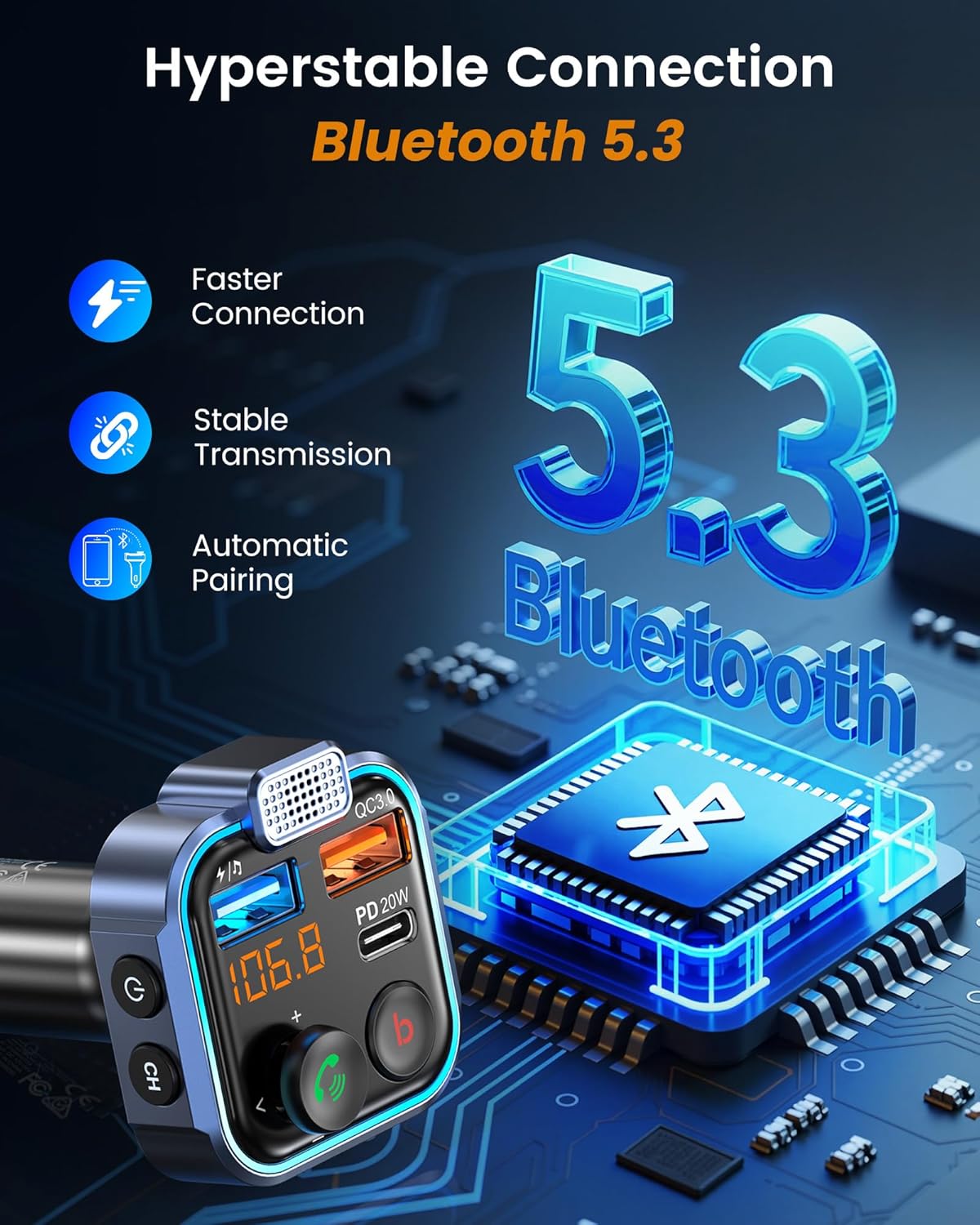
Figure 4: FM Frequency Setup Steps
5.2 Bluetooth Pairing
- After setting the FM frequency, enable Bluetooth on your mobile device.
- Search for available Bluetooth devices and select "BT23" from the list to connect.
- Once successfully connected, audio from your mobile device will stream through your car speakers via the selected FM frequency.
Video 1: Demonstrates the setup process for the LENCENT FM Transmitter, including FM tuning and Bluetooth pairing with a mobile device.
6. Operating Instructions
6.1 Music Playback
- Play/Pause: Short press the multi-function joystick.
- Next Track: Push the multi-function joystick to the right.
- Previous Track: Push the multi-function joystick to the left.
- Volume Up: Push the multi-function joystick upwards.
- Volume Down: Push the multi-function joystick downwards.
- Deep Bass Mode: Short press the 'b' button to activate or deactivate enhanced bass. The ambient light will pulse with the music in this mode.
6.2 Hands-Free Calling
- Answer/End Call: Short press the multi-function joystick.
- Reject Call: Long press the multi-function joystick.
- Redial Last Number: Double press the multi-function joystick.

Figure 5: Hands-Free Calling Controls
6.3 Voice Assistant Activation
- Activate Siri/Google Assistant: Long press the multi-function joystick to activate your phone's voice assistant for commands like making calls, sending messages, or getting directions.
6.4 LED Ambient Light Control
- Turn Lights On/Off: Long press the "CH" button to toggle the LED ambient lights on or off.

Figure 6: LED Ambient Light Control
7. Charging Features
The LENCENT FM Transmitter is equipped with multiple charging ports to power your devices efficiently:
- PD 20W Type-C Port: Provides Power Delivery fast charging for compatible smartphones, tablets, and other devices.
- QC3.0 USB-A Port: Offers Quick Charge 3.0 for rapid charging of supported devices.
- Standard USB-A Port: This port is primarily for U-Disk playback but can also provide standard charging.
- You can charge up to 3 devices simultaneously.
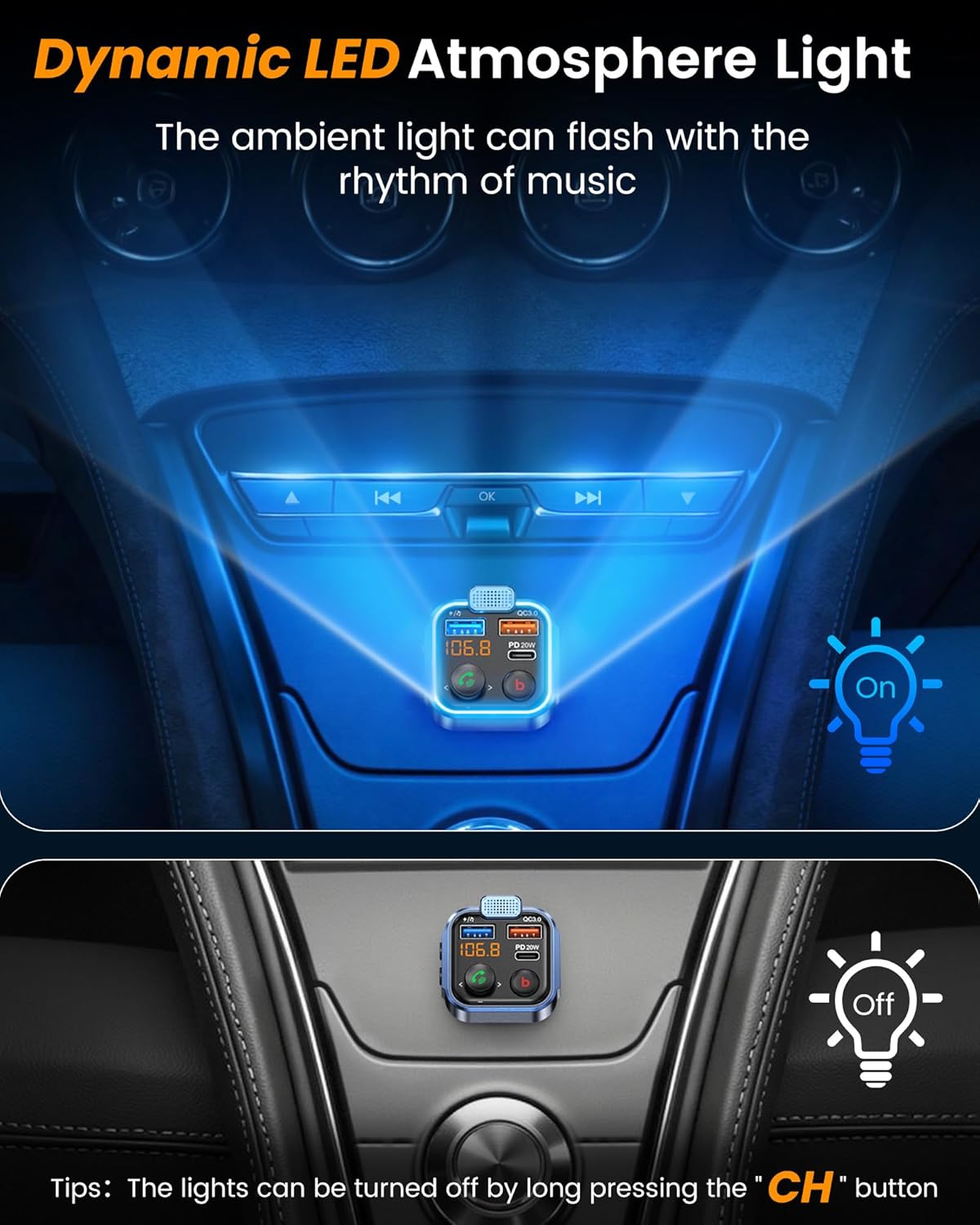
Figure 7: Fast Charging Ports
8. U-Disk Playback
To play music directly from a USB flash drive (U-Disk):
- Insert your U-Disk into the designated USB-A port (the one without QC3.0 or PD labels, typically marked with a music note icon).
- The transmitter will automatically detect and begin playing audio files from the U-Disk.
- Supported audio formats include MP3, WMA, WAV, and FLAC.

Figure 8: U-Disk Playback Functionality
9. Specifications
| Feature | Detail |
|---|---|
| Product Dimensions | 1.81 x 1.84 x 3.14 inches |
| Item Weight | 2.47 ounces |
| ASIN | B08L3WX26S |
| Item Model Number | BT23 |
| Connectivity Technologies | USB, Bluetooth |
| Special Features | Bluetooth, Noise Cancellation, Fast Charging, Deep Bass, Hands-Free Calling, Voice Navigation, LED Ambient Light |
| Human Interface Input | Joystick, Buttons |
| Color | Blue-38W |
| Manufacturer | LENCENT |
| Country of Origin | China |
| Date First Available | April 13, 2021 |
| Power Source | Corded Electric (12-24V Car Socket) |
| Material | Plastic, Iron |
10. Troubleshooting
- No Sound or Static:
- Ensure the FM frequency on the transmitter matches your car radio's empty frequency.
- Try a different empty FM frequency to avoid interference.
- Check that your mobile device is successfully paired via Bluetooth to "BT23".
- Increase the volume on both your mobile device and your car radio.
- Bluetooth Connection Issues:
- Restart the LENCENT FM Transmitter by unplugging and re-plugging it.
- Turn off and on your mobile device's Bluetooth.
- Forget "BT23" from your mobile device's Bluetooth settings and re-pair.
- Poor Call Quality:
- Ensure the microphone on the transmitter is not obstructed.
- Adjust the volume settings on your phone and car radio.
- Minimize background noise in the car.
11. Maintenance
To ensure the longevity and optimal performance of your LENCENT FM Transmitter:
- Keep the device clean and dry. Use a soft, dry cloth to wipe its surface.
- Avoid exposing the device to extreme temperatures (hot or cold) or high humidity.
- Do not attempt to disassemble or repair the device yourself. This may void the warranty and cause damage.
- Unplug the device from the car's cigarette lighter when not in use for extended periods to prevent draining the car battery.
12. Warranty and Support
For detailed warranty information, technical support, or customer service inquiries, please refer to the warranty card included in your product packaging or visit the official LENCENT website. Please retain your proof of purchase for any warranty claims.
Ask a question about this manual
Ask about setup, troubleshooting, compatibility, parts, safety, or missing instructions. Manuals+ will review the question and use this page’s manual context to help answer it.