
BOOMBOOST 5014BT
BOOMBOOST Wireless Car Stereo Receiver User Manual
Model: 5014BT
1. Introduction
Thank you for choosing the BOOMBOOST 5014BT Wireless Car Stereo Receiver. This device is designed to enhance your in-car entertainment experience with a wide range of features including DVD/CD playback, MP3 support, Bluetooth hands-free calling, FM radio, and versatile connectivity options like USB and AUX. This manual will guide you through the installation, operation, and maintenance of your new car stereo.
Key Features:
- Bluetooth Hands-free: Built-in Bluetooth and microphone for safe hands-free calls.
- Phone Charging: USB interfaces support 5V mobile phone charging.
- FM Radio: High-quality digital stereo FM radio with automatic and manual tuning, storing up to 18 stations (FM1-FM2-FM3).
- Colorful Touch Key Lights: Customizable key illumination to match your car's interior.
- CD/DVD Player: Compatible with DVD, DIVX, MPEG4, VCD, CD, CD-R, CD+R, CD-RW, CD+RW for audio and data playback.
- Remote Control: Multifunction IR remote for convenient control from any seat.
- Multi-format Playback: Supports U disk, SD card, AUX, and Bluetooth audio playback.
2. Setup and Installation
Proper installation is crucial for optimal performance and safety. It is recommended to have this unit installed by a professional car audio technician.
2.1 Package Contents
- 1 x Car Stereo Player (Model 5014BT)
- 1 x Remote Control
- 2 x Power Cables
- 1 x User Manual
- Mounting Brackets and Screws

Figure 2.1: Package Contents
2.2 Wiring Diagram
Refer to the following diagram for correct wiring connections. Ensure all connections are secure to prevent short circuits or damage to the unit and vehicle's electrical system.

Figure 2.2: Wiring Diagram (Rear View)
2.3 Panel Introduction
Familiarize yourself with the front and rear panels of the unit for proper operation and connection.

Figure 2.3: Panel Introduction (Front and Rear)
2.4 Installation Examples
The 5014BT is designed for standard 1-DIN car stereo slots. Ensure adequate space and secure mounting.

Figure 2.4: Installation Examples
3. Operating Instructions
This section covers the basic operation of your car stereo receiver.
3.1 Power On/Off and Basic Controls
Press the power button (usually labeled 'PWR' or integrated with the volume knob) to turn the unit on or off. Adjust volume using the rotary knob. Use the 'MODE' button to switch between different audio sources (FM, CD/DVD, USB, SD, AUX, Bluetooth).

Figure 3.1: Front Panel Overview
3.2 Radio Operation
- FM Tuning: Press the 'BAND' button to select FM1, FM2, or FM3. Use the seek buttons (◀◀ / ►►) for automatic station search or long-press for manual tuning.
- Preset Stations: Long-press number buttons (1-6) to save current stations. Short-press to recall saved stations.
3.3 CD/DVD Playback
Insert a CD or DVD into the disc slot. The unit will automatically detect and begin playback. Use the seek buttons (◀◀ / ►►) to skip tracks/chapters and the play/pause button to control playback.

Figure 3.2: DVD Playback and External Display Support
3.4 USB/SD Card Playback
Insert a USB drive into the USB port or an SD card into the SD card slot. The unit will automatically switch to USB/SD mode and begin playing compatible audio/video files. Supported formats include MP3 and WMA.
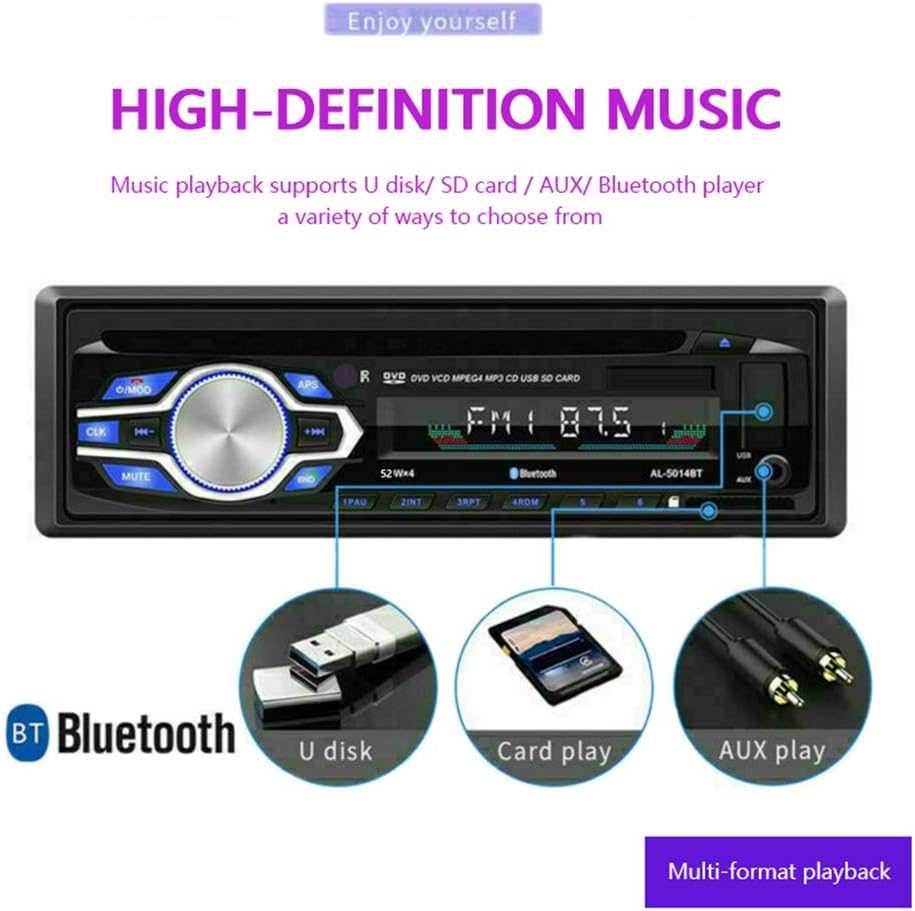
Figure 3.3: USB and SD Card Playback
3.5 Bluetooth Operation
- Pairing: Enable Bluetooth on your mobile device and search for
Ask a question about this manual
Ask about setup, troubleshooting, compatibility, parts, safety, or missing instructions. Manuals+ will review the question and use this page’s manual context to help answer it.