
1. Introduction
Thank you for choosing the FDW 47-inch R-Shaped Gaming Desk. This manual provides essential information for the safe assembly, operation, and maintenance of your new desk. Please read it thoroughly before beginning assembly and retain it for future reference.
2. Safety Information
Important Safety Precautions:
- Always ensure the desk is properly adjusted and stable before use, especially on uneven surfaces. Do not use the desk if it feels wobbly or unstable.
- Keep all small parts and packaging materials away from children to prevent choking hazards.
- Do not overload the desk. Refer to the specifications for maximum weight capacity.
- Avoid placing hot items directly on the desk surface without protective padding.
- Ensure all screws and fasteners are tightened securely during assembly and periodically check for looseness.
3. Package Contents
Before assembly, verify that all components are present and undamaged. If any parts are missing or damaged, please contact customer support.
- Desk Top (Carbon Fiber Surface)
- Desk Legs (Alloy Steel, Z-shaped)
- Headphone Hook
- Cup Holder
- Adjustable Leg Pads
- Assembly Hardware (screws, bolts, Allen wrench)
- Instruction Manual
4. Assembly Instructions
Assembly is recommended for 1 person and includes all necessary tools. Follow these steps carefully:
Step 1: Unpack and Identify Components
Carefully remove all parts from the packaging. Lay them out on a clean, soft surface to prevent scratches. Refer to the parts list to identify each component.

Image: All components of the FDW gaming desk laid out for assembly, including the desktop, Z-shaped legs, and hardware.
Step 2: Attach Desk Legs to Desktop
Position the desktop upside down on a soft, protected surface. Attach the Z-shaped alloy steel legs to the designated mounting points on the underside of the desktop using the provided screws. Ensure all connections are firm but do not overtighten initially.

Image: Close-up of the K-shaped table base, illustrating the sturdy alloy steel construction and how it connects to the desktop.
Step 3: Install Headphone Hook and Cup Holder
Locate the designated slots or pre-drilled holes on the sides of the desktop for the headphone hook and cup holder. Secure these accessories according to the diagram in the included assembly guide. These are designed for convenience and easy access.
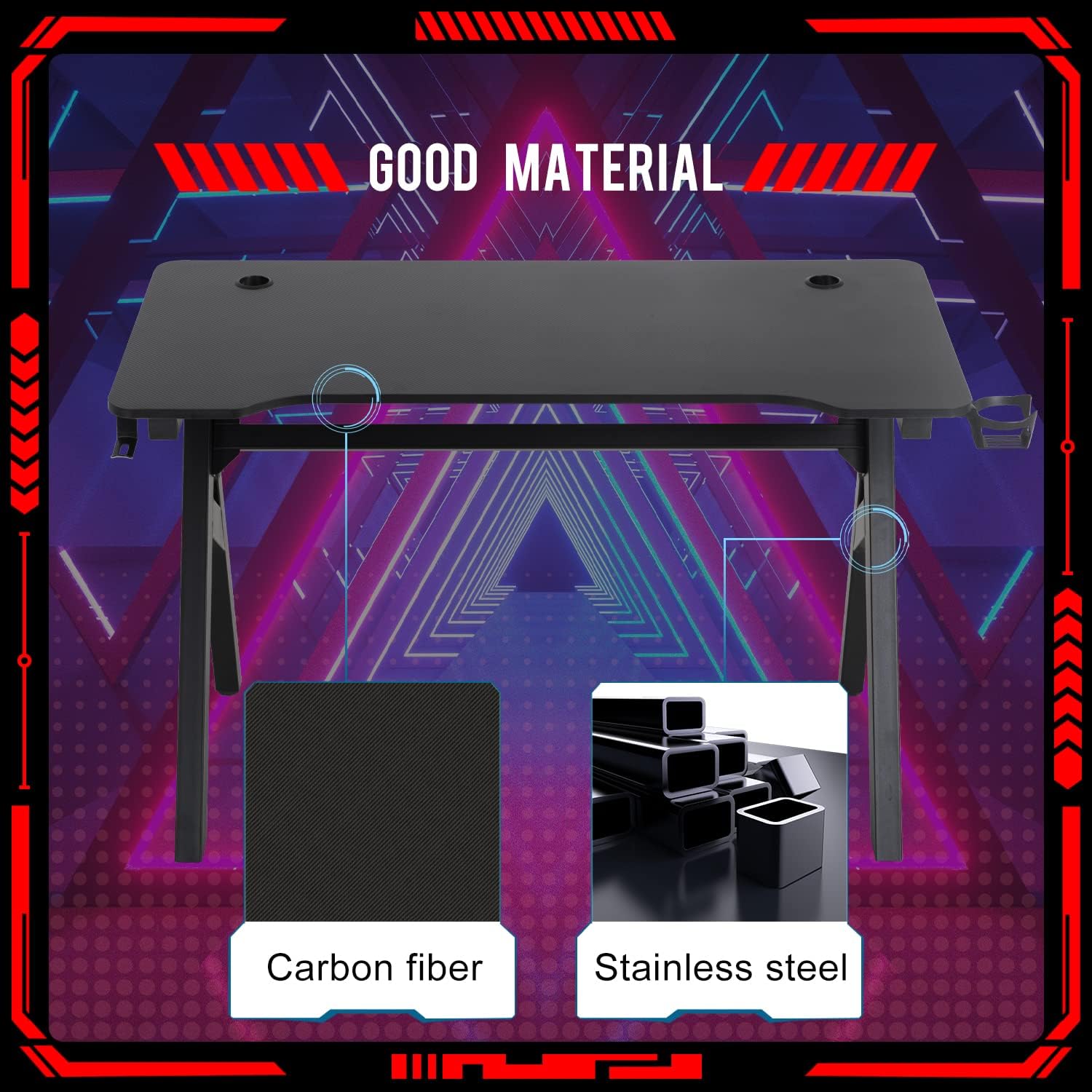
Image: Detailed view of the desk top design, showing the integrated cup holder, cable management threading hole, and headphone hanger.
Step 4: Attach Adjustable Leg Pads
Screw the adjustable leg pads into the bottom of each desk leg. These pads help stabilize the desk on uneven floors and protect your flooring from scratches.

Image: Close-up of the adjustable leg pads on the desk, demonstrating their function for leveling and stability.
Step 5: Final Tightening and Placement
Once all components are loosely assembled, gently flip the desk upright. Place it in its desired location. Then, systematically tighten all screws and fasteners. Adjust the leg pads to ensure the desk is level and stable. The desk features a carbon fiber surface for durability and easy cleaning.

Image: The FDW 47-inch R-Shaped Gaming Desk fully assembled, displaying its carbon fiber surface and ergonomic design.
5. Operating Instructions
The FDW Gaming Desk is designed for optimal functionality and comfort. Here are key features and how to use them:
- Large Surface: The 47.2" W x 23.6" D desktop provides ample space for your computer, monitors, keyboard, mouse, and other gaming or work accessories.
- Cable Management Grommets: Utilize the integrated grommets on the desktop to route and organize your cables, keeping your workspace tidy and free from clutter.
- Headphone Hook: Hang your headphones on the dedicated hook to keep them easily accessible and off the desk surface when not in use.
- Cup Holder: Use the convenient cup holder to securely hold your beverage, reducing the risk of spills on your equipment.
- Adjustable Leg Pads: Fine-tune the height of each leg pad to ensure the desk is perfectly level and stable on any floor surface.
Video: An overview of the FDW Gaming Desk, demonstrating its features such as the large surface, cable management grommets, cup holder, headphone hook, and adjustable leg pads in a typical gaming setup.
6. Maintenance
To ensure the longevity and appearance of your FDW Gaming Desk, follow these maintenance guidelines:
- Cleaning: The carbon fiber surface is waterproof and easy to clean. Use a soft, damp cloth with mild soap and water to wipe down the surface. Avoid abrasive cleaners or harsh chemicals that could damage the finish.
- Regular Checks: Periodically inspect all screws and fasteners to ensure they remain tight. Retighten as necessary to maintain desk stability.
- Avoid Direct Sunlight: Prolonged exposure to direct sunlight may cause fading or damage to the desk surface.
- Weight Distribution: Distribute weight evenly across the desktop to prevent stress on any single point.
7. Troubleshooting
If you encounter any issues with your FDW Gaming Desk, refer to the following common problems and solutions:
| Problem | Possible Cause | Solution |
|---|---|---|
| Desk is wobbly/unstable | Loose fasteners; uneven floor; leg pads not adjusted | Ensure all screws are tightened. Adjust the leg pads to level the desk on uneven surfaces. |
| Parts do not fit during assembly | Incorrect orientation; manufacturing defect | Double-check the assembly diagrams. If parts still do not fit, contact customer support. |
| Surface scratches easily | Sharp objects; abrasive cleaning | Avoid dragging sharp objects. Use only soft cloths and mild cleaners. |
8. Specifications
| Feature | Detail |
|---|---|
| Brand | FDW |
| Model | 47-inch R-Shaped Gaming Desk |
| Product Dimensions (D x W x H) | 23.6"D x 47"W x 30"H |
| Item Weight | 20.46 Pounds |
| Color | Red (variant) / Black (main desk) |
| Style | Modern, Ergonomic, Racing Style |
| Top Material Type | Plastic (Carbon Fiber finish) |
| Base Material | Alloy Steel |
| Included Components | Headphone Hook, Adjustable Leg Pads |
| Required Assembly | Yes |
| Recommended Number of People for Assembly | 1 |
| Includes All Assembly Tools | Yes |
9. Warranty and Support
This FDW Gaming Desk comes with a 90-day limited manufacturer's warranty. For warranty claims, missing parts, or technical support, please contact FDW customer service. Keep your purchase receipt as proof of purchase.
For further assistance, please visit the FDW Store: FDW Store on Amazon
