
Introduction
Thank you for choosing SNOW DEER Heated Ski Mittens, Model SD82. These mittens are designed to provide warmth and comfort in cold conditions, featuring adjustable heat settings, touchscreen compatibility, and durable, water-resistant materials. This manual provides essential information for the safe and effective use, setup, operation, and maintenance of your heated mittens.
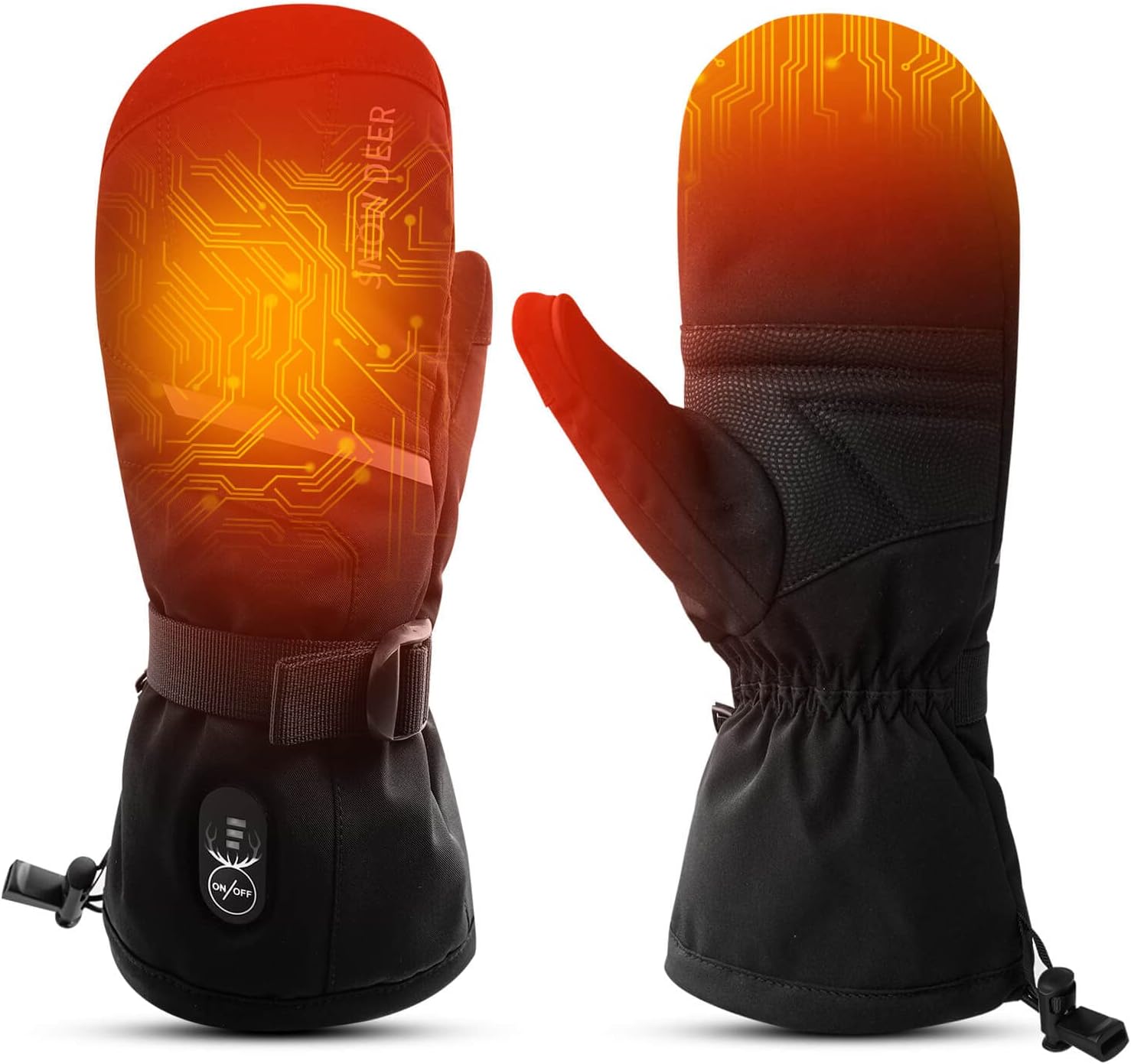
Image: Front and back view of the SNOW DEER Heated Ski Mittens, Model SD82.
Safety Information
- Read all instructions before use.
- Do not use if the mittens or batteries appear damaged.
- Keep batteries away from water and fire.
- Do not puncture, open, or disassemble the batteries.
- Discontinue use if you experience discomfort, burning, or excessive heat.
- Not suitable for individuals with pacemakers or other medical implants without consulting a doctor.
- Supervise children when using the product.
Package Contents
Verify that all items are present in your package:
- 1 Pair of SNOW DEER Heated Mittens
- 2 Rechargeable Lithium-Polymer Batteries (2200mAh)
- 1 USB Charger
- 1 User Manual

Image: All components included in the SNOW DEER Heated Ski Mittens package.
Setup
1. Charging the Batteries
- Before first use, fully charge both Lithium-Polymer batteries.
- Connect the provided USB charger to a power source.
- Plug the batteries into the charger. The charging time is approximately 4 hours.
- The indicator light on the charger will change to indicate a full charge.
2. Inserting the Batteries
- Locate the battery pocket on the cuff of each mitten. This pocket is typically secured with Velcro.
- Insert a fully charged battery into each pocket.
- Connect the power cable inside the pocket to the battery.
- Securely close the battery pocket.

Image: Visual guide for initial battery charging and connection.
Operating Instructions
1. Power On/Off
- To turn on: Press and hold the power button on the back of the mitten for approximately 3 seconds until the indicator light illuminates.
- To turn off: Press and hold the power button again for approximately 3 seconds until the indicator light turns off.
2. Adjusting Heat Settings
The mittens feature three adjustable heat levels. Short press the power button to cycle through the settings:
- High (Red Light): Approximately 140°F - 150°F (60°C - 65°C), lasts 2-2.5 hours.
- Medium (White Light): Approximately 122°F - 131°F (50°C - 55°C), lasts 3-4 hours.
- Low (Blue Light): Approximately 100°F - 113°F (38°C - 45°C), lasts 5-6 hours.

Image: Heat level indicators, temperatures, and approximate battery durations.
3. Touchscreen Functionality
The thumb of each mitten is designed with touchscreen-compatible material, allowing you to operate smartphones and other touch-sensitive devices without removing your mittens.

Image: Demonstration of the touchscreen-compatible thumb feature.
4. Adjustable Wrist Strap
Utilize the adjustable wrist strap and drawstring cuff to ensure a snug fit, preventing cold air from entering and enhancing heat retention.

Image: Detailed view of mitten features including the adjustable wrist buckle and battery pocket.
Maintenance
Cleaning Instructions
- Remove batteries before cleaning.
- Hand wash the mittens gently with mild detergent in cold water.
- Do not machine wash, tumble dry, bleach, or iron.
- Hang dry thoroughly before reinserting batteries or storing.
Battery Care and Storage
- Charge batteries fully every 3-6 months if not in regular use to maintain battery health.
- Store batteries in a cool, dry place, away from direct sunlight.
- Do not store batteries connected to the mittens for extended periods.
Troubleshooting
| Problem | Possible Cause | Solution |
|---|---|---|
| Mittens not heating | Battery not connected or discharged. | Ensure batteries are fully charged and correctly connected inside the pocket. |
| Short battery life | Using high heat setting continuously. Old or improperly maintained battery. | Reduce heat setting. Ensure batteries are charged regularly even when not in use. Consider replacing old batteries. |
| Indicator light not working | Loose connection or battery issue. | Check battery connection. Ensure battery is charged. If problem persists, contact customer support. |
Specifications
- Brand: SNOW DEER
- Model Name: 83E
- Part Number: SD82
- Material: Shell: 55% Polyester, 20% Nylon, 20% Polyurethane, 5% Elastane; Lining: 100% Polyester
- Battery Type: Lithium-Polymer
- Battery Capacity: 2200 Milliamp Hours (per battery)
- Charging Time: Approximately 4 Hours
- Power Source: Battery Powered, Electric
- Temperature Range: 100°F - 150°F (38°C - 65°C)
- Recommended Uses: Fishing, Hiking, Skiing
- Reusability: Rechargeable
Sizing Information
To ensure the best fit, measure around your hand at the fullest point, excluding the thumb. If you have longer fingers or a thick palm, consider selecting a larger size.

Image: SNOW DEER Unisex Heated Gloves Size Chart.
| Glove Size | XXS | XS | S | M | L | XL | 2XL |
|---|---|---|---|---|---|---|---|
| INCH | 6.85-7.25 | 7.25-7.85 | 7.85-8.25 | 8.25-8.75 | 8.75-9.25 | 9.25-9.75 | 9.75-10.25 |
| CM | 17.5-18.5 | 18.5-20 | 20-21 | 21-22.3 | 22.3-23.5 | 23.5-24.8 | 24.8-26 |
Warranty Information
Your SNOW DEER Heated Ski Mittens come with a 1 Year Manufacturer Warranty. This warranty covers defects in materials and workmanship under normal use. Please retain your proof of purchase for warranty claims. The warranty does not cover damage caused by misuse, accidents, unauthorized modifications, or improper maintenance.
Customer Support
For any questions, concerns, or technical assistance, please contact SNOW DEER customer support. Refer to the contact information provided on the product packaging or the official SNOW DEER website.
Online Support: Visit the SNOW DEER Store on Amazon