

Introduction
This manual provides comprehensive instructions for the setup, operation, and maintenance of your erjigo KZ ASX In-Ear Monitors. Designed for musicians and audiophiles, these monitors feature advanced balanced armature technology and an ergonomic design for superior sound and comfort. Please read this guide carefully to ensure proper use and to maximize the lifespan of your device.
Product Features
- Elegant Aesthetic and Exquisite Craftsmanship: The earpieces are crafted using a precision 5-axis CNC molding process from a single piece of aluminum alloy, which is then manually polished for a wear-resistant, smooth, and skin-friendly metal surface. Combined with an imported resin body, the headset offers a luxurious and crystal-clear appearance.
- 20BA High-Fidelity Sound: Each earpiece is equipped with 10 balanced armature units, totaling 20 units. This includes new 30017s BAs for rapid high-frequency density and extension, 31736s BAs for enhanced mid and high frequencies, 29689s BAs for deep intermediate frequency optimization, and 22955s BAs for significantly improved low-frequency energy.
- Fully Upgraded Acoustic Configuration: High-precision digital modeling and 3D printed acoustic inner support parts prevent interference between the 10 balanced armature units and reduce cavity resonance. A 4-frequency division circuit precisely adjusts each BA unit, and a 3-channel conduit system delivers pure, unadulterated sound quality.
- Detachable 2PIN 0.75MM Cable: The detachable cable system offers versatile connectivity options, allowing for easy upgrades, maintenance, and customization. Users can replace cables to explore different sound characteristics or to adapt to various devices.
- Ergonomic Design: The earpiece curve is designed to conform to the natural shape of the human ear. Coupled with a memory PU hose earhook, this design ensures a secure and comfortable fit, minimizing pressure and discomfort during extended listening sessions. The ear-hook design also keeps cables neatly out of the way.

Image: Internal acoustic configuration and balanced armature driver placement.
Package Contents
Upon opening your erjigo KZ ASX In-Ear Monitors package, you should find the following items:
- erjigo KZ ASX In-Ear Monitors (Left and Right Earpieces)
- Detachable 2PIN 0.75MM Cable (with or without microphone, depending on variant)
- Assorted Ear Tips (various sizes for optimal fit)
Setup
1. Attaching the Detachable Cable
The KZ ASX In-Ear Monitors utilize a 2PIN 0.75MM detachable cable system. Follow these steps to connect the cable:
- Identify the left ('L') and right ('R') earpieces and the corresponding connectors on the cable.
- Carefully align the 2-pin connector on the cable with the receptacle on the earpiece. Ensure the pins are correctly oriented to avoid bending or damage.
- Gently push the connector straight into the earpiece until it is securely seated. Do not force the connection.
- Repeat the process for the other earpiece.
2. Wearing the In-Ear Monitors
For optimal sound isolation, audio quality, and comfort, proper fit is crucial:
- Select the ear tips that provide the most comfortable and secure seal in your ear canal. Experiment with different sizes to find the best fit.
- Insert the earpieces into your ears, ensuring the cable loops over the top of your ear. The memory PU hose earhook should gently conform to the shape of your ear for stability.
- Adjust the earpieces until they feel comfortable and create a good seal. A proper seal enhances bass response and passive noise isolation.

Image: Proper wearing technique for the KZ ASX In-Ear Monitors, highlighting the secure ear-hook design.
Operating Instructions
Inline Remote Control (if applicable)
If your detachable cable includes an inline microphone and remote control, you can manage media playback and calls using the single button:
- Play/Pause: Press the button once.
- Next Song: Press the button twice.
- Previous Song: Press the button three times.
- Answer/End Call: Press the button once during an incoming call or an active call.
- Reject Call: Press and hold the button during an incoming call.
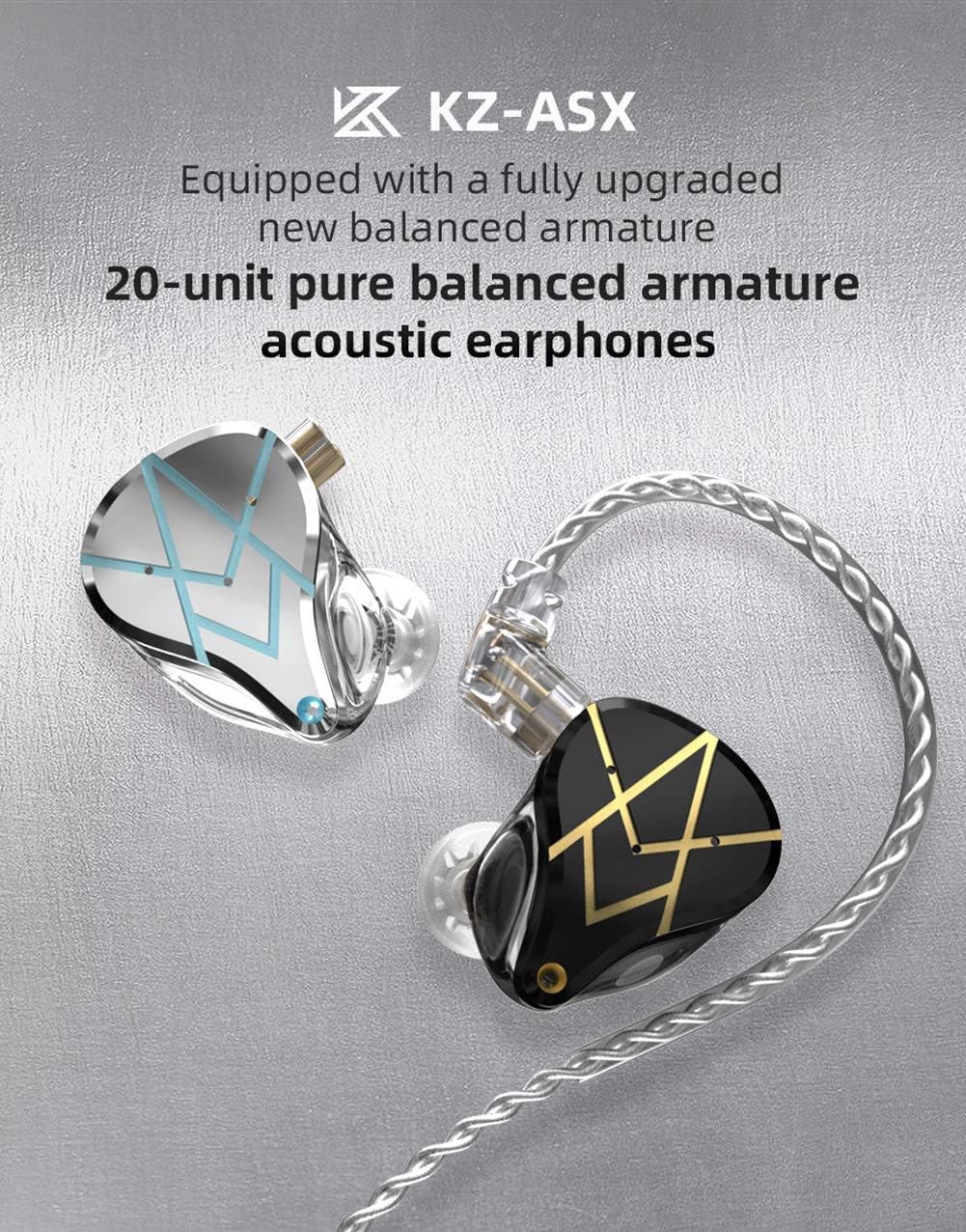
Image: Inline remote control for convenient media and call management.
Maintenance
Proper maintenance ensures the longevity and optimal performance of your KZ ASX In-Ear Monitors:
- Cleaning: Regularly wipe the earpieces and cable with a soft, dry, lint-free cloth. For ear tips, remove them and clean with mild soap and water, then rinse thoroughly and allow to dry completely before reattaching. Do not use harsh chemicals or abrasive materials on any part of the monitors.
- Cable Care: Avoid sharp bends, kinks, or excessive pulling on the cable. When disconnecting the cable from the earpieces, always grip the connector housing, not the cable itself.
- Storage: Store your in-ear monitors in a protective case when not in use to prevent tangling, physical damage, and exposure to dust or moisture.
- Ear Tip Replacement: Over time, ear tips may wear out or lose their elasticity. Replace them periodically to maintain optimal sound quality, comfort, and hygiene.
Troubleshooting
If you encounter any issues with your KZ ASX In-Ear Monitors, please refer to the table below for common problems and solutions:
| Problem | Possible Cause | Solution |
|---|---|---|
| No sound or low volume | Cable not fully connected; device volume too low; audio source issue; dirty ear tips blocking sound. | Ensure the cable is securely connected to both earpieces and the audio source. Increase the volume on your playback device. Test with a different audio source. Clean ear tips and earpiece nozzles. |
| Sound imbalance (one side louder/quieter) | Improper earpiece fit; debris in one earpiece; faulty earpiece or cable. | Adjust the earpieces and ear tips for a secure and balanced fit. Gently clean any visible debris from the earpiece nozzles. Swap the left and right earpieces or try a different cable to isolate the problem. |
| Poor sound quality (muffled, distorted) | Poor ear tip seal; low-quality audio file/source; damaged cable or earpiece. | Ensure a tight and proper ear tip seal. Test with a high-quality audio source or file. Inspect the cable and earpieces for any visible damage. |
| Microphone not working | Cable without microphone; microphone disabled in device settings; faulty cable. | Confirm that your cable variant includes a microphone. Check your device's audio settings to ensure the external microphone is enabled. Try a different cable if available. |
Specifications
Detailed technical specifications for the erjigo KZ ASX In-Ear Monitors:
- Brand: erjigo
- Model: ASX
- Connectivity: Wired
- Earphone Type: In-Ear
- Plug Type: 3.5mm
- Pin Type: 0.75mm 2PIN
- Sensitivity: 106dB
- Impedance: 20Ω
- Frequency Range: 10Hz-40kHz
- Cable Length: 125±5cm
- Product Weight: 27±3g
- Speaker Type (per side): 22955s BA*1; 29689s BA*1; 30017 BA*4; 31736 BA*4
- Detachable Cable: Yes
- Microphone: Optional (depending on cable variant)
- Material: Aluminum, Metal, Resin

Image: Close-up of the earpiece construction, showcasing the blend of aluminum and resin.
Warranty and Support
The erjigo KZ ASX In-Ear Monitors are covered by a 12-month warranty from the original date of purchase. This warranty protects against manufacturing defects under normal use. Should you encounter any issues or require assistance, please do not hesitate to contact our customer service team. We are dedicated to providing prompt and helpful support to ensure your satisfaction.
For further information, troubleshooting tips, or to submit a warranty claim, please refer to the product's official detail page or contact erjigo customer support directly.