
ThermoPro TP826B
ThermoPro TP826 Wireless Meat Thermometer User Manual
Model: TP826B | Brand: ThermoPro
Introduction
The ThermoPro TP826 Wireless Meat Thermometer is designed to help you cook your meats to perfection. With its advanced wireless technology, dual probes, and smart alert features, you can monitor your food's temperature from up to 500 feet away, ensuring optimal results every time. This manual provides detailed instructions on setting up, operating, and maintaining your thermometer.
Package Contents
Your ThermoPro TP826 package includes the following components:
- 1 x Receiver Unit
- 1 x Transmitter Unit
- 2 x Meat Probes
- 2 x Probe Winders
- 1 x Grill Clip
- 4 x AAA Batteries (included)
- 1 x User Manual

Figure 1: All components included in the ThermoPro TP826 package.
Setup Guide
1. Battery Installation
Both the receiver and transmitter units require 2 AAA batteries each. Locate the battery compartments on the back of each unit, insert the batteries according to the polarity markings, and close the covers securely.
2. Connecting the Probes
Insert the stainless steel meat probes into the corresponding jacks on the transmitter unit. The probes are color-coded for easy identification. Ensure they are fully inserted for accurate readings.
3. Powering On
Press the power button on both the receiver and transmitter units to turn them on. They should automatically synchronize. If not, refer to the troubleshooting section.

Figure 2: Back of the ThermoPro TP826 units, highlighting battery access and placement options.
Operating Instructions
Wireless Range and Monitoring
The ThermoPro TP826 offers an impressive wireless range of up to 500 feet, allowing you to monitor your cooking from a distance. The receiver unit displays real-time temperatures from the probes inserted into your food.

Figure 3: Illustrates the 500-foot wireless range, allowing remote monitoring of food temperatures.
Setting Temperature Presets and Alarms
The TP826 comes with 8 preset temperatures for various meat types (e.g., Beef, Poultry, Fish) and a customizable BBQ mode with HI/LOW temperature alerts. You can also set your own desired target temperatures.
- Press the MEAT button to cycle through preset meat types.
- Press the TASTE HI/LO button to select desired doneness (Rare, Medium, Well Done) or to set HI/LOW temperature for BBQ mode.
- Use the UP and DOWN arrows to adjust custom temperatures.
- The thermometer will beep and flash when the preset temperature is reached.

Figure 4: Display showing various preset meat temperatures and the customizable BBQ mode.
Using the Timer Function
The TP826 features a built-in timer that can be used independently or simultaneously with temperature monitoring. It supports both countdown and count-up functions.
- Press the PROBE/TIMER button to switch to timer mode.
- Use the UP and DOWN arrows to set the desired time for countdown.
- Press S/S/CLEAR to start, stop, or clear the timer.

Figure 5: Close-up of the display showing the timer in action, alongside temperature readings.
Probe Accuracy and Durability
The high heat-resistant probes measure temperatures from 14°F to 572°F (-10°C to 300°C) with an accuracy of ±1.8°F (±1°C). They are designed for durability and precision.
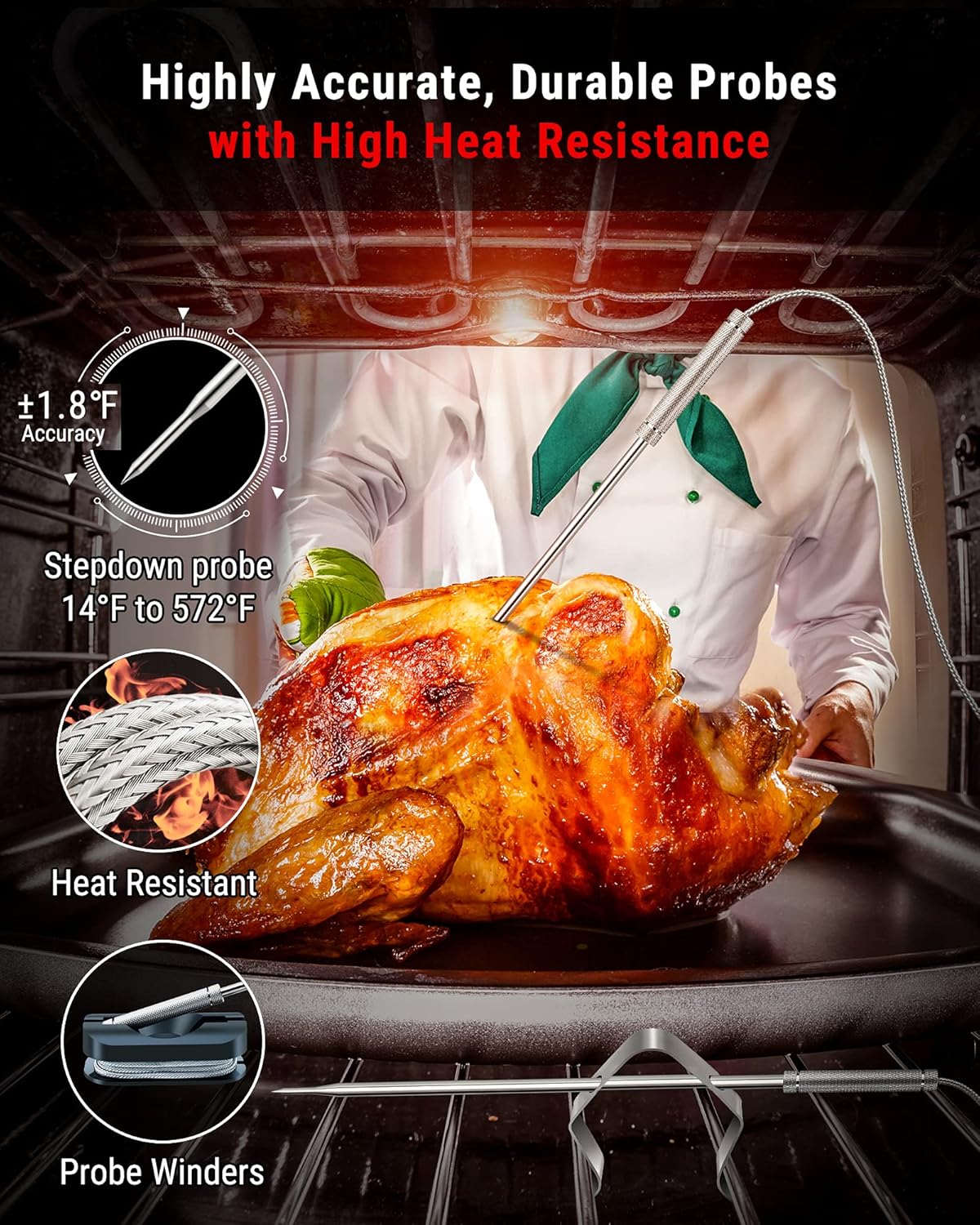
Figure 6: Detailed view of the durable and accurate meat probes.
Maintenance and Care
Proper care will extend the life of your ThermoPro TP826 thermometer:
- Cleaning Probes: Wipe the probes with a damp cloth and mild detergent after each use. Do not immerse the probe connectors or the main units in water. The probes are oven safe, but the wires and main units are not.
- Storage: Store the thermometer and probes in a dry place when not in use. Use the provided probe winders to keep the wires organized.
- Battery Replacement: Replace batteries when the low battery indicator appears on the display to ensure optimal performance.
Troubleshooting
No Signal or Disconnection
- Ensure both the receiver and transmitter units are within the 500ft wireless range.
- Check that batteries are correctly installed and have sufficient power. Replace if necessary.
- Avoid placing the units near large metal objects or strong electromagnetic interference, which can disrupt the signal.
Inaccurate Temperature Readings
- Ensure the probe is inserted correctly into the thickest part of the meat, avoiding bone or gristle.
- Verify that the probe connector is fully inserted into the transmitter jack.
- Test the probe in boiling water (should read 212°F / 100°C) or ice water (should read 32°F / 0°C) to check its calibration. If readings are significantly off, the probe may need replacement.
Display Not Working
- Check and replace batteries in both units.
- Ensure the units are powered on.
Product Specifications
| Feature | Detail |
|---|---|
| Brand | ThermoPro |
| Model Number | TP826B |
| Special Feature | Dual Probe |
| Color | Black, Orange |
| Included Components | Receiver, Transmitter, Probes, Batteries, Probe Winders, Clip, Manual |
| Outer Material | Stainless Steel |
| Temperature Range | 14°F to 572°F (-10°C to 300°C) |
| Accuracy | ±1.8°F (±1°C) |
| Connectivity Technology | RF Technology |
| Wireless Range | Up to 500FT |
| Power Source | Battery Powered (4 AAA batteries included) |
| Certifications | NSF, CE, FCC |
Warranty and Support
For warranty information, product support, or any inquiries, please contact ThermoPro customer service. You can also refer to the official user manual for more detailed information.
Official User Manual (PDF): Download Here
Related documentsTP826B


Ask a question about this manual
Ask about setup, troubleshooting, compatibility, parts, safety, or missing instructions. Manuals+ will review the question and use this page’s manual context to help answer it.