
Ruko C11
Ruko C11 Amphibious RC Truck User Manual
Model: C11 | Brand: Ruko
1. Introduction
Thank you for choosing the Ruko C11 Amphibious RC Truck. This manual provides essential information for the safe and efficient operation, maintenance, and troubleshooting of your new remote control vehicle. Please read this manual thoroughly before first use and retain it for future reference.
2. Package Contents
Ensure all items are present upon unboxing:
- Ruko C11 Amphibious RC Truck
- Remote Control
- Rechargeable Batteries (x2)
- USB Charging Cable
- Screwdriver
- User Manual (this document)
3. Product Overview
Familiarize yourself with the main components of the Ruko C11 RC Truck and its remote control.

Figure 3.1: Ruko C11 Amphibious RC Truck. This image shows the large 1:10 scale truck in green and black, with a child holding the remote control, indicating its size and primary use.
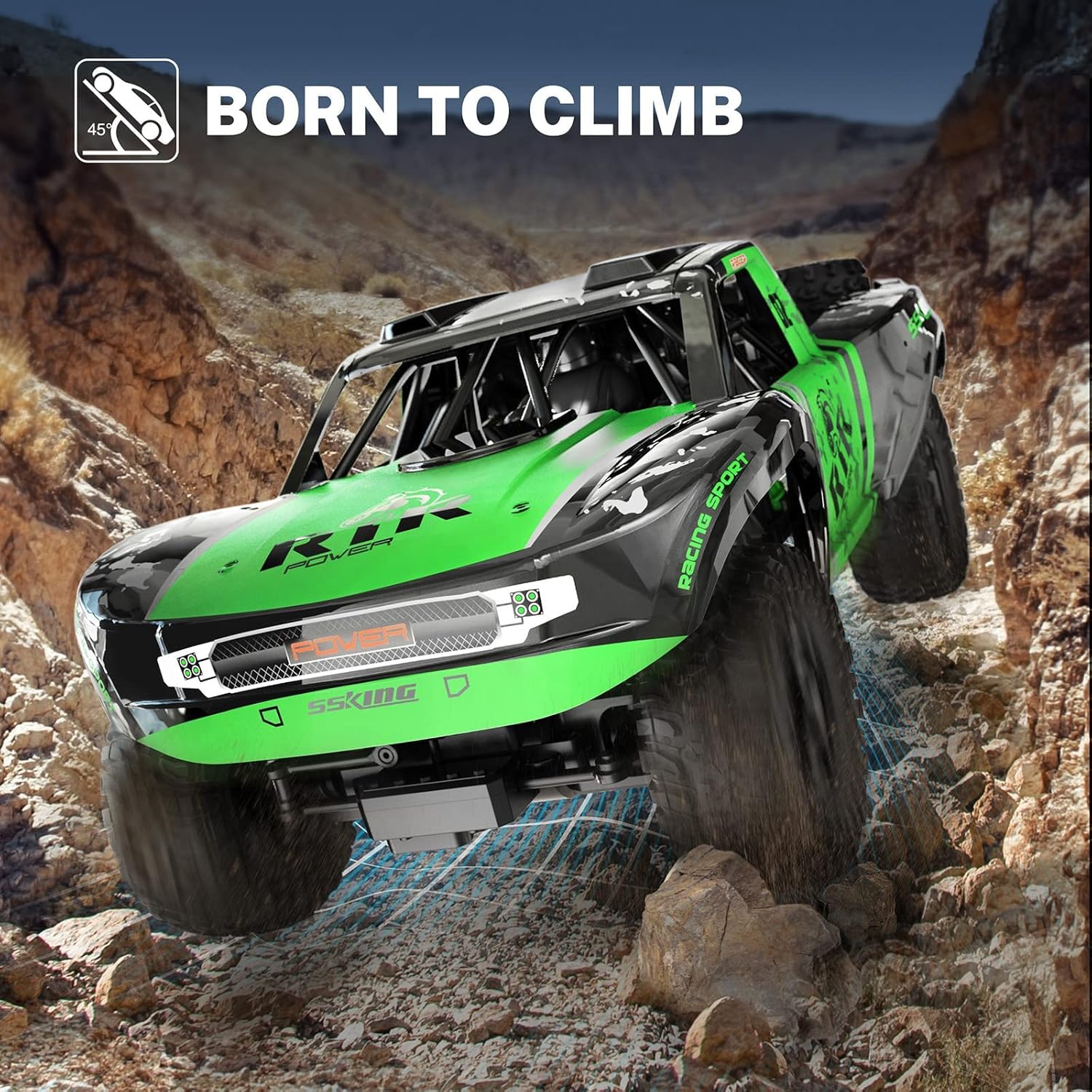
Figure 3.2: Ruko C11 RC Truck Dimensions. The image highlights the truck's dimensions: 19.3 inches long, 10.6 inches wide, and 8.7 inches high, emphasizing its large 1:10 scale.
Remote Control Layout

Figure 3.3: Remote Control. This diagram illustrates the remote control's features, including the power indicator, power switch, steering wheel (left/right), and trigger (forward/backward), along with the battery compartment.
4. Setup
4.1. Battery Installation (RC Truck)
- Locate the battery compartment on the underside of the RC truck.
- Use the provided screwdriver to open the battery compartment cover.
- Insert one of the rechargeable batteries, ensuring correct polarity.
- Securely close the battery compartment cover with the screwdriver.

Figure 4.1: Battery Compartment. This image shows the waterproof battery cover on the underside of the truck, indicating where the battery is installed and protected.
4.2. Remote Control Battery Installation
- Open the battery cover on the back of the remote control.
- Insert 2 AA batteries (included), observing the correct polarity.
- Close the battery cover securely.
4.3. Charging the RC Truck Battery
- Connect the rechargeable battery to the USB charging cable.
- Plug the USB cable into a compatible USB power adapter (e.g., computer USB port, wall adapter).
- The indicator light on the USB cable will show charging status (refer to charger instructions for specific light behavior).
- Charging typically takes approximately 3-4 hours for a full charge.
- Disconnect the battery once fully charged to prevent overcharging.
4.4. Pairing the Remote Control
- Ensure the RC truck battery is installed and the truck's power switch is OFF.
- Turn ON the remote control. The indicator light will flash.
- Turn ON the RC truck.
- The remote control indicator light will become solid, indicating successful pairing.
- If pairing fails, turn OFF both the truck and remote, then repeat the steps.
5. Operating Instructions
5.1. Basic Controls
- Forward/Backward: Pull the trigger on the remote control towards you to move forward. Push the trigger away from you to move backward.
- Left/Right: Rotate the steering wheel on the remote control left or right to steer the truck.

Figure 5.1: Remote Control Operation. This diagram illustrates how to use the remote control's steering wheel for left/right turns and the trigger for forward/backward movement.
5.2. Driving on Land
- The Ruko C11 is designed for various terrains, including pavement, grass, and dirt.
- Start by driving in open areas to get accustomed to the controls.
- Avoid driving on extremely rough terrain or over sharp objects that could damage the tires or chassis.

Figure 5.2: Off-Road Capability. The truck is shown climbing a rocky incline, demonstrating its ability to handle challenging land terrains.
5.3. Amphibious Mode (Water Operation)
- The Ruko C11 is waterproof and can operate in shallow water.
- Ensure the battery compartment is securely closed before entering water.
- Drive the truck slowly into and out of water.
- Avoid deep water or strong currents that could submerge the remote control or exceed the truck's capabilities.
- After water use, thoroughly clean and dry the truck to prevent corrosion.

Figure 5.3: Water Operation. The truck is depicted driving through shallow water, showcasing its amphibious capability.
5.4. Video Demonstration: Amphibious Capability
Video 5.1: The Best Gift Ever! This video demonstrates the Ruko C11 RC Truck operating in water, highlighting its amphibious features and durability.
6. Maintenance
- Cleaning: After each use, especially after driving in dirt or water, clean the truck with a soft, damp cloth. Remove any debris from the wheels and chassis.
- Drying: If used in water, ensure the truck is thoroughly dried before storage. Open the battery compartment to allow air circulation.
- Storage: Store the RC truck and remote control in a cool, dry place away from direct sunlight. Remove batteries from the remote control if storing for extended periods.
- Lubrication: Periodically check moving parts for smooth operation. Lubricate as needed with RC-safe lubricant.
7. Troubleshooting
| Problem | Possible Cause | Solution |
|---|---|---|
| Truck does not respond to remote. | Low battery in truck or remote; Not paired; Interference. | Charge/replace batteries. Re-pair truck and remote. Move to an area with less interference. |
| Reduced performance/speed. | Low battery; Debris in moving parts; Overheating. | Charge battery. Clean debris from wheels/axles. Allow truck to cool down. |
| Truck pulls to one side. | Steering trim not adjusted; Damaged steering component. | Adjust steering trim on the remote control. Inspect steering linkages for damage. |
| Water inside battery compartment. | Battery cover not sealed properly. | Ensure battery cover is tightly secured before water use. Dry thoroughly and inspect seals. |
8. Specifications
- Model: C11
- Brand: Ruko
- Scale: 1:10
- Product Dimensions: 19.3 x 10.6 x 8.7 inches
- Item Weight: 0.01 ounces (Note: This weight seems incorrect and may be a data entry error. Actual weight is likely higher.)
- Recommended Age: 8 - 17 years
- Batteries (Truck): Rechargeable (x2, included)
- Batteries (Remote): 2 AA batteries (included)
- Control Frequency: 2.4 GHz
- Features: 4WD, Amphibious, Waterproof, Off-Road Capability
9. Safety Information
- Always operate the RC truck in open areas away from people, pets, and obstacles.
- Do not operate in public roads or near traffic.
- Supervise children during operation.
- Do not touch moving parts (wheels, axles) during operation to avoid injury.
- Ensure all battery compartments are securely closed, especially before water use.
- Do not attempt to modify or disassemble the product, as this may cause damage or injury and void the warranty.
- Use only the provided charging cable and batteries.
- Avoid extreme temperatures and direct sunlight.
10. Warranty and Support
For warranty information, technical support, or replacement parts, please contact Ruko customer service through the retailer's platform or the official Ruko website. Please have your model number (C11) and purchase details ready.
Related documentsC11


Ask a question about this manual
Ask about setup, troubleshooting, compatibility, parts, safety, or missing instructions. Manuals+ will review the question and use this page’s manual context to help answer it.