
ROIDMI X20 Nex
ROIDMI X20 Nex Cordless Vacuum Cleaner User Manual
Model: XCQ06RM
1. Introduction
Thank you for choosing the ROIDMI X20 Nex Cordless Vacuum Cleaner. This manual provides essential information for the safe and efficient use, maintenance, and troubleshooting of your device. Please read it thoroughly before first use and keep it for future reference.

Figure 1.1: Full view of the ROIDMI X20 Nex cordless vacuum cleaner.
2. Safety Instructions
To prevent injury or damage, always observe the following safety precautions:
- Do not use the vacuum cleaner outdoors or on wet surfaces.
- Do not allow children to operate the vacuum cleaner. Supervise children and pets when the appliance is in use.
- Do not pick up flammable or combustible liquids, such as gasoline, or use in areas where they may be present.
- Do not pick up anything that is burning or smoking, such as cigarettes, matches, or hot ashes.
- Ensure the filter is correctly installed before use.
- Use only ROIDMI recommended accessories and replacement parts.
- If the power cord or charger is damaged, it must be replaced by the manufacturer, its service agent, or similarly qualified persons to avoid a hazard.
3. Product Overview
3.1 Components and Accessories
The ROIDMI X20 Nex comes with various components and accessories to enhance your cleaning experience:

Figure 3.1: All included accessories for the ROIDMI X20 Nex vacuum cleaner.
- Main Unit: Contains the motor, dust bin, and battery.
- Extension Rod: For floor cleaning and reaching high areas.
- Main Brush Head: Equipped with an electric brush for various floor types.
- Narrow Area Adapter: For cleaning tight spaces and corners.
- Electric Charger: For recharging the vacuum's battery.
- Filters: HEPA filter and other filtration components.
- Cleaning Brush: For maintaining the vacuum and its accessories.
- Wall-Mount Charging Base: For convenient storage and charging.
- Sofa Brush: Ideal for upholstery and fabric surfaces.
- Flexible Tube with Brush for Dust and Water Tank Module: For specialized cleaning tasks.
4. Setup
4.1 Assembly
- Attach the Extension Rod: Insert the extension rod into the main unit until it clicks into place.
- Attach the Main Brush Head: Connect the main brush head to the other end of the extension rod, ensuring it locks securely.
- Install Filters: Ensure all filters are correctly seated in the dust bin assembly.

Figure 4.1: The ROIDMI X20 Nex cordless vacuum cleaner assembled and ready for use.
4.2 Initial Charging
Before first use, fully charge the vacuum cleaner. Connect the electric charger to the main unit and plug it into a power outlet. The charging indicator will show the charging status. A full charge takes approximately 2.5 hours and provides up to 65 minutes of runtime.
4.3 Wall Mount Installation
The wall-mount charging base allows for convenient storage and charging. Choose a suitable location near a power outlet. Secure the base to the wall using the provided screws and anchors. Ensure it is mounted at a height that allows the vacuum to hang securely.
5. Operating Instructions
5.1 Power On/Off and Speed Adjustment
Press the power button to turn the vacuum cleaner on or off. The ROIDMI X20 Nex features 3 speed settings (low, medium, high). Press the speed adjustment button to cycle through the power modes to suit your cleaning needs.

Figure 5.1: Close-up of hands holding the ergonomic handle of the ROIDMI X20 Nex, showing control buttons.
5.2 Using Different Attachments
- Main Brush Head: Suitable for all floor types, including hard floors and carpets. The integrated LED light illuminates dark areas.

Figure 5.2: A person using the ROIDMI X20 Nex vacuum cleaner in stick mode in a living room.

Figure 5.3: The main brush head effectively cleaning debris on a floor.
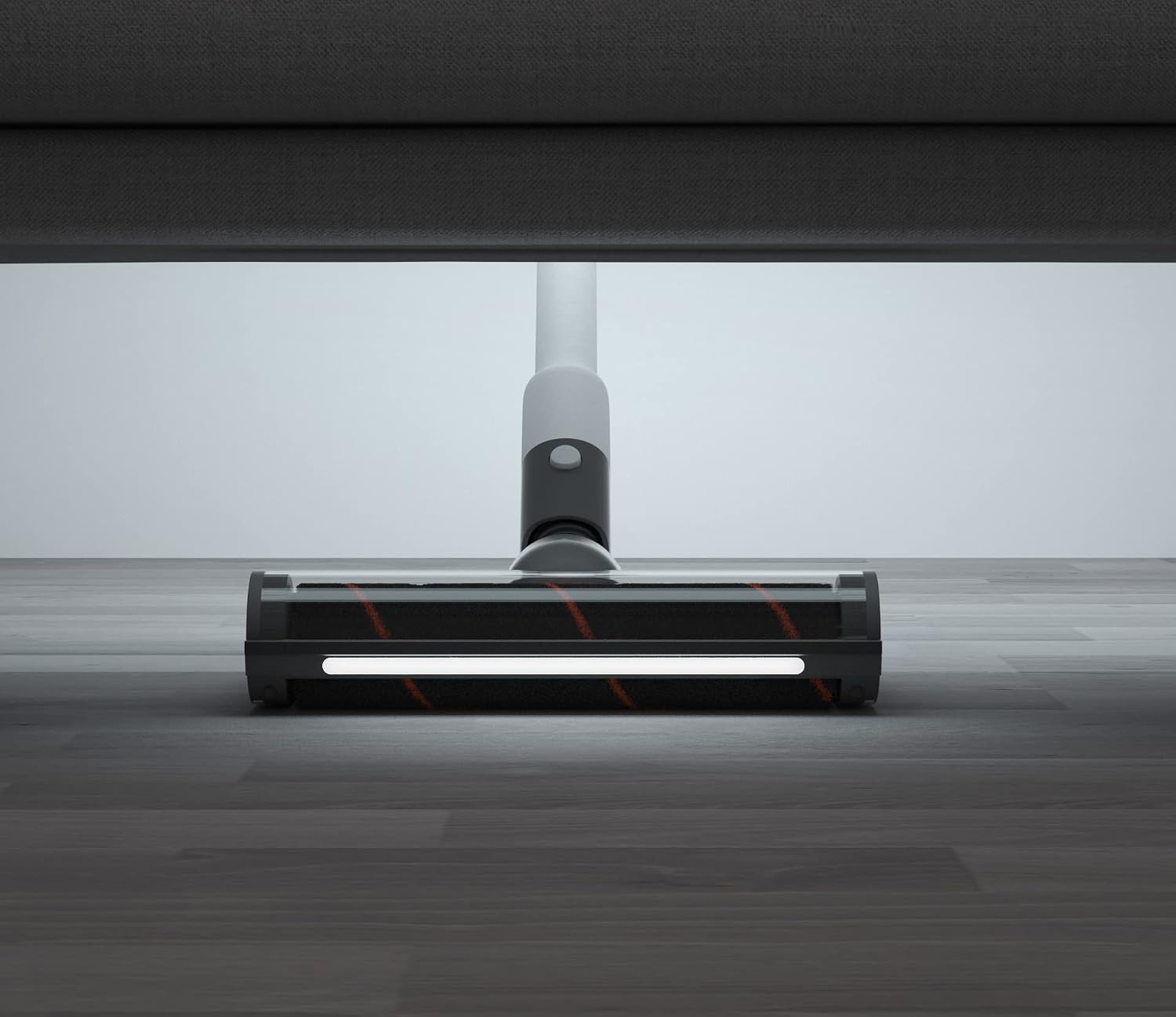
Figure 5.4: The main brush head with its LED light illuminated, cleaning under furniture.
- Sofa Brush: Attach directly to the main unit for handheld cleaning of upholstery, mattresses, and pet hair.

Figure 5.5: The ROIDMI X20 Nex in handheld mode with the sofa brush attachment, cleaning a sofa.
- Narrow Area Adapter: Use for crevices, corners, and other hard-to-reach spots.
- Flexible Tube with Brush: Provides extended reach and flexibility for cleaning car interiors or intricate areas.
5.3 Using the ROIDMI Cleaner App
The ROIDMI X20 Nex can connect to the "Roidmi Cleaner" application for additional features and control. Download the app from your device's app store and follow the in-app instructions to pair your vacuum cleaner.
6. Maintenance
Regular maintenance ensures optimal performance and extends the lifespan of your ROIDMI X20 Nex.
6.1 Emptying the Dust Bin
Empty the dust bin after each use or when the MAX fill line is reached. Detach the dust bin from the main unit, open the lid, and dispose of the contents. Close the lid securely and reattach the dust bin.
6.2 Cleaning Filters
The HEPA filter and other filtration components should be cleaned regularly (e.g., monthly, depending on usage). Tap out loose dirt, then rinse under running water. Ensure filters are completely dry before reinstallation to prevent damage to the motor.
6.3 Cleaning the Brush Roll
Periodically check the main brush roll for tangled hair or debris. Use the provided cleaning brush or scissors to remove any obstructions. The brush roll can usually be detached for easier cleaning.

Figure 6.1: The main brush head on a carpet, with a detached cleaning tool nearby, useful for maintenance.
6.4 Battery Care
To maximize battery life, avoid fully discharging the battery frequently. Store the vacuum cleaner in a cool, dry place when not in use. If storing for an extended period, charge the battery to approximately 50%.
7. Troubleshooting
If you encounter issues with your ROIDMI X20 Nex, refer to the following common problems and solutions:
| Problem | Possible Cause | Solution |
|---|---|---|
| Vacuum does not turn on | Battery is low or depleted | Charge the battery fully. |
| Reduced suction power | Dust bin full; Filter clogged; Brush roll obstructed | Empty dust bin; Clean or replace filters; Remove obstructions from brush roll. |
| Brush roll not spinning | Obstruction in brush roll; Brush head not properly attached | Remove tangled hair or debris; Reattach brush head securely. |
| Vacuum stops during operation | Battery depleted; Overheating protection activated | Recharge battery; Allow vacuum to cool down before resuming use. |
If the problem persists after trying these solutions, please contact ROIDMI customer support.
8. Specifications
| Feature | Specification |
|---|---|
| Brand | ROIDMI |
| Model Number | XCQ06RM |
| Color | White |
| Dimensions (L x W x H) | 24 x 15 x 67 cm |
| Weight | 1.5 Kilograms |
| Dust Bin Capacity | 400 Milliliters |
| Power | 138 Watts |
| Voltage | 28.8 Volts |
| Number of Speeds | 3 |
| Noise Level | 65 Decibels |
| Runtime | Up to 65 minutes (1 hour and 5 minutes) |
| Filter Type | HEPA Filter |
| Power Source | Battery Powered |
| Wireless | Yes |
| Included Components | Narrow area adapter, electric charger, filters, cleaning brush, wall-mount charging base, sofa brush, flexible tube with brush for dust and water tank module. |
9. Warranty and Support
For warranty information and customer support, please refer to the documentation included with your purchase or visit the official ROIDMI website. Please have your model number (XCQ06RM) and purchase date available when contacting support.
Related documentsX20 Nex


Ask a question about this manual
Ask about setup, troubleshooting, compatibility, parts, safety, or missing instructions. Manuals+ will review the question and use this page’s manual context to help answer it.