This instruction manual provides essential information for setting up, operating, maintaining, and troubleshooting your new CyberpowerPC Gamer Master Gaming PC, model GMA2130CC. Please read this manual thoroughly before using your computer to ensure proper function and longevity. The Gamer Master series is designed for high-performance computing, featuring an AMD Ryzen 5 3600 processor and NVIDIA GeForce RTX 2060 graphics for an optimal gaming experience.
What's in the Box
Verify that all items listed below are included in your package:
Desktop PC (CyberpowerPC Gamer Master GMA2130CC)
Keyboard
Mouse
Power Cord
Image: The CyberpowerPC Gamer Master Gaming PC tower, accompanied by the included keyboard and mouse, ready for setup.
Setup Guide
Unpacking and Placement
Carefully remove the PC and all accessories from the packaging. Place the PC on a stable, flat surface with adequate ventilation. Ensure there is enough space around the PC for airflow, especially at the rear and top vents.
Connecting Peripherals
Monitor: Connect your monitor to the graphics card (NVIDIA GeForce RTX 2060) ports located at the lower rear of the PC. Use either the HDMI or DisplayPort connection.
Keyboard and Mouse: Connect the included keyboard and mouse to any available USB ports on the rear or top of the PC.
Power: Connect the power cord to the power supply unit (PSU) at the rear of the PC, then plug the other end into a wall outlet or surge protector.
Network (Optional): For a wired internet connection, connect an Ethernet cable to the RJ-45 network port on the rear of the PC.
Image: A close-up view of the top panel ports, including USB and audio jacks, for convenient peripheral connection.
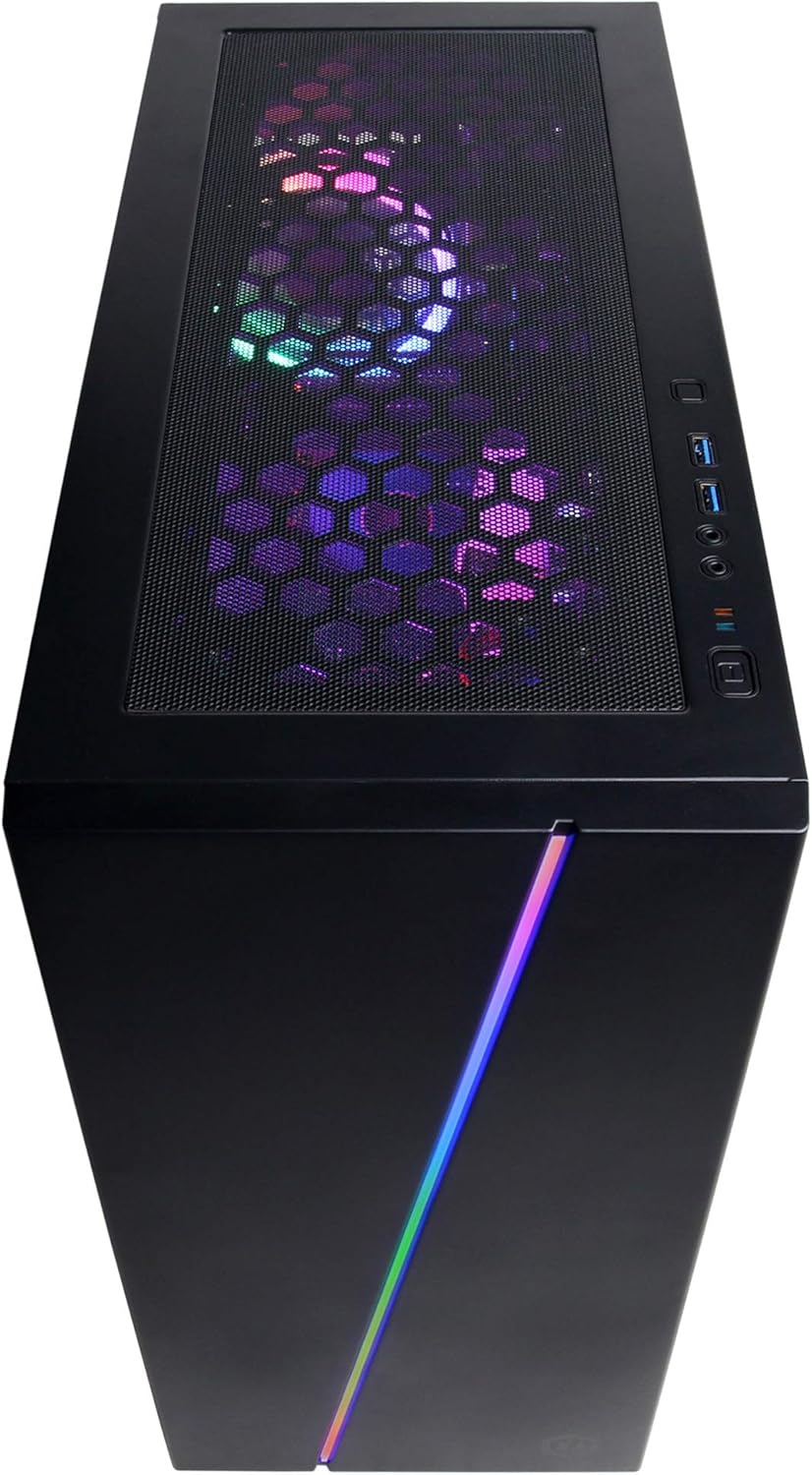
Image: An overhead view of the PC case, showing the top mesh panel for ventilation and accessible front I/O ports.
Initial Power On
Press the power button located on the top front of the PC. The system will boot up, and you should see the CyberpowerPC logo on your monitor.
Operating System Setup
Follow the on-screen instructions to complete the Windows 10 Home setup process. This typically involves selecting your region, language, creating a user account, and accepting the license agreement.
Operating Your PC
Windows 10 Home
Your CyberpowerPC comes pre-installed with genuine Windows 10 Home 64-bit. Familiarize yourself with the Windows interface, Start Menu, and taskbar for efficient navigation.
Connecting to the Internet (Wi-Fi)
To connect to a wireless network:
Click the Wi-Fi icon in the system tray (bottom right of the screen).
Select your desired network from the list.
Click "Connect" and enter the network security key (password) if prompted.
Audio Setup
Connect your speakers or headphones to the appropriate audio jacks on the rear or top of the PC. Windows 10 will typically detect and configure the audio device automatically. You can adjust volume and sound settings via the sound icon in the system tray.
RGB Lighting Control
Your PC features custom RGB case lighting and RGB fans. Control software for these features may be pre-installed or available for download from the CyberpowerPC website. Refer to the software's documentation for specific instructions on customizing lighting effects.
Image: The sleek front panel of the PC case, featuring a vibrant RGB light strip that can be customized.
Image: An internal view of the PC, showcasing the illuminated RGB cooling fans and the neatly arranged internal components.
Maintenance
General Cleaning
Exterior: Use a soft, damp cloth to wipe down the exterior of the case. Avoid abrasive cleaners.
Dust Filters: Periodically clean the dust filters (if present) on the case to maintain optimal airflow. These are typically located on the top, front, or bottom of the case and can be removed for cleaning.
Internal Components: For internal cleaning, power off and unplug the PC. Use compressed air to gently remove dust from fans, heatsinks, and other components. Exercise caution to avoid damaging sensitive parts.
Software Updates
Regularly update your Windows operating system, graphics drivers (NVIDIA GeForce), and other software to ensure system stability, security, and optimal performance. Windows Update can be accessed via Settings > Update & Security.
Troubleshooting
This section addresses common issues you might encounter. For more complex problems, refer to the CyberpowerPC support website.
No Power:
Ensure the power cord is securely connected to both the PC and the wall outlet.
Check if the power switch on the back of the PSU is in the 'ON' position.
Verify the wall outlet is functional by plugging in another device.
No Display on Monitor:
Confirm the monitor's power cable is connected and the monitor is turned on.
Ensure the video cable (HDMI/DisplayPort) is securely connected to the graphics card ports on the PC and the monitor.
Verify the monitor input source is correctly selected (e.g., HDMI 1, DisplayPort).
System is Slow or Unresponsive:
Close unnecessary programs running in the background.
Check for malware or viruses using antivirus software.
Ensure Windows and drivers are up to date.
Monitor system temperatures to prevent overheating.
Peripherals (Keyboard/Mouse) Not Working:
Try connecting the peripheral to a different USB port.
Restart the PC.
Check device drivers in Windows Device Manager.
Technical Specifications
Component
Specification
Processor
AMD Ryzen 5 3600 3.6GHz (6-core)
Graphics Card
NVIDIA GeForce RTX 2060 6GB
RAM
8GB DDR4
Storage
240GB SSD, 1TB HDD
Operating System
Windows 10 Home 64-bit
Chipset
AMD B450
Connectivity
802.11ac Wi-Fi, 10/100/1000 Ethernet
USB Ports
6 x USB 3.1, 2 x USB 2.0
Audio
7.1 Channel Audio
Dimensions (LxWxH)
17.91 x 8.5 x 19.29 inches
Weight
36 pounds
Image: A side view of the PC case, highlighting the mesh panel design for enhanced airflow and cooling.
Warranty and Support
Your CyberpowerPC Gamer Master Gaming PC (GMA2130CC) includes a 1-year warranty on parts and labor. Additionally, CyberpowerPC provides free lifetime technical support for this product.
For technical assistance, warranty claims, or further inquiries, please visit the official CyberpowerPC support website or contact their customer service. Keep your purchase receipt and product serial number readily available when contacting support.
Note: Opening the PC case may void the warranty if not performed by authorized personnel or according to specific instructions. Consult CyberpowerPC support before attempting internal modifications.
Related Documents - GMA2130CC
Guía de Inicio Rápido CyberpowerPC: Configuración Paso a Paso Guía de inicio rápido para configurar su CyberpowerPC Gamer Xtreme VR Gaming PC. Aprenda a desempaquetar, conectar pantalla y periféricos, encender el sistema y encontrar su clave de Windows.
CyberPowerPC Quick Start Guide: Setting Up Your Gaming PC A concise guide to setting up your CyberPowerPC gaming computer, covering unboxing, display and peripheral connections, and initial power-on procedures. Includes support contact information and FCC compliance details.
CyberPowerPC Gaming PC Quick Start Guide Comprehensive quick start guide for setting up your CyberPowerPC gaming PC, covering initial unboxing, connections, and power-on procedures.
CyberPowerPC CK60 Series Mechanical Gaming Keyboard User Guide User guide for the CyberPowerPC CK60 Series Mechanical Gaming Keyboard. Learn to customize function keys, create and assign macros, and personalize RGB lighting for an enhanced gaming setup.