
Introduction
Welcome to the world of convenient and efficient cooking with your new Tefal Home Chef Smart Multicooker. This appliance is designed to simplify your culinary tasks, offering a wide range of cooking functions from pressure cooking to slow cooking, all in one compact unit. Please read this manual carefully before first use to ensure safe and optimal operation of your multicooker.
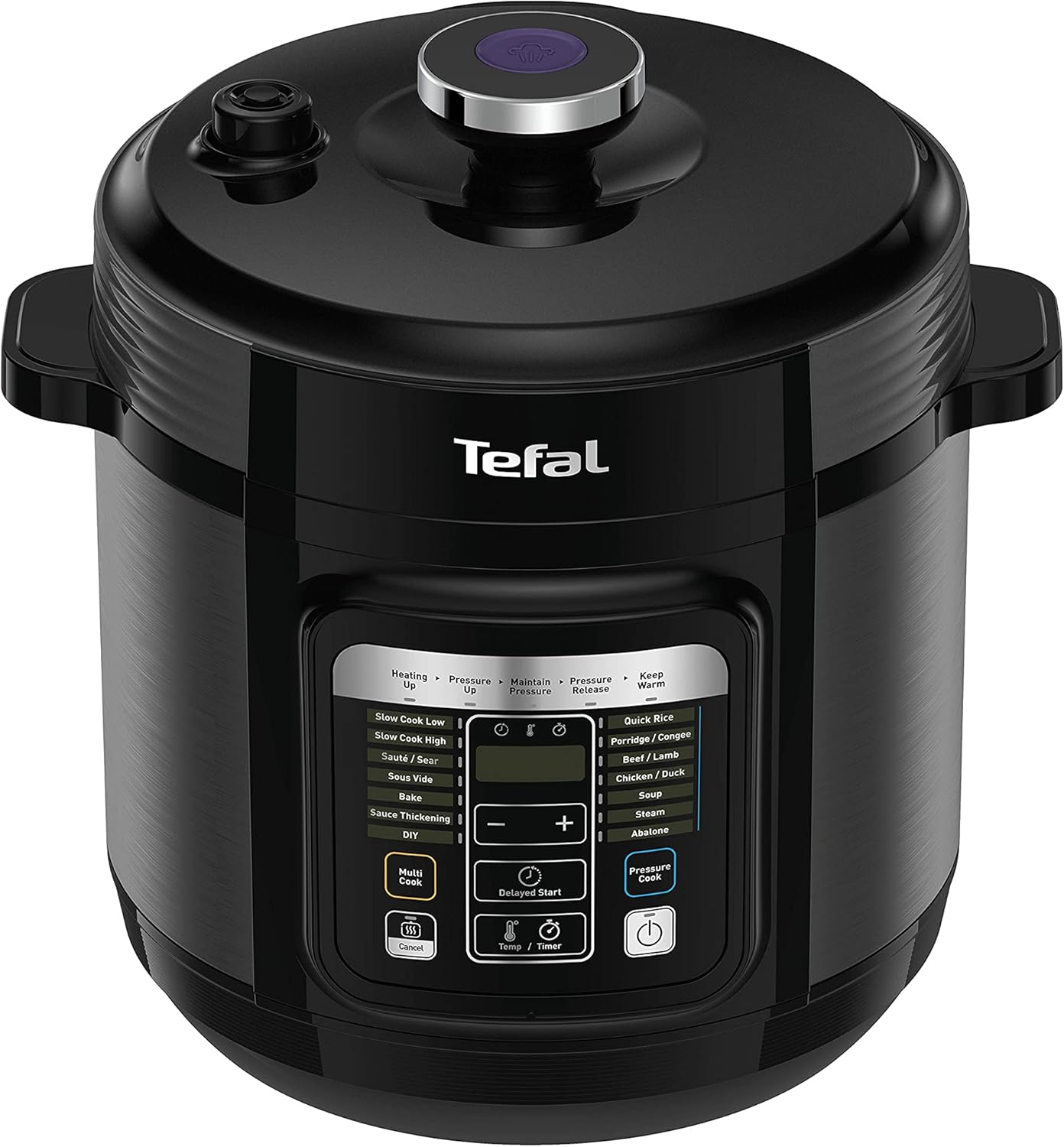
Image: Front view of the Tefal Home Chef Smart Multicooker, showcasing its sleek black design and control panel.
1. Setup
- Unpacking: Carefully remove all packaging materials and accessories from the box. Retain packaging for future storage or transport.
- Initial Cleaning: Before first use, wash the inner pot, sealing gasket, and lid thoroughly with warm soapy water. Rinse and dry completely. Wipe the exterior of the main unit with a damp cloth.
- Placement: Place the multicooker on a stable, flat, heat-resistant surface, away from direct sunlight and heat sources. Ensure adequate ventilation around the unit. Do not place it near flammable materials.
- Power Connection: Ensure the voltage of your power outlet matches the specifications of the appliance (220 Volts). Plug the power cord into a grounded electrical outlet.
2. Operating Instructions
2.1 Control Panel Overview
The control panel features an intuitive display and various buttons for program selection and adjustments.

Image: A hand pressing a button on the control panel, highlighting the digital display and program options.
- Display Screen: Shows cooking time, temperature, and program status.
- Program Buttons: Select from pre-set programs like Rice, Soup, Meat, Stew, Slow Cook, etc.
- +/- Buttons: Adjust cooking time or temperature.
- Delayed Start: Set a timer for cooking to begin later.
- Pressure Cook Button: Initiates pressure cooking mode.
- Cancel Button: Stops the current cooking program.
2.2 Using Pre-set Programs
- Add ingredients to the inner pot. Ensure the liquid level is within the MIN/MAX markings.
- Close the lid securely and ensure the pressure release valve is in the correct position (usually sealed for pressure cooking).
- Select the desired pre-set program by pressing the corresponding button. The default cooking time and temperature will appear.
- If desired, adjust the cooking time using the +/- buttons.
- Press the Start button (often indicated by a power symbol or 'Pressure Cook' button) to begin cooking.
2.3 Manual Cooking
For custom recipes, you can manually set the cooking time and temperature.
- Add ingredients.
- Select the 'DIY' or 'Manual' program.
- Use the +/- buttons to set your desired cooking time and temperature.
- Press Start.
2.4 Pressure Release
After pressure cooking, steam must be released before opening the lid. Always use caution as steam is hot.

Image: A hand pressing the one-touch safety pressure release button on the lid, showing steam being safely vented away from the user's hand.
- Natural Release: Allow the pressure to dissipate naturally over time. This is suitable for foods that benefit from continued cooking.
- Quick Release: Carefully press the steam release button or turn the valve to the 'Vent' position. Keep hands and face away from the steam vent. This method is faster and ideal for delicate foods.
3. Maintenance and Cleaning
Regular cleaning ensures the longevity and optimal performance of your multicooker.
- Always unplug the appliance and allow it to cool completely before cleaning.
- Inner Pot: The non-stick inner pot can be washed with warm soapy water and a soft sponge. Avoid abrasive cleaners or scouring pads that could damage the non-stick coating. It is generally dishwasher safe, but hand washing is recommended to preserve the coating.
- Lid and Sealing Gasket: Remove the sealing gasket from the lid and wash both with warm soapy water. Ensure the gasket is clean and free of food debris. Reinstall the gasket correctly before next use. Check the anti-clog shield and float valve for cleanliness.
- Exterior: Wipe the exterior of the main unit with a damp cloth. Never immerse the main unit in water or any other liquid.
- Storage: Store the multicooker in a dry place, away from direct sunlight. Ensure all parts are clean and dry before storage.
4. Troubleshooting
If you encounter issues with your Tefal Home Chef Smart Multicooker, refer to the following common problems and solutions:
| Problem | Possible Cause | Solution |
|---|---|---|
| Unit does not power on. | Not plugged in; power outlet issue; faulty cord. | Check power cord connection; test outlet with another appliance; contact customer support if cord is damaged. |
| Multicooker does not pressurize. | Lid not properly closed; sealing gasket not installed correctly or damaged; insufficient liquid; pressure release valve open. | Ensure lid is fully locked; check and reposition/replace gasket; add required liquid; close pressure release valve. |
| Error Code E-2 displayed. | This error typically indicates an issue with the pressure sensor or heating element. | Unplug the unit, wait 10 minutes, then plug back in. If the error persists, contact customer support for assistance. Do not attempt to repair yourself. |
| Food is undercooked/overcooked. | Incorrect cooking time/temperature; insufficient liquid; lid not sealed. | Adjust cooking time/temperature; ensure proper liquid levels; verify lid is sealed and pressure valve is closed for pressure cooking. |
For issues not listed here or if solutions do not resolve the problem, please contact Tefal Customer Support.
5. Specifications
| Feature | Detail |
|---|---|
| Model Number | CY601D60 |
| Capacity | 6 Litres |
| Power/Wattage | 1000 KW |
| Voltage | 220 Volts |
| Material | Aluminium |
| Item Weight | 5.5 kg |
| Special Features | Induction Compatible Base, Programmable |
6. Warranty and Support
Your Tefal Home Chef Smart Multicooker is covered by a manufacturer's warranty against defects in materials and workmanship. Please refer to the warranty card included with your purchase for specific terms and conditions, including the warranty period and coverage details.
For technical assistance, troubleshooting beyond this manual, or warranty claims, please contact Tefal Customer Support through their official website or the contact information provided in your product documentation. Always have your model number (CY601D60) and proof of purchase ready when contacting support.


