
Introduction
This manual provides instructions for the installation, operation, and maintenance of your Satco S11252 Starfish A19 WiFi Smart LED Color-Changing Light Bulb. Please read this manual thoroughly before use and retain it for future reference.
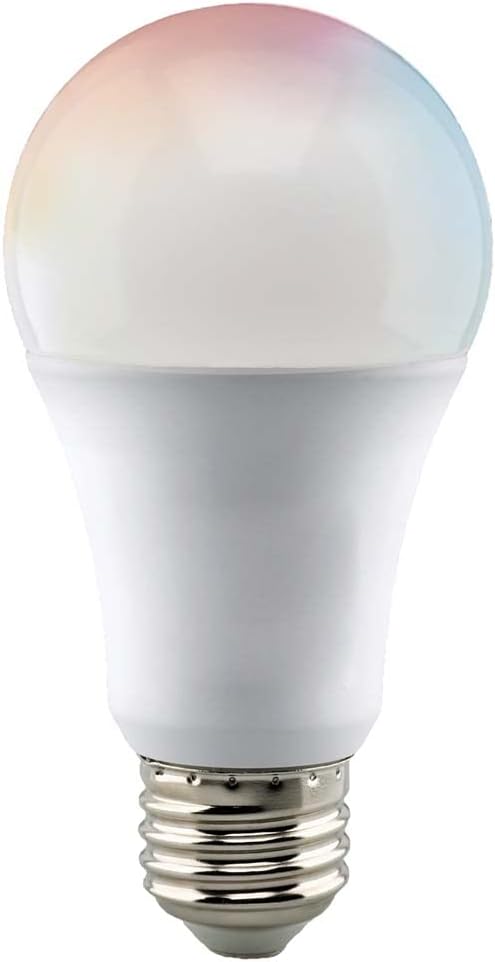
Image: Satco S11252 Starfish Smart LED Light Bulb, showing its A19 shape and E26 medium base.
Safety Information
- Ensure power is turned off at the switch before installation or removal.
- This bulb is rated for 120 Volts. Do not use with incompatible voltage.
- Suitable for damp locations.
- Suitable for use in enclosed fixtures.
- Do not disassemble or modify the bulb.
- Keep out of reach of children.
Package Contents
- 1 x Satco S11252 Starfish Smart LED Light Bulb
- App instructions (integrated into this manual)

Image: Packaging for the Satco S11252 Starfish Smart LED Light Bulb, highlighting key features and compatibility.
Setup Instructions
1. Physical Installation
- Ensure the power to the light fixture is turned off at the wall switch or circuit breaker.
- Carefully screw the Satco S11252 bulb into a standard E26 medium base light socket.
- Turn the power back on at the wall switch. The bulb should illuminate.
2. App Download and Pairing
The Satco S11252 bulb requires the Starfish app for smart control. It operates on a 2.4 GHz WiFi network (no hub required).
- Download the "Starfish" app from your mobile device's app store (available for iOS and Android).
- Register for a new account or log in if you already have one.
- To enter pairing mode, turn the light switch ON and OFF five times. The bulb will begin to blink rapidly, indicating it is ready for pairing.
- In the Starfish app, follow the on-screen instructions to add a new device. The app may automatically detect the bulb, or you may need to add it manually.
- Confirm your 2.4 GHz WiFi network and enter the password when prompted.
- Once successfully paired, the bulb will stop blinking and appear in your app's device list.

Image: Illustration of Starfish app features, including Wi-Fi connectivity without a hub, remote access, and multi-user support.
3. Voice Assistant Integration
The Satco S11252 bulb is compatible with Siri, Alexa, Google Assistant, and SmartThings.
- Open your preferred voice assistant app (e.g., Amazon Alexa, Google Home).
- Navigate to the "Skills" or "Works with Google" section.
- Search for and enable the "Starfish" skill or service.
- Link your Starfish account when prompted.
- Discover devices. Your Satco S11252 bulb should now be controllable via voice commands.

Image: Depiction of voice control compatibility, showing logos for Alexa, Google Assistant, and Siri, with a smart speaker in the foreground.
Operating Instructions
1. Basic On/Off Control
- Via Starfish App: Tap the bulb icon in the app to turn it on or off.
- Via Voice Assistant: Use commands like "Alexa, turn on the living room light" or "Hey Google, turn off the bedroom light."
- Via Wall Switch: A quick flip of the physical wall switch will turn the bulb on or off. Note that using the wall switch repeatedly may reset the bulb to pairing mode if done too quickly.
2. Adjusting Color and Brightness
The Satco S11252 offers dynamic color changing and tunable white light (2700K-5000K).
- Via Starfish App:
- Access the bulb's control interface in the app.
- Use the color wheel or preset options to select your desired color.
- Adjust the brightness slider to increase or decrease light intensity.
- For white light, select the "White" mode and use the color temperature slider to choose between warm (2700K) and cool (5000K) white.
- Via Voice Assistant:
- "Alexa, set the living room light to blue."
- "Hey Google, dim the bedroom light to 50%."
- "Alexa, set the kitchen light to warm white."
3. Scheduling and Routines
Automate your lighting using the Starfish app or your voice assistant's routines feature.
- Via Starfish App:
- Navigate to the "Schedule" or "Routines" section.
- Set specific times for the bulb to turn on/off, change color, or adjust brightness.
- Via Voice Assistant Apps:
- Create custom routines (e.g., "Good Morning" routine to turn on lights at a specific time).

Image: Visual representation of smart lighting automation, including features like automating nighttime lighting, instant voice activation, and mirroring activity while away.
Maintenance
- Cleaning: Ensure the bulb is off and cool before cleaning. Wipe with a soft, dry cloth. Do not use liquid cleaners.
- Firmware Updates: Periodically check the Starfish app for available firmware updates to ensure optimal performance and security.
- Storage: If storing the bulb for an extended period, keep it in its original packaging in a cool, dry place.
Troubleshooting
Bulb Not Responding / Offline
- Check Power: Ensure the light fixture has power and the wall switch is on.
- WiFi Connection: Verify your 2.4 GHz WiFi network is active and the bulb is within range of your router.
- Router Interference: Ensure there are no obstructions or other devices causing interference with your WiFi signal.
- Re-pair: If the issue persists, try re-pairing the bulb with the Starfish app (turn ON/OFF five times to enter pairing mode).
Difficulty Pairing
- 2.4 GHz Network: Confirm your mobile device is connected to a 2.4 GHz WiFi network during pairing. The bulb does not support 5 GHz networks.
- Rapid Blinking: Ensure the bulb is blinking rapidly before attempting to pair. If not, repeat the ON/OFF five times sequence.
- Router Distance: Try pairing the bulb closer to your WiFi router.
Voice Control Not Working
- Account Linking: Verify that your Starfish account is correctly linked to your voice assistant app (Alexa, Google Home).
- Device Discovery: Ask your voice assistant to "discover devices" to ensure it recognizes the bulb.
- Command Syntax: Use clear and correct voice commands.
Specifications
| Model Number | S11252 |
| Brand | Satco |
| Light Type | LED |
| Wattage | 9.5 Watts |
| Incandescent Equivalent | 60 Watts |
| Brightness | 800 Lumens |
| Bulb Shape Size | A19 |
| Bulb Base | E26 Medium |
| Voltage | 120 Volts |
| Color Temperature Range | 2700K - 5000K (Tunable White) |
| Color Rendering Index (CRI) | 80 |
| Average Life | 25,000 Hours |
| Connectivity | 2.4 GHz WiFi (No Hub Required) |
| Control Method | App (Starfish), Voice (Siri, Alexa, Google Assistant, SmartThings) |
| Dimensions (W x H) | 2.36" x 4.57" (60mm x 116mm) |
| Certifications | cULus Listed, Damp Location Listed, Enclosed Fixture Rated, RoHS Compliant, FCC Listed |

Image: Diagram showing the dimensions of the Satco S11252 A19 bulb: 2.36 inches (60 mm) width and 4.57 inches (116 mm) height.
Warranty Information
This Satco S11252 Starfish Smart LED Light Bulb comes with a 3-year limited warranty. Please retain your proof of purchase for warranty claims. For detailed warranty terms and conditions, refer to the official Satco website or contact customer support.
Customer Support
For further assistance, technical support, or warranty inquiries, please contact Satco customer service.
- Official User Guide (PDF): Download PDF Manual
- Satco Website: Visit the official Satco website for product information and support resources.
- Starfish App Support: Check the "Help" or "FAQ" section within the Starfish mobile application.
