Introduction
This manual provides detailed instructions for the installation, operation, and maintenance of your LEDVANCE Smart LED Ceiling Light. This smart indoor panel features WiFi technology, allowing you to adjust light color from warm white (3000K) to cool white (6500K) and choose from a wide range of RGB colors. It is compatible with popular smart home systems like Google Home and Amazon Alexa for convenient control.
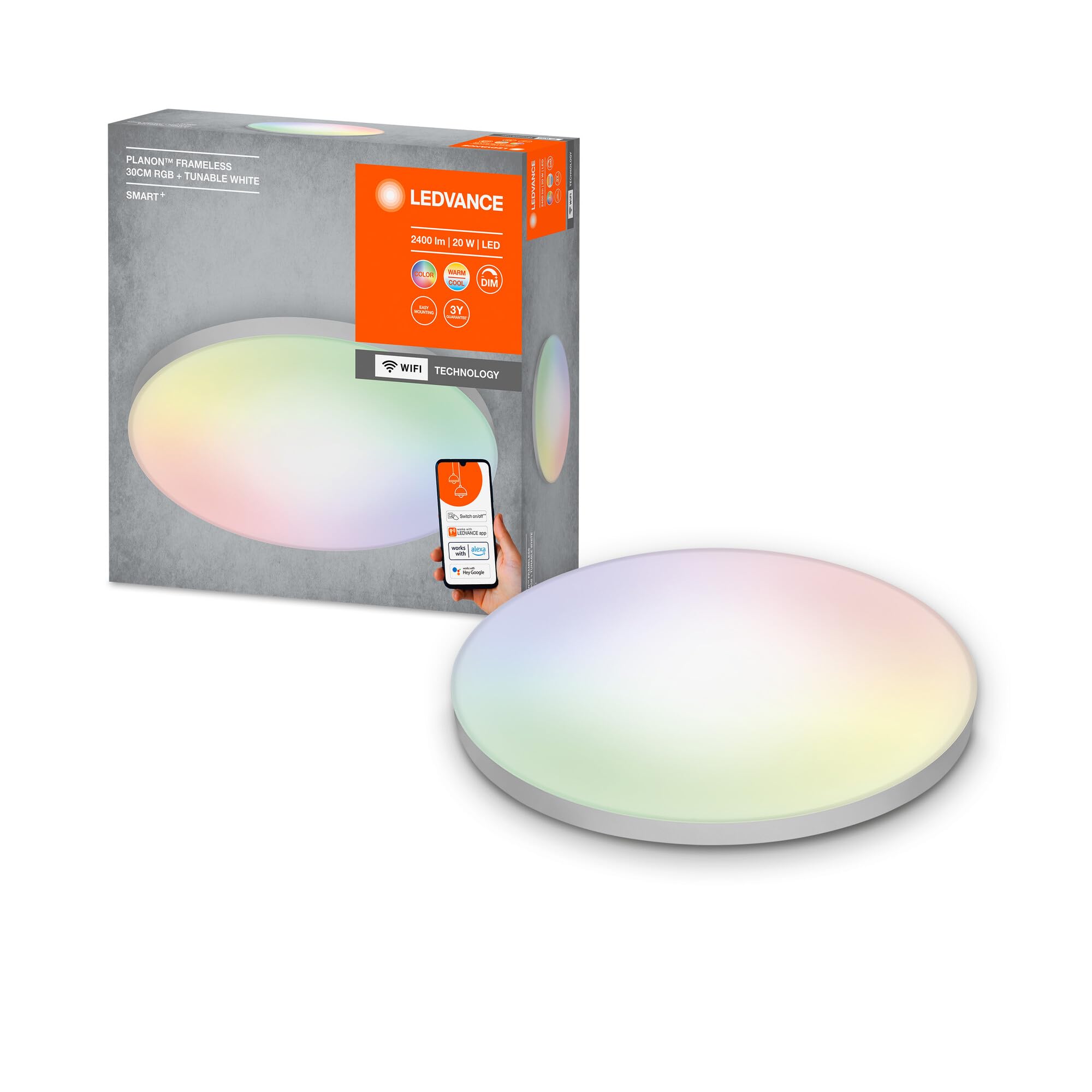
Image: The LEDVANCE Smart LED Ceiling Light, a round white fixture, shown from a slightly elevated angle.
Safety Information
Please read these safety instructions carefully before installation and use. Failure to follow these instructions may result in electric shock, fire, or other hazards.
- Ensure the main power supply is switched off before installation or maintenance.
- Installation should be performed by a qualified electrician in accordance with local wiring regulations.
- This product is designed for indoor use only (IP20 rating). Do not expose to moisture or extreme temperatures.
- Do not attempt to disassemble or modify the product beyond what is described in this manual.
- Keep out of reach of children.
Package Contents
Verify that all components are present before beginning installation:
- LEDVANCE Smart LED Ceiling Light (PLANON Frameless 30cm RGB + Tunable White)
- Mounting hardware (screws, wall plugs)
- Instruction Manual

Image: The product packaging for the LEDVANCE Smart LED Ceiling Light, showing product features and branding.
Setup & Installation
Physical Installation
Follow these steps for safe and proper physical installation of your ceiling light:
- Prepare for Installation: Ensure the main power supply to the installation area is switched off at the circuit breaker.
- Disassemble the Light: Gently twist and remove the diffuser cover from the main body of the light to access the mounting bracket and wiring terminals.
- Connect Wiring: Connect the household electrical wires (Live, Neutral, and Earth) to the corresponding terminals on the light fixture. Ensure connections are secure.
- Mount the Base: Secure the light's mounting base to the ceiling using the provided screws and wall plugs.
- Reattach Diffuser: Carefully reattach the diffuser cover to the light fixture, ensuring it is securely fastened.
- Restore Power: Turn the main power supply back on.
Video: This official LEDVANCE video demonstrates the physical installation process of the smart LED ceiling light, including disassembling the fixture, connecting the electrical wires, and reassembling it. It also shows the initial app pairing and control.
App Installation & Pairing
To unlock the smart features of your LEDVANCE ceiling light, you need to install the LEDVANCE Smart+ WiFi app and pair your device.
- Download the App: Download the LEDVANCE Smart+ WiFi app from your smartphone's app store (available for Android 8.0 / iOS 14.0 and later versions). You can also scan the QR code below or visit l.ead.me/SmartPlusWifi.
- Launch and Register: Open the app and follow the on-screen instructions to create a new account or log in.
- Add New Device: In the app, select the option to add a new device. The app will guide you through the pairing process. Ensure your light is powered on and flashing (if applicable, as indicated by the app).
- Connect to WiFi: Select your 2.4GHz WiFi network and enter the password. The light will flash during pairing until the connection is established.
- Assign to Room: Once paired, you can assign the light to a specific room and give it a custom name for easy control.

Image: A smartphone screen displaying the LEDVANCE Smart+ app interface, highlighting various system functions such as on/off, dimming, color management, automated routines, light source grouping, remote control, and scene creation.
Operating Instructions
Controlling the Light via App
Once your LEDVANCE Smart LED Ceiling Light is successfully paired with the app, you can control it from your smartphone or tablet:
- On/Off: Toggle the light on or off.
- Dimming: Adjust the brightness level to your preference.
- Tunable White: Change the color temperature from warm white (3000K) to cool white (6500K).
- RGB Colors: Select from millions of RGB colors to create the perfect ambiance.
- Automated Routines: Set schedules for your light to turn on/off or change settings automatically.
- Light Groups: Group multiple LEDVANCE smart lights together for synchronized control.
- Lighting Scenes: Create and save custom lighting scenes for different activities or moods.
- Remote Control: Control your lights even when you are away from home.


Images: (Left) The LEDVANCE Smart LED Ceiling Light emitting a warm white light. (Right) The same light displaying a vibrant RGB color, showcasing its versatility.
Voice Control (Google Home & Amazon Alexa)
Your LEDVANCE Smart LED Ceiling Light is compatible with Google Home and Amazon Alexa for convenient voice control.
- Open Smart Home App: Open the Google Home app or Amazon Alexa app on your smartphone.
- Link Account: Navigate to the 'Devices' or 'Skills' section and search for 'LEDVANCE Smart+ WiFi'. Link your LEDVANCE account to your Google Home or Amazon Alexa account.
- Discover Devices: Once linked, ask your voice assistant to 'discover devices' or manually initiate device discovery in the app.
- Voice Commands: You can now control your light using voice commands. Examples:
- "Alexa, turn on [Light Name]."
- "Hey Google, set [Light Name] to 50% brightness."
- "Alexa, change [Light Name] to blue."
- "Hey Google, set [Light Name] to warm white."

Image: The LEDVANCE Smart LED Ceiling Light packaging, prominently displaying compatibility logos for Google Assistant and Amazon Alexa, indicating voice control capabilities.
Maintenance
Your LEDVANCE Smart LED Ceiling Light requires minimal maintenance.
- Cleaning: To clean the light, ensure power is off. Use a soft, dry, or slightly damp cloth. Do not use abrasive cleaners, solvents, or harsh chemicals, as these can damage the finish or electrical components.
- No User-Serviceable Parts: The LED light source is integrated and not replaceable. Do not attempt to open or repair the fixture yourself.
Troubleshooting
If you encounter issues with your LEDVANCE Smart LED Ceiling Light, try the following solutions:
- Light not turning on: Check if the power supply is connected and switched on. Verify that the wiring connections are secure.
- Cannot connect to the app:
- Ensure your WiFi network is 2.4GHz. The light does not support 5GHz networks.
- Verify that the light is in pairing mode (often indicated by flashing).
- Check your WiFi password for accuracy.
- Move the light closer to your WiFi router during the initial pairing process.
- Voice control not working:
- Confirm that your LEDVANCE Smart+ WiFi account is correctly linked in the Google Home or Amazon Alexa app.
- Ensure your smart speaker/device has an active internet connection.
- Try rediscovering devices in your smart home app.
- Light flickering or behaving erratically: Turn off the power to the light for a few minutes, then turn it back on to reset. If the issue persists, contact support.
Specifications
| Brand | LEDVANCE |
| Model | PLANON Frameless 30cm RGB + Tunable White |
| Color | White |
| Material | Aluminum, Polymethylmethacrylate (PMMA) |
| Style | Round |
| Ceiling Light Shape | Ceiling |
| Power | 20 W |
| Luminous Flux (Light Source) | 2400 lm |
| Output Luminous Flux | 1600 lm |
| Beam Angle | 110° |
| Color Temperature | 3000K - 6500K (Tunable White), RGB |
| IP Rating | IP20 |
| Color Rendering Index (CRI) | ≥80 |
| Control | Via App (LEDVANCE Smart+ WiFi), Google Home, Amazon Alexa |
| Lifetime | 25,000 hours (approx. 25 years at 2.7 hours/day) |
| Switching Cycles | 15,000 |
| Operating Temperature | -20°C to 40°C |
| Input Voltage | 220-240 V~ 50/60 Hz |
| Diameter | 300 mm |
| Height | 68 mm |
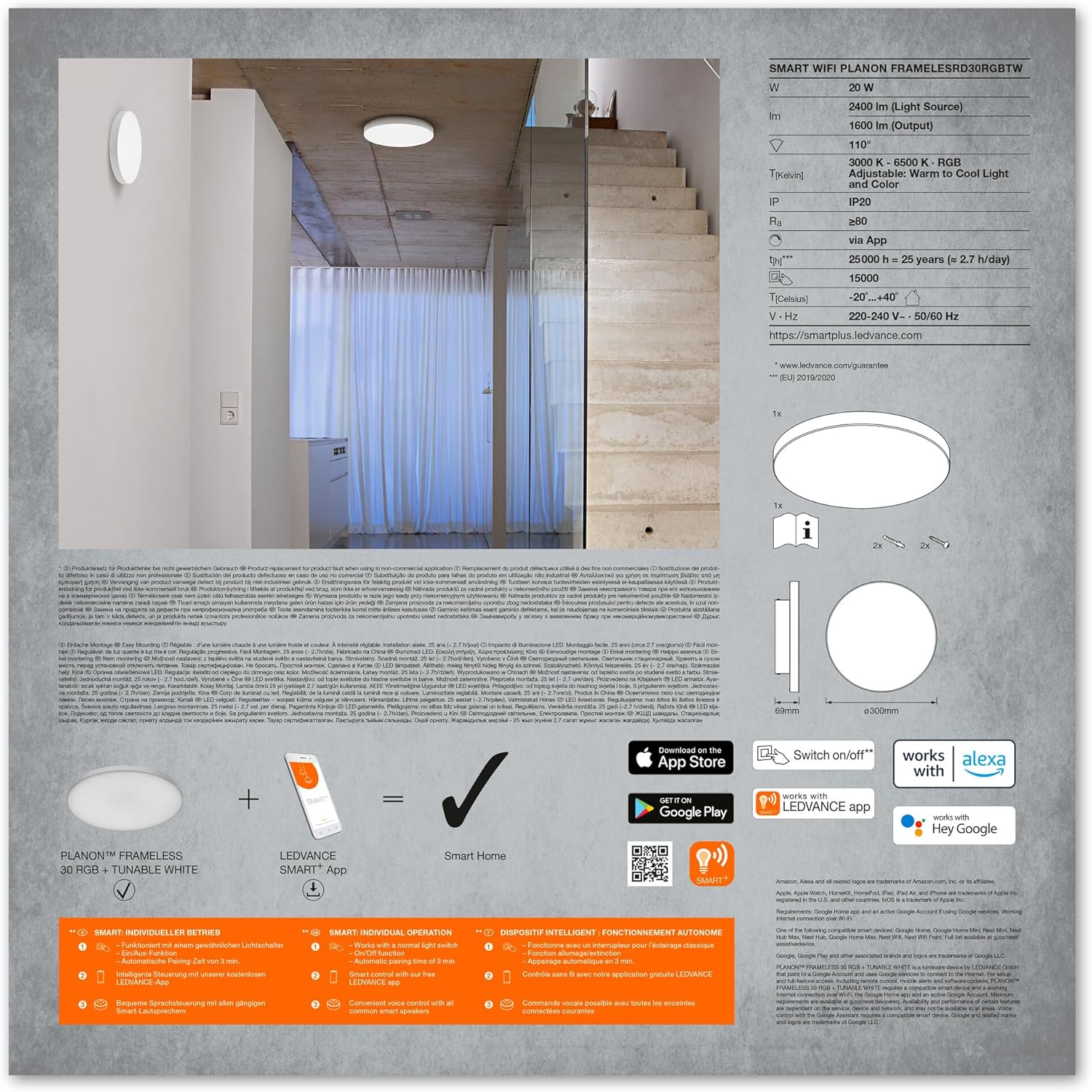
Image: A detailed view of the product's technical specifications, including power, luminous flux, color temperature, IP rating, and dimensions, along with QR codes for app downloads.
Warranty and Support
This LEDVANCE product comes with a standard manufacturer's warranty. For detailed warranty information, please refer to the warranty card included with your product or visit the official LEDVANCE website. For technical support, troubleshooting assistance, or to report any issues, please contact LEDVANCE customer service through their official channels.