
Introduction
This manual provides comprehensive instructions for the Kicker KEYLOC DSP Smart Powered Line-Out Converter and the Rockville Rock Anywhere Waterproof Portable Bluetooth Speaker. These two products are designed to enhance your audio system, offering advanced signal processing and portable sound solutions.
The Kicker KEYLOC is a revolutionary DSP-controlled line-output converter that automatically detects and corrects the frequency response and phase of your factory stereo system, allowing seamless integration with aftermarket audio components. The Rockville Rock Anywhere is a durable, waterproof portable Bluetooth speaker designed for versatile use in various environments.

Image: The Kicker KEYLOC DSP Smart Powered Line-Out Converter and the Rockville Rock Anywhere Waterproof Portable Bluetooth Speaker, shown together as a bundle.
Kicker KEYLOC DSP Smart Powered Line-Out Converter
The Kicker KEYLOC is engineered to provide a clean, flat signal from your vehicle's factory audio system, optimizing it for aftermarket amplifiers and signal processors. It features a digital signal processor (DSP) that analyzes and corrects the factory signal's frequency response and phase issues.
Setup and Installation
Proper installation is crucial for optimal performance. It is recommended to consult a professional installer if you are unfamiliar with car audio wiring.
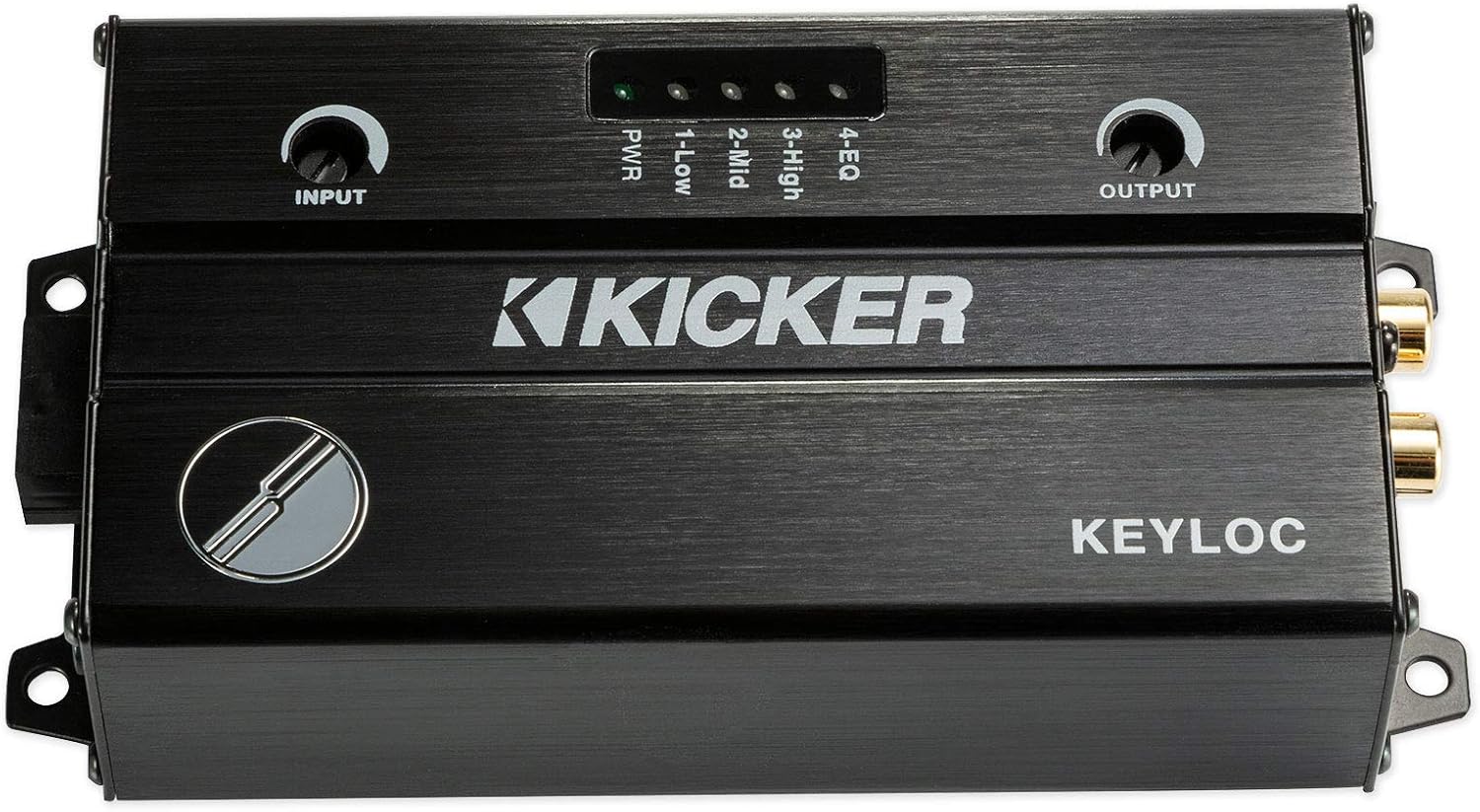
Image: Front view of the Kicker KEYLOC DSP, showing input and output controls.

Image: Rear view of the Kicker KEYLOC DSP, showing RCA outputs and the KEY button.

Image: Input side of the Kicker KEYLOC DSP, showing the wiring harness connection and HI/LO input switch.
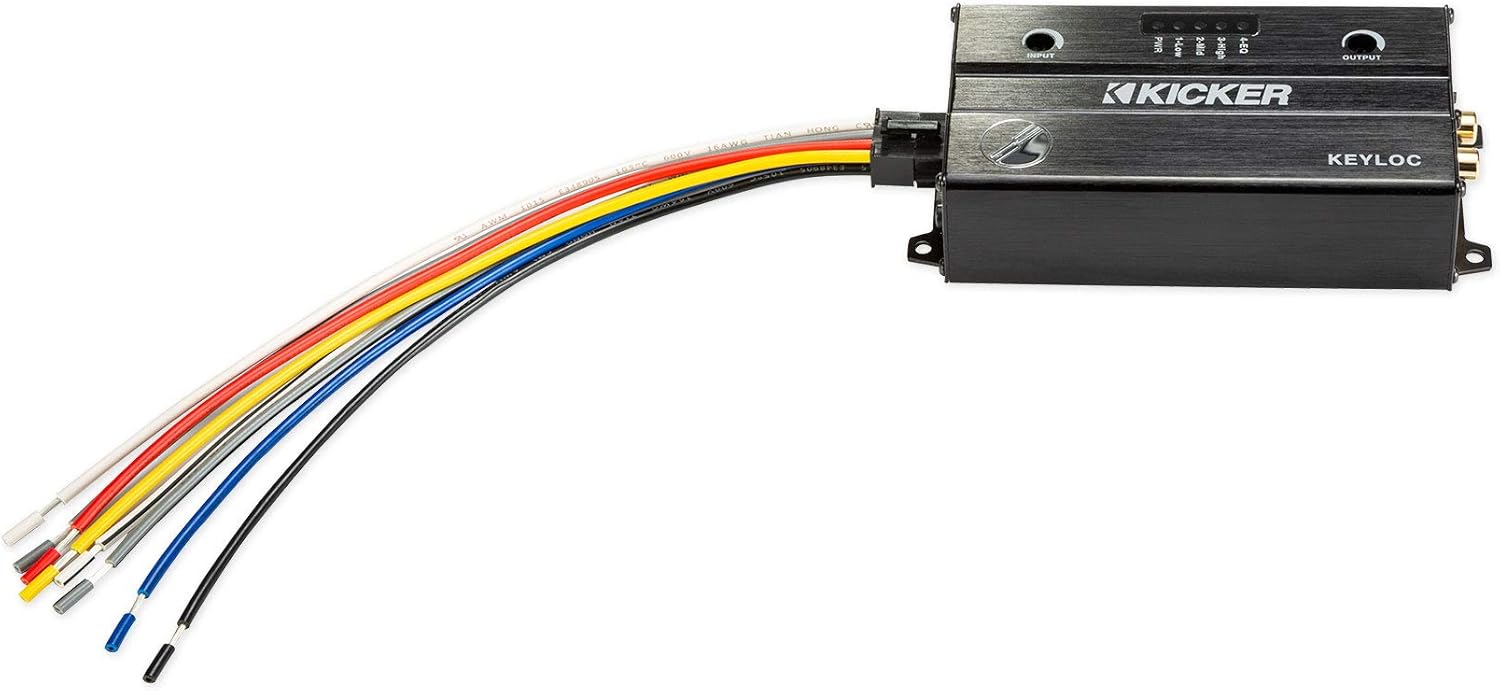
Image: The Kicker KEYLOC DSP with its multi-colored wiring harness connected, illustrating the various input and power connections.
Wiring Connections
Connect the KEYLOC to your vehicle's factory stereo system using the provided wiring harness. Ensure proper polarity for all connections.
- L+ / R+ / ACC +12V: Connect to the corresponding speaker outputs and accessory power from your factory head unit.
- Remote In: Connect to a remote turn-on signal from your head unit or ignition.
- Remote Out: Provides a remote turn-on signal for aftermarket amplifiers.
- Ground: Connect to a solid chassis ground point.
- Battery: Connect directly to the vehicle's battery with an inline 2A fuse.
- RCA Outputs: Connect to the RCA inputs of your aftermarket amplifier or signal processor.

Image: A detailed diagram illustrating the wiring connections and setup steps for the Kicker KEYLOC DSP. This includes input sensitivity settings and output connections.
Calibration Steps
Follow these steps to calibrate the KEYLOC for your system:
- Turn the Input Gain on the KEYLOC all the way down.
- Turn the audio source (head unit volume) up to at least 1/2 volume.
- Play the Pink Noise track (often available on test CDs or digital files).
- Observe the LED indicators on the KEYLOC. The LED that lights up first indicates the best application for the gain you are currently running. The more gain you must add to light up the remaining LEDs, the less ideal the gain setting is for those applications.
For more detailed instructions and troubleshooting, refer to the official Kicker KEYLOC manual: Kicker KEYLOC Manual (PDF)

Image: The Kicker KEYLOC DSP packaging, highlighting key features like 'Works with Any Source Unit' and 'KEY Technology', along with a QR code for the instruction manual.
Specifications (Kicker KEYLOC)
- RMS Output/Channel (1kHz @ 14.4V, 1% THD+N): 10V
- Frequency Response: 20-20,000 Hz
- Signal-to-Noise Ratio: >100dB, A-weighted, re: rated power
- Input Sensitivity (Lo): 125mV-10V (60 smart radio load)
- Input Sensitivity (Hi): 1V-40V
- Dimensions (L x H x W): 5-1/2" x 1-3/8" x 2-3/4" (14 cm x 3.5 cm x 7.1 cm)
Rockville Rock Anywhere Waterproof Portable Bluetooth Speaker
The Rockville Rock Anywhere is a rugged and portable Bluetooth speaker designed for outdoor and active use. Its IPX7 waterproof rating allows it to be fully submerged without damage, making it ideal for pool, beach, or shower environments. It also features True Wireless Stereo (TWS) linking for an immersive stereo sound experience.

Image: The Rockville Rock Anywhere Waterproof Portable Bluetooth Speaker, featuring a black body with green accents and a prominent Rockville logo on the speaker grille.
Operating Instructions
Power On/Off
- Press and hold the Power button to turn the speaker on or off.
Bluetooth Pairing
- Ensure the speaker is powered on and in Bluetooth pairing mode (indicated by a flashing LED).
- On your device (smartphone, tablet, laptop), enable Bluetooth and search for available devices.
- Select "ROCK ANYWHERE" from the list to pair. A confirmation tone will sound upon successful pairing.
Playback Controls
The speaker features integrated controls for media playback:
- Play/Pause: Press the Play/Pause button.
- Skip Forward/Back: Use the dedicated skip buttons.
- Volume Up/Down: Use the volume buttons.
- Hands-Free Calling: The built-in microphone allows you to make and receive phone calls.
True Wireless Stereo (TWS) Linking
To achieve true stereo sound, you can wirelessly connect two Rockville Rock Anywhere speakers:
- Ensure both speakers are powered on and not connected to any Bluetooth device.
- Press and hold the TWS pairing button on one speaker (this will be your primary speaker).
- The speakers will automatically search for and connect to each other. A confirmation tone will sound.
- Once linked, connect your device to the primary speaker via Bluetooth. Audio will now play in stereo across both speakers.
Maintenance
- Cleaning: Wipe the speaker with a soft, damp cloth. Do not use harsh chemicals or abrasive cleaners.
- Waterproofing: The speaker is IPX7 waterproof, meaning it can be submerged in up to 1 meter of water for 30 minutes. Ensure all ports are securely closed before exposure to water.
- Storage: Store in a cool, dry place when not in use.
Specifications (Rockville Rock Anywhere)
- Peak Power Handling: 20 Watts
- RMS Power Handling: 10 Watts
- Passive Radiators: 2 (for enhanced bass)
- Waterproof Rating: IPX7 (fully submersible for up to 30 minutes)
- Bluetooth Version: 4.1 with EDR (Enhanced Data Rate)
- Bluetooth Range: Up to 40 feet
- Battery: 2000 mAH (supports 30 hours playback at 50% volume)
- Charging Time: 3 Hours (via included Micro USB cable)
- Frequency Response: 80 Hz - 18 kHz
- Distortion: Less than 1%
- SD Card Slot: Supports up to 64GB
- Material: 100% ROHS Plastic + TPU (impact resistant)
- Dimensions: 5.3 x 2 x 2.7 inches
- Weight: 0.62 lbs
- Included Accessories: Bicycle Handlebar Mount, Micro USB Charging Cable, 3.5mm Auxiliary Cable
Troubleshooting
Kicker KEYLOC
- No Output: Check all wiring connections, especially power and ground. Ensure the factory head unit is producing a signal. Verify the KEYLOC is powered on (PWR LED).
- Distorted Sound: Re-run the calibration process. Ensure input gains are not set too high, causing clipping. Check for proper impedance matching with the amplifier.
- No Power: Check the 2A fuse on the battery connection. Verify the remote turn-on signal is present.
Rockville Rock Anywhere
- No Power: Ensure the battery is charged. Connect the USB charging cable and allow it to charge for at least 30 minutes before attempting to power on.
- Cannot Pair Bluetooth: Ensure the speaker is in pairing mode. Turn off Bluetooth on other nearby devices that might be automatically connecting. Try restarting both the speaker and your device.
- No Sound: Check the volume levels on both the speaker and your connected device. Ensure the speaker is properly paired.
- TWS Linking Failure: Ensure both speakers are not connected to any other Bluetooth device before attempting TWS pairing. Place speakers close to each other during the linking process.
Warranty and Support
Both Kicker and Rockville products typically come with a limited warranty. Please refer to the specific warranty information provided with each product at the time of purchase for details on coverage and duration.
For technical support, warranty claims, or service inquiries:
- Kicker Support: Visit the official Kicker website or consult the Kicker KEYLOC manual for contact information.
- Rockville Support: Visit the official Rockville website or refer to the Rockville Rock Anywhere manual for contact information.
Always retain your proof of purchase for warranty purposes.


