
1. Product Overview
The Reolink RLK8-800D4 is a comprehensive 4K 8-channel Power over Ethernet (PoE) Network Video Recorder (NVR) security system, designed for reliable outdoor surveillance. This kit includes an NVR with a pre-installed 2TB hard drive and four 8MP dome cameras, offering advanced features for monitoring your property.

Image 1.1: The Reolink RLK8-800D4 system, featuring the NVR and four dome cameras.
Key Features:
- Smart Person/Vehicle Detection: Advanced AI technology identifies people and vehicles, significantly reducing false alarms triggered by animals or shadows.
- Ultra HD 4K Resolution: Each camera captures video at 3840x2160 resolution, providing four times the clarity of 1080p, allowing for precise detail recognition.
- Easy PoE Installation: A single Ethernet cable provides both power and video transmission for each camera, simplifying setup and extending connectivity up to 100 meters.
- 24/7 Continuous Recording: The system supports continuous recording to the pre-installed 2TB hard drive, ensuring no critical moments are missed. Storage is expandable up to 12TB with an external HDD.
- Audio Recording: Built-in microphones in the cameras capture ambient sound for enhanced security monitoring.
- Extensive Compatibility: The 8-channel NVR can be expanded to support up to 8 Reolink PoE or WiFi IP cameras without compatibility issues.
2. What's in the Box
Verify that all components listed below are included in your package:

Image 2.1: All components included in the RLK8-800D4 package.
- 1 x RLN8-410 NVR (Network Video Recorder)
- 4 x 8MP Dome Cameras (Model D800)
- 1 x HDMI Cable
- 1 x USB Mouse
- 1 x 1-meter Network Cable
- 4 x 18-meter Network Cables
- 1 x NVR Power Adapter
- 1 x Quick Start Guide
- 5 x Mounting Hole Templates
- 4 x Surveillance Warning Cards
- 4 x Waterproof Lids
- 1 x Key
- 5 x Screw Packs
3. Setup and Installation
Follow these steps to set up your Reolink security camera system. For detailed instructions, refer to the included Quick Start Guide.
3.1 Connecting the NVR and Cameras
- Connect Cameras: Use the provided 18-meter Ethernet cables to connect each 8MP dome camera to the PoE ports on the back of the RLN8-410 NVR. The PoE technology will power the cameras and transmit video data simultaneously.
- Connect NVR to Monitor: Connect the NVR to a monitor using the HDMI or VGA port.
- Connect USB Mouse: Plug the USB mouse into one of the NVR's USB ports for navigation.
- Connect to Network (Optional but Recommended): For remote access and updates, connect the NVR's LAN port to your router using the 1-meter network cable.
- Power On NVR: Connect the NVR power adapter to the NVR and then to a power outlet. The system will boot up automatically.
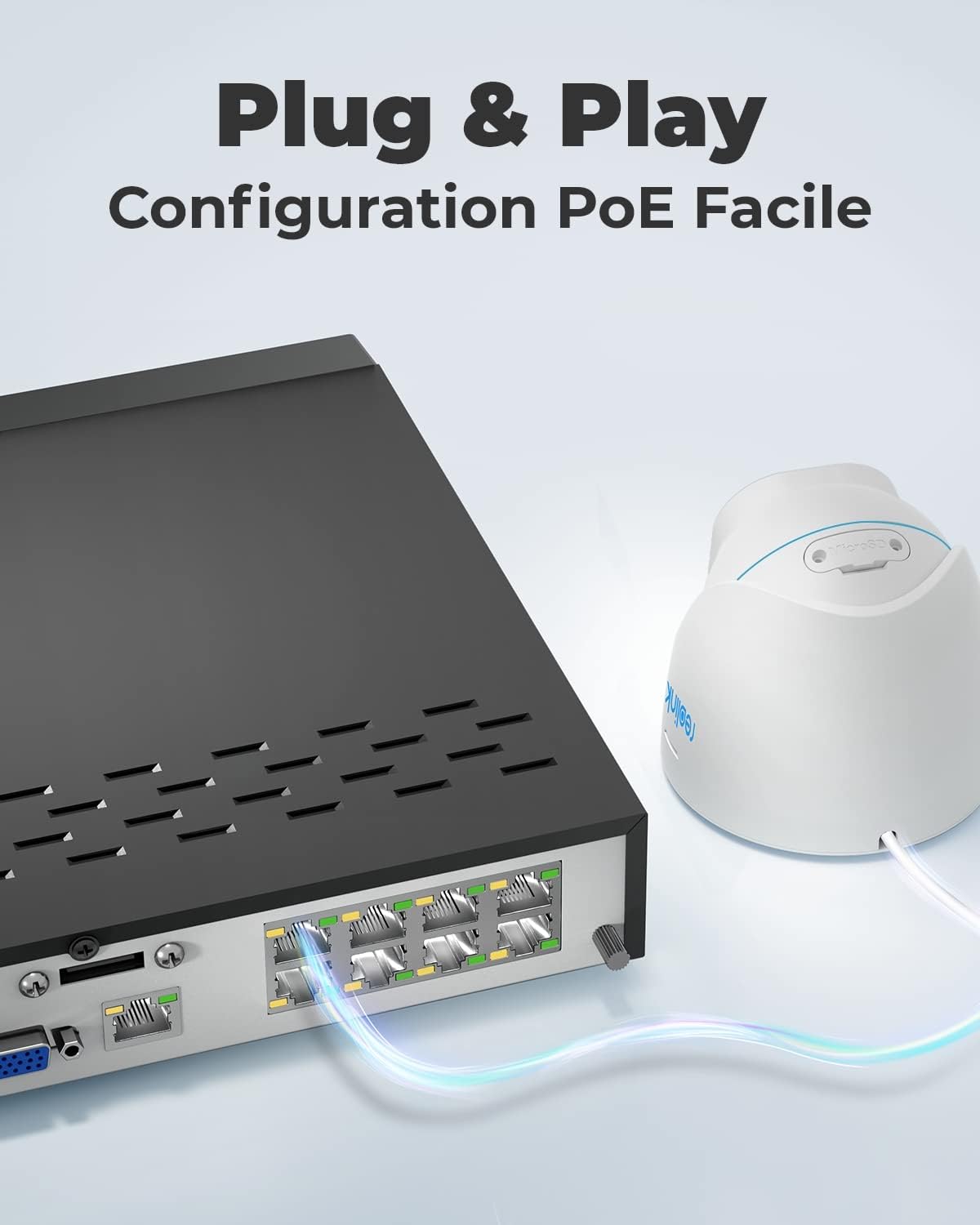
Image 3.1: Simplified PoE connection for easy setup.
3.2 Camera and NVR Component Overview
Familiarize yourself with the key components and ports of your camera and NVR.

Image 3.2: Detailed view of camera features and NVR connection ports.
Camera Features:
- Metal Casing, IP66 Weatherproof
- 4mm Lens, 87° Viewing Angle
- 18 IR LEDs for Night Vision
- Day/Night Light Sensor
- Waterproof Lid for Network Cable
- Reset Button
NVR Rear Panel Ports:
- DC 48V Power Input
- On/Off Switch
- Audio Out
- USB Ports (for mouse, backup)
- HDMI Output
- VGA Output
- LAN Port (for network connection)
- eSATA Port
- Camera Input Ports (PoE)
4. Operating the System
4.1 Live View and Recording
Once the system is powered on, the cameras will automatically display live feeds on the connected monitor. The NVR is configured for 24/7 continuous recording by default.

Image 4.1: The system provides continuous 24/7 recording.
4.2 Smart Person/Vehicle Detection and Alerts
The cameras utilize intelligent detection to differentiate between people, vehicles, and other moving objects. This minimizes unnecessary alerts.

Image 4.2: Smart detection accurately identifies people and vehicles.
When a person or vehicle is detected, the system can send instant push notifications to your mobile device or email alerts. You can configure these alert preferences through the NVR interface or the Reolink app.

Image 4.3: Receive instant alerts on your smartphone.
4.3 Day and Night Vision
The 4K cameras provide clear video footage both during the day and at night. The integrated IR LEDs enable night vision up to 30 meters, ensuring continuous monitoring in low-light conditions.

Image 4.4: Flawless 4K video quality day and night.
4.4 Remote Access
Access your camera feeds and NVR recordings from anywhere using the Reolink mobile app (iOS/Android), desktop client (Windows/Mac OS), or a web browser.
- Reolink App: Download from your device's app store.
- Reolink Client: Download from the official Reolink website.
- Web Browser: Access via the NVR's IP address.

Image 4.5: Monitor your property anytime, anywhere using multiple devices.
5. Maintenance
5.1 Weather Resistance
The cameras are designed with an IP66 weatherproof rating, making them suitable for outdoor use in various weather conditions. Ensure the waterproof lids for cable connections are securely installed to prevent water ingress.

Image 5.1: Cameras are IP66 certified for outdoor use.
5.2 General Care
- Lens Cleaning: Periodically clean the camera lenses with a soft, damp cloth to ensure clear image quality. Avoid abrasive cleaners.
- Cable Management: Ensure all cables are neatly routed and secured to prevent damage or accidental disconnection.
- Firmware Updates: Regularly check the Reolink official website or app for firmware updates to ensure optimal performance and security.
6. Troubleshooting
If you encounter issues with your Reolink security system, consider the following common troubleshooting steps:
- No Video Feed: Check all PoE cable connections between the cameras and the NVR. Ensure the NVR is powered on and connected to a monitor.
- No Remote Access: Verify the NVR is connected to your router and has internet access. Check network settings on the NVR and ensure the Reolink app/client is updated.
- False Alarms: Adjust the sensitivity settings for person/vehicle detection in the NVR's configuration or through the Reolink app. Define detection zones to exclude irrelevant areas.
- Poor Night Vision: Ensure the camera lens is clean and there are no obstructions blocking the IR LEDs. Check for strong light sources near the camera that might interfere with night vision.
- System Reset: If the system is unresponsive, you can use the reset button on the camera (if applicable) or perform a factory reset on the NVR (refer to the Quick Start Guide for specific steps, as this will erase settings).
For more complex issues or technical support, please refer to the official Reolink support resources.
7. Specifications
| Feature | Specification |
|---|---|
| Model Number | RLK8-800D4 |
| Dimensions (L x W x H) | 14.6 x 11 x 11 cm |
| Weight | 7.71 kg |
| Brand | REOLINK |
| Connectivity Technology | Wired (PoE) |
| Video Recording Resolution | 4K (3840x2160) |
| Special Features | 4K Ultra HD, Power over Ethernet, Integrated 2TB HDD, Person/Vehicle Detection, Audio Recording |
| Number of Channels | 8 |
| Memory Storage Capacity | 2 TB (expandable up to 12TB) |
| Color | White |
| Power Source | Electric Cable |
| Operating System Compatibility | Windows, Android, Mac OS, Web, iOS |
| Optical Sensor Technology | CMOS |
| Total USB Ports | 2 |
| Hardware Interface | Ethernet |
| Lens Type | Fixed (f=4mm F=2) |
| Night Vision Range | Up to 30 meters |
| Frame Rate | 20 FPS |
| Viewing Angle | 87 Degrees |
| IP Rating | IP66 Weatherproof |
8. Warranty and Support
8.1 Manufacturer's Warranty
This Reolink product is covered by a two-year manufacturer's warranty from the date of purchase. Please retain your proof of purchase for warranty claims.
8.2 Technical Support
For technical assistance, product inquiries, or warranty service, please contact Reolink customer support through their official website. The website also provides FAQs, troubleshooting guides, and firmware updates.
Online Resources:
- Official Reolink Website: reolink.com
- Support Page: Consult the support section on the Reolink website for detailed guides and contact options.


