
Yaheetech YTwy4o0001001
Yaheetech YTwy4o0001001 Corner Computer Desk Instruction Manual
Model: YTwy4o0001001
1. Introduction
Thank you for choosing the Yaheetech Wood Triangle Computer Desk Corner Table. This manual provides detailed instructions for the assembly, operation, and maintenance of your new desk. Please read all instructions carefully before assembly and use to ensure safe and proper functionality.

Image 1: Yaheetech Wood Triangle Computer Desk Corner Table.
2. Important Safety Instructions
- Read All Instructions: Ensure you understand all assembly steps and safety warnings before proceeding.
- Keep Children Away: Keep children and pets away from the assembly area. Small parts can be a choking hazard.
- Use Correct Tools: Use only the tools specified in the assembly guide. Do not overtighten screws.
- Weight Limit: Do not exceed the maximum weight limit of 110 lb (50 kg) for safe use.
- Stable Surface: Assemble the desk on a clean, flat, and stable surface to prevent damage or injury.
- Two-Person Assembly Recommended: For optimal safety and ease, assembly by two people is recommended.
- Regular Maintenance: Periodically check all connections and fasteners to ensure they remain tight.
3. Package Contents
Before beginning assembly, verify that all parts and hardware are present. Refer to the parts list provided in your package. If any parts are missing or damaged, please contact customer support.

Image 2: Product dimensions diagram.
4. Assembly Instructions
Follow these step-by-step instructions to assemble your Yaheetech Corner Computer Desk. It is recommended to have a second person assist with assembly.
Video 1: Official Yaheetech assembly guide for the Corner Computer Desk. This video demonstrates the full assembly process from unboxing to final setup.
- Prepare the Base: Lay out the base frame components. Attach the side support bars to the main base using the provided screws and an Allen wrench. Ensure all connections are secure but do not fully tighten until all parts are aligned.
- Attach Legs: Connect the four desk legs to the assembled base frame. Use the designated screws and dowels to ensure a stable connection.
- Install Lower Shelves: Slide the triangular lower shelves into place within the leg structure. Secure them using the provided fasteners. These shelves form the corner storage area.
- Assemble Drawer Box: Construct the drawer box by attaching the side panels to the front and back panels. Ensure the drawer slides are correctly oriented.
- Attach Drawer Handle: Secure the semilunar metal handle to the front of the drawer using the small screws.
- Install Drawer into Desk: Carefully slide the assembled drawer into the desk frame. Ensure it glides smoothly.
- Place Desktop: Position the main desktop panel onto the assembled frame. Align the pre-drilled holes and secure the desktop using the remaining screws.
- Final Tightening: Once all components are in place and aligned, fully tighten all screws and fasteners.
5. Operating Instructions
Your Yaheetech Corner Computer Desk is designed for versatile use in various small spaces. Here’s how to best utilize its features:
- Workstation Setup: Place your laptop, monitor, or other work essentials on the spacious desktop. The triangular shape is ideal for corner placement, maximizing your room’s layout.
- Drawer Usage: The smooth-sliding drawer provides convenient, out-of-sight storage for office supplies, documents, or personal items. Pull the semilunar metal handle to open and close.
- Storage Shelves: Utilize the two bottom open shelves for books, binders, decorative items, or small storage bins. These shelves help keep your workspace organized and clutter-free.
- Versatile Placement: This desk can be positioned against a corner, a flat wall, or even in the center of a room, adapting to your specific needs.
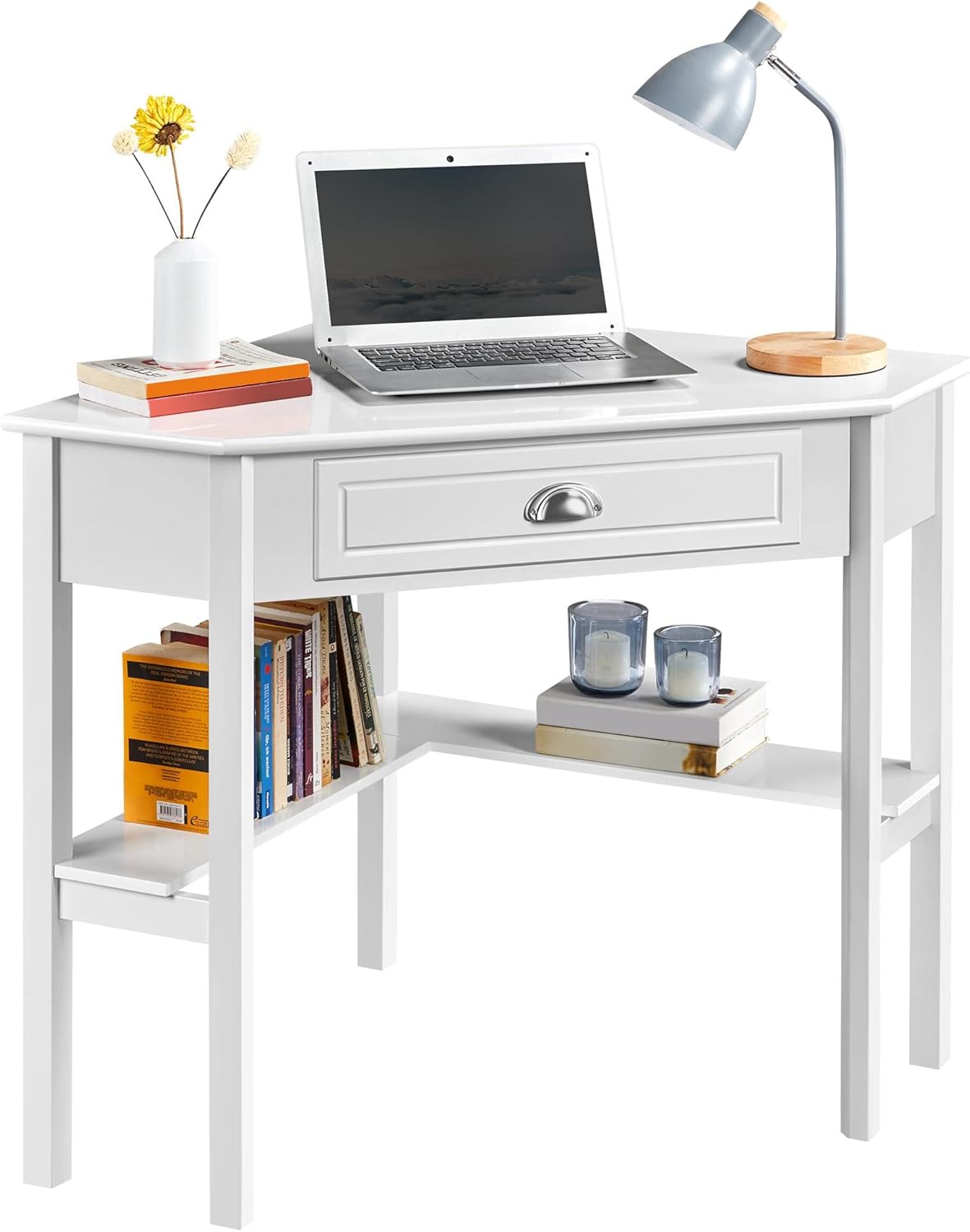
Image 3: Desk configured as a workstation with a laptop and books.
6. Maintenance
To ensure the longevity and appearance of your desk, follow these maintenance guidelines:
- Cleaning: Wipe the desk surface with a soft, damp cloth. Avoid harsh chemicals or abrasive cleaners, as they may damage the finish. The surface is waterproof and moisture-proof, making it easy to clean.
- Spills: Promptly clean up any spills to prevent staining or damage to the wood.
- Avoid Direct Sunlight: Prolonged exposure to direct sunlight can cause fading or discoloration.
- Check Fasteners: Periodically inspect all screws and connections. Tighten any loose fasteners to maintain stability.

Image 4: Waterproof surface for easy cleaning.
7. Troubleshooting
If you encounter any issues with your desk, refer to the following common problems and solutions:
- Desk Wobbles:
- Ensure all screws and fasteners are securely tightened.
- Verify that the desk is placed on a level surface. Adjust if necessary.
- Drawer Sticks or Doesn't Close Properly:
- Check if the drawer slides are properly aligned and free of obstructions.
- Ensure the drawer box was assembled correctly and is not warped.
- Missing Parts:
- Carefully re-check the packaging and all contents.
- Contact Yaheetech customer support for assistance with missing components.
8. Specifications
| Feature | Detail |
|---|---|
| Brand | Yaheetech |
| Model Number | YTwy4o0001001 |
| Shape | Triangular |
| Product Dimensions (D x W x H) | 29.5"D x 41.7"W x 30"H |
| Color | White |
| Style | Modern |
| Material Type | Engineered Wood (MDF Desktop & Pine Legs) |
| Number of Drawers | 1 |
| Number of Shelves | 2 (open shelves) |
| Item Weight | 32.4 Pounds |
| Maximum Weight Recommendation | 110 Pounds (50 kg) |
| Required Assembly | Yes |
| Recommended Number of People for Assembly | 2 |
9. Warranty and Support
This Yaheetech product comes with a Limited Warranty. Please refer to your purchase documentation for specific terms and conditions. A 30-day manufacturer's warranty covers parts and labor for defects in materials or workmanship.
For any questions, missing parts, or support needs, please contact Yaheetech customer service through the retailer where the product was purchased or visit the official Yaheetech website for contact information.
Ask a question about this manual
Ask about setup, troubleshooting, compatibility, parts, safety, or missing instructions. Manuals+ will review the question and use this page’s manual context to help answer it.