
Introduction
Welcome to the world of Present Pets! Your new interactive plush puppy is ready to unbox itself and become your best friend. Each Present Pet offers a unique unboxing experience and over 100 sounds and actions for engaging play. This manual provides essential information for setting up, operating, maintaining, and troubleshooting your Present Pet.
Setup
Follow these steps to prepare your Present Pet for its grand reveal and first play session.
1. Unboxing Your Present Pet
Your Present Pet comes in a gift box. To begin the unboxing experience, locate the pull tab on the top of the box. Gently pull the tab to start the automatic unboxing process. The puppy will begin to bark and paw its way out of the box.

Image: The Present Pets box, illustrating the two possible puppies, Casey and Cocoa, and highlighting the self-unboxing feature.
2. Initial Activation
Once your puppy has fully unboxed itself, remove it from the box. Locate the ON/OFF/TRY ME switch on the puppy's underside. Slide the switch from 'TRY ME' to 'ON' to activate full play mode. The puppy will greet you with happy barks and sounds.
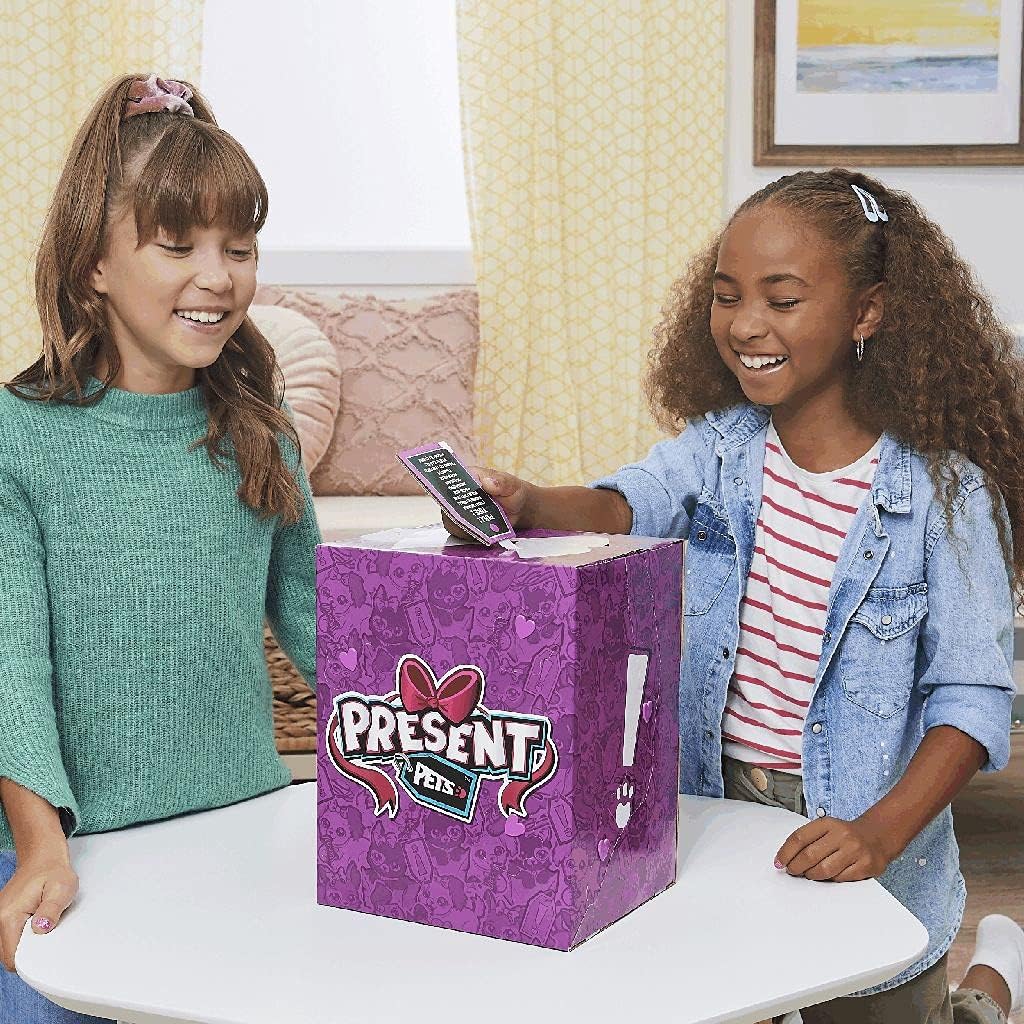
Image: Two children engaging with the Present Pets box, demonstrating the initial interaction before the puppy emerges.
Operating
Your Present Pet is designed for interactive play. Discover its various modes and how to interact with your new companion.
1. Puppy Mode
In Puppy Mode, your Present Pet will respond to your touch and voice. Pet its head for happy barks and tail wags. Talk to your puppy, and it may bark back or make playful sounds. The puppy will also perform various actions like shuffling its paws, wiggling, and making cute noises.

Image: A detailed front view of the Cocoa puppy, showcasing its expressive eyes and soft plush texture.
2. Bark Back Mode
To activate Bark Back Mode, press and hold the puppy's back. It will listen to your voice and bark back in response. Experiment with different tones and lengths of speech to see how your puppy reacts.

Image: A detailed front view of the Casey puppy, highlighting its unique black fur and playful expression.
3. Games
Your Present Pet can play two interactive games: 'Bark and Repeat' and 'Puppy Says'.
- Bark and Repeat: To start, pet your puppy's head until it makes a specific sound (refer to the included quick start guide for the exact cue). Then, bark or make a sound, and your puppy will try to repeat it.
- Puppy Says: To start, pet your puppy's head until it makes a different specific sound. Your puppy will give you commands using barks and movements. Follow the commands to play along.

Image: Two children happily interacting with their Present Pets puppies, demonstrating typical play scenarios.
Maintenance
Proper care will ensure your Present Pet remains a fun companion for a long time.
1. Cleaning Instructions
To clean your Present Pet, gently wipe the surface with a damp cloth. Do not immerse the toy in water, as this can damage the electronic components. Avoid using harsh chemicals or abrasive cleaners.
2. Battery Care
Your Present Pet comes with batteries installed for demonstration purposes. For optimal performance, it is recommended to replace these with new alkaline batteries when the toy's functions become sluggish or sounds are distorted. Refer to the battery compartment on the underside of the puppy for battery type and replacement instructions. Always use the correct battery type and ensure proper polarity. Do not mix old and new batteries or different types of batteries.
3. Storage
When not in use, store your Present Pet in a clean, dry place away from direct sunlight and extreme temperatures. If storing for an extended period, remove the batteries to prevent leakage.
Troubleshooting
If you encounter any issues with your Present Pet, refer to the following common solutions.
| Problem | Possible Solution |
|---|---|
| Puppy is not responding or making sounds. |
|
| Sounds are distorted or too quiet. |
|
| Puppy is not unboxing itself. |
|
Specifications
- Model Number: 6059159
- Brand: Spin Master
- Product Type: Interactive Plush Toy
- Material: Plush
- Age Recommendation: Child (typically 5+ years)
- Interactive Features: Over 100 sounds and actions, self-unboxing, touch and sound activated responses.
- GTIN/UPC: 778988318485
- Batteries: Included (for demonstration, replacement recommended for full functionality).
Warranty
Spin Master provides a limited warranty for this product against defects in materials and workmanship under normal use for a period of 90 days from the date of original purchase. This warranty does not cover damage resulting from accident, misuse, abuse, improper installation or operation, or unauthorized repair. For full warranty details and conditions, please refer to the warranty information included with your product packaging or visit the official Spin Master website.
Support
For further assistance, questions, or to report any issues not covered in this manual, please contact Spin Master Customer Service. You can typically find contact information on the product packaging or by visiting the official Spin Master website:
Please have your product model number (6059159) and purchase date ready when contacting support.
