
1. Introduction
The Oumefar AS981 Wood Moisture Meter is a non-contact digital device designed for measuring the moisture content of various wood materials. It utilizes electromagnetic sensing technology to provide quick and accurate readings. This manual provides essential information for the safe and effective operation, maintenance, and troubleshooting of your device.
2. Safety Information
- Read all instructions before operating the device.
- Keep the device away from water and high humidity environments.
- Do not attempt to disassemble or modify the device. Repairs should only be performed by qualified personnel.
- Ensure correct battery polarity when installing batteries. Remove batteries if the device will not be used for an extended period.
- Dispose of batteries according to local regulations.
3. Product Overview
The Oumefar AS981 features an LCD display for clear readings and intuitive buttons for mode and density selection.

Figure 3.1: Front view of the Oumefar AS981 Wood Moisture Meter with key components labeled, including the LCD, Power ON/OFF button, Wood Density Selection buttons (Left/Right), and Mode Selection button.
- LCD Display: Shows moisture readings, wood density mode, and battery status.
- Power ON/OFF Button: Used to turn the device on or off.
- Density Buttons (Left/Right): Used to select the appropriate wood density mode.
- Mode Button: Used to switch between different measurement modes if available.
- Batteries Compartment: Located on the back for battery installation.
4. Setup
4.1 Battery Installation
The device requires batteries for operation. Follow these steps to install them:
- Locate the battery compartment on the back of the device.
- Slide open the battery compartment cover.
- Insert the required batteries, ensuring correct polarity (+/-) as indicated inside the compartment.
- Close the battery compartment cover securely.

Figure 4.1: Rear view of the Oumefar AS981 with the battery compartment open, showing where batteries are inserted.
5. Operating Instructions
5.1 Powering On/Off
Press the yellow Power ON/OFF button to turn the device on. Press and hold the same button to turn it off.
5.2 Selecting Wood Density Mode
The AS981 offers 10 different wood density modes to ensure accurate measurements for various types of wood. Refer to the wood density chart (usually provided with the product or available online) to determine the correct mode for your material.
- After powering on, use the DENSITY (Left/Right arrow) buttons to cycle through the available wood density modes.
- Select the mode that corresponds to the density of the wood you are measuring. The selected mode will be displayed on the LCD.
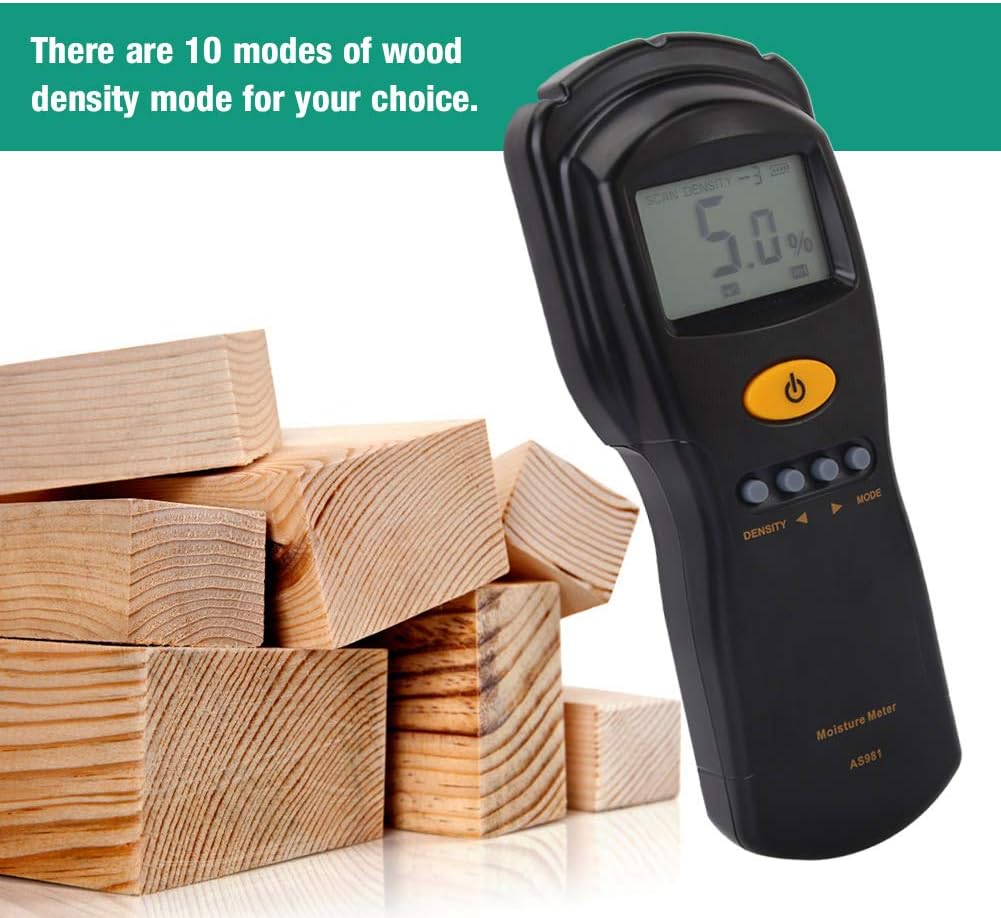
Figure 5.1: The Oumefar AS981 Wood Moisture Meter positioned near various wood blocks, illustrating its application in measuring different wood types.
5.3 Taking a Measurement
The AS981 is a non-contact meter, meaning it measures moisture without penetrating the material.
- Ensure the device is powered on and the correct wood density mode is selected.
- Place the back of the meter flat against the surface of the wood material you wish to measure.
- The moisture content percentage will be displayed on the LCD screen.
- Move the meter to different spots on the wood to get a comprehensive understanding of the moisture distribution.

Figure 5.2: The Oumefar AS981 Wood Moisture Meter showing a moisture reading of 5.0% on its LCD display.
6. Maintenance
- Cleaning: Wipe the device with a soft, dry cloth. Do not use abrasive cleaners or solvents.
- Storage: Store the device in a cool, dry place, away from direct sunlight and extreme temperatures. Remove batteries if storing for extended periods to prevent leakage.
- Calibration: The device is factory calibrated. If you suspect inaccuracies, consult the manufacturer or a qualified service center.
7. Troubleshooting
| Problem | Possible Cause | Solution |
|---|---|---|
| Device does not power on | Dead or incorrectly installed batteries | Replace batteries with new ones, ensuring correct polarity. |
| Inaccurate readings | Incorrect wood density mode selected; Device not flat on surface; Environmental interference | Verify wood density mode; Ensure full contact with the wood surface; Avoid strong electromagnetic fields. |
| LCD display is dim or blank | Low battery power | Replace batteries. |
8. Specifications

Figure 8.1: The Oumefar AS981 Wood Moisture Meter with its dimensions indicated: 200mm (7.9in) length, 76mm (3.0in) width, and 30mm (1.2in) thickness.
- Model: AS981
- Measurement Principle: Electromagnetic Induction
- Wood Density Modes: 10
- Display: LCD
- Product Dimensions: 7.87 x 2.99 x 1.18 inches (200 x 76 x 30 mm)
- Item Weight: 8.9 ounces
- Power Source: Batteries (not included)
9. Warranty and Support
For warranty information or technical support, please refer to the product packaging or contact Oumefar customer service through their official channels. Keep your purchase receipt for warranty claims.