
SEMIER SM-138
SEMIER Retro Cassette Player Recorder Boombox User Manual
Model: SM-138
Introduction
Thank you for purchasing the SEMIER Retro Cassette Player Recorder Boombox. This versatile device allows you to enjoy your favorite cassette tapes, record audio, and listen to AM/FM radio. Designed for ease of use and portability, it offers both AC and battery power options, making it suitable for various environments. Please read this manual carefully to ensure proper operation and to maximize your enjoyment of this product.
Product Overview
The SEMIER Retro Cassette Player Recorder Boombox combines classic audio functionality with modern convenience. Below are the main components and features of your device.
Key Features:
- Versatile Audio Playback: Play your collected cassette tapes and record external voice or radio directly to cassette using the built-in microphone.
- Superior AM/FM Reception: Equipped with a long antenna and an upgraded DSP chip for clear and reliable reception across AM (520-1710 kHz) and FM (87-108 MHz) frequencies.
- Powerful Sound Quality: Features a robust 6W speaker for excellent sound, plus a 3.5mm headphone jack for private listening.
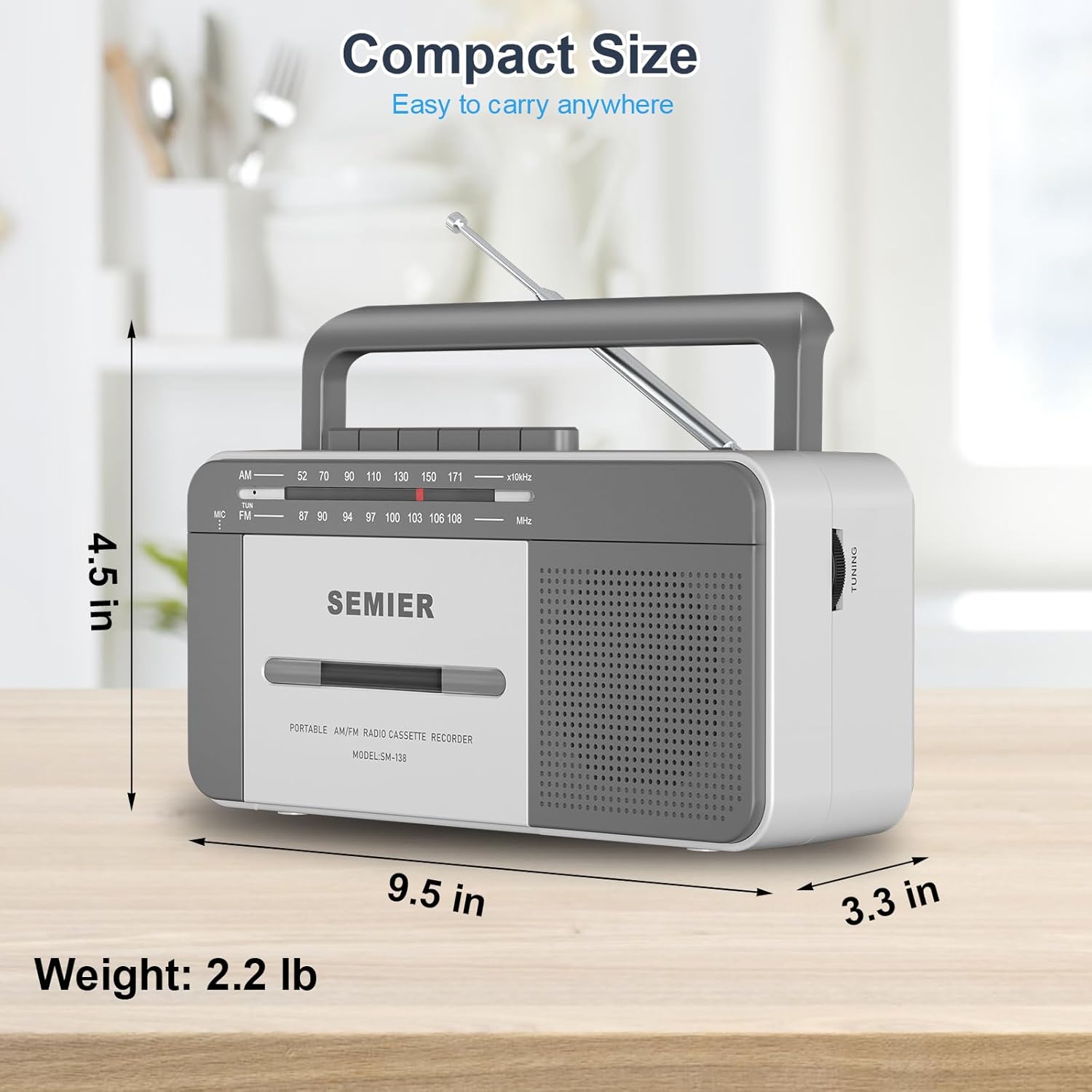
- Portable and Convenient Design: Compact size (9.5 x 3.3 x 4.5 inches, 2.2 lbs) with a portable handle for easy transport.
- Flexible Power Options: Can be powered via AC plug-in (cord included) or 4 C batteries (not included).
- Durable Construction: Made from premium ABS material with large, user-friendly control buttons.
Components and Controls:
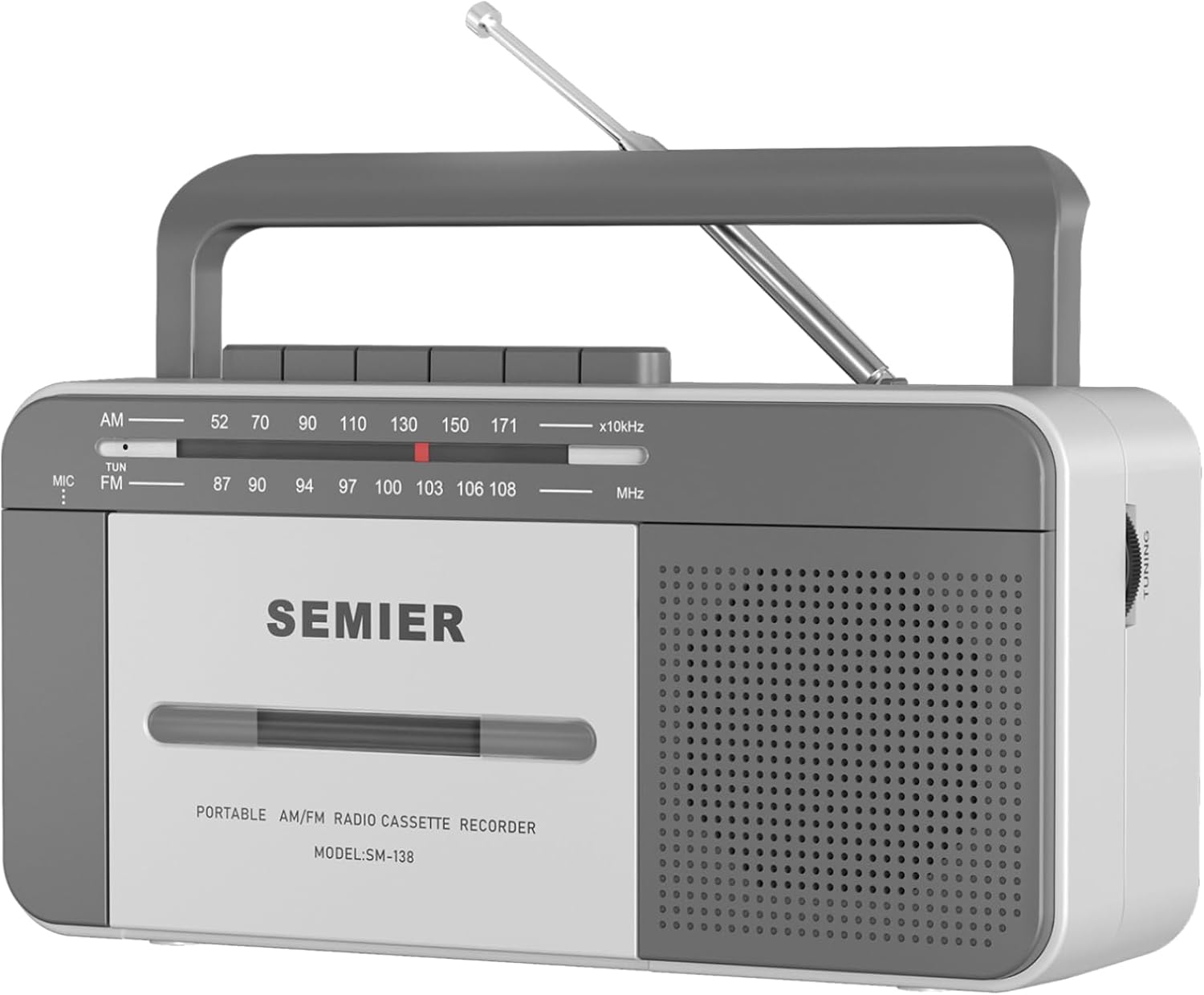
Front View: Shows the cassette deck, speaker grille, AM/FM tuning dial, and main control buttons (Play, Stop/Eject, Fast Forward, Rewind, Record, Pause).

Side View with Earphone Jack: Illustrates the 3.5mm earphone jack for private listening, located on the side of the unit.

Antenna: The telescopic antenna extends for improved AM/FM radio reception.
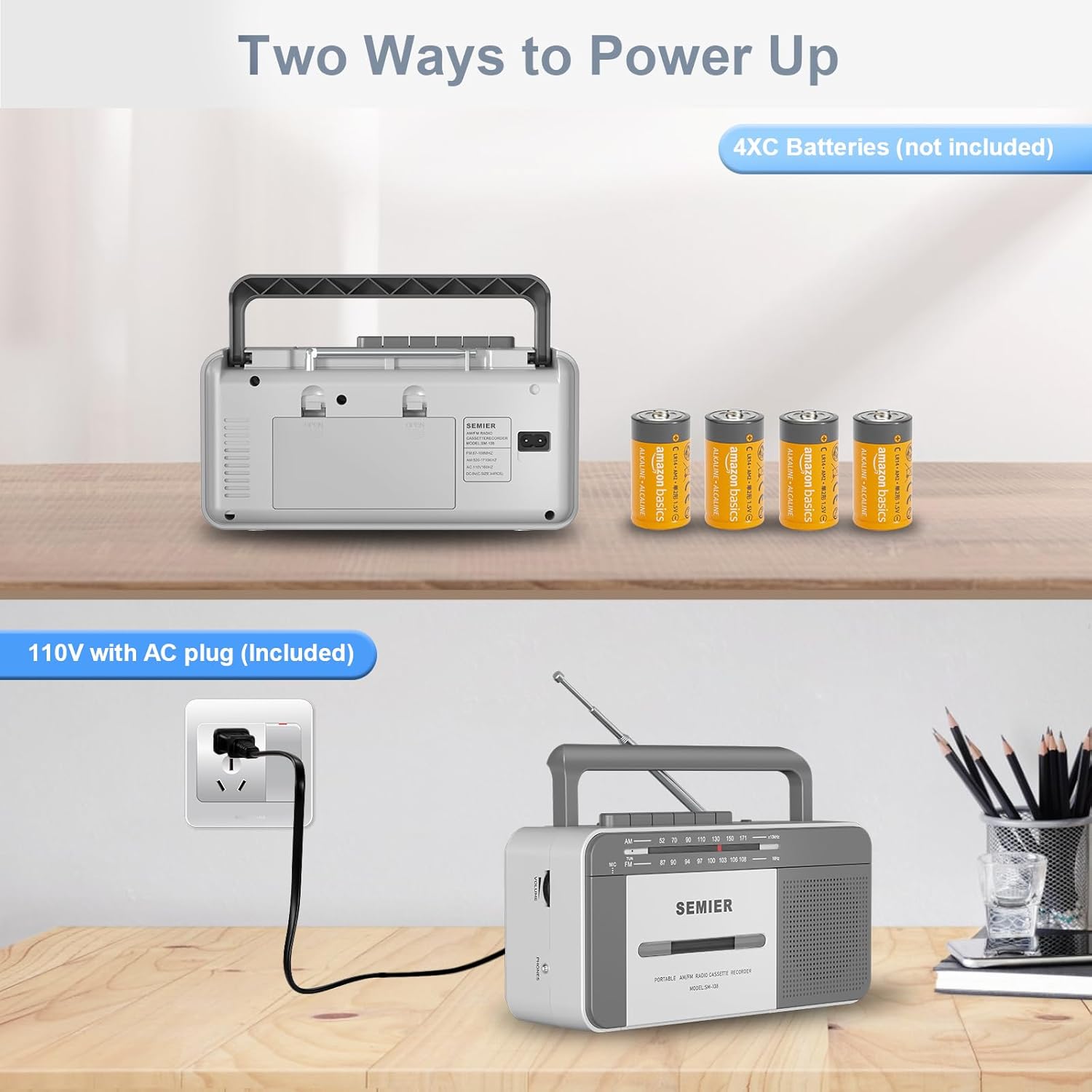
Power Options: Rear view showing the AC power input and the battery compartment for 4 C batteries.
Setup
Powering Your Device:
Your boombox offers two power options:
- AC Power:
- Locate the included AC power cord.
- Insert one end of the cord into the AC input jack on the back of the boombox.
- Plug the other end into a standard 110V AC wall outlet.

Connect the AC cord to the boombox and a wall outlet for continuous power.
- Battery Power:
- Open the battery compartment cover on the back of the unit.
- Insert 4 "C" size batteries (not included), ensuring correct polarity (+/-) as indicated inside the compartment.
- Close the battery compartment cover securely.
Insert 4 C batteries into the designated compartment for portable use.
Note: When using AC power, batteries are automatically disconnected. Remove batteries if the unit will not be used for an extended period to prevent leakage.
Operating Instructions
Cassette Playback:
- Press the STOP/EJECT button to open the cassette compartment door.
- Insert a cassette tape with the open edge facing upwards and the side you wish to play facing you. Gently push the tape until it clicks into place.
- Close the cassette compartment door.
- Set the function switch to TAPE.
- Press the PLAY button to start playback.
- Adjust the VOLUME knob to your desired listening level.
- To fast forward, press the F.FWD button. To rewind, press the REW button. Press PLAY to resume playback or STOP/EJECT to stop.
- To pause playback, press the PAUSE button. Press it again to resume.
- To stop playback, press the STOP/EJECT button.
The large, clearly labeled buttons make operation simple and intuitive.
Cassette Recording:
You can record audio from the built-in microphone or from the AM/FM radio.
- Insert a blank cassette tape into the compartment.
- To record from the built-in microphone:
- Set the function switch to TAPE.
- Press the RECORD button (this will also engage the PLAY button).
- Speak clearly into the built-in microphone located on the front of the unit.

Record external audio directly to cassette using the integrated microphone.
- To record from AM/FM Radio:
- Set the function switch to RADIO.
- Tune to your desired AM or FM radio station (see Radio Operation below).
- Press the RECORD button (this will also engage the PLAY button). The radio broadcast will now be recorded onto the cassette.
- To stop recording, press the STOP/EJECT button.
Radio Operation:
- Extend the telescopic antenna for optimal reception.
- Set the function switch to RADIO.
- Select either AM or FM band using the band selector switch.
- Rotate the TUNING knob to find your desired radio station. The tuning dial will indicate the frequency.
- Adjust the VOLUME knob to your preferred listening level.
- For best FM reception, adjust the position and length of the telescopic antenna. For AM reception, rotate the unit itself for optimal signal.

The long antenna ensures superior AM/FM reception for clear audio.
Using the Earphone Jack:
- Plug any standard 3.5mm stereo headphones (not included) into the EARPHONE JACK located on the side of the unit.
- The built-in speaker will automatically mute when headphones are connected, allowing for private listening.
Enjoy private listening by connecting your headphones to the 3.5mm earphone jack.
Maintenance
- Cleaning the Unit: Use a soft, dry cloth to clean the exterior of the boombox. Do not use abrasive cleaners or solvents.
- Cleaning the Cassette Head: Periodically clean the tape head, pinch roller, and capstan using a cotton swab lightly dampened with isopropyl alcohol. This helps maintain sound quality and prevents tape damage.
- Battery Care: If the unit will not be used for an extended period, remove the batteries to prevent corrosion and leakage.
- Storage: Store the unit in a cool, dry place away from direct sunlight and extreme temperatures.
Troubleshooting
| Problem | Possible Cause | Solution |
|---|---|---|
| No power | AC cord not properly connected; Batteries are dead or inserted incorrectly. | Ensure AC cord is securely plugged in. Replace batteries with new ones, checking polarity. |
| No sound from speaker | Volume too low; Headphones plugged in; Function switch set incorrectly. | Increase volume. Disconnect headphones. Set function switch to TAPE or RADIO. |
| Poor radio reception | Antenna not extended or positioned correctly; Weak signal area. | Fully extend and adjust the telescopic antenna. For AM, rotate the unit. Try moving to a different location. |
| Cassette tape not playing or "eating" tape | Tape head/pinch roller dirty; Old or damaged tape; Tape not inserted correctly. | Clean tape head and pinch roller with isopropyl alcohol. Try a different tape. Ensure tape is fully inserted and compartment is closed. For old tapes, fast forward and rewind completely before playing to loosen the tape. |
| Recording not working | Tape is write-protected; Microphone blocked; Function switch not set to TAPE or RADIO. | Check the write-protect tab on the cassette. Ensure microphone is clear. Set function switch correctly. |
Specifications
- Model: SM-138
- Brand: SEMIER
- Product Dimensions: 9.5 x 3.3 x 4.5 inches (L x W x H)
- Item Weight: 2.2 lbs
- Speaker Output: 6W
- Radio Frequencies: AM 520-1710 kHz, FM 87-108 MHz
- Connectivity: 3.5mm Earphone Jack, Auxiliary
- Power Source: AC 110V (cord included) or 4 x "C" Batteries (not included)
- Material: Premium ABS
- Color: White, Grey
Compact and lightweight design for easy portability.
Warranty and Support
SEMIER is committed to providing high-quality products and excellent customer service. While specific warranty terms are not detailed in this manual, we offer peace of mind with our dedicated customer support.
- For any questions, technical assistance, or support needs, please contact SEMIER customer service.
- Please retain your purchase receipt as proof of purchase for any warranty claims.
Ask a question about this manual
Ask about setup, troubleshooting, compatibility, parts, safety, or missing instructions. Manuals+ will review the question and use this page’s manual context to help answer it.