
Superer PSD0502000US
Superer USB-C AC Charger User Manual
Model: PSD0502000US
Introduction
This user manual provides essential information for the safe and effective use of your Superer 5Ft USB C AC Charger. Please read this manual thoroughly before using the product to ensure optimal performance and longevity.

Image: The Superer USB C AC Charger with its accompanying 5-foot USB-C to USB-A cable. The charger is a compact black wall adapter, and the cable is black with a USB-A connector on one end and a USB-C connector on the other.
Setup
Unpack the Charger: Carefully remove the AC charger and the 5ft USB-C power cable from its packaging.
Inspect for Damage: Before first use, visually inspect the charger and cable for any signs of damage. Do not use if any damage is observed.
Connect the Cable: Insert the USB-A end of the 5ft power cable into the USB port on the AC charger. Ensure it is firmly seated.

Image: A 5-foot USB-C to USB-A cable, neatly coiled, highlighting its length and flexibility.
Plug into Power Outlet: Insert the AC charger into a standard 110V wall outlet. Ensure the outlet is easily accessible.
Operating Instructions
Identify Your Device's Charging Port: This charger is designed for devices with a USB Type-C charging port. Verify your device's port type before connecting.

Image: A visual comparison showing the distinct shapes of a USB-C port (correct for this charger) and a Micro-USB port (incorrect), emphasizing the need to check device compatibility.
Connect to Device: Insert the USB-C end of the cable into your compatible device's charging port. The connection should be firm and secure.
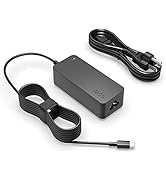
Image: A close-up view of a USB-C cable being inserted into the charging port of a smartphone, demonstrating the correct connection method.
Begin Charging: Once connected, your device should indicate that it is charging. The charger provides a consistent and stable power supply.

Image: The Superer charger plugged into a power strip, with its cable connected to a smartphone resting on a laptop, illustrating its use in a typical charging scenario.
Compatible Devices: This charger is compatible with various devices that utilize a USB-C charging port, including smartphones, tablets, speakers, earbuds, and eReaders.
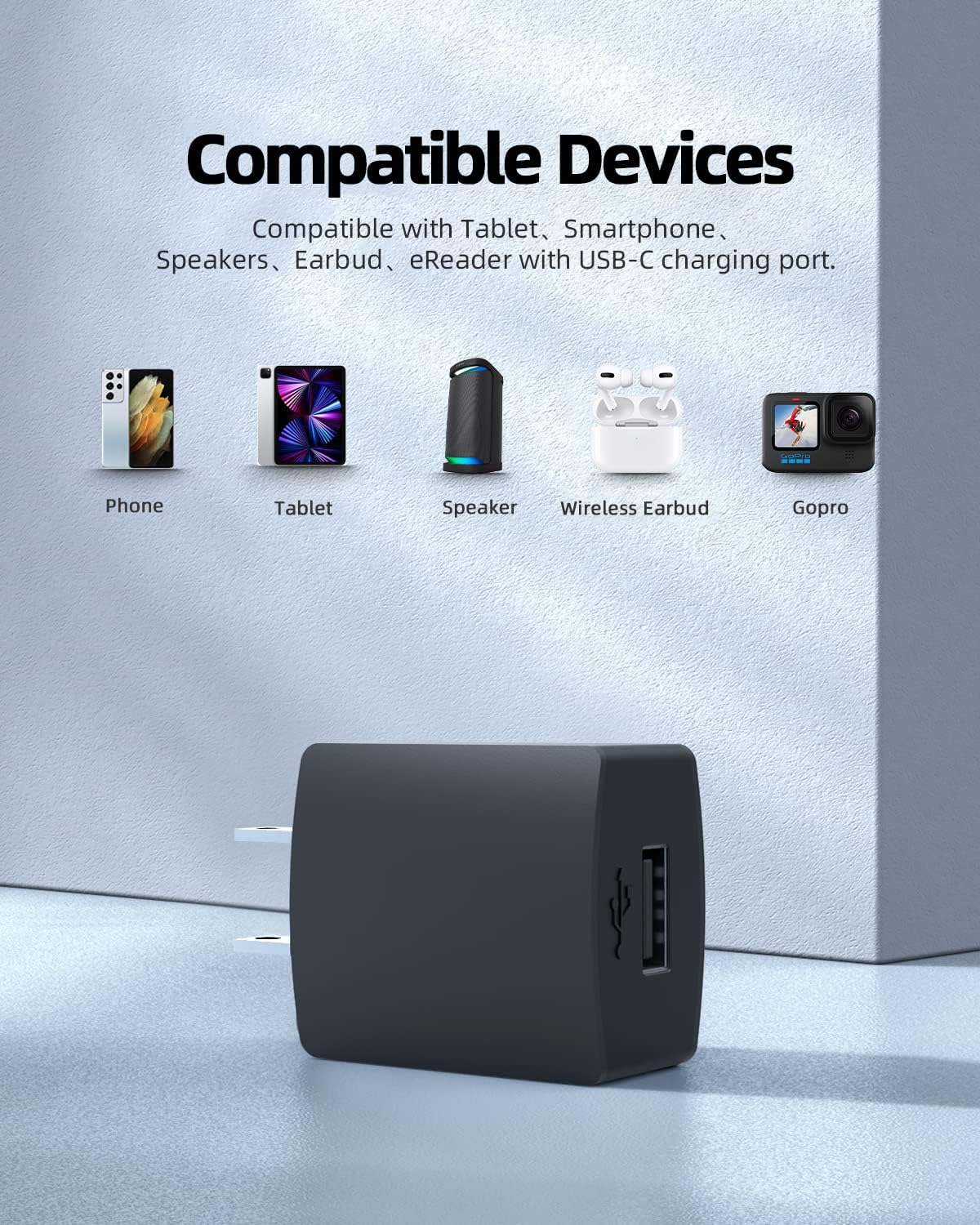
Image: An illustration showing various devices such as a phone, tablet, speaker, wireless earbuds, and a GoPro, indicating their compatibility with the USB-C charger.
Maintenance
Cleaning: Disconnect the charger from the power outlet and your device before cleaning. Use a soft, dry cloth to wipe the surface. Do not use liquid cleaners or aerosols.
Storage: Store the charger and cable in a cool, dry place away from direct sunlight and extreme temperatures when not in use.
Cable Care: Avoid bending or crimping the cable excessively, especially near the connectors, to prevent internal wire damage.

Image: A cross-section view of a charging cable, revealing its internal copper wire construction, emphasizing the quality and durability of the cable.
Troubleshooting
| Problem | Possible Cause | Solution |
|---|---|---|
| Device not charging. | Loose connection, incompatible device, faulty outlet, damaged cable/charger. | Ensure cable is firmly connected to both charger and device. Verify device has a USB-C port. Try a different wall outlet. Inspect cable and charger for damage; replace if necessary. |
| Slow charging. | Device drawing more power than supplied, background apps, non-optimal cable. | Close unnecessary background applications on your device. Ensure the cable is the one provided with the charger. |
| Charger feels warm. | Normal operation during charging. | A slight warmth is normal. If it becomes excessively hot or emits smoke/smell, immediately unplug and discontinue use. |
Specifications
- Model Number: PSD0502000US
- Input Voltage: 110 Volts
- Connector Type: USB Type C
- Cable Length: 5 feet (approx. 1.52 meters)
- Product Dimensions: 3 x 2 x 0.4 inches (charger unit)
- Item Weight: 2.89 ounces
- Color: Black
- Special Feature: Short Circuit Protection
- Certifications: UL Listed, FCC Approved, CE Marking
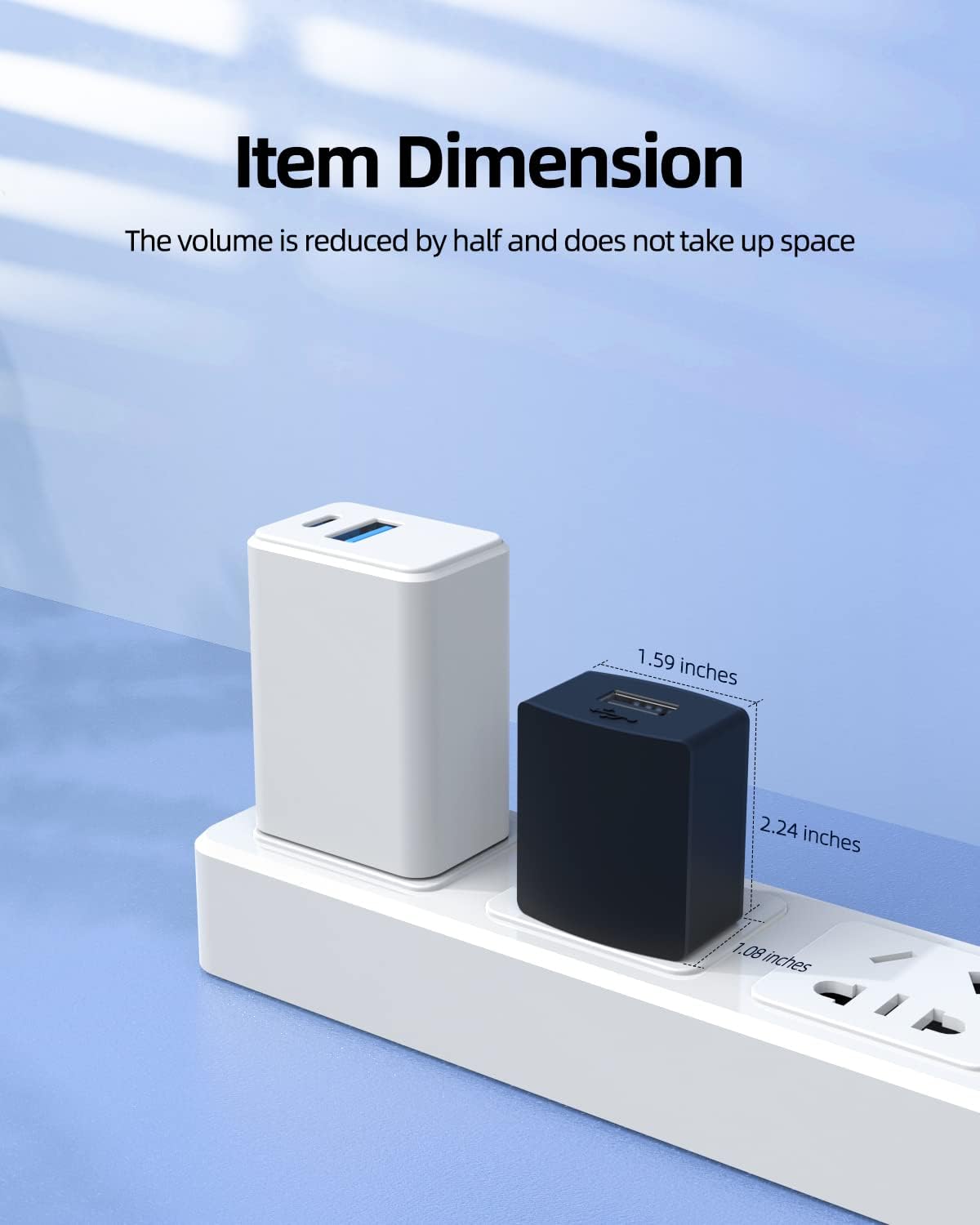
Image: A visual representation of the charger's compact dimensions (1.59 inches width, 2.24 inches height, 1.06 inches depth), demonstrating its space-saving design when plugged into an outlet.

Image: A graphic indicating the charger is UL Certified and Listed, FCC approved, and carries CE marking, signifying adherence to high safety and quality standards.
Warranty and Support
Superer provides comprehensive customer support for this product:
- Refund Policy: Refund available within 30 days of purchase.
- Replacement Service: Free replacement service available within 12 months of purchase.
- Customer Feedback: Quick feedback provided for any product-related inquiries or issues.
For support, please contact Superer Official through the platform where you purchased the product or visit the official Superer store.

Image: A graphic detailing Superer's customer support policy, including a 12-month replacement service and 30-day refund policy, along with a commitment to quick feedback.
Ask a question about this manual
Ask about setup, troubleshooting, compatibility, parts, safety, or missing instructions. Manuals+ will review the question and use this page’s manual context to help answer it.