
Introduction
Engineered from decades of stage and studio experience, the Shure AONIC 50 Wireless Noise Cancelling Headphones deliver premium listening with exceptional comfort and durability. Immerse yourself in an uninterrupted, world-class listening experience wherever you go. This manual provides essential information for setting up, operating, and maintaining your headphones.
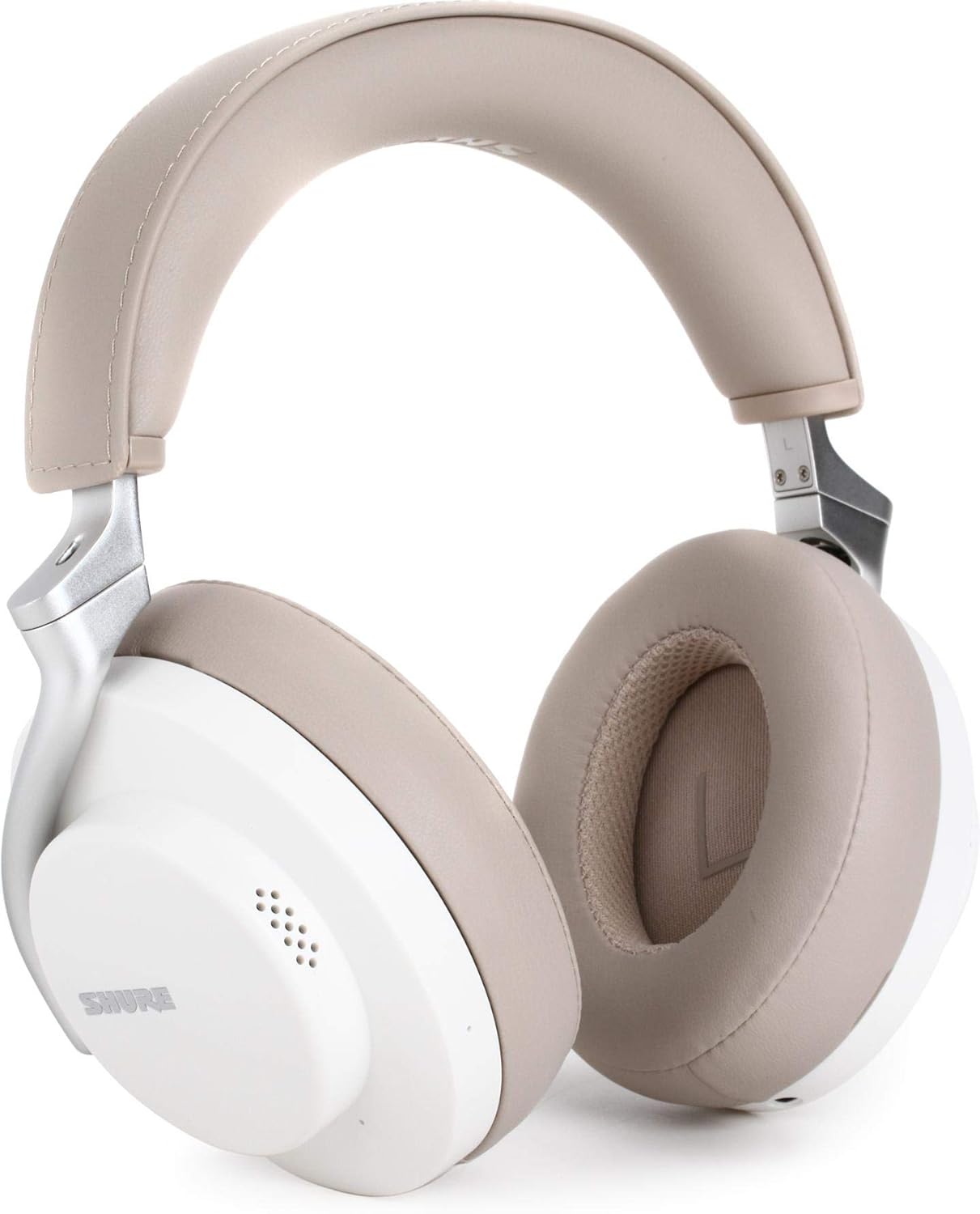
Image: Shure AONIC 50 Wireless Noise Cancelling Headphones in white.
Product Overview Video
Video: Official Shure AONIC 50 Wireless Noise Cancelling Headphones overview, showcasing key features and design.
What's in the Box
- Shure AONIC 50 Wireless Headphones
- Protective Carrying Case
- 3.5mm Audio Cable
- USB-C Charging Cable
- Quick Start Guide
- Safety Information
- Warranty Information

Image: Shure AONIC 50 headphones with included 3.5mm audio and USB-C charging cables.
Setup
1. Charging
Connect the headphones to a power source using the supplied USB-C charging cable. A full charge provides up to 20 hours of battery life. The headphones support fast charging.
2. Bluetooth Pairing
- Ensure the headphones are powered off.
- Press and hold the power button for 6 seconds until the LED indicator flashes blue, indicating pairing mode.
- On your device (phone, tablet, laptop), enable Bluetooth and select "Shure AONIC 50" from the list of available devices.
- The LED indicator will turn solid blue when successfully paired.
3. ShurePlus PLAY App
Download the free ShurePlus PLAY app for iOS and Android devices. This app allows you to customize your EQ, noise cancellation levels, and Environment Mode settings for a personalized listening experience.

Image: Shure AONIC 50 headphones with the ShurePlus PLAY app interface.
Operating Instructions
1. Fingertip Controls
The headphones feature intuitive fingertip controls for easy management of audio and calls:
- Volume Control: Use the dedicated volume buttons to adjust playback levels.
- Music Playback: A single press on the multi-function button plays or pauses music. Double-press for next track, triple-press for previous track.
- Call Management: Press the multi-function button to answer or end calls. Press and hold to reject a call.

Image: Fingertip controls on the Shure AONIC 50 earcup.
2. Adjustable Noise Cancelling & Environment Mode
Toggle between different listening modes to suit your environment:
- Noise Cancelling: Eliminate distractions for an immersive listening experience. Levels can be adjusted via the ShurePlus PLAY app.
- Environment Mode: Hear the outside world with the flip of a switch, allowing you to stay aware of your surroundings without removing your headphones. Levels can be customized in the ShurePlus PLAY app.
3. Wired Connectivity
The AONIC 50 headphones offer versatile wired connection options:
- 3.5mm Analog Audio Input: Use the included 3.5mm audio cable to connect to any device, including airplane entertainment systems, for continued listening.
- USB-C Digital Input: Connect via USB-C for charging and High-Resolution audio playback from compatible devices.
Maintenance
To ensure the longevity and optimal performance of your Shure AONIC 50 headphones, follow these maintenance guidelines:
- Cleaning: Gently wipe the earcups and headband with a soft, dry cloth. Avoid using harsh chemicals or abrasive materials.
- Storage: When not in use, store the headphones in their protective carrying case. This helps prevent damage and keeps them clean. The headphones fold flat for convenient storage.
- Avoid Extreme Conditions: Do not expose the headphones to extreme temperatures, humidity, or direct sunlight for extended periods.

Image: Shure AONIC 50 headphones folded in their protective carrying case.
Troubleshooting
- Intermittent Static/Distortion with LDAC: If experiencing static or distortion when connected via LDAC, try adjusting the LDAC connection speed in your device's Bluetooth settings. Ensure your device's firmware and the headphone firmware are up to date.
- ANC Effectiveness: The Active Noise Cancelling is designed to reduce a broad range of ambient noise. If you find it less effective for certain sounds (e.g., human voices), this is typical for ANC technology. Ensure the earcups form a good seal around your ears.
- Comfort Issues: While designed for comfort, individual fit may vary. Ensure the headband is adjusted correctly and the earcups are positioned properly. The earcups are made with breathable mesh for extended wear.
- Battery Life Shorter Than Expected: Battery life can vary based on volume levels, ANC usage, and codec selection. Ensure the headphones are fully charged and try reducing volume or disabling ANC if extended battery life is critical.
Specifications
| Model Name | AONIC 50 |
| Item Model Number | SBH2350-WH |
| Connectivity Technology | Wireless (Bluetooth 5) |
| Noise Control | Active Noise Cancellation |
| Battery Life | Up to 20 Hours |
| Charging Time | 20 Hours (Note: This value from the source data likely refers to playback duration, not charging time.) |
| Bluetooth Range | 10 Meters (30 feet) |
| Supported Codecs | Qualcomm aptX, aptX HD, aptX Low Latency, Sony LDAC, AAC, SBC |
| Ear Placement | Over Ear |
| Item Weight | 1.58 pounds |
| Product Dimensions | 10.75 x 10.75 x 3.19 inches |
Warranty and Support
The Shure AONIC 50 Wireless Noise Cancelling Headphones come with a two-year warranty. For technical support, troubleshooting assistance, or warranty claims, please visit the official Shure website or contact their customer service.


