
Flexson FLXS5WM1011
Flexson Wall Mount for Sonos Five
Model: FLXS5WM1011
Brand: Flexson
1. Introduction
This manual provides detailed instructions for the safe and correct installation and use of your Flexson Wall Mount for Sonos Five speakers. This wall mount is designed to securely hold your Sonos Five or Play:5 speaker, allowing for optimal positioning and sound direction.
2. Safety Information
- Read all instructions carefully before installation.
- Ensure the mounting surface can safely support the weight of the mount and the Sonos Five speaker. Consult a professional if unsure.
- Use appropriate tools and safety equipment during installation.
- Do not overtighten screws, as this may damage the mount or the wall.
- Keep small parts away from children.
- Periodically check all connections to ensure they remain secure.
3. Package Contents
Verify that all components are present before beginning installation:
- 1 x Flexson Wall Mount for Sonos Five
- 1 x Instruction Manual (this document)
- Mounting hardware (screws, wall plugs)

Image: The Flexson Wall Mount bracket, showing its various parts before assembly or installation.
4. Tools Required (Not Included)
- Pencil
- Spirit Level
- Drill with appropriate drill bits for your wall type
- Screwdriver (Phillips head recommended)
- Measuring Tape
5. Installation Instructions
5.1. Choose Mounting Location
Select a suitable wall location that is structurally sound and free from electrical wires or plumbing. Consider the desired listening height and angle for your Sonos Five speaker.
5.2. Mark Drill Holes
Position the wall bracket against the wall at the desired height. Use a spirit level to ensure it is perfectly horizontal or vertical, depending on your speaker orientation. Mark the drill hole positions with a pencil.
5.3. Drill Holes and Insert Wall Plugs
Drill holes at the marked positions using an appropriate drill bit for your wall type (e.g., masonry, drywall). If installing into masonry or plasterboard, insert the provided wall plugs flush with the wall surface.
5.4. Attach Wall Bracket
Align the wall bracket with the drilled holes. Secure the bracket to the wall using the provided screws. Ensure the bracket is firmly attached and stable before proceeding.
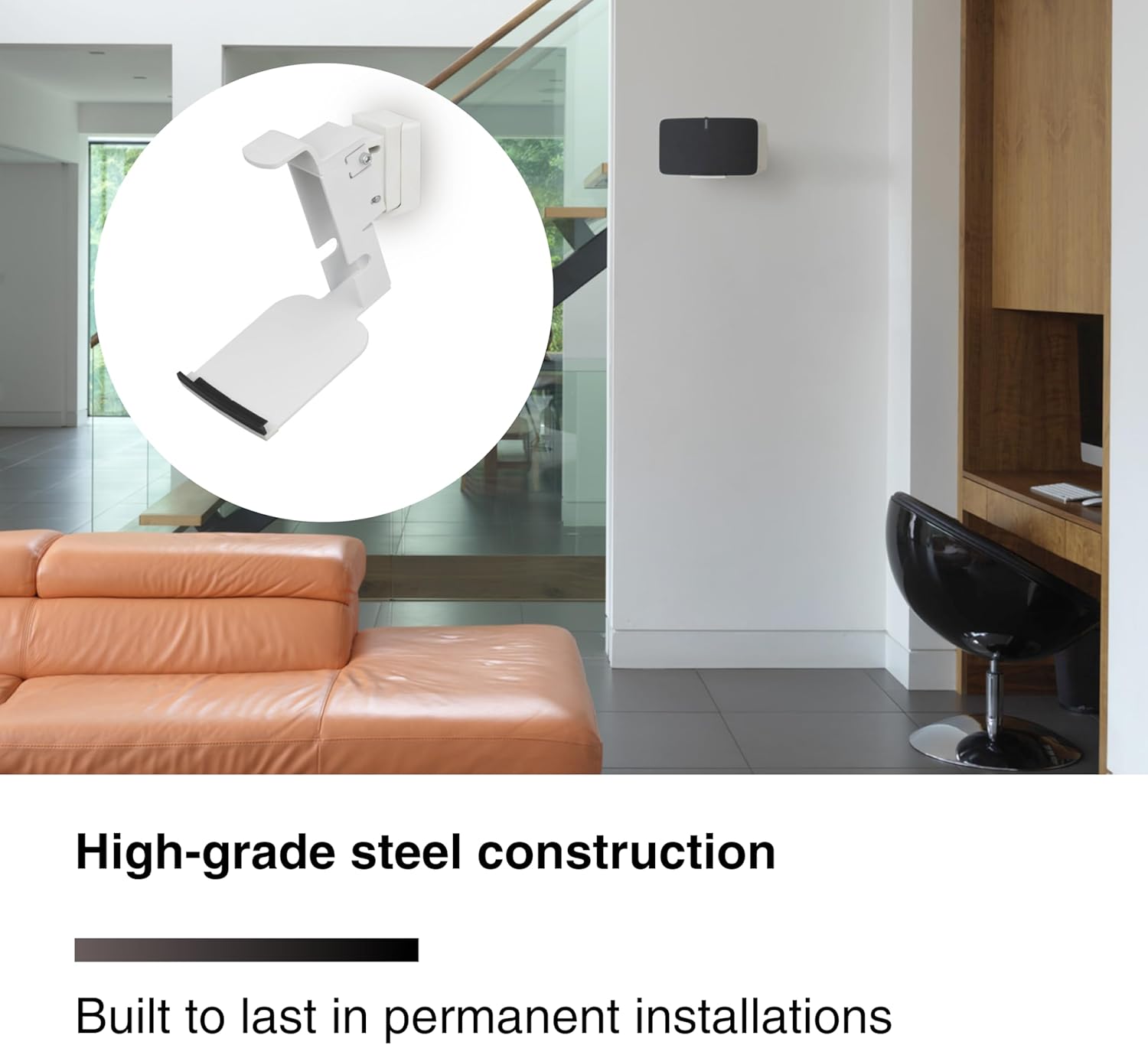
Image: The Flexson Wall Mount's bracket securely fastened to a wall, ready for the speaker.
5.5. Attach Sonos Five Speaker to Mount
Carefully slide your Sonos Five speaker onto the mount. Ensure it sits securely in the cradle. The mount is designed for a snug fit.
5.6. Secure Speaker (if applicable)
Depending on the mount design, there may be an additional screw or locking mechanism to secure the speaker to the mount. Refer to the specific diagrams included with your physical product for exact details. Ensure the speaker is stable and cannot be easily dislodged.

Image: A Sonos Five speaker successfully installed on the Flexson Wall Mount, positioned on a wall.
6. Adjusting Speaker Position
The Flexson Wall Mount features a unique tilting and swiveling mechanism to optimize your speaker's sound direction.
- Tilt Adjustment: The mount allows for a downward tilt of up to 20 degrees. Loosen the tilt adjustment screw (if present) slightly, adjust the speaker to the desired angle, and then retighten the screw to secure the position.
- Swivel Adjustment: The mount can swivel up to 60 degrees (30 degrees left and 30 degrees right). Gently rotate the speaker to achieve the optimal listening angle. Ensure the swivel mechanism is firm enough to hold the position.

Image: A diagram illustrating the tilting and swiveling capabilities of the Flexson Wall Mount, with arrows indicating movement directions.
7. Care and Maintenance
To maintain the appearance and functionality of your wall mount:
- Wipe the mount with a soft, dry cloth to remove dust.
- Do not use abrasive cleaners or solvents, as these may damage the finish.
- Regularly check all screws and connections to ensure they remain tight and secure.
8. Troubleshooting
| Problem | Possible Cause | Solution |
|---|---|---|
| Mount feels unstable after installation. | Screws are loose; wall plugs not properly seated; unsuitable wall material. | Ensure all screws are tightened. If wall plugs are loose, re-drill or use larger plugs. If wall material is weak, reinforce or choose a different location. |
| Speaker does not sit correctly in the mount. | Speaker not aligned properly; obstruction. | Remove speaker and re-seat it carefully, ensuring proper alignment with the mount's cradle. Check for any foreign objects. |
| Tilt/swivel mechanism is too loose or too stiff. | Adjustment screws require attention. | For looseness, gently tighten the adjustment screws. For stiffness, ensure no debris is in the mechanism and apply minimal lubricant if necessary (consult manufacturer if unsure). |
9. Specifications
| Feature | Detail |
|---|---|
| Product Dimensions | 7.99 x 4.96 x 9.88 inches |
| Item Weight | 4.66 pounds |
| Item Model Number | FLXS5WM1011 |
| Special Features | Tilt Head (up to 20° downward), Swivel (up to 30° left/right) |
| Color | White |
| Mounting Type | Wall Mount |
| Compatible Devices | Sonos Five, Sonos Play:5 |
| Material | High-grade steel construction |
10. Warranty and Support
For warranty information and technical support, please refer to the official Flexson website or contact your retailer. Keep your purchase receipt as proof of purchase.
Ask a question about this manual
Ask about setup, troubleshooting, compatibility, parts, safety, or missing instructions. Manuals+ will review the question and use this page’s manual context to help answer it.