
1. Important Safety Instructions
Please read all instructions carefully before using your Westinghouse Heated Throw Blanket. Failure to follow these instructions may result in fire, electric shock, or injury.
- DO NOT use this blanket with an infant, child, incapacitated person, or anyone insensitive to heat.
- DO NOT use this blanket on an adjustable bed. If used on an adjustable bed, ensure the blanket or cord is not pinched or abraded.
- DO NOT use this blanket if it is wet.
- DO NOT use pins or other metallic objects with this blanket. They may damage electrical wiring.
- DO NOT fold, bunch, or wad the blanket while it is in operation. This can cause localized overheating.
- Always disconnect the power cord from the electrical outlet and the blanket before cleaning or storing.
- This product is ETL & FCC Certified and features overheat protection for your safety.

Figure 1: Proper usage to prevent overheating. Ensure the blanket is spread flat and not folded or bunched during use.
2. Product Overview
The Westinghouse Heated Throw Blanket provides warmth and comfort with its luxurious flannel and sherpa materials. Designed for safety and ease of use, it features multiple heat settings and an automatic timer.
- Material: Soft 200GSM flannel on one side and plush 200GSM white sherpa on the reverse.
- Dimensions: Throw Size 50 x 60 inches (127 x 152 cm).
- Heating Levels: 6 adjustable heat settings for personalized comfort.
- Timer Settings: Automatic shut-off timer with options from 2 to 10 hours.
- Safety Features: Built-in overheat protection and even heat distribution.
- Care: Machine washable (after detaching the controller).
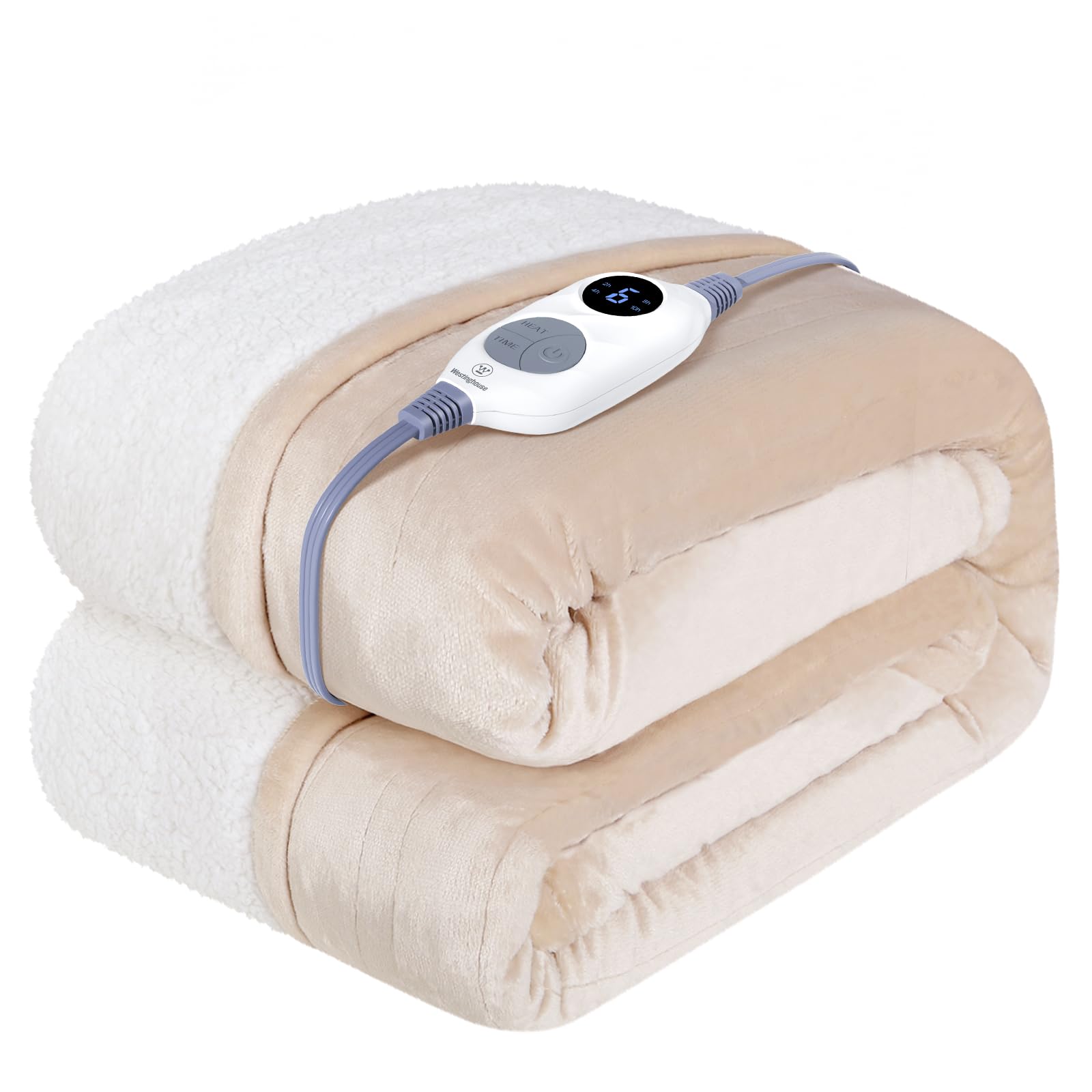
Figure 2: The Westinghouse Heated Throw Blanket in a cozy home environment.

Figure 3: Detailed view of the premium flannel and sherpa materials.
Video 1: A brief demonstration showcasing the Sherpa to flannel electric blanket, highlighting its reversible design and soft textures.
3. Setup
- Unpack: Carefully remove the heated throw blanket and its controller from the packaging.
- Connect Controller: Locate the connector on the blanket. Align the plug from the controller with the connector on the blanket and push firmly until it clicks into place. Ensure a secure connection.
- Position Blanket: Spread the blanket flat on your desired surface (bed, sofa, etc.), ensuring there are no folds, bunches, or wrinkles.
- Plug In: Insert the power cord into a 120V AC electrical outlet.

Figure 4: The smart digital controller for easy operation.
4. Operating Instructions
Your heated throw blanket is designed for intuitive operation. Use the digital controller to manage heat and timer settings.
- Power On/Off: Press the power button (usually indicated by a universal power symbol) to turn the blanket on or off. The display will illuminate when on.
- Adjust Heat Settings: Use the 'HEAT' button or '+' and '-' buttons to cycle through the 6 available heat levels. The current heat level will be displayed.
- Set Timer: Use the 'TIME' button or timer icon to select your desired auto-off duration, ranging from 2 to 10 hours. The selected time will be displayed.
- Pre-Heat Function: The blanket supports a 20-minute warm-up to quickly reach your desired temperature.
5. Care and Maintenance
To ensure the longevity and performance of your heated throw blanket, follow these care instructions:
- Disconnect Power: Always unplug the power cord from the wall outlet and detach the controller from the blanket before washing.
- Machine Wash: Machine wash on a gentle cycle with cold water. Do not bleach.
- Tumble Dry: Tumble dry on low heat or air dry. Ensure the blanket is completely dry before reconnecting the controller and using it.
- Do Not Dry Clean: Dry cleaning solvents may damage the insulation of the heating elements.
- Storage: Store the blanket loosely folded in a cool, dry place. Avoid tightly folding or placing heavy objects on it, which could damage the internal wiring.

Figure 5: The heated blanket is machine washable for easy care.
6. Troubleshooting
If your heated throw blanket is not functioning as expected, please check the following:
- No Power: Ensure the power cord is securely plugged into a working electrical outlet and the controller is firmly connected to the blanket.
- No Heat: Verify that a heat setting has been selected on the controller. If the blanket has been folded or bunched, spread it flat and restart.
- Error Code: If an error code appears on the controller display, refer to the specific troubleshooting section in the full product manual (if provided separately) or contact customer support.
- Automatic Shut-off: Remember the blanket has an automatic shut-off timer (2-10 hours). If it turns off unexpectedly, it may have reached the end of its set cycle.
7. Specifications
| Feature | Detail |
|---|---|
| Model Name | Heated Warming Blanket |
| Model Number | WH-HSF50-IVORY |
| Dimensions | 50"L x 60"W (Throw Size) |
| Material | 200GSM Flannel, 200GSM Sherpa |
| Heat Settings | 6 Levels |
| Timer Settings | 2-10 Hours Auto Shut-off |
| Certifications | ETL & FCC Certified |
| Care Instructions | Machine Washable (remove power cable) |
| Item Weight | 3.76 pounds |
8. Warranty and Support
For any questions, concerns, or warranty inquiries regarding your Westinghouse Heated Throw Blanket, please contact our customer service team. Refer to the product packaging or the official Westinghouse website for the most up-to-date contact information.
We are committed to providing excellent satisfaction and assistance.


