
1. Introduction
Thank you for choosing the URBN 20000 mAh 22.5W Super Fast Charging Ultra Compact Power Bank. This device is engineered to provide efficient and reliable portable power for your electronic devices. Designed for convenience and high performance, it ensures you stay connected wherever you go.

Image: The URBN 20000 mAh Power Bank in its compact form, held in a user's hand, showcasing its portability.
2. What's in the Box
Please check the package contents to ensure all items are present:
- 1 Main Unit (URBN 20000 mAh Power Bank)
- 1 USB Cable (Type-C)
- 1 User Manual
- 1 Warranty Card
3. Key Features
The URBN Power Bank is equipped with advanced features for optimal performance:
- Superfast Charging: 22.5W output for rapid charging of your devices.
- Dual Output: Features one USB-A port and one Type-C port for simultaneous charging of two devices.
- Dual Type-C Power Delivery (PD) Port: Supports high-speed charging and 50% faster two-way fast charging.
- Quick Charge USB-A Output: Enables fast charging for compatible devices.
- Type-C Input & Output: The Type-C port functions for both charging the power bank and charging devices.
- Smart Adaptive IC with 12 Layers Circuit Protection: Comprehensive safety system guarding against overcharging, over-discharging, short circuits, and other potential risks.
- Universal Compatibility: Compatible with a wide range of smartphones, tablets, Bluetooth earphones, and more.
- BIS Certified: Meets high standards of safety and quality.
- Ultra Compact Design: Portable and easy to carry.
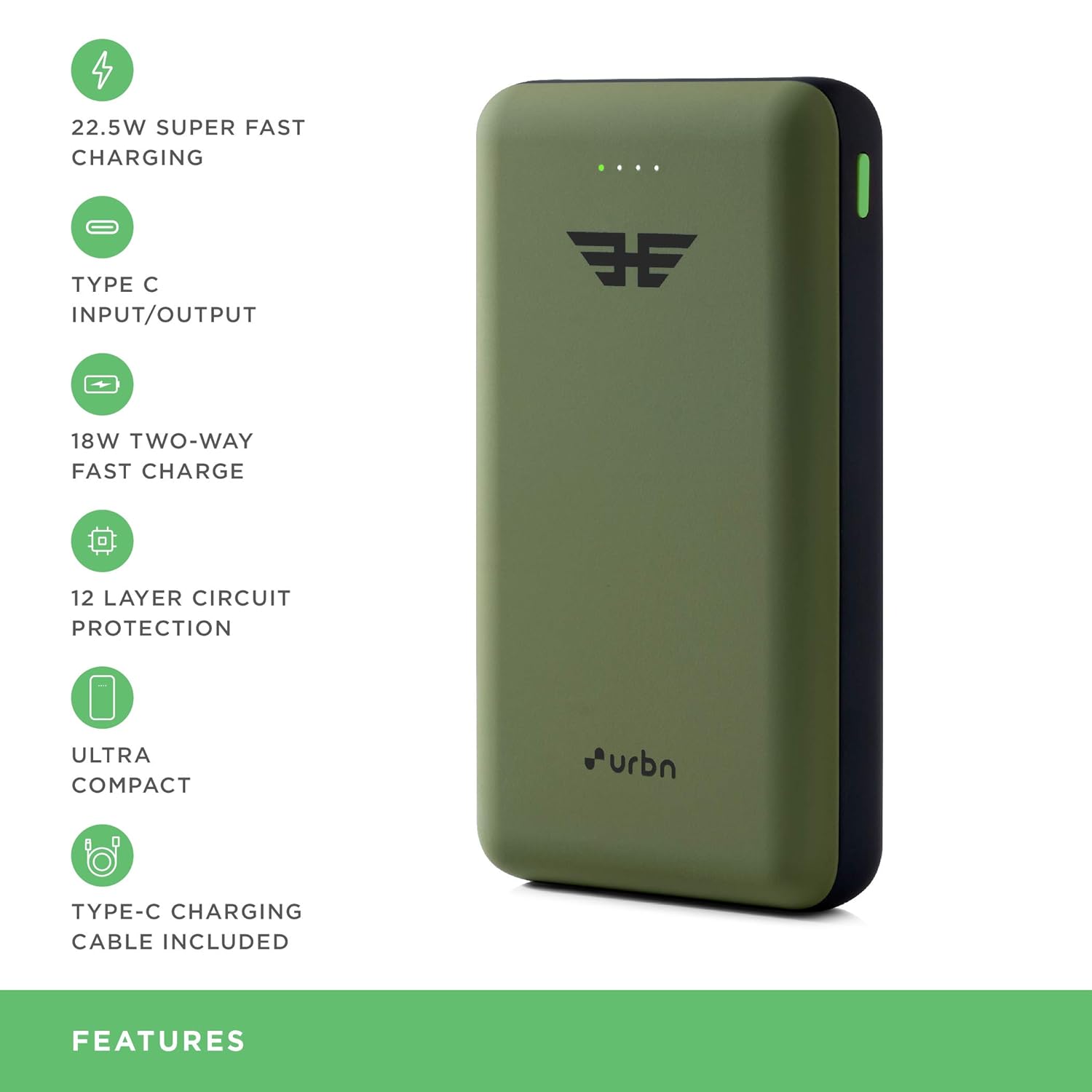
Image: A visual representation of the URBN Power Bank highlighting its key features such as 22.5W Super Fast Charging, Type-C Input/Output, 18W Two-Way Fast Charge, 12 Layer Circuit Protection, Ultra Compact size, and included Type-C Charging Cable.

Image: An infographic detailing the 12 layers of circuit protection, including output overvoltage, overcurrent, input overvoltage, undervoltage, input surge, battery temperature, output short circuit, chip thermal shutdown, electrostatic, overdischarge, electromagnetic field, and battery overcharge overdischarge protection.
4. Setup
4.1 Initial Charging of the Power Bank
Before first use, fully charge your URBN Power Bank. This ensures optimal battery performance and longevity.
- Connect the provided Type-C USB cable to the Type-C input/output port on the power bank.
- Connect the other end of the cable to a compatible USB wall adapter (18W or higher recommended for fastest charging) or a computer's USB port.
- The LED indicators on the power bank will illuminate to show the charging progress. All LEDs will be solid when fully charged.
4.2 Checking Battery Level
Press the power button once to check the current battery level indicated by the LED lights.
5. Operating Instructions
5.1 Charging Your Devices
The URBN Power Bank supports fast charging for a wide range of devices using its USB-A and Type-C output ports.
- Identify the correct charging cable for your device.
- Connect one end of your device's charging cable to the appropriate output port (USB-A or Type-C) on the power bank.
- Connect the other end of the cable to your device.
- The power bank will automatically begin charging your device. If not, press the power button once to initiate charging.
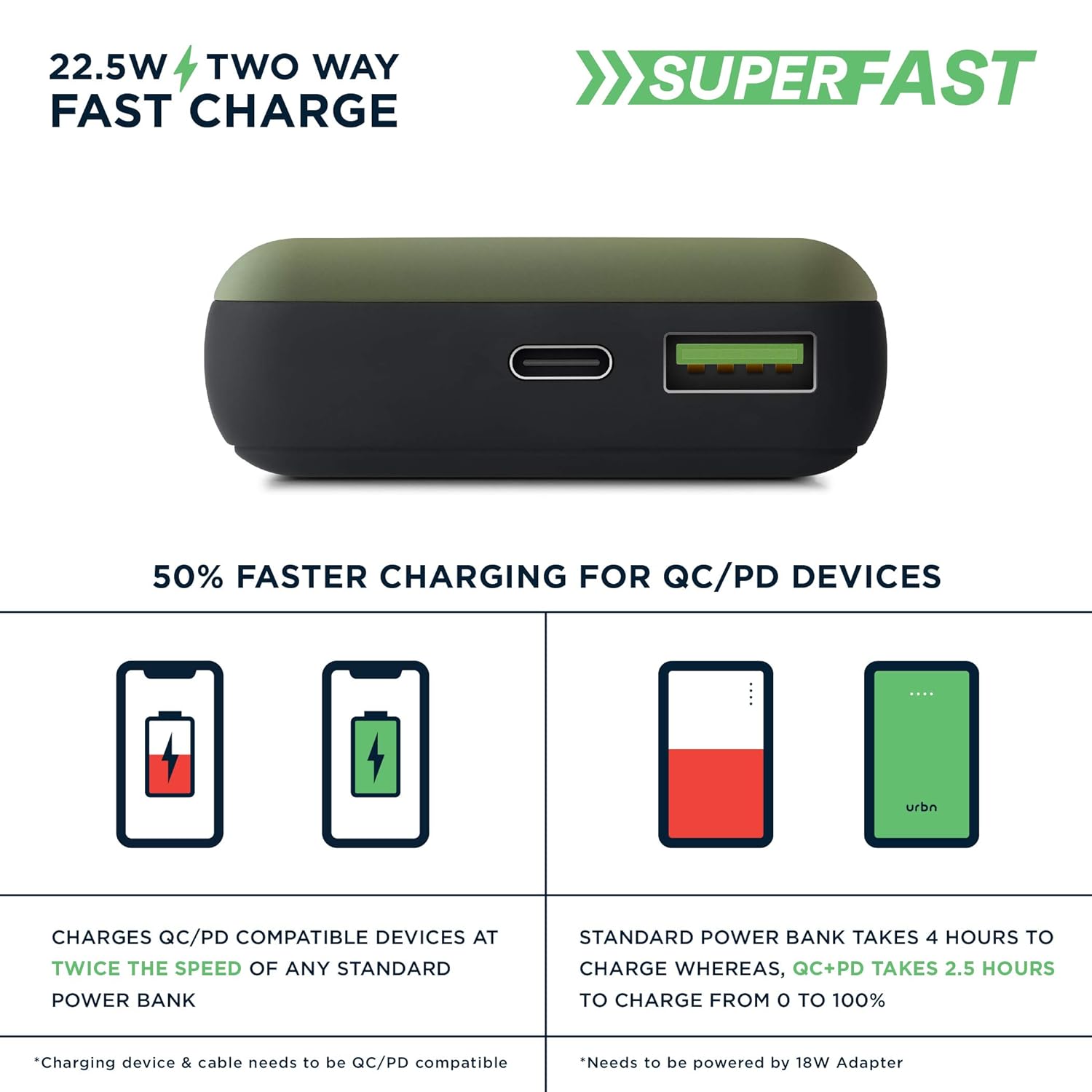
Image: A diagram illustrating the 22.5W two-way fast charging capability, showing how QC/PD compatible devices charge at twice the speed of standard power banks, and how the power bank itself charges 0 to 100% in 2.5 hours with an 18W adapter compared to 4 hours for a standard power bank.
5.2 Multi-Protocol Fast Charge Compatibility
The power bank is compatible with various fast charging protocols, ensuring efficient charging for different brands:
- PD18: Apple, Pixel, Samsung
- AFC: Samsung
- QC3: Nokia, HTC, Mi
- VOOC: OPPO, Realme, Reno
- DASH: OnePlus
- SUPER CHARGE: Vivo
- SUPER FAST: Huawei

Image: A visual guide to the power bank's compatibility with various fast charging protocols (PD18, AFC, QC3, VOOC, DASH, Super Charge, Super Fast) and corresponding device brands.

Image: A comprehensive list of 22.5W QC supported phone models from various brands including Vivo, Xiaomi, Realme, Apple, Nokia, Huawei, Infinix, Samsung, and Oppo.
6. Maintenance
To ensure the longevity and optimal performance of your URBN Power Bank, follow these maintenance guidelines:
- Storage: Store the power bank in a cool, dry place away from direct sunlight and extreme temperatures.
- Cleaning: Use a soft, dry cloth to clean the exterior of the power bank. Do not use liquid cleaners or abrasive materials.
- Avoid Drops: Protect the power bank from drops and impacts, which can damage internal components.
- Regular Use: For best battery health, use and recharge the power bank regularly, even if not frequently needed.
- Avoid Over-Discharging: Do not allow the power bank to completely drain its battery for extended periods.
7. Troubleshooting
If you encounter issues with your URBN Power Bank, refer to the following common solutions:
| Problem | Possible Cause | Solution |
|---|---|---|
| Power bank not charging | Cable issue, adapter issue, or power bank fault. | Try a different USB cable and/or wall adapter. Ensure the adapter meets the recommended power output (e.g., 18W). |
| Device not charging from power bank | Cable issue, power bank low battery, or device incompatibility. | Ensure the power bank is charged. Try a different charging cable. Verify your device is compatible with the power bank's output ports. Press the power button on the power bank to activate charging. |
| Slow charging | Non-fast charging cable/adapter, device not supporting fast charge, or multiple devices charging. | Use a fast-charging compatible cable and adapter. Ensure your device supports fast charging protocols (QC/PD). Charging multiple devices simultaneously may reduce individual charging speeds. |
| LED indicators not working | Power bank completely drained or internal fault. | Connect the power bank to a charger for at least 30 minutes. If still unresponsive, contact customer support. |
If the problem persists after trying these solutions, please refer to the Warranty and Support section for further assistance.
8. Specifications
| Feature | Detail |
|---|---|
| Model Number | UPR205 |
| Battery Type | Lithium Polymer |
| Battery Capacity | 20000 mAh |
| Output Power | 22.5W (Max) |
| Input Ports | Type-C |
| Output Ports | 1 x USB-A, 1 x Type-C |
| Special Features | Compact Size, Fast Charging, 12-Layer Circuit Protection |
| Color | Camo |
| Dimensions (LxWxH) | 6.8 x 2.4 x 12.8 Centimeters |
| Country of Origin | India |

Image: A visual representation of the URBN Power Bank's dimensions, showing its length (130 mm), width (71 mm), and thickness (26 mm) in comparison to a smartphone.
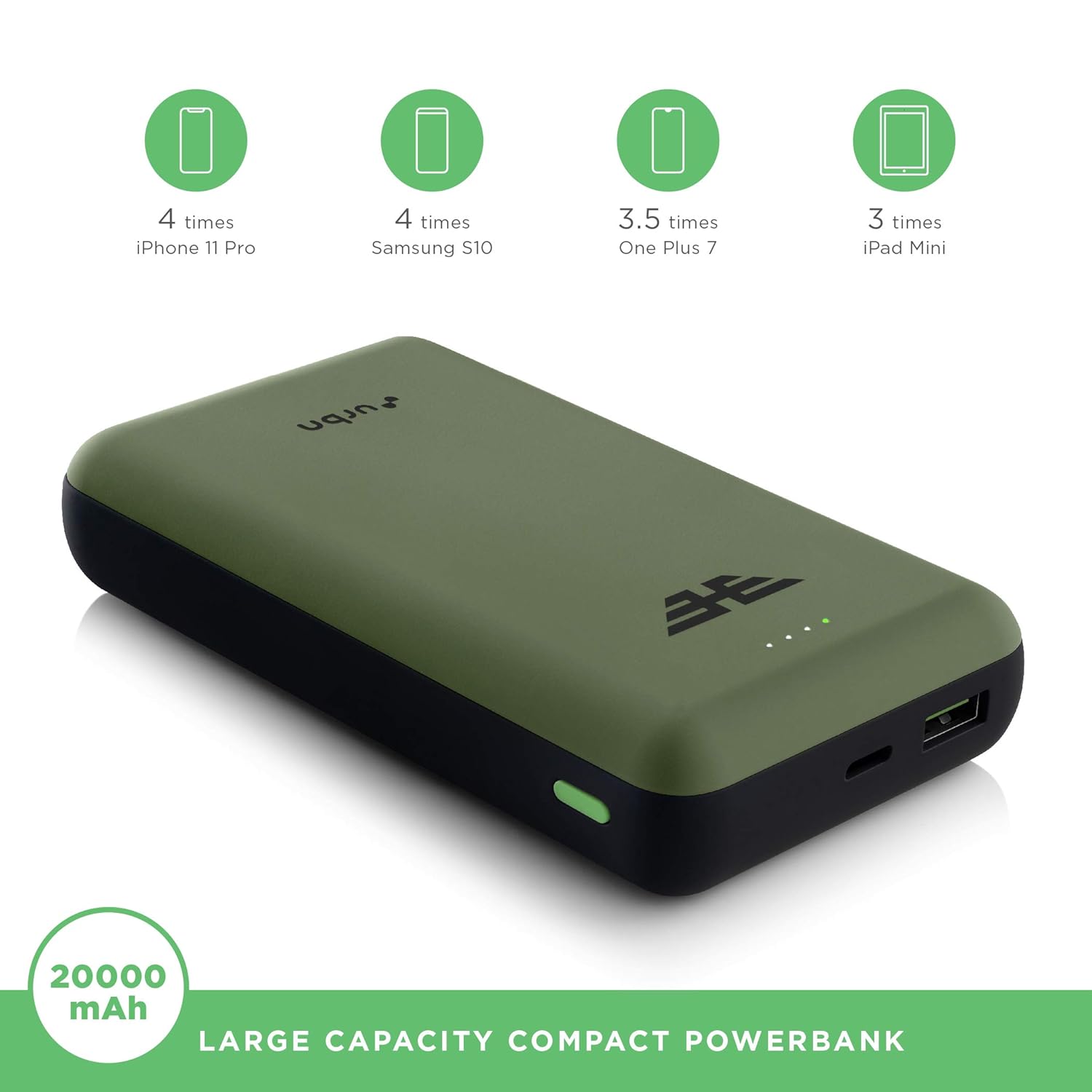
Image: An illustration demonstrating the large capacity of the 20000 mAh power bank, showing it can charge an iPhone 11 Pro 4 times, Samsung S10 4 times, OnePlus 7 3.5 times, and iPad Mini 3 times.
9. Warranty and Support
URBN stands behind the quality and reliability of its products.
- Warranty: This URBN Power Bank comes with a 6-month replacement support from the date of purchase. This warranty covers manufacturing defects and issues under normal use.
- Claim Process: In case of any manufacturing defects or issues, please contact URBN customer support with your purchase details and the warranty card.
- Extended Warranty: An optional 1-year extended warranty may be available for purchase. Please check with your retailer or URBN's official channels for details.
For further assistance or inquiries, please visit the official URBN website or contact their customer service.