
Introduction
This manual provides essential information for the safe and efficient use of your OPPO Reno4 Pro 5G smartphone. Please read this guide thoroughly before operating the device to ensure optimal performance and longevity. Keep this manual for future reference.
What's in the Box
Upon unboxing your OPPO Reno4 Pro 5G, verify that all the following components are included:
- OPPO Reno4 Pro 5G Smartphone
- Quick Start Guide
- USB Type-C Cable
- Headset
- Warranty Card

Image: Front and back view of the OPPO Reno4 Pro 5G smartphone, showcasing its sleek design and camera module.
Setup
1. SIM Card Installation
- Locate the SIM card tray on the side of your device.
- Insert the SIM ejector tool into the small hole next to the tray and press firmly until the tray pops out.
- Place your Nano-SIM card(s) into the designated slots on the tray. Ensure the gold contacts face downwards. This device supports Dual SIM functionality.
- Carefully reinsert the tray into the phone until it clicks into place.

Image: Side view of the OPPO Reno4 Pro 5G, highlighting the power button and volume rocker, and indicating the typical location of the SIM card tray.
2. Powering On/Off
- To Power On: Press and hold the Power button (located on the right side) until the OPPO logo appears.
- To Power Off: Press and hold the Power button, then select "Power off" from the options on the screen.
- To Restart: Press and hold the Power button, then select "Restart" from the options on the screen.
3. Initial Setup Wizard
The first time you power on your device, you will be guided through an initial setup process. Follow the on-screen instructions to:
- Select your language and region.
- Connect to a Wi-Fi network.
- Sign in with your Google account.
- Set up screen lock (PIN, pattern, password, fingerprint, face unlock).
- Review and accept terms and conditions.
Operating the Device
Display and Navigation
The OPPO Reno4 Pro 5G features a 6.5-inch FHD+ AMOLED display with a 90 Hz refresh rate for smooth visuals. Navigation is primarily gesture-based or via on-screen navigation buttons, configurable in settings.

Image: Front view of the OPPO Reno4 Pro 5G, showcasing its vibrant AMOLED display and punch-hole camera.
OPPO Reno Glow Design
The device features the OPPO Reno Glow finish. This design is achieved through a microscopic etching process on the glass surface, creating diamond-shaped particles that reflect light, enhancing brilliance and varying color shades based on light exposure.
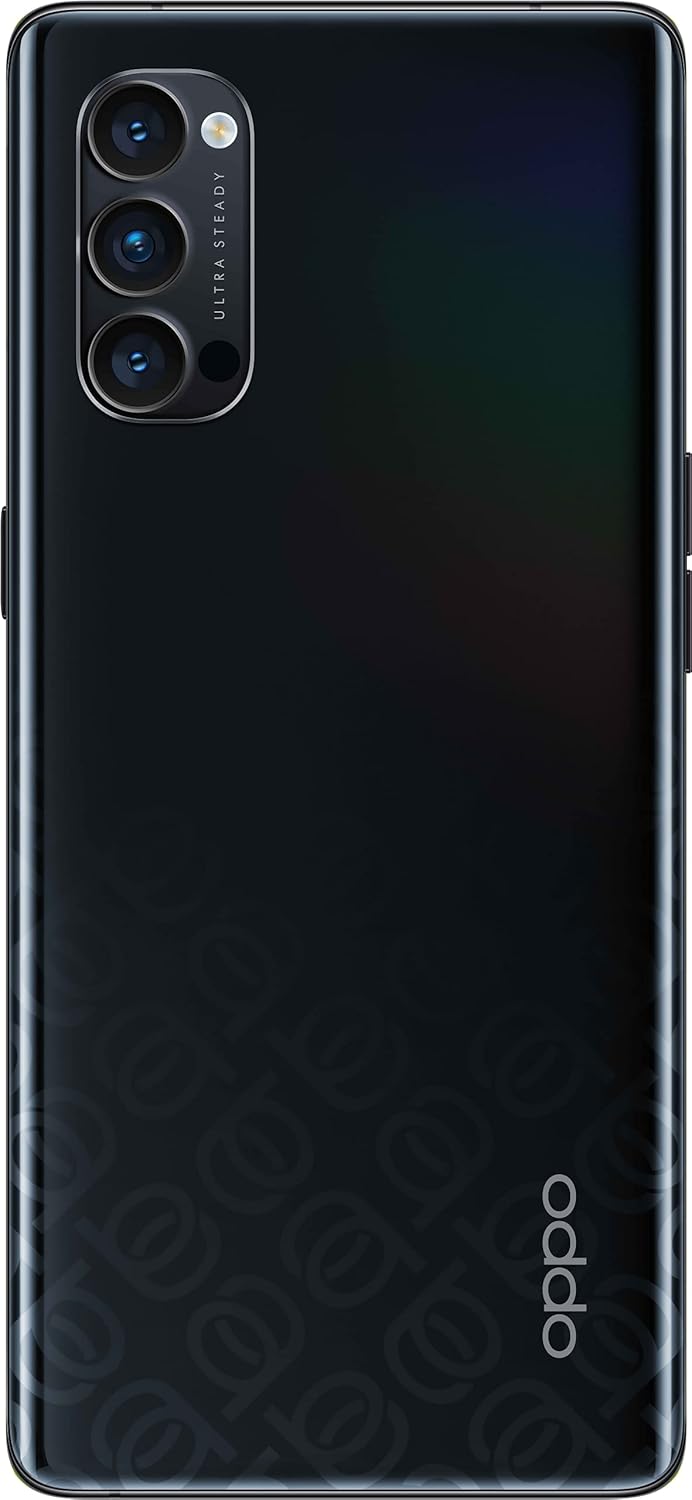
Image: Rear view of the OPPO Reno4 Pro 5G, illustrating the unique OPPO Reno Glow finish with its subtle pattern.
Camera Features
The device is equipped with a 48MP primary camera system. Key camera features include:
- Ultra Steady Video 3.0: This technology provides enhanced video stabilization for both the primary and wide-angle cameras, and introduces Ultra Steady Video for the front camera, allowing for stable selfie videos even while moving.
- Multiple shooting modes: Photo, Video, Night, Portrait, Pro, Panorama, Slow-motion, Time-lapse, Dual-view Video, and Macro.

Image: Rear view of the OPPO Reno4 Pro 5G, highlighting the triple camera module with "ULTRA STEADY" branding.
Charging
The OPPO Reno4 Pro 5G supports SuperVOOC 2.0 65W fast charging. Use the provided charger and USB Type-C cable for optimal charging speed and safety. A full charge can be achieved rapidly.
- Connect the USB Type-C cable to the charging port at the bottom of the phone.
- Connect the other end of the cable to the SuperVOOC 2.0 65W power adapter.
- Plug the power adapter into a wall outlet.
- The device will display a charging animation and battery percentage.

Image: Bottom view of the OPPO Reno4 Pro 5G, showing the USB Type-C charging port, speaker grille, and microphone.
Operating System
The device runs on ColorOS 7.2, based on Android 10. This operating system includes features such as Super Power Saving Mode and Pull Down Gesture for single-handed app access. Regular software updates are provided to enhance performance and security.
Connectivity
- 5G Network: The OPPO Reno4 Pro 5G supports 5G connectivity for faster data speeds where available.
- Wi-Fi: Connect to wireless networks for internet access.
- Bluetooth: Pair with wireless accessories like headphones or speakers.
- NFC: Use Near Field Communication for contactless payments and quick pairing with compatible devices.
Maintenance
Battery Care
- Avoid exposing the device to extreme temperatures.
- Do not fully discharge the battery frequently.
- Use only the original or certified charging accessories.
Software Updates
Periodically check for software updates to ensure your device has the latest features, security patches, and performance improvements. Navigate to Settings > Software Update to check for and install available updates.
Cleaning
- Use a soft, lint-free cloth to clean the screen and body of the phone.
- Avoid using harsh chemicals or abrasive materials.
- Do not spray cleaners directly onto the device.
Troubleshooting
If you encounter issues with your OPPO Reno4 Pro 5G, refer to the following common solutions:
| Problem | Solution |
|---|---|
| Device not turning on | Ensure the battery is charged. Press and hold the Power button for at least 10 seconds to force a restart. |
| Apps crashing or freezing | Close and reopen the app. Clear the app's cache (Settings > App Management > App List > [App Name] > Storage Usage > Clear Cache). Restart the device. |
| Poor battery life | Check battery usage in settings (Settings > Battery) to identify power-consuming apps. Reduce screen brightness, disable unnecessary features (GPS, Bluetooth, Wi-Fi when not in use). Enable Super Power Saving Mode. |
| Network connectivity issues | Toggle Airplane Mode on and off. Restart the device. Check SIM card installation. Reset network settings (Settings > Additional Settings > Backup & Reset > Reset network settings). |
Specifications
| Feature | Detail |
|---|---|
| Brand | OPPO |
| Model Name | Reno 4 Pro 5G |
| Dimensions | 15.96 x 7.25 x 0.76 cm |
| Weight | 172 grams |
| Display | 6.5-inch AMOLED, 2400 x 1080 Pixel resolution, 90 Hz refresh rate |
| Processor | Qualcomm Snapdragon 765G, 2.4 GHz |
| RAM | 12 GB |
| Internal Storage | 256 GB (non-expandable) |
| Operating System | ColorOS 7.2 (based on Android 10) |
| Rear Camera | 48 MP (Optical sensor resolution) |
| Video Recording | 4K Video Recording, 1080p video resolution |
| Battery Capacity | 4000 mAh Lithium-Ion |
| Charging | SuperVOOC 2.0 65W Fast Charging |
| Connectivity | 5G, NFC, USB Type-C |
| SIM Type | Dual Nano-SIM |
Warranty and Support
Your OPPO Reno4 Pro 5G comes with a warranty. Please refer to the included Warranty Card for detailed terms and conditions, including warranty period and coverage. For technical support, service, or further inquiries, please visit the official OPPO support website or contact their customer service.
Important: Keep your proof of purchase for warranty claims.
For more information, visit the official OPPO website: www.oppo.com


