
1. Introduction
Thank you for choosing the DLLT 20-inch Modern Ceiling Fan with LED Lights. This product is designed to provide powerful air movement with quiet performance and versatile lighting options for various indoor spaces. Please read this manual thoroughly before installation and operation to ensure safe and efficient use.

Image: The DLLT 20-inch Modern Ceiling Fan with LED Lights, showcasing its sleek design and integrated lighting.

Image: Key features of the ceiling fan including quiet operation, timing mode, night light mode, remote control, and reversible motor.
2. Safety Information
Always follow basic safety precautions when installing and operating electrical appliances. Keep this manual for future reference.
- Ensure power is disconnected at the circuit breaker before installation or maintenance.
- Installation should be performed by a qualified electrician.
- Do not operate the fan if any part is damaged.
- Keep hands and objects clear of the fan blades during operation.
3. Package Contents
Verify that all components are present and undamaged:
- Ceiling Fan Unit
- Remote Control
- Installation Instructions (English Manual)
- Mounting Hardware
4. Specifications
| Feature | Specification |
|---|---|
| Brand | DINGLILIGHTING |
| Model Name | WS-FPZ13-30C |
| Size | 20 inches |
| Color | White |
| Material | Acrylic |
| Light Source Type | LED |
| Light Color | Adjustable (warm white, neutral white, cool white) |
| Brightness | Dimmable (10%-100%) |
| Fan Speeds | 3 (Slow, Medium, High) |
| Control Method | Remote Control |
| Timing Function | 1/2/4 Hours |
| Voltage | 120 Volts |
| Wattage | 75 watts |
| Item Weight | 6.98 pounds (3.18 Kilograms) |
| Product Dimensions | 19.68 x 19.68 x 6.88 inches |

Image: Detailed dimensions and key specifications of the ceiling fan.
5. Setup and Installation
The DLLT Ceiling Fan is designed for hassle-free setup. Refer to the included English manual for detailed step-by-step installation instructions.
Installation Video Guide
Video: A detailed guide on the installation process of the modern ceiling fan with lights.

Image: Components highlighting safety and ease of installation, including the plastic lampshade, acrylic fan blades, and stable base.
6. Operating Instructions
Control all functions of your ceiling fan using the included remote control.
Remote Control Functions

Image: Overview of the remote control and its multi-functional capabilities, including fan speeds, timer, color temperature, dimming, and night light.

Image: Detailed diagram of the remote control buttons and their corresponding functions for light and fan control.
Fan Speed Control
Select from 3 air speeds: slow, medium, and high, to suit your comfort needs.

Image: Visual representation of the three wind speed settings and their effects.
Lighting Control
Adjust the lighting to create the perfect ambiance:
- 3 Color Temperatures: Switch between 3000K (Warm Light), 4500K (Natural Light), and 6000K (White Light).
- Smooth Dimming: Adjust brightness from 10% to 100%.
- Night Light Mode: A dedicated setting for low-level illumination.

Image: Demonstrates the three adjustable color temperatures and the dimming capability of the light.

Image: Visual guide for adjusting light color temperature and brightness levels.
Timing Function
Utilize the timing function (1/2/4 hours) to save energy and ensure peace of mind, especially during sleep.

Image: Highlights the silent operation and timing features for undisturbed rest.

Image: Illustrates the timer settings and night light mode for convenience.
Reversible Function (Summer/Winter Mode)
The fan features a reversible motor to optimize air circulation for different seasons.
- Summer Mode: Forward rotation for a cooling breeze.
- Winter Mode: Reverse rotation to circulate warm air.
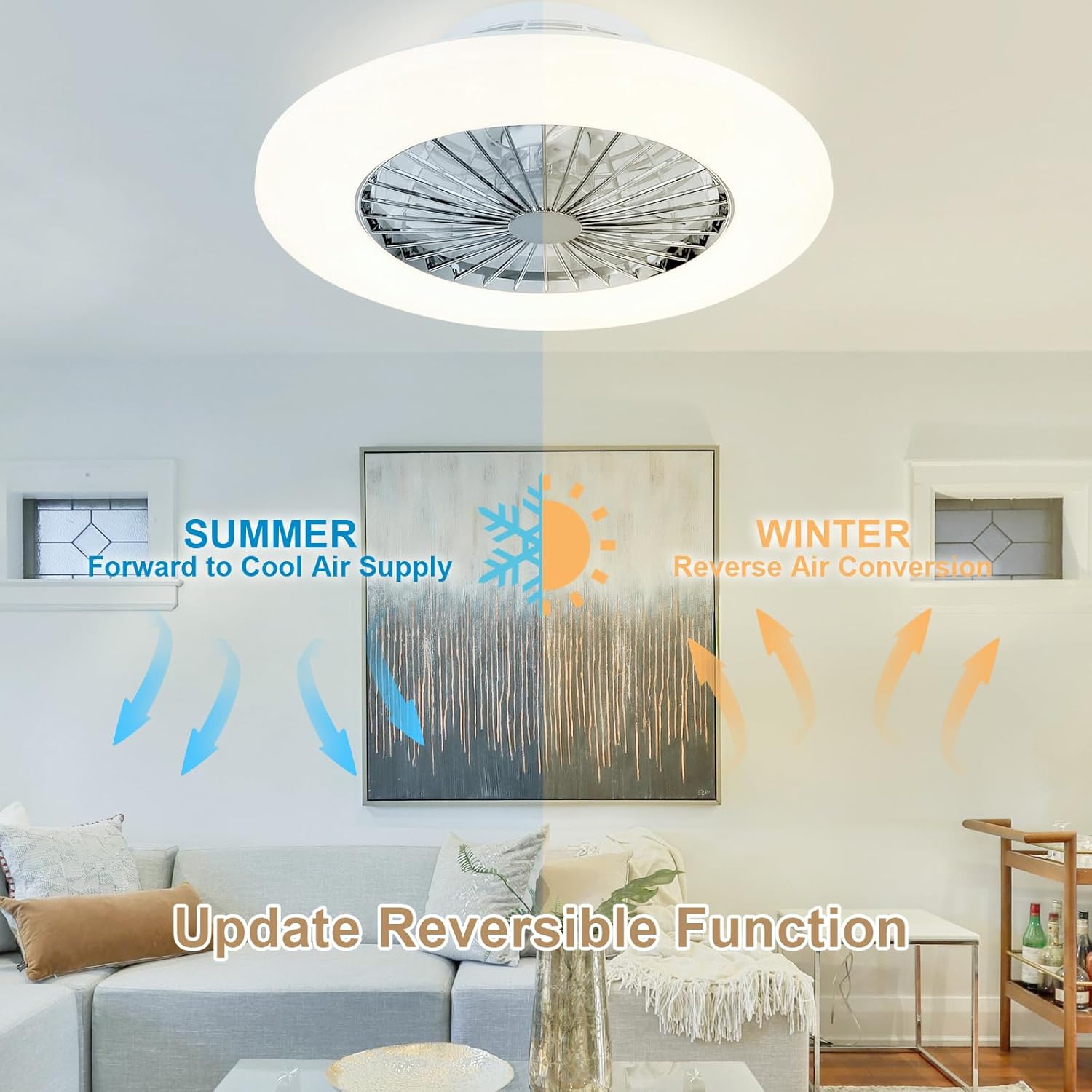
Image: Depicts the fan's reversible function for optimal air circulation in both summer and winter.

Image: Visual explanation of the reversible fan function for seasonal comfort.
Product in Use Video
Video: A demonstration of the flush mount ceiling fan with lights in operation, showcasing its features.
7. Maintenance
To ensure optimal performance and longevity of your ceiling fan, regular maintenance is recommended.
- Cleaning: Gently wipe the exterior of the fan and lampshade with a soft, damp cloth. Avoid using harsh chemicals or abrasive cleaners.
- Blade Cleaning: The fan blades are enclosed. For cleaning, ensure the fan is off and use a soft brush or cloth to remove dust from the visible areas.
- Inspection: Periodically check all connections and mounting hardware to ensure they are secure.

Image: Close-up view of the fan's durable components, including the stable base, ABS fan blades, and acrylic lampshade.
8. Troubleshooting
If you encounter any issues with your DLLT Ceiling Fan, refer to the following common problems and solutions:
| Problem | Possible Cause / Solution |
|---|---|
| Fan does not turn on | Check power supply and circuit breaker. Ensure remote control batteries are functional and paired correctly. |
| Light does not turn on or flickers | Check electrical connections. Ensure remote control batteries are functional. |
| Fan makes loud noise | Ensure all mounting screws are tightened. Check for any obstructions around the fan blades. If noise persists, contact customer support. |
| Light defaults to yellow/warm color after power cycle | This is a common behavior for some LED lights. Use the remote control to adjust to your preferred color temperature after turning on. |
| Remote control not responding | Replace batteries. Ensure there are no obstructions between the remote and the fan. Re-pair the remote if necessary (refer to the detailed manual). |
9. Warranty and Support
We provide a 12-month quality assurance for our LED fan light. If you encounter any problems or require assistance, please do not hesitate to contact us. Our customer service team is ready to help.
For further support, please visit the DINGLILIGHTING Store on Amazon.
