
Introduction
Thank you for choosing the BOBLOV M7 Body Camera. This device is designed for versatile recording needs, offering high-quality video and audio capture in various environments. Please read this manual carefully to ensure proper operation and to maximize your experience with the product.
What's in the Box
Upon opening your BOBLOV M7 package, you should find the following items:
- 1x BOBLOV M7 Body Camera
- 1x USB-C Cable
- 1x Fast Charger Plug
- 1x Short 360° Clip
- 1x Long 360° Clip
- 1x User Manual

Image: Contents of the BOBLOV M7 package, including the camera, charging accessories, clips, and user manual.
Setup
1. Initial Charging
Before first use, fully charge your BOBLOV M7 Body Camera. Connect the provided USB-C cable to the camera and the fast charger plug, then plug it into a power outlet. The charging indicator will illuminate. A full charge typically takes approximately 4 hours and provides 12-15 hours of continuous recording.

Image: Visual representation of the BOBLOV M7's 4000mAh battery capacity and charging time.
2. Attaching Clips
The BOBLOV M7 comes with two 360° rotatable clips: a short clip and a long clip. Choose the clip that best suits your attire or mounting preference. To attach, align the clip with the slot on the back of the camera and slide it until it clicks securely into place.

Image: The BOBLOV M7 Body Camera shown with both the short and long 360° rotatable clips, demonstrating attachment options.
Operating Instructions
1. Power On/Off
To power on the camera, long-press the Power button located on the side. The camera will boot up and display the live view. To power off, long-press the Power button again.
2. Video Recording
Press the large, easily accessible button on the front of the camera to start video recording. Press it again to stop recording. The 180° rotatable lens allows for flexible adjustment of the shooting angle during recording.

Image: The BOBLOV M7 Body Camera highlighting its 180° rotatable lens for flexible recording angles.
3. Audio Recording
The BOBLOV M7 supports audio-only recording. Refer to the user manual for specific button presses to activate and deactivate this mode.
4. Photo Capture
To take a photo, press the dedicated Photo button on the side of the camera. The camera will capture a still image.
5. Night Vision
The camera features both night vision and front-facing lighting. These can be toggled on or off to enhance recording in low-light conditions, making it suitable for nighttime activities or dark environments.
6. GPS Location Tracking
The built-in GPS functionality automatically tags the precise location of every video recorded. This provides accurate geographical data for all your footage.

Image: The BOBLOV M7 Body Camera connected to a laptop, displaying its GPS location tracking feature on a map interface.
7. Car Mode (Dashcam Use)
The BOBLOV M7 can be easily switched to Car Mode to function as a dashcam. This mode ensures continuous recording while driving, providing peace of mind during your journeys. Note that a dash mount is not included with the standard package.
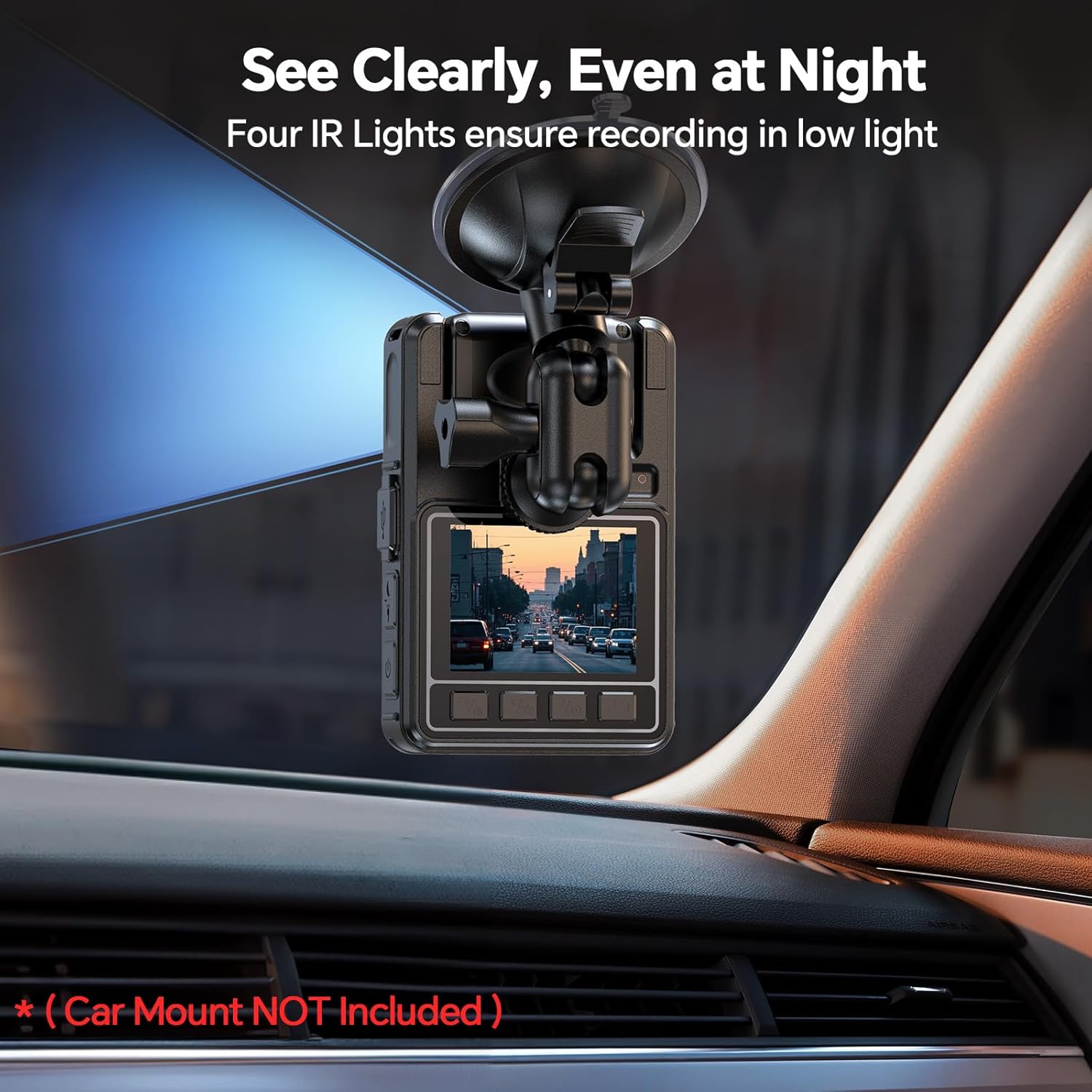
Image: The BOBLOV M7 Body Camera shown mounted on a car's dashboard, demonstrating its use as a dashcam.
Maintenance
1. Battery Care
To prolong battery life, avoid fully discharging the camera frequently. Charge the device regularly, even if not in constant use. Store in a cool, dry place when not in use for extended periods.
2. Cleaning
Use a soft, dry cloth to clean the camera body. For the lens, use a specialized lens cleaning cloth and solution to avoid scratches. Do not use harsh chemicals or abrasive materials.
3. Storage
Store the camera in a protective case to prevent dust and physical damage. Keep it away from extreme temperatures and direct sunlight.
Troubleshooting
1. Camera Not Powering On
Ensure the battery is fully charged. If the issue persists, try resetting the device (refer to the full user manual for reset instructions).
2. Recording Issues
Check if the internal memory is full. Transfer files to a computer to free up space. Ensure the camera is in the correct recording mode (video, audio, photo).
3. Poor Video/Audio Quality
Ensure the lens is clean and free from smudges. Check recording resolution settings in the camera menu. For audio, ensure the microphone is not obstructed.
Specifications
| Feature | Detail |
|---|---|
| Brand | BOBLOV |
| Model Number | M7 |
| Item Weight | 14.1 ounces |
| Package Dimensions | 5.63 x 3.94 x 2.83 inches |
| Batteries | 1 A batteries required. (included) |
| Special Features | Motion Detection, Night Vision, Portable |
| Photo Sensor Technology | CMOS |
| Video Capture Resolution | 1080p |
| Flash Memory Type | Micro SD |
| Video Capture Format | MOV |
| Supported Audio Format | WAV |
| Screen Size | 0.66 Inches |
| Connectivity Technology | Wireless |
Warranty Information
BOBLOV products typically come with a manufacturer's warranty. Please refer to the warranty card included in your package or visit the official BOBLOV website for detailed warranty terms and conditions.
Customer Support
For technical assistance, troubleshooting, or any product-related inquiries, please contact BOBLOV customer support. Contact information can usually be found in your user manual or on the official BOBLOV website.


