
Tek Styz B08JGG6L7L
Tek Styz PRO Stylus User Manual
Model: B08JGG6L7L (Red, 3-Pack)
Introduction
This manual provides essential information for the proper use and care of your Tek Styz PRO Stylus. Please read this manual thoroughly before using the product to ensure optimal performance and longevity.
The Tek Styz PRO Stylus is a versatile 2-in-1 stylus designed for high accuracy and sensitivity on both Capacitive (touch) and Resistive (pressure required) screens. It is compatible with a wide range of devices, including smartphones, tablets, and other touch-enabled devices.
Product Features
- Dual-Tip Design: Features a rubber round tip for capacitive screens and a hard pointed tip for resistive screens.
- High Precision & Sensitivity: Engineered for accurate and responsive interaction with touchscreens.
- Durable Construction: Made from sturdy aerospace-grade aluminum for lightweight durability.
- Ergonomic Grip: Designed for comfortable and non-slip handling.
- Screen Protection: Helps protect device screens from scratches, bumps, grease, and fingerprints.
- No Power Required: Operates without batteries or charging.
Setup
The Tek Styz PRO Stylus requires no complex setup. It is ready for use directly out of the packaging.
- Unpack: Carefully remove the stylus from its packaging.
- Identify Tips: Note the two distinct tips: the soft, rounded rubber tip and the hard, pointed tip.
- Begin Use: Select the appropriate tip for your device's screen type and begin interacting.

Image: A pack of three red Tek Styz PRO Styluses, showcasing their sleek design and dual tips. These styluses are ready for immediate use upon unboxing.
Operating Instructions
Using the Capacitive Tip (Rubber Round Tip)
This tip is designed for use with capacitive touchscreens, which are common on most modern smartphones, tablets, and iPads. It operates by sensing the electrical properties of your finger.
- Hold the stylus comfortably in your hand.
- Gently touch the rubber round tip to the screen surface.
- Use it for navigation, tapping, swiping, drawing, and writing on your device.
- The smooth glide of the tip ensures a fluid and responsive experience.

Image: A hand holding a red Tek Styz PRO Stylus, using its capacitive tip to interact with a tablet displaying business charts. This demonstrates the stylus's utility for precise input on touchscreens.
Using the Resistive Tip (Hard Pointed Tip)
This tip is intended for resistive touchscreens, which respond to pressure. These are less common in consumer electronics but can be found on devices like POS systems, PDAs, industrial PCs, and car navigators.
- Hold the stylus firmly.
- Apply light pressure with the hard pointed tip to the screen.
- This tip is ideal for precise input on devices that require pressure for interaction.
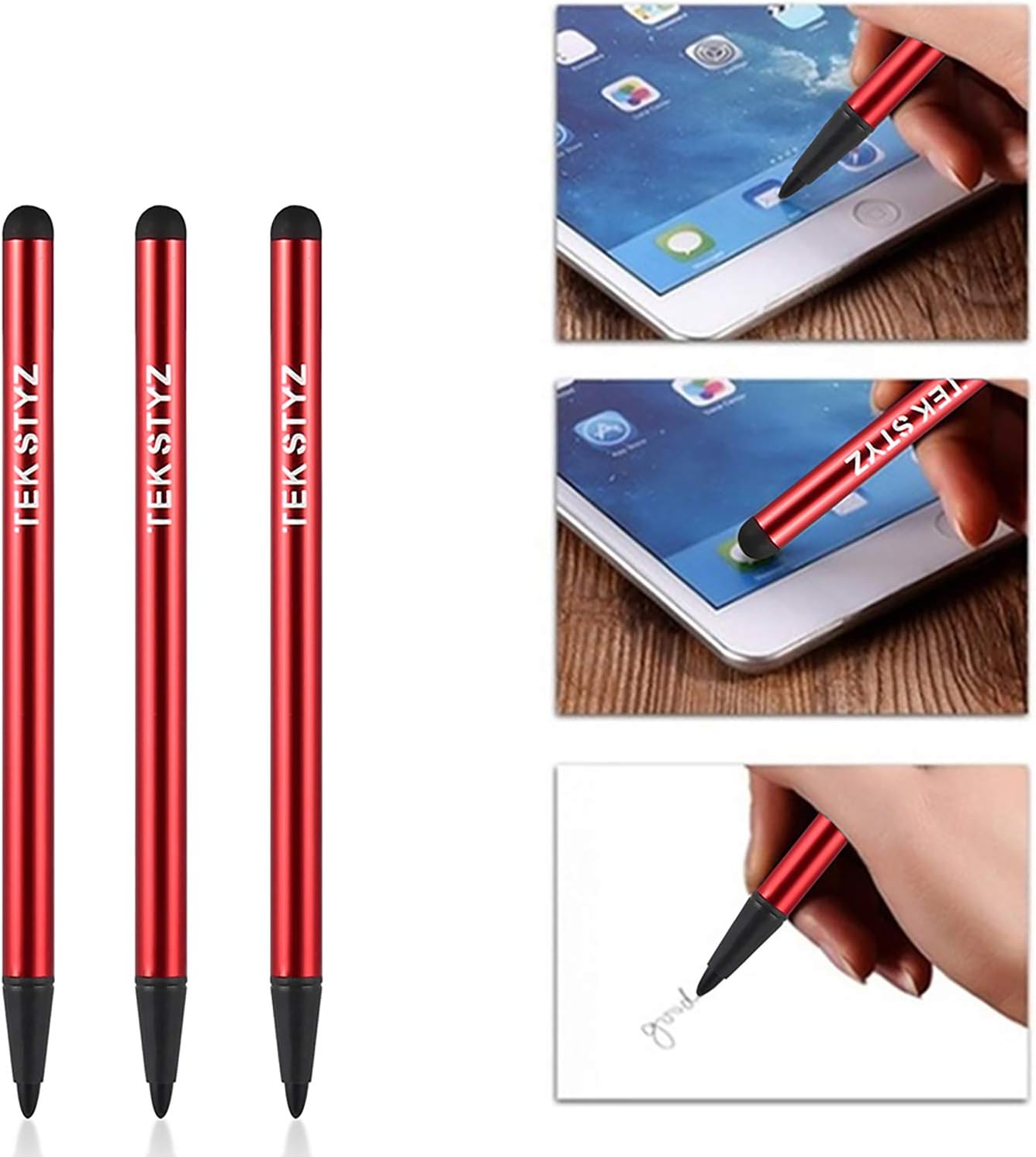
Image: A close-up view of a hand using the hard pointed tip of a red Tek Styz PRO Stylus to write on a piece of paper, illustrating its precision and versatility for various tasks, including those requiring a fine point.
Maintenance
To ensure the longevity and optimal performance of your Tek Styz PRO Stylus, follow these simple maintenance guidelines:
- Cleaning: Wipe the stylus body and tips periodically with a soft, dry, lint-free cloth. Avoid using abrasive cleaners or solvents, as these can damage the stylus finish or tips.
- Storage: Store the stylus in a clean, dry place away from extreme temperatures and direct sunlight.
- Protection: While the stylus is designed to be durable, avoid dropping it or subjecting it to excessive force, which could damage the tips or body.
- Tip Inspection: Periodically inspect both tips for any signs of wear or damage. While durable, prolonged heavy use may eventually cause wear.
Troubleshooting
If you encounter any issues with your Tek Styz PRO Stylus, consider the following common solutions:
| Problem | Possible Cause | Solution |
|---|---|---|
| Stylus not responding on screen (Capacitive Tip) | Screen protector too thick; dirty screen; worn tip. | Ensure screen and stylus tip are clean. If using a thick screen protector, try without it. Ensure the tip is not visibly damaged. |
| Stylus not responding on screen (Resistive Tip) | Insufficient pressure; screen not resistive; worn tip. | Apply slightly more pressure. Confirm your device has a resistive touchscreen. Inspect the tip for damage. |
| Inaccurate input | Dirty screen or tip; incorrect tip for screen type. | Clean both the screen and the stylus tip. Ensure you are using the correct tip (capacitive for touchscreens, resistive for pressure-based screens). |
If the issue persists after attempting these solutions, please refer to the Warranty and Support section for further assistance.
Specifications
| Product Dimensions | 4.75 x 0.2 x 0.2 inches (12.07 x 0.51 x 0.51 cm) |
| Item Weight | 0.3 ounces (8.5 grams) |
| Color | Red |
| Material | Acrylonitrile Butadiene Styrene (ABS), Aluminum, Rubber |
| Compatible Devices | Smartphones, Tablets, Android, iOS, Mac, PC, Laptops, all Touch Screens (Capacitive & Resistive) |
| Batteries Required | No |
| UPC | 756399504437 |
Warranty and Support
For warranty information or technical support regarding your Tek Styz PRO Stylus, please contact the manufacturer directly.
Manufacturer: Tek Styz
For the most up-to-date support information, please visit the official Tek Styz store on Amazon: Tek Styz Store
Please have your product model number (B08JGG6L7L) and purchase details ready when contacting support.
Ask a question about this manual
Ask about setup, troubleshooting, compatibility, parts, safety, or missing instructions. Manuals+ will review the question and use this page’s manual context to help answer it.