
oraolo M100
Oraolo M100 Portable Bluetooth Speaker User Manual
Model: M100 | Brand: Oraolo
Introduction
The Oraolo M100 Portable Bluetooth Speaker is designed to deliver high-quality audio with powerful bass and clear highs. Featuring Bluetooth 5.0 for stable connectivity, an IPX5 waterproof rating for outdoor use, and a large 10000mAh battery that doubles as a power bank, this speaker is suitable for various environments including home, outdoor gatherings, and travel. It also includes dynamic LED lighting modes to enhance your listening experience.

Image: Front view of the Oraolo M100 Portable Bluetooth Speaker, showcasing its robust design and integrated handle.
Safety Information
- Do not expose the speaker to extreme temperatures or direct sunlight for prolonged periods.
- Keep the speaker away from water sources beyond its IPX5 rating (e.g., submersion).
- Use only the provided charging cable or a certified equivalent.
- Do not attempt to disassemble, repair, or modify the speaker. This will void the warranty.
- Clean the speaker with a soft, dry cloth. Avoid using harsh chemicals or abrasive materials.
- Ensure proper ventilation when charging or operating the speaker.
Package Contents
Please check the package carefully to ensure all items are present:
- 1 x Oraolo M100 Bluetooth Speaker
- 1 x Micro USB Charging Cable
- 1 x User Manual
- 1 x 3.5mm Aux-in Cable
Product Overview
Familiarize yourself with the various parts and controls of your Oraolo M100 speaker.
Control Panel (Top View)

Image: Top view of the Oraolo M100 speaker showing the control buttons and an illustration of Bluetooth 5.0 connectivity features like hands-free calls and music playback.
- Power Button: Press and hold to turn on/off.
- Volume Down (-): Press to decrease volume. Hold to go to previous track.
- Play/Pause Button: Press to play or pause music. Press to answer/end calls. Hold to reject calls.
- Volume Up (+): Press to increase volume. Hold to go to next track.
- Mode Button: Press to switch between Bluetooth, AUX, and other modes.
- Light Mode Button: Press to cycle through LED lighting effects.
- TWS Button: Press to initiate True Wireless Stereo pairing.
Ports (Rear View)
- Micro USB Charging Port: For charging the speaker.
- USB-A Output Port: For charging external devices (power bank function).
- 3.5mm AUX-in Port: For wired audio connection.
Setup
1. Charging the Speaker
Before first use, fully charge the speaker. Connect the Micro USB charging cable to the speaker's charging port and the other end to a USB power adapter (not included) or a computer's USB port. The LED indicator will show charging status and turn off when fully charged.
2. Powering On/Off
Press and hold the Power button for approximately 3 seconds to turn the speaker on or off.
Operating Instructions
Bluetooth Connection
- Turn on the Oraolo M100 speaker. It will automatically enter Bluetooth pairing mode, indicated by a flashing LED light.
- Enable Bluetooth on your device (smartphone, tablet, PC, etc.).
- Search for "Oraolo M100" in your device's Bluetooth list and select it to connect.
- Once connected, the LED indicator will stop flashing and remain solid. You can now play audio through the speaker.
- The speaker will automatically reconnect to the last paired device when turned on, if the device is within range and Bluetooth is enabled.
The Oraolo M100 features Bluetooth 5.0 for a more stable and quicker pairing experience, supporting hands-free calls and seamless music playback.
True Wireless Stereo (TWS) Pairing
You can pair two Oraolo M100 speakers together for an enhanced 80W stereo surround sound experience.
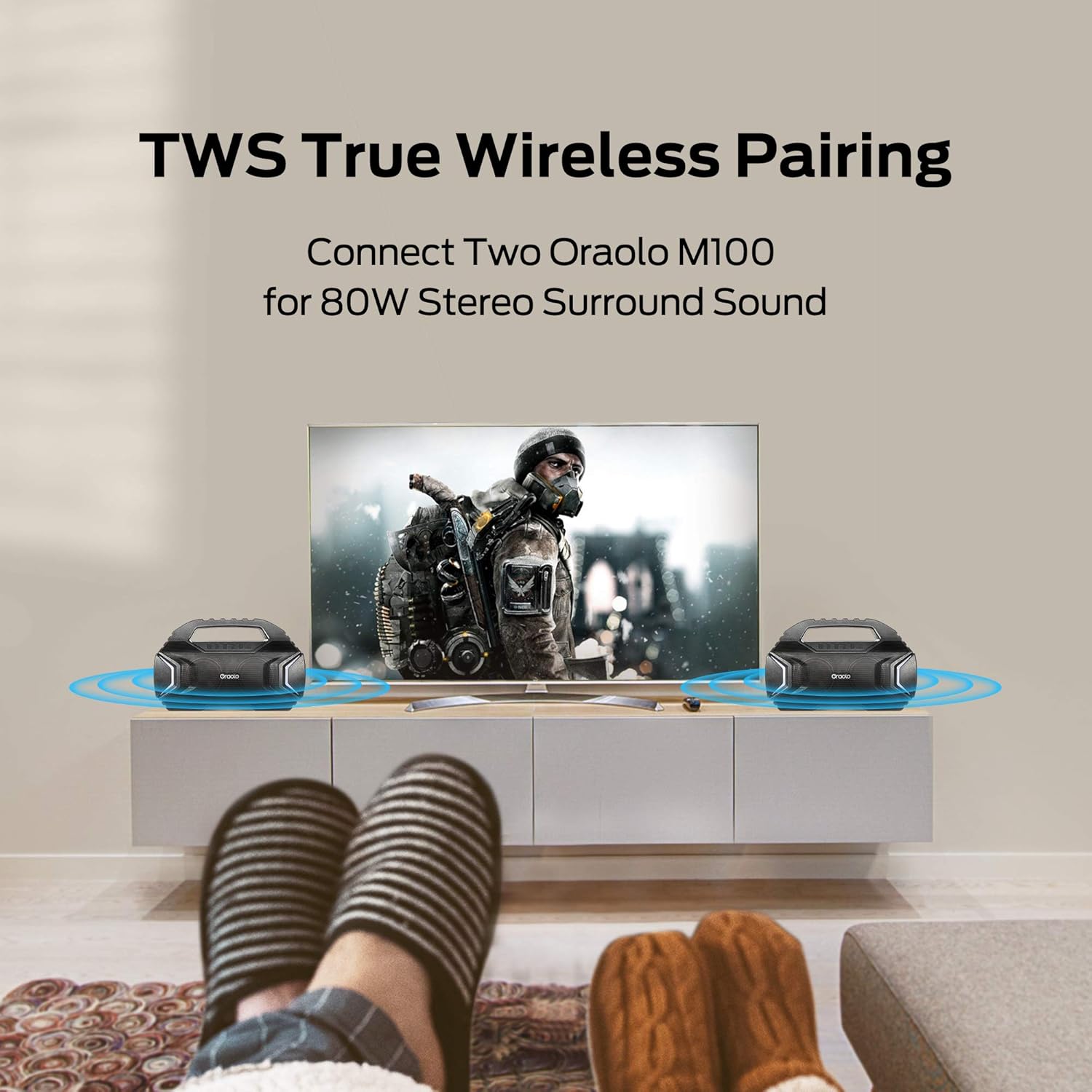
Image: Two Oraolo M100 speakers positioned on either side of a television, illustrating the True Wireless Stereo (TWS) pairing for an immersive audio experience.
- Ensure both Oraolo M100 speakers are turned on and not connected to any Bluetooth device.
- On one of the speakers (this will be the primary speaker), press the TWS button. The speaker will enter TWS pairing mode.
- The two speakers will automatically connect to each other. You will hear an audible confirmation.
- Once paired, the primary speaker's LED will flash, indicating it's ready to connect to your device.
- Enable Bluetooth on your device and connect to "Oraolo M100". Only one "Oraolo M100" will appear in your device's Bluetooth list.
- To disconnect TWS, press the TWS button on either speaker again.
AUX-in Mode
For devices without Bluetooth, use the included 3.5mm AUX-in cable.
- Connect one end of the 3.5mm AUX-in cable to the speaker's AUX-in port.
- Connect the other end to the audio output jack of your device.
- The speaker will automatically switch to AUX-in mode. If not, press the Mode button to select AUX mode.
LED Lighting Modes
The Oraolo M100 features two stylish LED lights on the front with 7 different lighting effects that can synchronize with the music.

Image: Multiple Oraolo M100 speakers displayed, each showcasing a different LED lighting color, illustrating the 7 available lighting modes.
Press the Light Mode button to cycle through the available lighting effects. Press again to turn off the lights.
Power Bank Function
The built-in 10000mAh battery can also be used to charge your mobile devices.

Image: The Oraolo M100 speaker on a wooden surface, with a smartphone connected to its USB-A output port via a charging cable, demonstrating its power bank capability.
Connect your device's USB charging cable to the USB-A output port on the Oraolo M100 speaker. The speaker will automatically begin charging your device.
Maintenance
- Cleaning: Wipe the speaker with a soft, damp cloth. Do not use abrasive cleaners, alcohol, or chemical solvents.
- Storage: Store the speaker in a cool, dry place away from direct sunlight and extreme temperatures.
- Battery Care: To prolong battery life, fully charge the speaker at least once every three months if not in regular use. Avoid completely draining the battery frequently.
- Water Resistance: While IPX5 rated, avoid prolonged exposure to water or submersion. Ensure the port cover is securely closed when near water.
Troubleshooting
| Problem | Possible Cause | Solution |
|---|---|---|
| Speaker does not turn on. | Low battery. | Charge the speaker fully. |
| Cannot pair with Bluetooth device. | Speaker not in pairing mode; device Bluetooth off; too far from speaker. | Ensure speaker is in pairing mode (flashing LED). Turn device Bluetooth off/on. Move device closer to speaker (within 10 meters). Forget "Oraolo M100" on your device and try pairing again. |
| No sound from speaker. | Volume too low; incorrect input mode; device not playing. | Increase speaker and device volume. Ensure correct mode (Bluetooth/AUX). Check if audio is playing on your device. |
| TWS pairing fails. | Speakers already connected to other devices; TWS button not pressed correctly. | Ensure both speakers are disconnected from all devices. Press the TWS button on one speaker only. Try restarting both speakers. |
| Power bank function not working. | Speaker battery too low; incorrect cable; device not compatible. | Ensure speaker has sufficient charge. Use a working USB cable. Some devices may not be compatible. |
Specifications
- Model: M100
- Bluetooth Version: 5.0
- Output Power: 40W (2 x 20W)
- Battery Capacity: 10000mAh
- Playtime: Up to 30 hours (at 50% volume)
- Waterproof Rating: IPX5
- Wireless Range: Up to 10 meters (33 feet)
- Dimensions: 38.99 x 13.34 x 24.21 cm (15.35 x 5.25 x 9.53 inches)
- Weight: 3.55 kg
- Connectivity: Bluetooth, 3.5mm AUX-in, USB (for power bank)
- Material: Plastic
- Special Features: TWS Pairing, LED Lighting Modes, Power Bank Function
Warranty and Support
Oraolo products come with a standard manufacturer's warranty. Please refer to the warranty card included in your package for specific terms and conditions. For technical support, troubleshooting assistance, or warranty claims, please contact Oraolo customer service through the contact information provided on the official Oraolo website or your purchase platform.
Online Support: Visit the official Oraolo website for FAQs and support resources.
Related documentsM100


Ask a question about this manual
Ask about setup, troubleshooting, compatibility, parts, safety, or missing instructions. Manuals+ will review the question and use this page’s manual context to help answer it.