
1. Introduction
Thank you for choosing the Eono Congo500BTNC Over-Ear Active Noise-Cancelling Bluetooth Headphones. These headphones are designed to provide a superior audio experience with advanced noise-cancelling technology, comfortable over-ear design, and convenient wireless connectivity. This manual will guide you through the setup, operation, and maintenance of your new headphones.
2. Package Contents
Please check the package for the following items:
- Eono Congo500BTNC Over-Ear Active Noise-Cancelling Bluetooth Headphones
- USB-C Charging Cable
- 3.5mm Audio Cable (detachable)
- User Manual
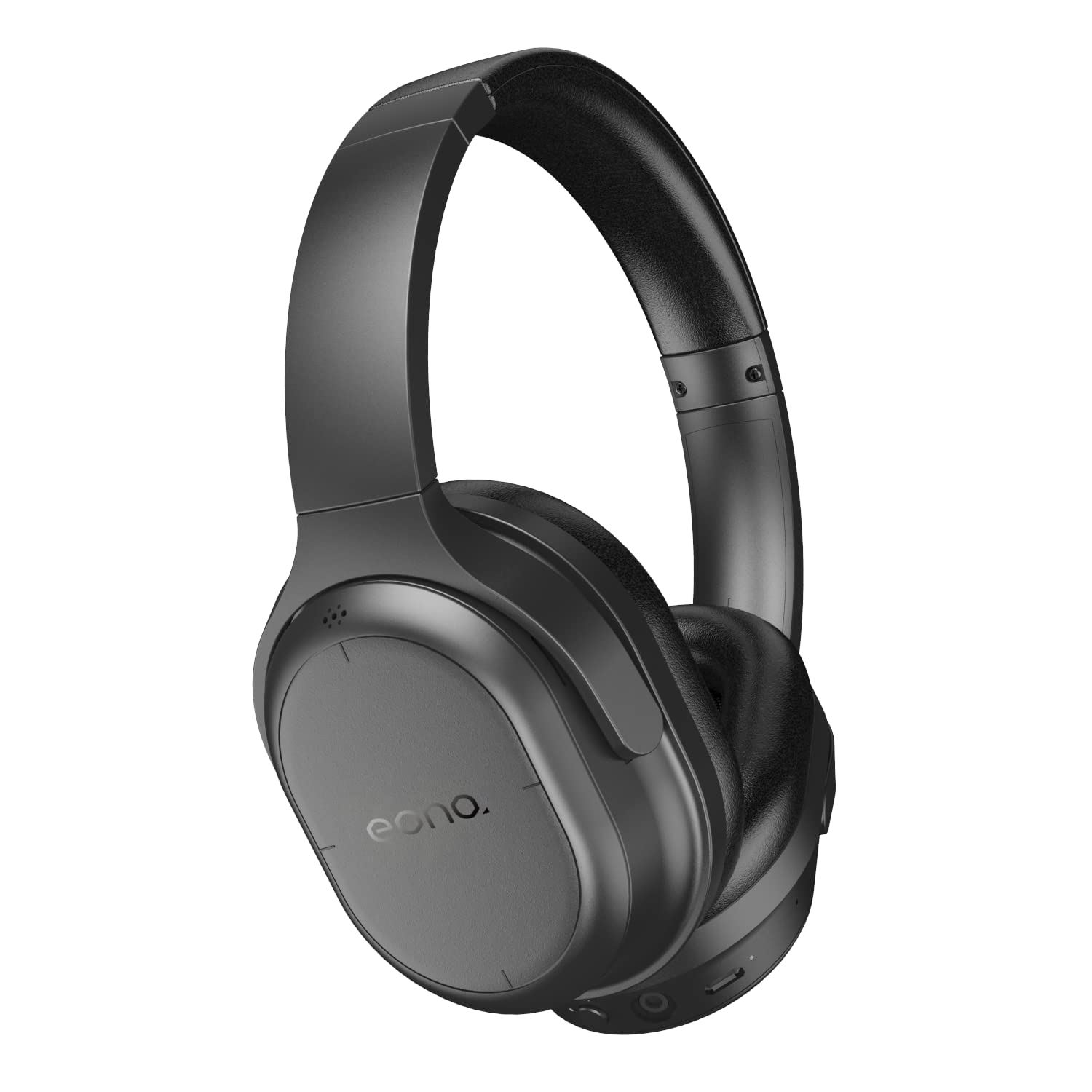
Image: Eono Congo500BTNC headphones, main view.
3. Product Overview
Headphone Components
Familiarize yourself with the various parts and controls of your headphones.

Image: Side view of the headphones, illustrating the location of buttons and ports.
- Power/Bluetooth Button: Used to power on/off and initiate Bluetooth pairing.
- ANC Button: Activates or deactivates Active Noise Cancellation.
- Volume Up/Next Track (Touch Control): Swipe up/tap for volume, swipe forward for next track.
- Volume Down/Previous Track (Touch Control): Swipe down/tap for volume, swipe backward for previous track.
- Play/Pause/Call Answer (Touch Control): Tap to play/pause music or answer/end calls.
- USB-C Charging Port: For charging the headphones.
- 3.5mm Audio Jack: For wired connection.
- Microphone: For hands-free calls.
- LED Indicator: Displays power, pairing, and charging status.
Foldable Design
The headphones feature a foldable design for convenient storage and portability.

Image: The headphones in their folded configuration, demonstrating portability.
4. Setup
4.1 Charging the Headphones
- Connect the USB-C charging cable to the charging port on the headphones.
- Connect the other end of the cable to a USB power source (e.g., wall adapter, computer USB port).
- The LED indicator will illuminate during charging and turn off when fully charged.
- A full charge takes approximately 3 hours.
4.2 Bluetooth Pairing
- Ensure the headphones are powered off.
- Press and hold the Power/Bluetooth Button for approximately 5-7 seconds until the LED indicator flashes blue and red alternately, indicating pairing mode.
- On your Bluetooth-enabled device (smartphone, tablet, laptop), go to the Bluetooth settings.
- Search for available devices and select "Eono Congo500BTNC".
- Once connected, the LED indicator will flash blue slowly.
Note: The headphones support multi-point connection, allowing simultaneous connection to two Bluetooth devices. To connect a second device, repeat the pairing process. The headphones will intelligently switch between devices for calls and audio.
5. Operating Instructions
5.1 Power On/Off
- Power On: Press and hold the Power/Bluetooth Button for 2-3 seconds. The LED indicator will flash blue.
- Power Off: Press and hold the Power/Bluetooth Button for 3-4 seconds. The LED indicator will turn off.
5.2 Active Noise Cancellation (ANC)
- Press the ANC Button once to activate Active Noise Cancellation. The ANC indicator light will turn on.
- Press the ANC Button again to deactivate Active Noise Cancellation. The ANC indicator light will turn off.
5.3 Music Playback (Touch Controls)
- Play/Pause: Tap the right earcup surface once.
- Volume Up: Swipe up on the right earcup surface.
- Volume Down: Swipe down on the right earcup surface.
- Next Track: Swipe forward (right) on the right earcup surface.
- Previous Track: Swipe backward (left) on the right earcup surface.
5.4 Hands-Free Calling (Touch Controls)
- Answer/End Call: Tap the right earcup surface once.
- Reject Call: Press and hold the right earcup surface for 2 seconds.
5.5 Wired Connection
To use the headphones with a wired connection:
- Plug one end of the 3.5mm audio cable into the headphone's audio jack.
- Plug the other end into your audio source's 3.5mm output.
- Note: Bluetooth and ANC functions may operate differently or be unavailable when using a wired connection, depending on the headphone's power status.
6. Maintenance
- Clean the headphones regularly with a soft, dry cloth. Do not use abrasive cleaners or solvents.
- Avoid exposing the headphones to extreme temperatures, humidity, or direct sunlight.
- Store the headphones in a cool, dry place when not in use, preferably in their folded state to save space.
- Do not attempt to disassemble or modify the headphones, as this will void the warranty.
7. Troubleshooting
| Problem | Possible Solution |
|---|---|
| Headphones do not power on | Ensure the headphones are fully charged. Connect to a power source and try again. |
| Cannot pair with Bluetooth device | Ensure headphones are in pairing mode (LED flashing blue/red). Turn off and on Bluetooth on your device. Clear previous pairings on your device. Move closer to the device. |
| No sound or low volume | Check headphone and device volume levels. Ensure headphones are properly paired. If wired, check cable connection. |
| ANC not working effectively | Ensure ANC is activated (ANC indicator light on). Ensure earcups form a good seal around your ears. |
| Intermittent connection | Move closer to your Bluetooth device. Avoid obstacles between headphones and device. Reduce interference from other wireless devices. |
8. Specifications

Image: Diagram showing the dimensions of the headphones.
| Feature | Detail |
|---|---|
| Model Name | Congo500BTNC |
| Brand | Eono |
| Connectivity Technology | Bluetooth, Wired (3.5mm) |
| Wireless Communication | Bluetooth |
| Noise Control | Active Noise Cancellation |
| Audio Driver Type | 40mm Dynamic Driver |
| Battery Life (ANC on) | Up to 35 hours |
| Battery Life (ANC off) | Up to 45 hours |
| Charging Time | Approximately 3 hours |
| Charging Port | USB-C |
| Control Type | Touch, Volume Control |
| Special Features | Foldable, Lightweight, Multi-point Connection |
| Item Weight | 204 g (0.2 Kilograms) |
| Product Dimensions (LxWxH) | 18.01 x 15.01 x 7.01 cm |
| UPC | 840095866002, 840095885348 |
9. Warranty and Support
Eono products are designed for reliability and performance. For warranty information or technical support, please refer to the documentation included with your purchase or visit the official Eono support website. Keep your proof of purchase for warranty claims.
