
Roland TR-06
Roland TR-06 Boutique Compact Drum Machine User Manual
Model: TR-06
Introduction
The Roland TR-06 is a detailed replica of the classic Roland TR-606 Drumatix, enhanced with significant modern upgrades. This compact drum machine offers the distinctive tone and iconic aesthetic of the original, alongside expanded sound-crafting capabilities, advanced sequencing, and versatile integration options for modular setups.
Setup
Powering the TR-06
The TR-06 can be powered by four AA batteries or via USB bus power. Ensure batteries are correctly inserted into the battery compartment located on the underside of the unit, or connect a USB cable to a powered USB port.

Connecting to External Devices
The TR-06 offers various connectivity options for integration into your setup:
- Audio Output: Connect the main output to your mixer or audio interface using a 3.5mm stereo cable.
- Mix In: Use the Mix In jack to blend external audio sources with the TR-06's output.
- Phones: Connect headphones for private monitoring.
- MIDI (In/Out): Utilize standard MIDI cables for synchronization and control with other MIDI-compatible devices.
- USB: Connect to a computer for USB audio interface functionality, MIDI over USB, and power.
- Trigger Outputs (5): Connect to modular synthesizers or other trigger-compatible gear to control external modules.
- Trigger Input (1): Receive external trigger signals to synchronize or control the TR-06.

Operating the TR-06
Overview of Controls
The TR-06 features a familiar layout with dedicated controls for each instrument and a straightforward step sequencer. The front panel provides immediate access to sound parameters and pattern creation.

Sound Shaping and Effects
Each instrument on the TR-06 allows for detailed sound shaping. You can control tuning, decay, and pan for individual sounds. Additionally, the internal gain can be increased to introduce warm overdrive or aggressive distortion. An onboard compressor adds fullness and punch, while the tempo delay creates depth and space within your patterns.

Sequencing Capabilities
The step sequencer, while familiar to the original TR-606, has been updated with advanced features. These include sub-steps for creating ratcheted parts and step-loop for instant pattern slicing. These enhancements allow for more complex and dynamic rhythm programming.
Modular Integration and USB Audio
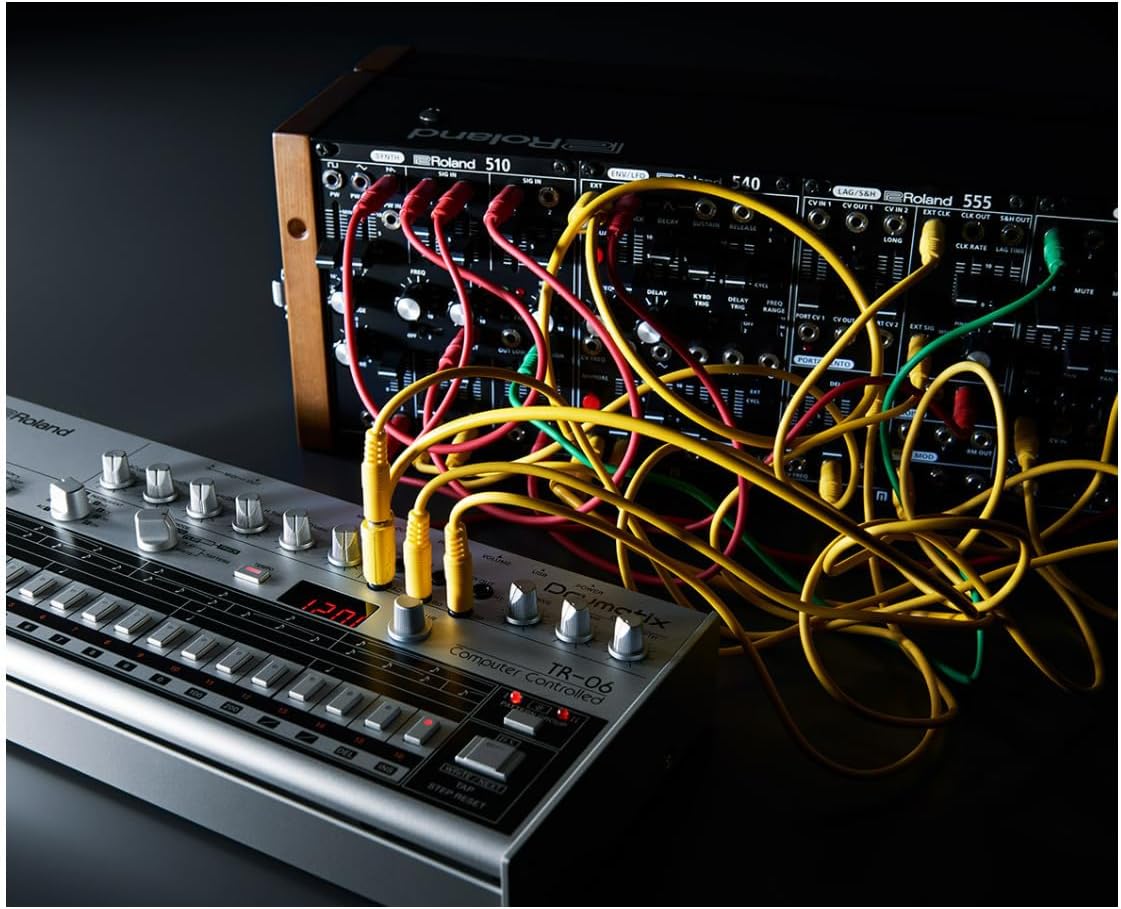
The TR-06 is designed for seamless integration with modular setups, featuring five trigger outputs and a trigger input. This allows it to drive or be driven by other modular gear. Furthermore, it functions as a high-quality USB audio interface, enabling direct recording and playback through your computer.

Official Product Video
Video 1: An overview of the Roland TR-06 Boutique Compact Drum Machine, demonstrating its features and sound capabilities in a modular setup.
Maintenance
Cleaning
To maintain the appearance and functionality of your TR-06, regularly wipe the unit with a soft, dry cloth. Avoid using abrasive cleaners, waxes, or solvents, as these can damage the finish and electronic components.
Battery Replacement
When the battery indicator light dims or the unit does not power on, replace all four AA batteries. Ensure the unit is powered off before opening the battery compartment and inserting new batteries, observing correct polarity.
Firmware Updates
Periodically check the official Roland website for firmware updates. Updates can provide new features, performance enhancements, and bug fixes. Follow the instructions provided on the Roland support page carefully when performing any firmware update.
Troubleshooting
If you encounter issues with your TR-06, refer to the following common troubleshooting steps:
- No Power: Check battery installation and charge level, or ensure the USB cable is securely connected to a powered source.
- No Sound Output: Verify all audio cables are correctly connected to the output and input devices. Check volume levels on the TR-06 and connected equipment.
- Sequencer Not Responding: Ensure the unit is in the correct mode (e.g., Play, Write). Check for any active holds or locks on the sequencer.
- MIDI/USB Connectivity Issues: Confirm correct cable connections. Ensure drivers are installed on your computer if required. Check MIDI channel settings on both the TR-06 and external devices.
For persistent issues or advanced troubleshooting, please visit the official Roland support website or contact their customer service.
Specifications
| Feature | Detail |
|---|---|
| Model Name | TR-06 |
| Brand | Roland |
| Item Weight | 1.5 Kilograms (3.3 pounds) |
| Product Dimensions | 14 x 7 x 3.12 inches |
| Body Material | Metal |
| Power Source | Battery Powered (4 AA batteries included) or USB Bus Power |
| Connectivity | USB, MIDI In/Out, Audio Output, Mix In, Phones, Trigger In/Out (5) |
| Included Components | Case |
Warranty and Support
The Roland TR-06 comes with a manufacturer's warranty. For detailed information regarding warranty terms, registration, and technical support, please visit the official Roland website:
Visit the Roland Store on Amazon
You can also find FAQs, driver downloads, and contact information for customer service on their dedicated support pages.
Related documentsTR-06


Ask a question about this manual
Ask about setup, troubleshooting, compatibility, parts, safety, or missing instructions. Manuals+ will review the question and use this page’s manual context to help answer it.