
ExpertPower IVOCH2KW
ExpertPower 2000W Pure Sine Wave Inverter Charger User Manual
Model: IVOCH2KW
Brand: ExpertPower
Introduction
The ExpertPower 2000W Pure Sine Wave Inverter Charger is a versatile power solution designed to convert DC 12V battery power to AC 110V, suitable for a wide range of applications including vehicles, offices, and homes. This unit features a robust design with a peak power capability of 6000W, ensuring reliable performance for various electrical needs. It is compatible with multiple battery chemistries, including LiFePO4 and Lithium batteries, and incorporates an auto transfer switch for seamless power transitions.
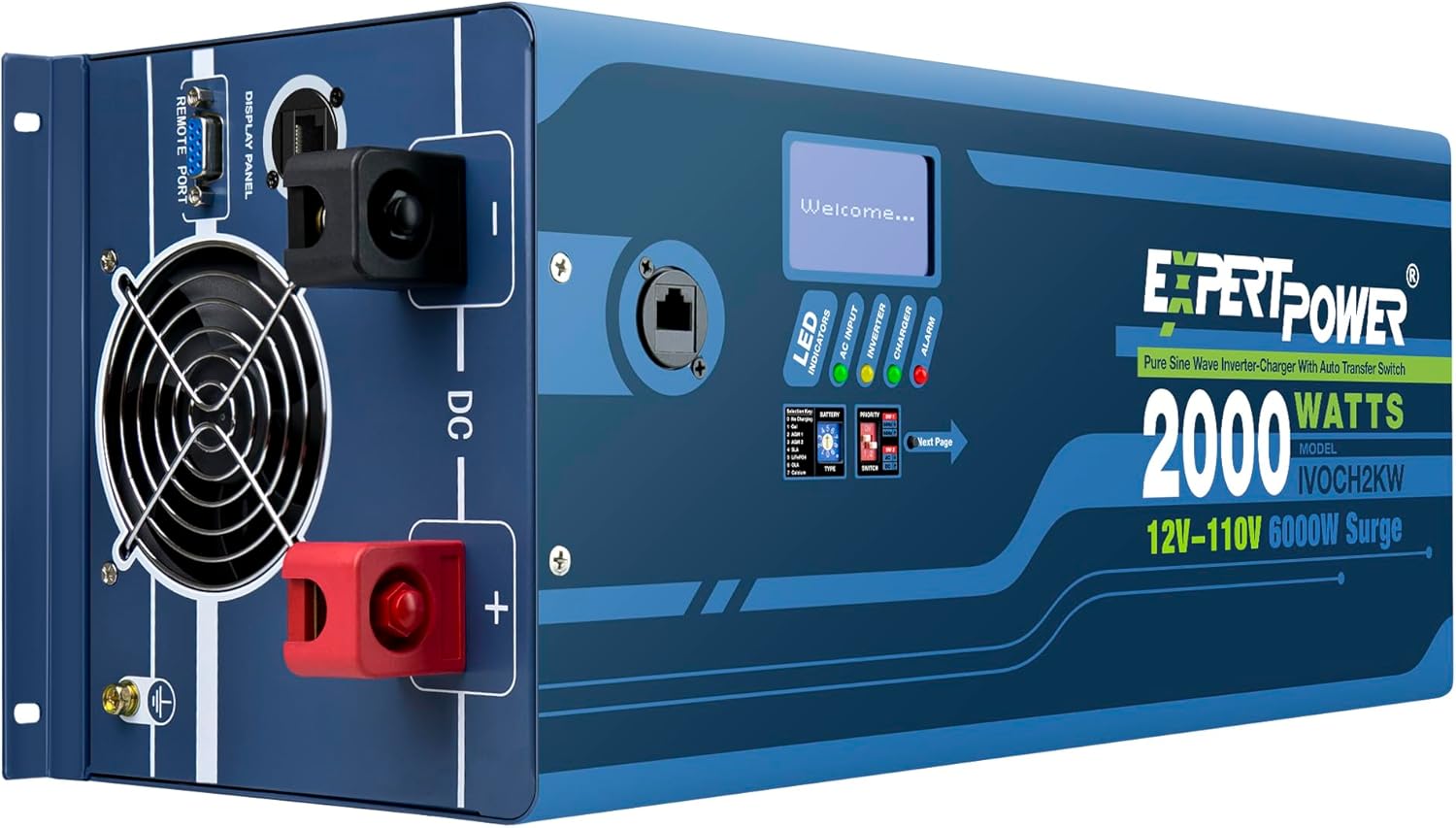
Figure 1: ExpertPower 2000W Pure Sine Wave Inverter Charger, showing its front panel and DC terminals.
Key Features
- Wide-Spectrum Compatibility: Designed for AGM, Wet, Gel, and LiFePO4 battery systems with 8 selectable profiles. Features a built-in 30A transfer switch with UPS functionality, automatically switching between shore power and battery power in an industry-leading 5ms.
- Intelligence Driven CPU: An intuitive LED display provides real-time data on system status (Priority Mode, Frequency, Error Codes) and battery status (voltage, load). Achieves 90-99% efficiency with a Power-Save mode consuming a maximum of 10W with no load.
- Convenient Prioritization: Includes priority settings for automatic switching between shore power and battery power. Can be utilized without battery hookup for shore-power-only maintenance. Comes with a 26ft Smart Controller for remote settings adjustment.
- Premium Quality Construction: Composed of a steel-hardened iron case with copper terminals and a double ball-bearing fan for maximized low-audibility cooling under high-power loads.
- System-Wide Protection: Utilizes complex algorithms to detect and protect against overloading, overcharging, overheating, deep discharge, and short circuits, ensuring safety for both the unit and your battery system.
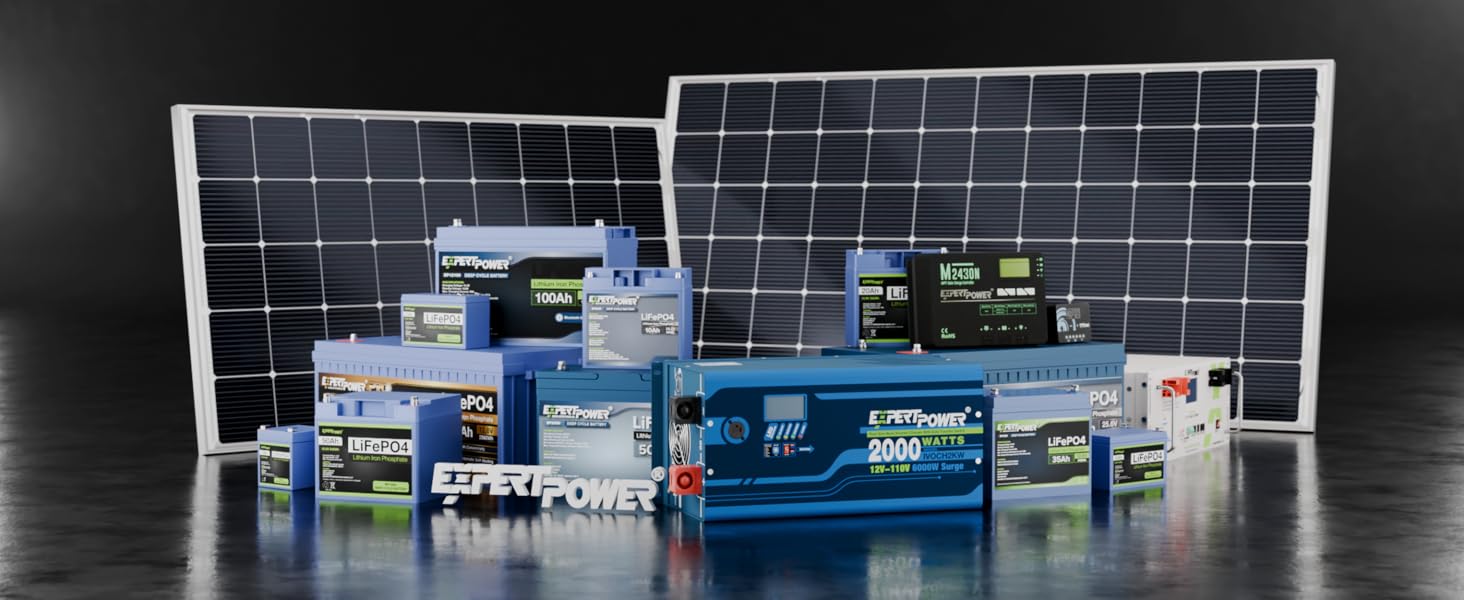
Figure 2: Diagram highlighting the multi-chemistry compatibility, large iron-rich transformer, fast auto-transfer switch, eco-mode, and high-quality power features.
Setup and Installation
Proper installation is crucial for the safe and efficient operation of your ExpertPower Inverter Charger. Always ensure the inverter is turned off before connecting any batteries or wiring.
Battery Connection
When connecting your battery bank to the inverter-charger, always start with the positive (red) terminal. It is recommended to use shorter, thicker copper cables for optimal stability and safety. After connecting the positive line, it is important to safeguard the inverter from a potentially harmful rush of current by creating a pre-charge circuit using the provided resistor.
- Ensure the inverter is completely turned off.
- Connect the positive (red) cable to the positive terminal of the battery, then to the positive DC terminal on the inverter. Remove the protective covering, unscrew the metal bolt, and remove the washers. Attach the cable, then reattach the washers, bolt, and protective cover.
- To create a pre-charge circuit, touch one end of the resistor to the negative line (black cable).
- Touch the other end of the resistor to the negative terminal on the inverter for 5 to 10 seconds. This allows for a slow, controlled charge, preventing sparks and potential damage.
- Finally, remove the resistor and quickly finish installing the negative cable to the negative terminal on the inverter in the same way you did with the positive cable.
Note: The resistor pre-charge method is a temporary solution for initial connection. For a permanent pre-charge circuit, refer to page 25 of your detailed inverter manual.
Video 1: Inverter-Charger Resistor Tutorial (Quick Set-Up). This video demonstrates the safe procedure for connecting your battery bank to the inverter using a resistor for pre-charging to prevent sparks.
AC Connections
The inverter provides both AC output plugs and AC terminals for convenient connection to an AC panel. The LNW direct single-phase AC terminals function as both inputs and outputs. The built-in automatic transfer switch can automatically shift between battery power and shore or generator power. The option to bypass to shore power works with or without batteries connected.

Figure 3: Detailed view of the inverter's front and back panels, including battery terminals, smart ventilation system, AC input/output terminals, and AC plugs.
Operation
Display Panel and Indicators
The integrated LCD display panel provides comprehensive information on the inverter's status, including output voltage, frequency, AC input voltage, inverter-battery input status, and the current percentage of inverter power in use. LED indicators provide real-time power distribution status, and an alarm system triggers when a fault is detected.
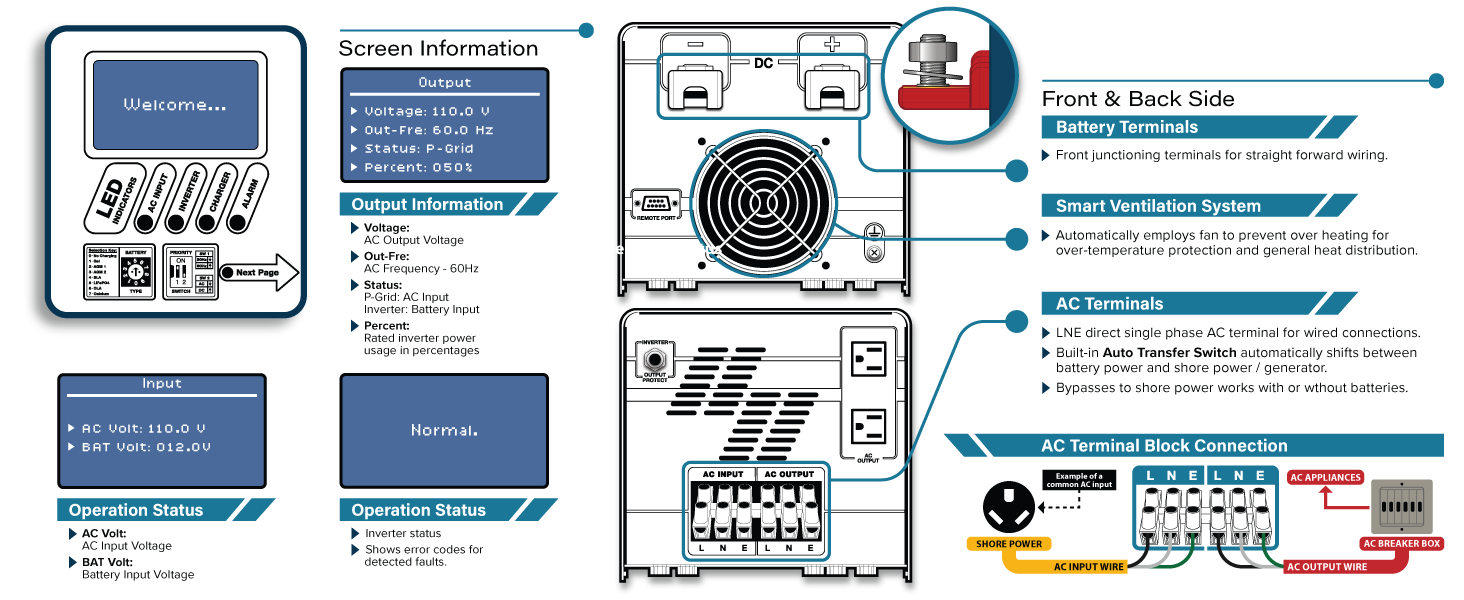
Figure 4: Close-up of the inverter's display panel and LED indicators, showing real-time status and alarm functions.
Wall-Mountable Smart Switch
The included 26-foot Smart Controller allows for remote operation and monitoring of the inverter. This wall-mountable switch panel provides status indicators and an On/Off switch, enabling convenient control from a distance.

Figure 5: The 26ft Smart Controller with its long cord, providing remote control and monitoring capabilities for the inverter.
Battery Type and Priority Settings
The inverter features a battery selector switch that allows you to choose from seven different battery types: Gel, AGM 1, AGM 2, SLA (Sealed Lead-Acid), LiFePO4 (Lithium Iron Phosphate), OLA, and Calcium batteries. Additionally, priority dip switches enable adjustment of AC or DC priority, and frequency dip switches allow switching between 50 Hz and 60 Hz.
Video 2: ExpertPower 12V 2KW Inverter-Charger Overview. This video provides a comprehensive overview of the inverter's features, connections, and operational settings.
Maintenance
Regular maintenance ensures the longevity and optimal performance of your ExpertPower Inverter Charger. Keep the unit clean and free from dust and debris. Ensure proper ventilation by keeping the fan and vents clear of obstructions. Periodically check all electrical connections for tightness and signs of corrosion. If any issues are observed, consult the troubleshooting section or contact ExpertPower support.
Troubleshooting
This section provides guidance for common issues. For detailed troubleshooting steps, refer to the full user manual.
| Problem | Possible Cause | Solution |
|---|---|---|
| Inverter not turning on. | Loose battery connections, low battery voltage, tripped circuit breaker. | Check and tighten all battery connections. Ensure battery voltage is within operating range. Reset the output protect switch. |
| No AC output. | Overload, short circuit, high temperature. | Reduce connected load. Check for short circuits in wiring or appliances. Ensure adequate ventilation and allow unit to cool. |
| Alarm sounding. | Overload, overcharge, overheating, deep discharge, short circuit. | Refer to the display panel for specific error codes and consult the manual for corresponding solutions. Address the underlying issue (e.g., reduce load, check battery status). |
Specifications
| Attribute | Detail |
|---|---|
| Model Name | 12V 2KW Pure Sine Wave Inverter Charger |
| Model Number | IVOCH2KW |
| Wattage | 2000 watts (Continuous), 6000 watts (Peak) |
| Power Source | Battery Powered (DC 12V input, AC 110V output) |
| Charge Current | 40 amps |
| Product Dimensions | 18.38 x 7.63 x 7.8 inches |
| Item Weight | 44 pounds |
| Recommended Uses | Vehicle, Office, Home |
| Certifications | UL2743, CE, FCC |

Figure 6: Technical diagram illustrating the top and side views of the inverter with dimensions, and details of the Smart Controller.
Warranty and Support
For detailed warranty information, technical support, or to access the complete user manual, please refer to the official ExpertPower documentation. A comprehensive PDF user manual is available for download:
Download Full User Manual (PDF)
ExpertPower is committed to providing reliable products and excellent customer service. If you encounter any issues not covered in this manual, please contact ExpertPower customer support for assistance.
Related documentsIVOCH2KW


Ask a question about this manual
Ask about setup, troubleshooting, compatibility, parts, safety, or missing instructions. Manuals+ will review the question and use this page’s manual context to help answer it.