
TOPTECH Jet-15
TOPTECH Audio Fully Amplified Portable Speaker
Model: Jet-15
Introduction
This manual provides detailed instructions for the operation and maintenance of your TOPTECH Audio Fully Amplified Portable Speaker, Model Jet-15. This high-quality, portable speaker is designed to deliver powerful and clear audio with versatile connectivity options and dynamic LED lighting, suitable for various indoor and outdoor events.

Figure 1: TOPTECH Audio Jet-15 Portable Speaker
Package Contents
Please verify that all items listed below are included in your package:
- 1 x TOPTECH Audio Jet-15 Speaker
- 1 x Speaker Stand
- 1 x Charging Adapter
- 1 x Wired Microphone
- 1 x Remote Control
- 1 x User Manual (this document)
- 1 x Warranty Card
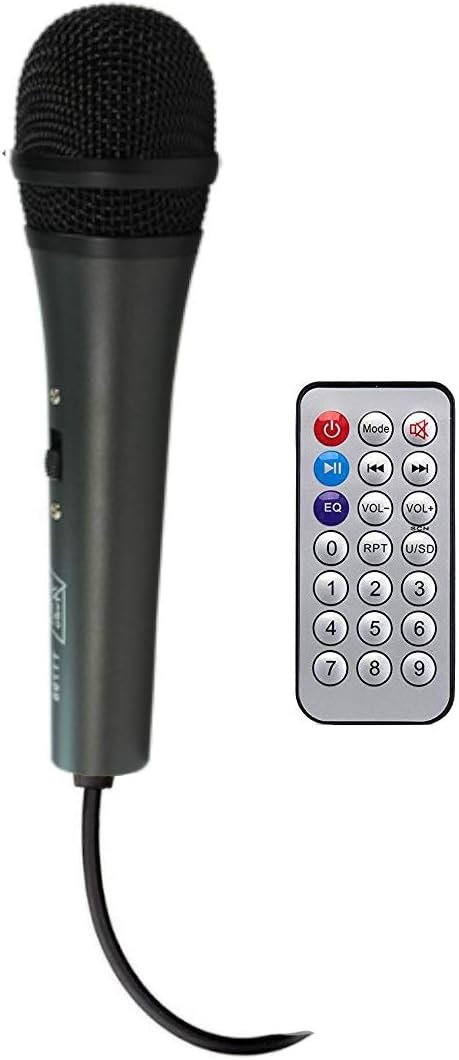
Figure 2: Included Wired Microphone and Remote Control

Figure 3: TOPTECH Audio Jet-15 Speaker on Stand
Video 1: Overview of TOPTECH Audio Jet-15 features and package contents.
Setup
- Unpacking: Carefully remove all components from the packaging.
- Speaker Stand Assembly: Extend the legs of the speaker stand until they are fully open and stable. Secure the speaker onto the top pole of the stand. Ensure the speaker is balanced and securely placed.
- Power Connection: Connect the charging adapter to the speaker's power input and then to a suitable power outlet. The speaker can operate while charging.
- Initial Charge: For optimal battery life, it is recommended to fully charge the speaker before its first use.
Operating Instructions
Control Panel Overview

Figure 4: Speaker Control Panel
The control panel on the rear of the speaker provides access to all primary functions. Key controls include:
- Volume Control: Adjusts the overall output volume.
- Bass/Treble Controls: Fine-tune the audio's low and high frequencies.
- Echo Control: Adjusts the echo effect for the microphone.
- Mic Input: Connect the wired microphone.
- Aux Input: Connect external audio devices via a 3.5mm audio cable.
- USB/SD Card Slots: For playing media directly from storage devices.
- Power Switch: Turns the speaker on/off.
- Light Switch: Controls the LED light feature.
Bluetooth Pairing
- Turn on the speaker using the Power Switch.
- The speaker will automatically enter Bluetooth pairing mode, indicated by a flashing Bluetooth indicator.
- On your mobile device (smartphone, tablet, etc.), enable Bluetooth and search for available devices.
- Select "TOPTECH Jet-15" (or similar name) from the list of devices.
- Once paired, the speaker will emit a confirmation sound, and the Bluetooth indicator will stop flashing.
- You can now stream audio wirelessly from your device to the speaker.
Using the Microphone
- Connect the wired microphone to the "MIC IN" port on the control panel.
- Adjust the microphone volume and echo using the dedicated knobs on the control panel.
- Ensure the microphone is switched on if it has an independent power switch.
LED Light Control
The speaker features a multi-colored LED woofer that can be controlled via a dedicated switch on the control panel or the remote control. Toggle the switch to turn the lights on or off, or to cycle through different light modes if available.
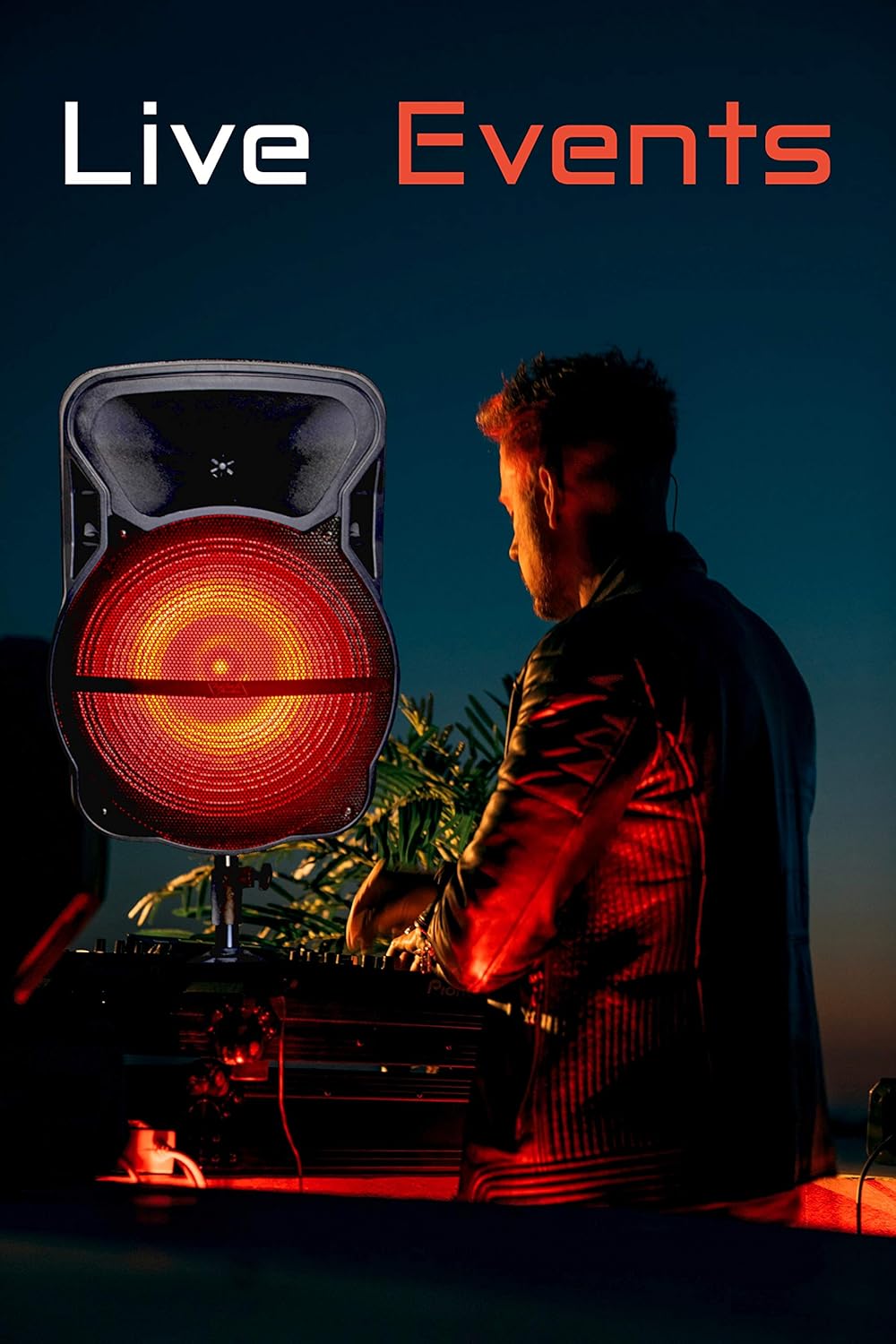
Figure 5: Speaker with Red LED Lights Activated
Charging and Battery Life
The Jet-15 speaker is equipped with a built-in rechargeable, high-capacity Li-ion battery. To charge the speaker, connect the provided charging adapter to the speaker's power input and a wall outlet. The charging indicator light will typically show the charging status.
A full charge provides up to 4.5 hours of non-stop music playback at maximum volume. Battery life may vary depending on volume levels and usage patterns.
Maintenance
- Cleaning: Use a soft, dry cloth to clean the speaker's exterior. Do not use abrasive cleaners or solvents.
- Storage: Store the speaker in a cool, dry place away from direct sunlight and extreme temperatures.
- Battery Care: To prolong battery life, avoid fully discharging the battery frequently. Charge the speaker regularly, even if not in use for extended periods.
- Water Exposure: This speaker is not waterproof. Avoid exposure to water or excessive moisture.
Troubleshooting
| Problem | Possible Cause | Solution |
|---|---|---|
| No Power | Battery is drained; Power switch is off; Power cable is not connected. | Charge the speaker; Turn on the power switch; Ensure power cable is securely connected. |
| No Sound | Volume is too low; Incorrect input mode selected; Device not paired (Bluetooth); Microphone not connected/on. | Increase volume; Select correct input (Bluetooth/Aux/USB); Re-pair Bluetooth device; Check microphone connection and power. |
| Bluetooth Disconnection | Device is out of range; Interference; Low battery. | Move device closer to speaker; Avoid obstacles; Charge the speaker. |
| LED Lights Not Working | Light switch is off; Malfunction. | Toggle the light switch on the control panel or remote; Contact customer support if issue persists. |
Specifications
| Feature | Detail |
|---|---|
| Brand | TOPTECH |
| Model | Jet-15 |
| Woofer Size | 15 inches |
| Power Source | Battery Powered |
| Output Wattage | 2200 Watts |
| Connectivity Technology | Bluetooth, Aux |
| Audio Input | Bluetooth, Aux |
| Number of Channels | 2 |
| Battery Life (Max Volume) | Up to 4.5 hours |
| Color | Red |
| Compatible Devices | Smartphone |
| Mounting Type | Freestanding, Inside Mount, Outside Mount |
| UPC | 689259337442 |
| ASIN | B08J6PW7ND |
| Date First Available | September 16, 2020 |
Warranty and Support
Your TOPTECH Audio Jet-15 speaker comes with a standard manufacturer's warranty. Please refer to the included Warranty Card for specific terms and conditions, including warranty period and coverage details.
For technical support, troubleshooting assistance, or warranty claims, please contact TOPTECH Audio customer service. Contact information can typically be found on the Warranty Card or the official TOPTECH Audio website.
Online Resources: For additional support and product information, visit the official TOPTECH Audio store on Amazon: TOPTECH Audio Store
Related documentsJet-15


Ask a question about this manual
Ask about setup, troubleshooting, compatibility, parts, safety, or missing instructions. Manuals+ will review the question and use this page’s manual context to help answer it.